
Introduction
The Bose Sport Earbuds are engineered to enhance your exercise experience with lifelike sound and a secure, comfortable fit. This manual provides essential information for setting up, operating, maintaining, and troubleshooting your earbuds to ensure optimal performance during workouts and daily use.

Image: Bose Sport Earbuds in Glacier White, showcasing their sleek design.
What's in the Box
Your Bose Sport Earbuds package includes the following components:
- Bose Sport Earbuds (Left and Right)
- Charging Case
- USB-C Charging Cable
- Three sizes of StayHear Max Tips (Small, Medium, Large)
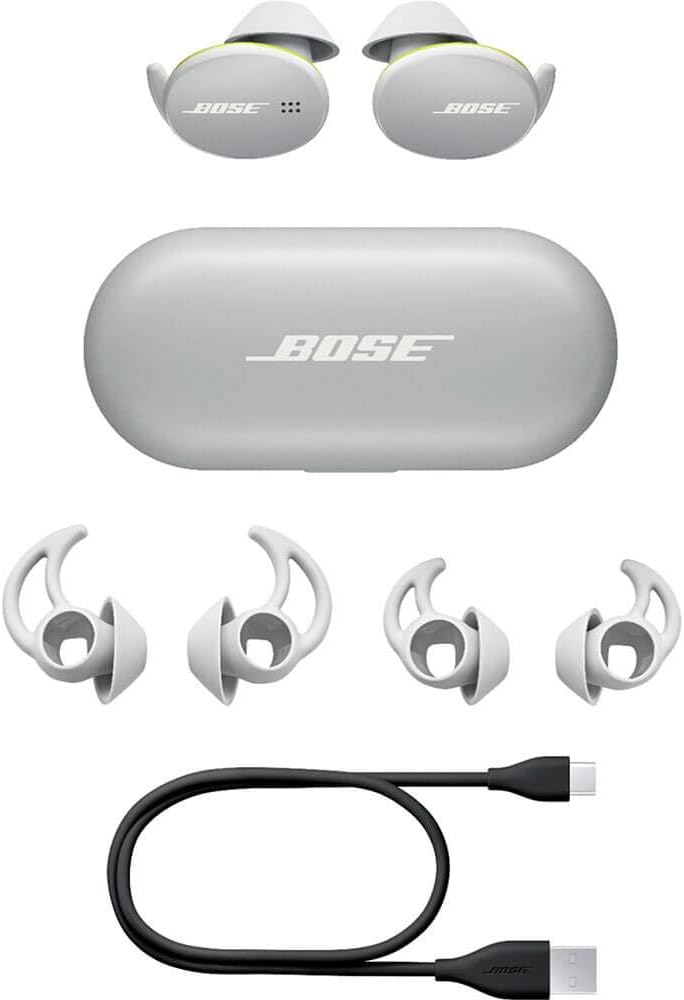
Image: All components included in the Bose Sport Earbuds retail packaging.
Setup
1. Choosing the Right Fit
The Bose Sport Earbuds come with three sizes of StayHear Max tips. Selecting the correct size is crucial for both comfort and sound quality. Experiment with the different sizes to find the one that creates a secure, airtight seal in your ear canal without causing discomfort. The unique umbrella-shaped tip and flexible wing are designed to keep the earbuds securely in place during physical activity.

Image: Various sizes of StayHear Max tips to ensure a personalized and secure fit.
2. Initial Charging
Before first use, fully charge your earbuds and charging case. Place the earbuds into the charging case. Connect the USB-C charging cable to the port on the back of the case and to a power source. The status lights on the case indicate the charging level. The earbuds' status lights will pulse white while charging and turn solid white, then off, when fully charged.

Image: Bose Sport Earbuds resting in their charging case, ready for charging.
3. Bluetooth Pairing
To pair your Bose Sport Earbuds with your device:
- Open the charging case. The earbuds will enter pairing mode.
- On your device, go to Bluetooth settings and select 'Bose Sport Earbuds'.
- For advanced settings and easier management, download the free Bose Music app. The app allows you to name your earbuds, set custom controls, and check battery levels.
Operating
Touch Controls
The Bose Sport Earbuds feature a capacitive touch interface for easy control:
- Right Earbud: Tap to play or pause music, and to answer or end calls. Press and hold to reject a call.
- Left Earbud: Double-tap to engage a Shortcut function (customizable via the Bose Music app), such as checking battery level.
- Volume Control: Swipe up or down on the right earbud for volume control (this is an opt-in feature via the Bose Music App).
Making and Receiving Calls
When receiving a call, simply tap the right earbud to answer. You will hear the call clearly in both ears. The integrated beamforming microphone array separates your voice from surrounding noise, ensuring your caller hears you clearly.
Video: Official Bose video demonstrating the features and use of Bose Sport Earbuds during workouts.
Maintenance
Cleaning Your Earbuds
Regular cleaning helps maintain optimal sound quality and hygiene. Gently wipe the earbuds and charging case with a soft, dry cloth. Avoid using abrasive materials or harsh chemicals. The StayHear Max tips can be removed and rinsed with water if necessary, ensuring they are completely dry before reattaching.
Water and Sweat Resistance
The Bose Sport Earbuds are rated IPX4 for water resistance, meaning they are protected against sweat and light rain. The internal electronics are wrapped in special materials to protect them from moisture. This makes them suitable for use during various exercise conditions. However, they are not designed for submersion in water.
Battery and Charging
The earbuds provide up to 5 hours of battery life per charge. The included charging case offers two additional full charges, extending total listening time up to 10 hours. A 15-minute quick charge in the case can provide up to 2 more hours of playback.
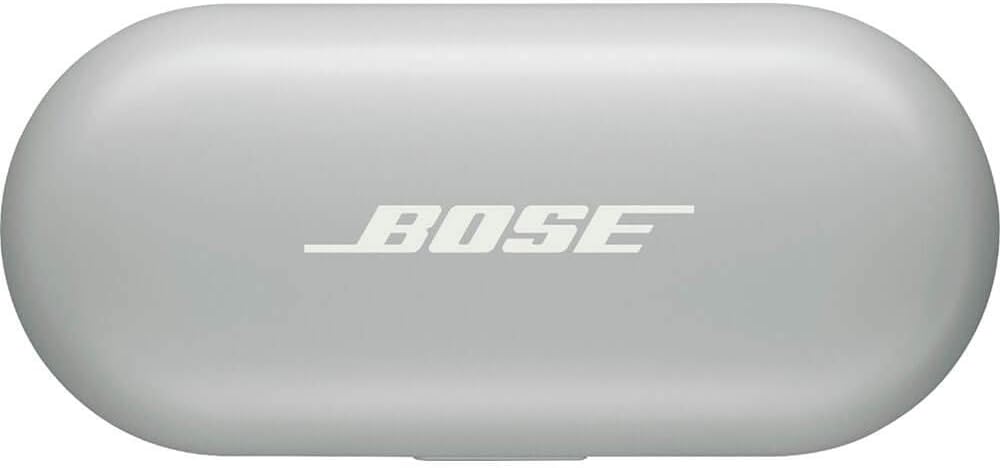
Image: The compact charging case for Bose Sport Earbuds, indicating its portability.
Troubleshooting
Connectivity Issues
- Ensure your device's Bluetooth is enabled and the earbuds are within 30 feet (9 meters) of your device.
- If connection issues persist, try unpairing the earbuds from your device's Bluetooth settings and then re-pairing them.
- Check the Bose Music app for any available firmware updates, which can resolve connectivity problems.
Sound Quality or Fit Problems
- Verify that you are using the correct size of StayHear Max tips for a secure and airtight seal. An improper fit can significantly impact sound quality, especially bass response.
- Clean the ear tips and earbud nozzles to ensure no debris is obstructing the sound.
Specifications
| Feature | Detail |
|---|---|
| Model Name | Sport Earbuds |
| Connectivity Technology | Bluetooth 5.1 |
| Wireless Communication Technology | Bluetooth |
| Included Components | Earbuds, Charging Case, USB Cable, 3 Earbud Tips |
| Material | Silicone, Hard plastic |
| Specific Uses For Product | Sports and Exercise |
| Charging Time | 2 Hours (for case) |
| Compatible Devices | Smartphones, Tablets, Bluetooth-enabled Devices |
| Control Type | Touch, Volume Control (via app) |
| Item Weight | 9 Grams (each earbud) |
| Water Resistance Level | IPX4 (Water Resistant) |
| Battery Life | Up to 5 Hours (earbuds), Up to 10 additional hours (charging case) |
| Bluetooth Range | 30 Feet (9 meters) |
| Earpiece Shape | In-ear with winged tip |
Warranty and Support
For warranty information, technical support, or further assistance, please refer to the official Bose website or contact Bose customer service directly. Keep your proof of purchase for warranty claims.


