
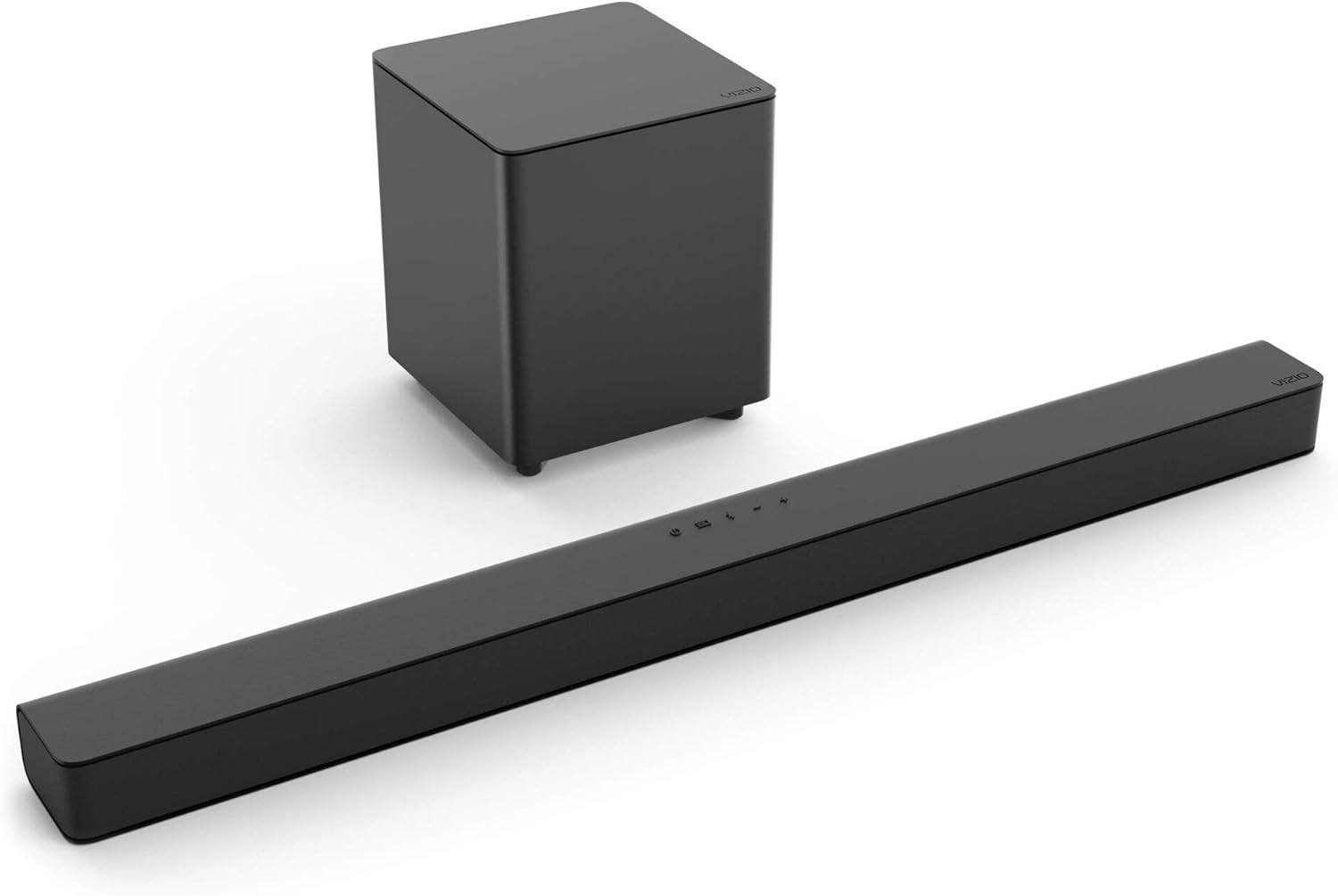
Introduction
This manual provides instructions for the setup, operation, and maintenance of your VIZIO V-Series 2.1 Home Theater Sound Bar, Model V21-H8R. Please read this manual thoroughly before using your new sound bar system.
Package Contents
Verify that all items are included in your package:
- VIZIO V-Series 2.1 Sound Bar
- Wireless Subwoofer
- Remote Control
- Power Cables (for Sound Bar and Subwoofer)
- HDMI Cable
- Optical Digital Audio Cable
- Wall Mount Hardware (screws, anchors, wall mount template)

Image showing the various audio cables included with the sound bar system, such as HDMI, Digital Optical, RCA to 3.5mm Stereo, and 3.5mm Stereo cables.
Setup
1. Placement
Position the sound bar centrally below your television. The wireless subwoofer can be placed anywhere in the room, ideally where it can provide optimal bass without obstruction. Ensure both units are near a power outlet.

A VIZIO sound bar positioned below a television in a living room, with the wireless subwoofer placed near a couch.
2. Connections
Connect the sound bar to your TV using one of the following methods for optimal audio quality:
- HDMI ARC (Recommended): Connect the included HDMI cable from the HDMI ARC port on your sound bar to the HDMI ARC port on your TV. This allows your TV remote to control the sound bar volume.
- Optical Digital Audio: Connect the included Optical Digital Audio cable from the OPTICAL port on your sound bar to the Optical Digital Audio Out port on your TV.
- Analog Audio: Use a 3.5mm stereo mini-jack cable (not always included) to connect to the ANALOG port.
The sound bar also features a USB port for firmware updates only, and a dedicated Voice Assistant Input (3.5mm Aux or Persistent Bluetooth) for connecting compatible voice assistant devices.

The back panel of the VIZIO sound bar, displaying the HDMI ARC, Optical, Analog, and USB ports, along with the power input.

A detailed view of the VIZIO sound bar's rear connections, including HDMI ARC, Optical, Analog, and USB ports, along with regulatory information and model number V21-H8.
3. Power Connection
Connect the power cables to the sound bar and subwoofer, then plug them into a wall outlet. The subwoofer will automatically pair with the sound bar when both are powered on.

The rear of the VIZIO wireless subwoofer, showing the AC power input and the power switch.
4. Wall Mounting (Optional)
If you choose to wall mount the sound bar, use the included wall mount hardware and template. Ensure the mounting location can support the weight of the sound bar and that cables can be routed discreetly.

A close-up view of the top panel of the VIZIO sound bar, showing the power, input, Bluetooth, volume down, and volume up buttons.
Operating Instructions
1. Power On/Off
Press the Power button on the sound bar or the remote control to turn the system on or off. If connected via HDMI ARC, the sound bar may power on/off automatically with your TV.
2. Input Selection
Press the INPUT button on the sound bar or remote to cycle through available audio sources (TV, Optical, Bluetooth, Analog, USB).
3. Volume Control
Adjust the main volume using the Volume Up/Down buttons on the sound bar or remote. If using HDMI ARC, your TV remote may also control the sound bar volume.
4. Sound Modes and Enhancements
Use the remote control to access various sound modes and audio enhancements:
- Sound Modes: Select from Stereo, Standard, Movie, or Game modes to optimize audio for different content types.
- Clear Voice: Enhances the clarity of spoken dialogue.
- Bass Extension: Increases the low-frequency output for deeper bass.
- Subwoofer Level: Adjust the subwoofer output level independently.
The VIZIO remote control, showing buttons for input selection, volume, sound modes, and audio enhancements.
5. Bluetooth Streaming
To stream audio from a Bluetooth device, select the Bluetooth input on the sound bar. Enable Bluetooth on your device and select "VIZIO V21-H8R" from the list of available devices to pair. Once paired, you can play audio from your device through the sound bar.
Maintenance
To ensure the longevity and optimal performance of your VIZIO sound bar system, follow these maintenance guidelines:
- Cleaning: Gently wipe the surfaces of the sound bar and subwoofer with a soft, dry cloth. Avoid using liquid cleaners or abrasive materials, as they may damage the finish.
- Ventilation: Ensure adequate airflow around both the sound bar and subwoofer. Do not block any ventilation openings.
- Environmental Conditions: Keep the system away from direct sunlight, heat sources, and excessive moisture.
Troubleshooting
If you encounter issues with your sound bar, refer to the following common solutions:
- No Sound:
- Check all cable connections (HDMI, Optical, Power).
- Ensure the correct input source is selected on the sound bar.
- Verify the TV's audio output settings are configured to send audio to the sound bar.
- Confirm the sound bar and TV volumes are not muted or set too low.
- Subwoofer Not Pairing:
- Ensure the subwoofer is powered on and within range of the sound bar.
- If pairing issues persist, refer to the full user manual for specific pairing instructions, which may involve pressing a pair button on the subwoofer.
- Sound Delay/Echo:
- Disable your TV's internal speakers if using the sound bar as the primary audio output.
- Check your TV's audio settings for any audio delay or lip-sync adjustments.
- Bluetooth Connection Issues:
- Ensure the sound bar is in Bluetooth input mode.
- Unpair and re-pair the device.
- Move the Bluetooth device closer to the sound bar.
Specifications
| Model Name | V21-H8R |
| Brand | VIZIO |
| Surround Sound Channel Configuration | 2.1 |
| Speaker Type | Sound Bar with Wireless Subwoofer |
| Subwoofer Diameter | 5 Inches |
| Speaker Maximum Output Power | 80 Watts |
| Frequency Response | 50Hz – 20kHz (Sound Bar), 20 KHz (General) |
| Wireless Communication Technology | Bluetooth |
| Bluetooth Range | 10 Meters |
| Connectivity Technology | HDMI ARC, Optical, USB (Update Only), Analog (3.5mm), Bluetooth |
| Product Dimensions | 3.2"D x 36"W x 2.28"H |
| Item Weight | 8.65 Pounds |
| Included Components | Soundbar, Subwoofer, Remote |
Warranty and Support
Your VIZIO V-Series 2.1 Home Theater Sound Bar is covered by a 1-year warranty from the date of purchase. For warranty claims, technical support, or further assistance, please contact VIZIO customer service or visit the official VIZIO website.
Official VIZIO Website: www.vizio.com
Official Product Video
Watch this official video from VIZIO for an overview of the VIZIO V21-H8R Sound Bar system, highlighting its features and benefits.
Official VIZIO V21-H8R Sound Bar product video, showcasing its design, features, and immersive sound capabilities.


