
Introduction
This manual provides comprehensive instructions for the installation, operation, and maintenance of your HuTools Keyless Deadbolt Entry Door Lock, Model DKS01 NKL. Please read these instructions carefully before installation and use to ensure proper function and security.
The HuTools Keyless Deadbolt offers convenient keyless access to your home, office, or personal areas. It features a programmable backlit keypad, auto-lock functionality, and multiple user code options for enhanced security and ease of use.
Product Features
- Keyless Entry: Access your property using a programmable 4-10 digit code.
- Multiple User Codes: Supports up to 20 unique user codes for family, friends, or service personnel.
- One-Time Use Code: Generate a temporary code for single access.
- Auto-Lock Function: Automatically locks the door after a user-defined delay (10-99 seconds).
- One-Touch Locking: Instantly lock the door by pressing a single button for 3 seconds.
- Backlit Keypad: Blue backlight for easy visibility and operation in low-light conditions.
- Virtual Password: Enter random digits before or after your actual code to prevent code theft by observation.
- Holiday Mode: Disables all user codes except the master code for extended absences.
- Low Battery Indicator: Alerts you when batteries need replacement.
- Mechanical Backup Key: Provides an alternative entry method in case of battery failure.
- Built-in Alarm: Sounds an alert for multiple failed entry attempts or unauthorized manual unlocking in Holiday Mode.
Specifications
| Feature | Specification |
|---|---|
| Model Number | DKS01 NKL |
| Door Thickness Compatibility | 1 3/8 inches to 2 inches (35mm to 50mm) |
| Door Hole Diameter | 2 1/8 inches (54mm) |
| Backset | Adjustable 2 3/8 inches or 2 3/4 inches (60mm or 70mm) |
| Operating Temperature | -4°F to 131°F (-20°C to 55°C) |
| Power Source | 4 AA Alkaline Batteries (not included) |
| Product Dimensions (L x W x H) | 7.7 x 4 x 14.2 cm |
| Weight | 800 grams |
| Finish Type | Satin Nickel |
| Control Method | Keypad, Push Button, Touch |
Setup and Installation
The HuTools Keyless Deadbolt is designed for easy installation and is compatible with both left and right-handed doors. No extra drilling is typically required for standard door preparations.
Door Preparation Requirements:
- Door Thickness: Ensure your door thickness is between 1.38 inches (35mm) and 2 inches (50mm).
- Door Hole Diameter: The existing door hole diameter should be approximately 2.12 inches (54mm).
- Backset: The lock supports adjustable backset of 2 3/8 inches (60mm) or 2 3/4 inches (70mm). The backset is the distance from the door edge to the center of the hole on the door face.

Image: Door preparation dimensions and lock component measurements for proper installation.
Installation Steps:
- Verify Door Dimensions: Confirm your door meets the specifications listed above.
- Install Latch Bolt: Insert the latch bolt into the door edge and secure it. Adjust the backset if necessary.
- Install Exterior Assembly: Place the exterior keypad assembly onto the door, ensuring the spindle passes through the latch bolt.
- Install Interior Mounting Plate: Secure the interior mounting plate to the exterior assembly using screws.
- Connect Cable and Install Interior Assembly: Connect the cable from the exterior assembly to the interior assembly. Mount the interior assembly, ensuring the thumb turn operates smoothly.
- Install Batteries: Insert 4 AA alkaline batteries into the battery compartment.
- Test Lock Operation: Perform initial tests to ensure the lock functions correctly with both the keypad and the mechanical key.
Operating Instructions
Unlocking the Door:
- Using a User Code: Enter your 4-10 digit user code on the keypad. The lock will unlock.
- Using Virtual Password: To prevent code observation, you can enter random digits before or after your actual user code. For example, if your code is 1234, you can enter 567123489 or 1234567.
- Using Mechanical Key: Insert the backup mechanical key into the keyhole and turn to unlock.
Locking the Door:
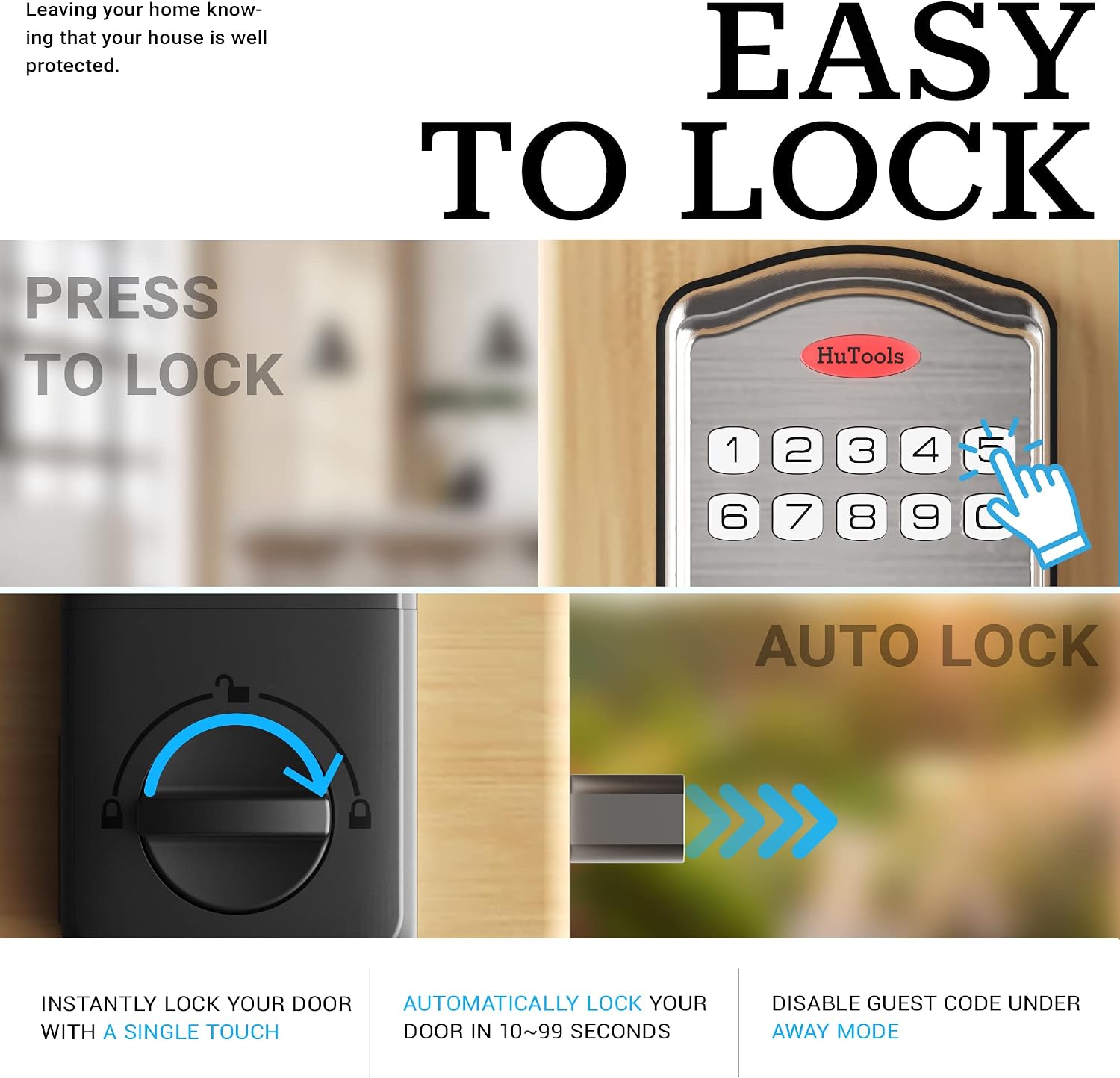
Image: Visual representation of one-touch locking and the auto-lock feature.
- One-Touch Locking: Press and hold any key on the keypad for 3 seconds. The deadbolt will extend, locking the door.
- Auto-Lock Feature: If enabled, the lock will automatically engage the deadbolt after a preset delay (10-99 seconds) once the door is closed. This feature can be manually disabled if not required.
Backlight Function:
The keypad features a blue backlight. Simply touch any key to illuminate the numbers, making it easy to enter codes in the dark.
Programming Codes
Your HuTools deadbolt supports a Master Code, up to 20 User Codes, and One-Time Use Codes.
Master Code:
The Master Code is used for programming and managing other codes and lock settings. It provides an additional layer of security. Refer to the full programming guide for setting and changing the Master Code.
Adding User Codes:

Image: The keyless deadbolt highlighting the capacity for 20 user codes and the virtual code feature.
- Enter the Master Code.
- Press the 'Program' button (or equivalent, refer to specific model instructions).
- Enter a new 4-10 digit user code.
- Confirm the user code.
Repeat for additional user codes, up to a maximum of 20.
Deleting User Codes:
Individual user codes can be deleted using the Master Code and specific programming steps. Consult the detailed programming section of the full manual.
One-Time Use Codes:
These codes are valid for a single entry and are automatically deleted after use. Ideal for temporary access for visitors or service providers.
Maintenance
Battery Replacement:
The lock is powered by 4 AA alkaline batteries. A low battery indicator will alert you when the batteries are running low. When the batteries are critically low, the lock will emit steady beeps and a flash light during operation.
- Replace all 4 batteries simultaneously with new, high-quality alkaline AA batteries.
- Even if batteries fail completely, you can still access the door using the provided mechanical backup key.
Cleaning:
Clean the keypad and lock body with a soft, damp cloth. Avoid abrasive cleaners or solvents that could damage the finish or electronic components.
Troubleshooting

Image: The keyless deadbolt, illustrating its built-in alarm capability.
- Lock Not Responding: Check battery levels. Replace batteries if low. Ensure no keys are stuck in the keyhole.
- Keypad Not Lighting Up: Touch any key to activate the backlight. If it still doesn't light up, check batteries.
- Alarm Sounds Unexpectedly: This may indicate multiple failed entry attempts or unauthorized manual unlocking (e.g., turning the thumb turn while Holiday Mode is active). Check for tampering or review recent access attempts.
- Codes Not Working: Ensure you are entering the correct code. Verify that the lock is not in Holiday Mode, which disables user codes. Re-program the code if necessary.
- Auto-Lock Not Engaging: Check if the auto-lock feature is enabled and the delay time is set correctly. Ensure the door closes completely and the latch bolt can extend freely.
For more detailed troubleshooting or persistent issues, please refer to the comprehensive troubleshooting guide in the full product manual or contact HuTools customer support.
Warranty and Support
HuTools products are designed for durability and reliability. For specific warranty information, including coverage period and terms, please refer to the warranty card included with your product or visit the official HuTools website.
If you require technical assistance, have questions about installation, programming, or troubleshooting, please contact HuTools customer support. Contact details can typically be found on the product packaging or the official HuTools website.
Please have your model number (DKS01 NKL) and purchase information ready when contacting support.


