
1. Introduction
Thank you for choosing the Festnight 4G LTE Cat 4 150Mbps Mobile WiFi Router. This portable wireless router is designed to provide high-speed internet access wherever you go, supporting stable and fast signal transmission. It is ideal for travel, home, and office use, allowing multiple devices to connect simultaneously.
This manual provides essential information on setting up, operating, and maintaining your device. Please read it thoroughly before use and keep it for future reference.

Image 1.1: The Festnight 4G LTE Mobile WiFi Router providing internet to a laptop in an office setting.
2. Product Overview
2.1 Key Features
- Network speed up to 150Mbps for fast downloads and streaming.
- Supports all WiFi-enabled devices, including smartphones, tablets, and laptops.
- High performance with stable and fast signal transmission.
- Slim and compact design for ultimate portability.
- Long-lasting 2000mAh battery providing up to 72 hours of standby time.
- Equipped with a SIM card slot for 4G LTE connectivity.
2.2 Device Layout

Image 2.1: Front view of the router with indicators for signal, battery, and messages, and the power button.

Image 2.2: Side view of the router, highlighting the SIM card slot.

Image 2.3: Side view of the router, showing the Micro USB charging port.

Image 2.4: Back view of the router.
3. Setup
3.1 Package Contents
Before you begin, please ensure all items are present in the package:
- 1 x Festnight 4G Wireless WiFi Router
- 1 x USB Charging Cable
- 1 x Rechargeable Battery
- 1 x User Manual (English)
3.2 Installing the SIM Card and Battery
- Carefully remove the back cover of the router.
- Insert your standard-sized 4G LTE SIM card into the designated SIM card slot. Ensure the card is inserted correctly according to the diagram inside the compartment.
- Insert the provided rechargeable battery into its compartment, ensuring the contacts align properly.
- Replace the back cover until it clicks securely into place.
3.3 Charging the Device
Before first use, fully charge the router. Connect the provided USB cable to the router's Micro USB port and the other end to a USB power adapter (not included) or a computer's USB port. The battery indicator light will show charging status.
4. Operating Instructions
4.1 Powering On/Off
- To power on: Press and hold the power button (usually located on the front or side) for a few seconds until the indicator lights illuminate.
- To power off: Press and hold the power button again until the indicator lights turn off.
4.2 Connecting to WiFi
- Ensure the router is powered on and has established a 4G network connection (indicated by the signal light).
- On your WiFi-enabled device (smartphone, laptop, tablet), search for available WiFi networks.
- Locate the network name (SSID) of your Festnight router. This is typically printed on a sticker inside the battery compartment or on the back of the device.
- Select the network and enter the WiFi password (also found on the sticker) when prompted.
- Once connected, your device will have internet access through the router.
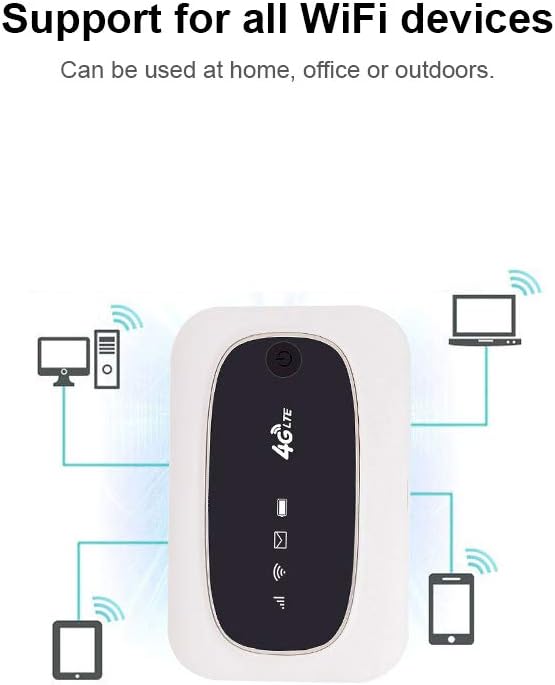
Image 4.1: The router supports connection for various WiFi devices.
4.3 Indicator Lights
The router features several indicator lights to provide status information:
- Signal Indicator: Shows the strength of the 4G LTE network signal.
- WiFi Indicator: Indicates if WiFi is active and broadcasting.
- Battery Indicator: Displays the current battery level and charging status.
- Message Indicator: May light up to indicate new SMS messages on the SIM card (if supported and configured).
5. Maintenance
5.1 Cleaning
Wipe the device with a soft, dry cloth. Do not use liquid cleaners or aerosols, as they may damage the device. Keep the charging port free of dust and debris.
5.2 Storage
Store the router in a cool, dry place away from direct sunlight and extreme temperatures. If storing for an extended period, ensure the battery is partially charged (around 50%) to prolong its lifespan.
5.3 Battery Care
To maximize battery life, avoid fully discharging the battery frequently. Use only the provided or a compatible USB charging cable. Do not expose the battery to high temperatures or puncture it.
6. Troubleshooting
| Problem | Possible Cause | Solution |
|---|---|---|
| No power | Low battery; device off. | Charge the battery; press and hold the power button to turn on. |
| No 4G signal | No SIM card; SIM card not activated; out of network coverage; incorrect APN settings. | Ensure SIM is inserted correctly; contact your service provider; move to an area with better coverage; check APN settings via web interface (if available). |
| Cannot connect to WiFi | Incorrect WiFi password; WiFi disabled; device too far from router. | Verify WiFi password; ensure WiFi indicator is on; move closer to the router. |
| Slow internet speed | Weak 4G signal; too many connected devices; network congestion. | Move to an area with stronger signal; disconnect unused devices; try again later. |
7. Specifications
| Feature | Detail |
|---|---|
| Brand | Festnight |
| Model Number | TYJFESTNIGHTC6291-SRSA |
| Connectivity Technology | Wi-Fi, 4G LTE |
| Wireless Communication Standard | 802.11b, 802.11g, 802.11n |
| Supported WiFi Frequency | 2.4 GHz |
| WiFi 2.4G Transmission Rate | 150 Mbps |
| Max. LAN Data Rate | 100 Mbps |
| UE Category | Cat 4 |
| FDD-LTE Bands | B1/B2/B3/B4/B5/B7/B8/B12/B13/B17/B20/B25/B26/B27/B28A/B28B |
| TDD-LTE Bands | B38/B40/B41 |
| 4G LTE Download Rate (FDD) | Up to 150 Mbps |
| 4G LTE Upload Rate (FDD) | Up to 50 Mbps |
| 4G LTE Download Rate (TDD) | Up to 130 Mbps |
| 4G LTE Upload Rate (TDD) | Up to 35 Mbps |
| Battery Capacity | 2000 mAh |
| Standby Time | Up to 72 hours |
| Material | ABS |
| Product Dimensions (L*W*H) | 9.4 * 6.1 * 1.5 cm (3.7 * 2.4 * 0.59 inches) |
| Item Weight | Approx. 52g (1.83 ounces) |
| Security Protocol | WEP (Note: WEP is an older security standard. For stronger security, ensure your SIM card provider or device settings allow for WPA2 or WPA3 if available.) |
| Antenna Type | Internal |
| Country of Origin | China |
| UPC / GTIN | 783908763788 |
| ASIN | B08CC68B6V |
8. Safety Information
- Do not expose the device to water, moisture, or extreme temperatures.
- Avoid dropping or subjecting the device to severe impact.
- Do not attempt to disassemble or repair the device yourself. Refer to qualified service personnel.
- Keep the device away from medical devices, as it may interfere with their operation.
- Dispose of the device and battery responsibly according to local regulations.
9. Warranty and Support
This product is covered by a standard return policy, typically 15 days from the date of purchase. For specific warranty details, return procedures, or technical support, please refer to your purchase documentation or contact the retailer where the product was acquired.