
Introduction
The Autel MaxiTPMS TS508WF is a new generation Tire Pressure Monitoring System (TPMS) tool, designed to provide comprehensive TPMS solutions. It is an upgraded version of previous models like the TS508 and TS601, featuring enhanced capabilities including Wi-Fi updates for convenient software management. This tool allows users to activate all known TPMS sensors, perform detailed diagnostics, program Autel MX-Sensors, and execute various relearn procedures to ensure proper TPMS functionality.
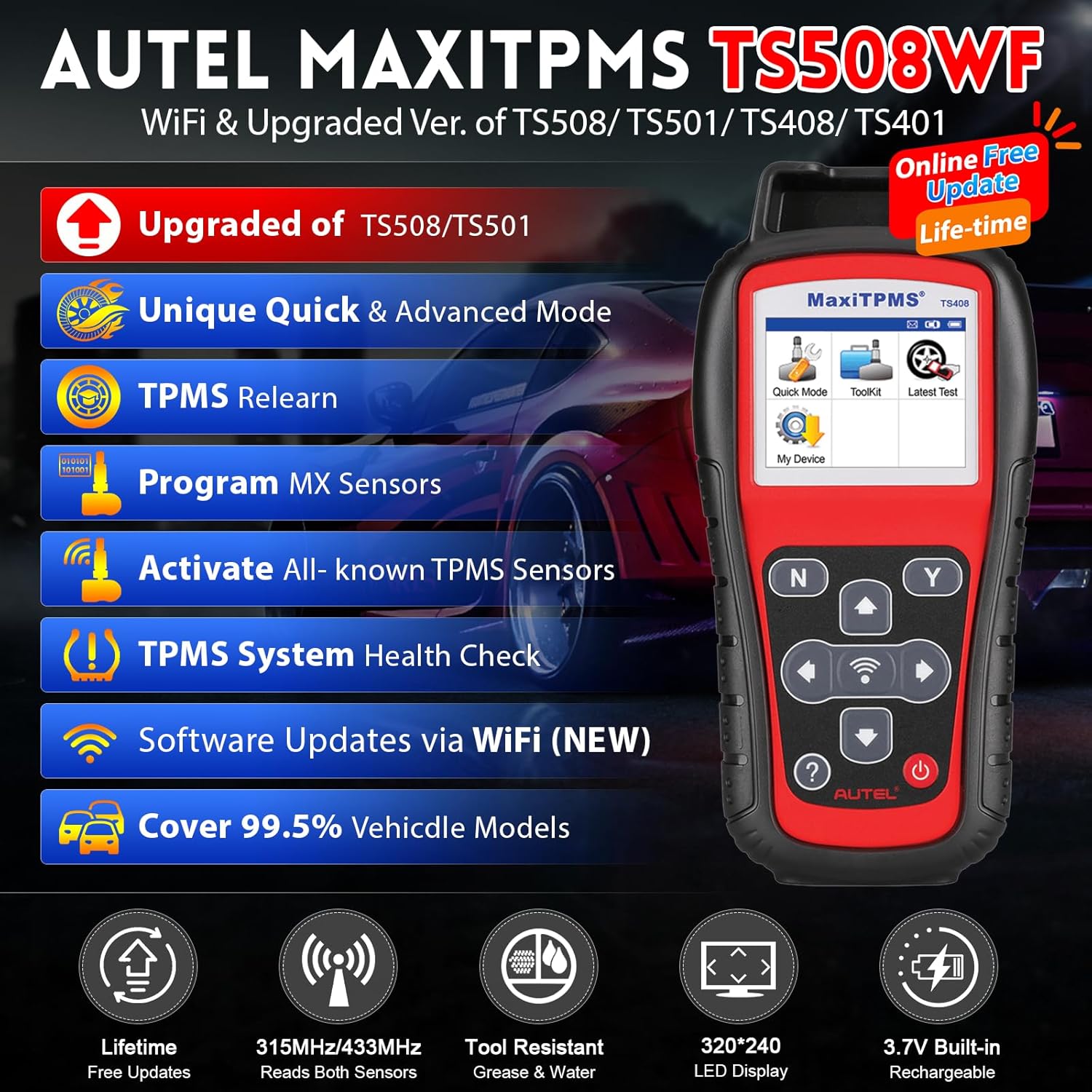
Image: Autel MaxiTPMS TS508WF highlighting its upgraded features such as Wi-Fi updates, Quick & Advanced Modes, TPMS Relearn, Program MX Sensors, Activate All-known TPMS Sensors, TPMS System Health Check, and 99.5% vehicle model coverage.
What's in the Box
- TS508WF Main Unit
- OBD II cable
- USB cable
- AC Adapter
- Carry case
Setup Guide
Initial Setup and Wi-Fi Update
The TS508WF features convenient Wi-Fi updates, eliminating the need for a PC connection for software updates. Ensure the device is charged or connected to a power source during the update process.
- Power on the TS508WF unit.
- Navigate to the 'My Device' menu.
- Select 'Update by Wi-Fi'.
- Choose 'Scan Wi-Fi' to find available networks.
- Select your network and enter the password to sign in.
- Once connected, the tool will check for available updates. Follow on-screen prompts to download and install updates.
Video: Demonstrates the Wi-Fi update process for the Autel MaxiTPMS TS508WF, showing how to connect to a network and initiate software updates directly from the device.
Operating Modes
The Autel MaxiTPMS TS508WF offers two distinct operating modes to cater to different user needs: Quick Mode and Advanced Mode.
Quick Mode
Quick Mode provides basic TPMS functions for fast and easy operations. It is ideal for quick checks and common tasks.
- Activate & Relearn All Known Sensors
- Read Sensor ID, Temperature, Pressure
- Read Battery Power Level Condition
- 3 Sensor Programming Options (Copy by Activation, Copy by Manual Input, Auto Create 1-16 Sensors)
Advanced Mode
Advanced Mode offers complete TPMS functions, providing powerful diagnostic and service capabilities for more complex scenarios.
- TPMS Status Screen - View System Faults
- Read & Clear DTCs from ECU
- Sensor Position Relearn
- 4 Sensor Programming Options (Copy by Activation, Copy by Manual Input, Copy by OBD, Auto Create 1-16 Sensors)
- On-Tool Relearn Procedure Guide

Image: Illustration of the two unique TPMS service modes, Quick Mode for basic functions and Advanced Mode for comprehensive diagnostics and programming.
TPMS Sensor Activation & Diagnosis
The TS508WF can wirelessly activate 99% of TPMS sensors on the market and retrieve crucial sensor data. It also provides full diagnostic capabilities for the TPMS system.
Activating Sensors
To activate a sensor, select the appropriate vehicle make/model/year, then choose the activation function. Hold the tool near the tire valve stem and press the trigger button. The tool will display sensor ID, tire pressure, temperature, battery status, and position.

Image: Visual representation of activating a TPMS sensor and retrieving data such as Sensor ID, Tire Pressure, Tire Temperature, Sensor Battery, and Sensor Position.
TPMS System Diagnostics
Use the diagnostic function to read and clear Diagnostic Trouble Codes (DTCs) related to the TPMS system. This helps identify and resolve issues causing the TPMS warning light to illuminate.

Image: Diagram illustrating the full TPMS system diagnostics capabilities, including reading and clearing TPMS DTCs and resetting warning lights.
Video: A demonstration of using the Autel TS508 to scan and diagnose TPMS issues, including activating sensors and checking system status.
TPMS Sensor Programming
The TS508WF allows you to program Autel MX-Sensors to replace faulty or low-battery OE/MX/Other sensors. There are multiple programming options available:
- Auto Create 1-16 MX-Sensors: Generates new sensor IDs for up to 16 sensors.
- Copy by OBD: Copies existing sensor IDs from the vehicle's ECU into new MX-Sensors.
- Copy by Activation: Copies the ID from an activated sensor into a new MX-Sensor.
- Copy by Manual Input: Allows manual entry of a sensor ID into a new MX-Sensor.

Image: Overview of the four MX-Sensor programming options available on the Autel MaxiTPMS TS508WF.
Video: Demonstrates the TPMS programming capabilities of the Autel MaxiTPMS TS508WF, including various methods to program MX-Sensors.
TPMS Sensor Relearn
After replacing or rotating tires, TPMS sensors need to be relearned to the vehicle's ECU to ensure accurate pressure readings and proper system function. The TS508WF supports three relearn methods:
- Stationary Relearn: Requires the vehicle to be placed in a "Learn Mode" (specific steps vary by vehicle).
- Automatic Relearn: Involves driving the vehicle for a certain period at a specified speed (refer to on-screen procedure).
- OBD Relearn: Directly writes the TPMS sensor IDs to the TPMS module via the OBD connector.

Image: Visual guide to the three sensor relearning options: Stationary Relearn, Automatic Relearn, and OBD Relearn.
Video: Detailed guide on performing a stationary TPMS relearn procedure using the Autel TS508.
Video: A comprehensive demonstration of TPMS programming on a 2014 Ford F150 using the Autel TS508, including sensor activation and relearn procedures.
Troubleshooting
If you encounter issues with your TPMS system or the TS508WF tool, refer to the following common troubleshooting tips:
- TPMS MIL (Malfunction Indicator Light) On: This could be due to a damaged TPMS sensor, incorrect tire pressure, missing sensors, or a relearn process not performed after sensor replacement. Use the TPMS Diagnose function to identify the exact cause.
- Sensor Not Activating: Ensure the tool is held correctly near the valve stem. Check if the sensor battery is low or if the sensor itself is broken. The tool will indicate low battery or activation failure.
- Incorrect Tire Pressure Reading: Verify the tire pressure against the vehicle's placard. If the sensor ID is duplicated or inconsistent with the ECU, perform a relearn procedure.
- Tool Communication Issues: Ensure the OBD II cable is securely connected to both the tool and the vehicle's OBD port. Confirm the vehicle's ignition is in the ON position.
Specifications
| Feature | Specification |
|---|---|
| Model | MaxiTPMS-TS508WF |
| Item Weight | 4 pounds |
| Product Dimensions | 8.46 x 3.94 x 1.38 inches |
| Batteries | 1 Lithium Polymer battery (included) |
| Voltage | 3.7 Volts |
| Display Resolution | 320x240 |
Warranty and Support
Autel provides free lifetime software updates for the MaxiTPMS TS508WF, ensuring your tool always has the latest vehicle coverage and functionalities.
For detailed support, troubleshooting guides, and warranty information, please refer to the official User Manual (PDF) available on the product's Amazon page or Autel's official website.
You can also visit the Autel Store on Amazon for additional resources and product information.


