
Siljoy XLQ6639
Siljoy Retractable Ceiling Fan with Lights
Model: XLQ6639
Important Safety Information
Please read and understand all instructions before beginning installation. Failure to follow these instructions may result in electric shock, fire, or personal injury.
- Always disconnect power at the main circuit breaker before installation or servicing.
- Ensure all electrical connections comply with local codes and ordinances.
- Consult a qualified electrician if you are unsure about wiring or installation.
- Mount the fan securely to a ceiling joist or a suitable support structure capable of supporting the fan's weight.
- Do not bend the fan blades during installation or cleaning.
- Keep children away from the fan during operation.
Package Contents
Verify that all components are present before proceeding with installation:
- Ceiling Fan Unit (with retractable blades and caged light fixture)
- Remote Control
- Mounting Hardware
- Downrods (5-inch and 10-inch)
- Instruction Manual
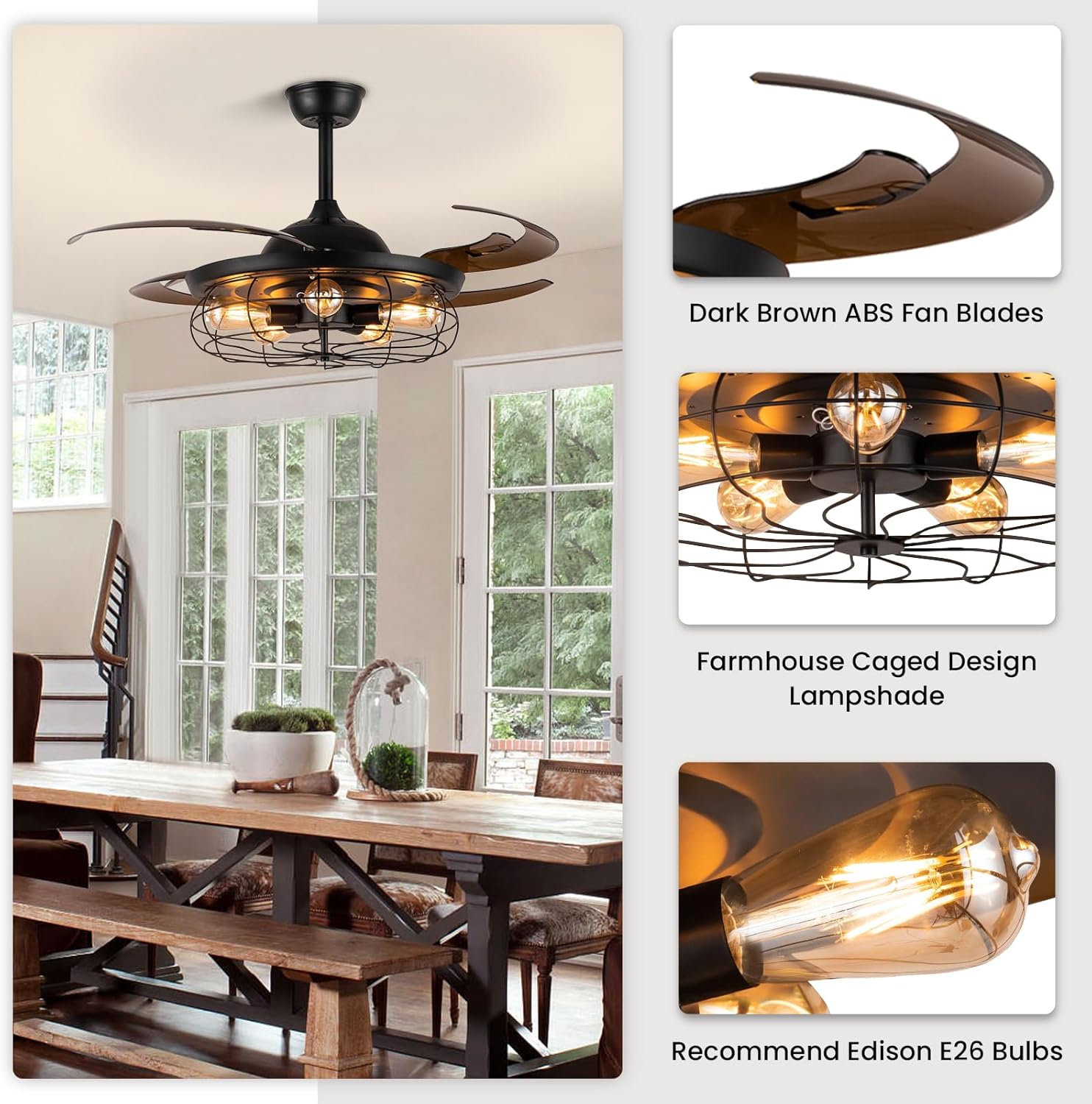
Image: Overview of fan components including the main unit, remote, and downrods.
Setup and Installation
Self-assembly is required. A detailed video tutorial is available for assistance, which can be a great help for self-installation.
1. Pre-Installation Steps
- Turn off power at the circuit breaker to avoid electrical shock.
- Gather necessary tools: screwdriver, wire strippers, electrical tape, ladder.
2. Mounting the Fan
This fan is suitable for flat, sloped, and slant ceilings (less than 22 degrees). Choose the appropriate downrod (5-inch or 10-inch) based on your ceiling height. Secure the mounting bracket to the ceiling outlet box and a support structure.

Image: The Siljoy Retractable Ceiling Fan mounted on a ceiling, with blades extended.
3. Wiring Connections
Connect the fan's electrical wires to your household wiring according to the provided wiring diagram in the full instruction manual. Ensure the remote control receiver is properly integrated into the wiring. All connections should be secure and insulated.

Image: Diagram illustrating the fan's internal motor and wiring.
4. Installing Light Bulbs
The fan requires 5 x E26 bulbs (Max 40W, not included). For optimal performance and to prevent potential issues like flickering or beeping due to heat, it is highly recommended to use E26 Edison LED bulbs.

Image: Examples of E26 bulbs compatible with the fan's light fixture.
Operating Instructions
Remote Control Functions
The fan and light can be controlled individually using the included remote control. Ensure the remote has working batteries.

Image: The remote control for the ceiling fan.
- Fan Speed Control: Select from 6 fan speeds to adjust airflow.
- Timer Function: Set the fan to turn off automatically after 1, 2, or 4 hours.
- Light Control: Turn the light on/off independently of the fan.
- Reverse Mode: Change the direction of the fan blades.
Retractable Blades
The 4 ABS fan blades automatically expand when the fan is turned on and fold up discreetly when the fan is turned off, providing a space-saving design.

Image: The fan with blades retracted (left) and extended (right).
Reversible Motor Function
The fan features a reversible motor, allowing for year-round comfort:
- Forward Mode (Summer): Creates a downward airflow, providing a cooling effect.
- Reverse Mode (Winter): Creates an upward airflow, circulating warm air trapped near the ceiling.

Image: Visual representation of the fan's forward and reverse modes.
Maintenance
Regular maintenance ensures optimal performance and longevity of your ceiling fan.
- Cleaning: Use a soft, damp cloth to clean the fan's exterior. Do not use abrasive cleaners or solvents. Ensure power is off before cleaning.
- Bulb Replacement: Replace E26 bulbs as needed. Always turn off power before replacing bulbs.
- Blade Care: The ABS fan blades are durable. Avoid bending or applying excessive force to them.
Troubleshooting
Refer to the table below for common issues and their solutions.
| Problem | Possible Cause | Solution |
|---|---|---|
| Fan does not operate | No power; Loose wiring; Remote control issue | Check circuit breaker; Verify all wiring connections are secure; Replace remote batteries or re-pair remote. |
| Light flickers or does not turn on | Loose bulb; Incorrect bulb type; Wiring issue; Overheating from non-LED bulbs | Tighten bulbs; Ensure bulbs are E26 and within 40W limit; Check wiring; Use E26 Edison LED bulbs to prevent overheating and flickering. |
| Fan wobbles | Loose mounting screws; Unbalanced blades | Tighten all mounting screws; Ensure blades are securely attached and balanced. |
| Remote control not responding | Dead batteries; Remote not paired | Replace batteries; Refer to the full manual for remote pairing instructions. |
If the issue persists after attempting these solutions, please contact customer support for further assistance.
Specifications
| Feature | Detail |
|---|---|
| Brand | Siljoy |
| Model Name | 8388-48B |
| Item Model Number | XLQ6639 |
| Product Dimensions | 48"L x 48"W x 22.3"H (extended) |
| Material | Metal (fixture), ABS (blades) |
| Style | Industrial, Farmhouse |
| Power Source | Corded Electric |
| Voltage | 110 Volts (AC) |
| Light Source Type | LED (recommended) |
| Number of Light Sources | 5 |
| Bulb Base | E26 |
| Max Wattage (per bulb) | 40 watts |
| Control Method | Remote Control |
| Special Features | 6 wind speeds, Retractable Blades, Reversible Motor, Timing Function |
| Noise Level | Less than 35dB |
| Item Weight | 20.9 Pounds |

Image: Detailed dimensions of the ceiling fan.
Warranty and Customer Support
Siljoy offers a 30-day free return and refund policy and a 12-month warranty on this ceiling fan.
If you encounter any defects in workmanship or receive any broken parts, please do not hesitate to contact our customer service team. We are committed to providing replacements as soon as possible to ensure your satisfaction.
For support, please refer to the contact information provided in your product packaging or visit the official Siljoy website.
Ask a question about this manual
Ask about setup, troubleshooting, compatibility, parts, safety, or missing instructions. Manuals+ will review the question and use this page’s manual context to help answer it.