
JESLED B08C9K55BK
JESLED Solar Flood Lights User Manual
Model: B08C9K55BK
1. Product Overview
The JESLED Solar Flood Lights are designed to provide efficient and reliable outdoor lighting with integrated motion sensing capabilities. These lights are powered by solar energy, featuring a high-capacity rechargeable battery and bright LED lamp beads, making them suitable for various outdoor applications such as gardens, yards, patios, and garages. They are built to withstand diverse weather conditions, ensuring consistent performance.
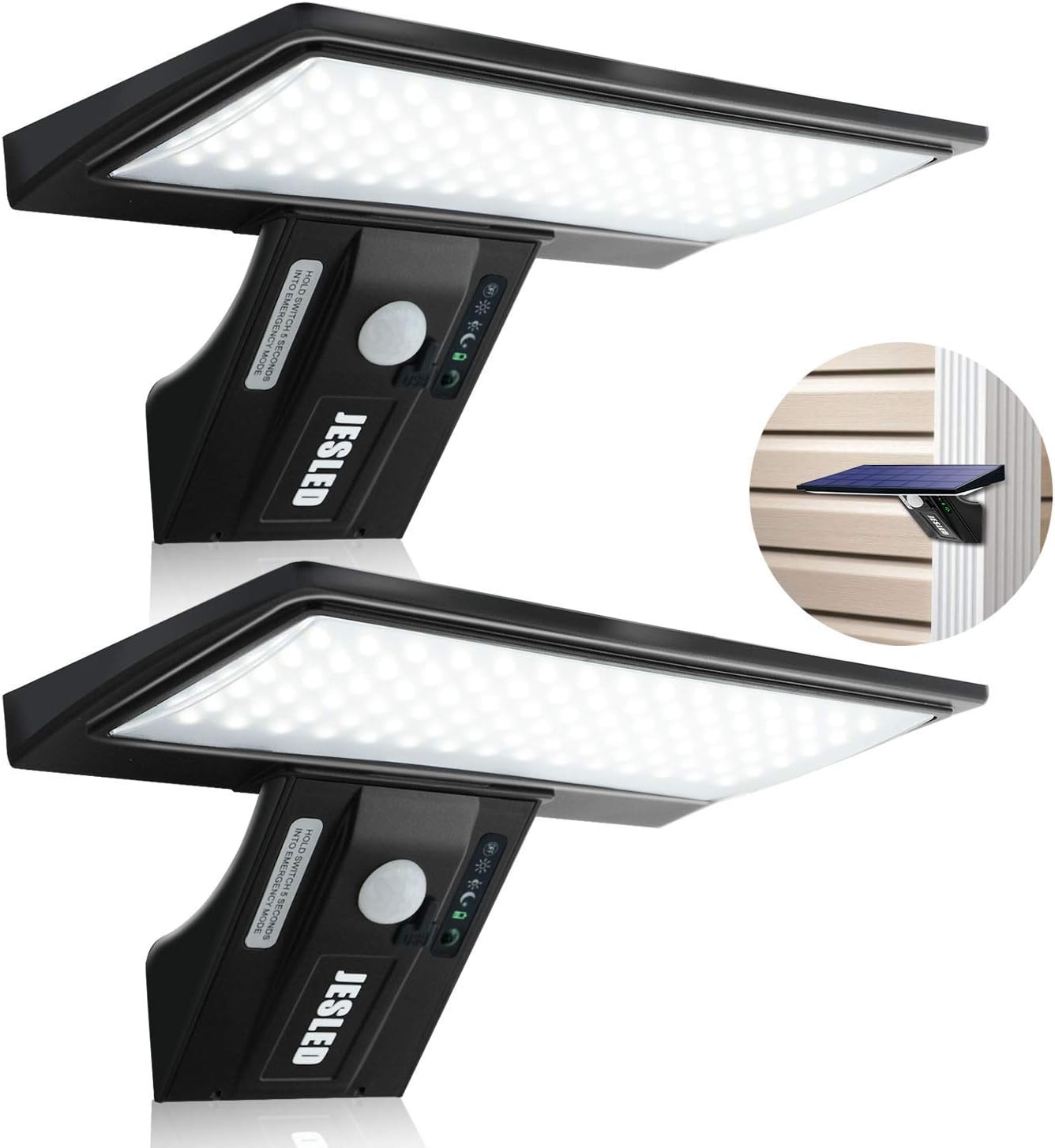
Figure 1: JESLED Solar Flood Lights (2-Pack)
2. Components and Features
Each JESLED Solar Flood Light unit is equipped with advanced components to ensure optimal performance and durability.

Figure 2: Key Components of the Solar Flood Light
- Efficient Solar Panel: Features a high-efficiency A-grade crystalline silicon solar panel that quickly absorbs sunlight and converts it into electricity.
- High-Capacity Battery: Built-in 2650mAh rechargeable battery provides 5-6 hours of charging for 4-5 nights of operation.
- Bright LED Beads: Equipped with 90 SMD2835 LED beads, delivering up to 2100LM brightness output. Each bead has a unique heat sink for extended lifespan (10000H+).
- PIR Motion Sensor: Detects motion up to 20 feet away with a 120-degree wide-angle detection.
- USB Charging: Includes a USB connector for emergency charging, useful during prolonged periods of low sunlight.
- Durable Construction: Housing made of robust ABS material with an IP65 waterproof rating, ensuring normal operation in extreme weather conditions like heavy rain or snowstorms.
3. Setup and Installation
Proper installation ensures optimal performance and longevity of your solar flood lights.
3.1 Initial Charging
Before the first use, it is recommended to fully charge the lights. Place the lights in direct sunlight for 6-8 hours. For faster or emergency charging, use the integrated USB port. The charging indicator light will show red when charging and green when fully charged. Note: Some users have reported the indicator light colors to be reversed (red for charging, green for full). Please observe the light's behavior to confirm.

Figure 3: Charging during the day and working at night
3.2 Mounting Location
Choose a location that receives ample direct sunlight throughout the day to ensure the solar panel can efficiently charge the battery. Avoid areas under eaves, trees, or other obstructions that might block sunlight.
3.3 Installation Steps
- Mark Drill Holes: Use the provided template (if included) or measure the distance between the mounting holes on the back of the light. Mark the desired drill points on your wall or mounting surface.
- Drill Holes: Drill holes at the marked positions. Insert wall anchors if necessary for your mounting surface.
- Secure Screws: Insert screws into the wall, leaving a small gap (approx. 0.2 inches) for the light to hang.
- Mount Light: Align the mounting slots on the back of the light with the screws and slide the light downwards to secure it.
The optimal installation height is between 8 ft and 12 ft (2.4m - 3.6m) to achieve a lighting diameter range of up to 30 ft (9.1m) and effective motion detection.

Figure 4: Recommended Installation Parameters

Figure 5: Application examples and weatherproof feature
4. Operating Modes
The JESLED Solar Flood Lights offer four distinct lighting modes to suit various needs. Use the switch button on the unit to cycle through the modes.

Figure 6: Four Lighting Modes
Mode ①: Strong Light Induction Mode (Sensor Mode)
The light remains off until motion is detected. Upon detection, it illuminates at full brightness. After approximately 15-20 seconds of no motion, the light turns off.
Mode ②: Dim Light Long Bright, Strong Light Induction Mode (Sensor & Dim Mode)
The light stays on at a continuous dim brightness. When motion is detected, it switches to full brightness. After approximately 15-20 seconds of no motion, it reverts to dim brightness.
Mode ③: Strong Light Long Bright Mode (Always On Dim Mode)
The light remains on at a continuous dim brightness from dusk till dawn, regardless of motion. This mode provides constant ambient lighting.
Mode ④: Dim Light Long Bright Mode (Emergency Lighting / Highlight Mode)
This mode is activated by holding the switch button for 5 seconds. The light will enter an emergency mode, providing continuous bright illumination. Press the button again to exit this mode.
5. Maintenance
Regular maintenance helps ensure the optimal performance and longevity of your JESLED Solar Flood Lights.
5.1 Cleaning
Periodically wipe the solar panel and LED surface with a soft, damp cloth to remove dust, dirt, or debris. A clean solar panel ensures maximum sunlight absorption for efficient charging.
5.2 Battery Care
While the solar panel is designed for daily charging, during prolonged periods of cloudy weather or short winter days, the battery may not receive sufficient charge. In such cases, utilize the USB charging port to fully charge the light indoors. This helps maintain battery health and ensures consistent operation.
5.3 Weather Resistance
The lights are designed with IP65 waterproof rating, making them resistant to rain and splashes. They are also heat-resistant and frost-resistant, allowing them to function reliably across various seasons and climates.
6. Troubleshooting
If you encounter issues with your JESLED Solar Flood Lights, refer to the following common problems and solutions:
| Problem | Possible Cause | Solution |
|---|---|---|
| Light does not turn on at night. | Insufficient solar charge. | Ensure the solar panel is exposed to direct sunlight for 6-8 hours daily. Clean the solar panel. Use USB charging if sunlight is consistently low. |
| Motion sensor is not detecting movement. | Incorrect installation height or obstruction. | Verify installation height is between 8-12 ft. Ensure no objects are blocking the sensor's field of view. |
| Light stays dim or turns off too quickly. | Low battery charge. | Allow the light to charge fully in direct sunlight. Consider using the USB charging feature to top up the battery. |
| Light flickers or behaves erratically. | Loose connection or internal issue. | Ensure the light is securely mounted. If the problem persists, contact customer support. |
7. Specifications
| Feature | Detail |
|---|---|
| Model Number | B08C9K55BK |
| Light Source | 90 SMD2835 LED Beads |
| Brightness Output | Up to 2100LM |
| Battery Capacity | 2650mAh (Rechargeable) |
| Solar Panel Type | A-grade Crystalline Silicon |
| Motion Sensor Detection Distance | Up to 20 feet (6.1 meters) |
| Motion Sensor Detection Angle | 120 degrees |
| Recommended Installation Height | 8 ft - 12 ft (2.4m - 3.6m) |
| Lighting Diameter Range | Up to 30 ft (9.1 meters) |
| Waterproof Rating | IP65 |
| Material | Durable ABS Plastic |
| Item Weight | 0.6 Kilograms |
| Product Dimensions | 19D x 19W x 10H Centimetres |
| First Available Date | August 5, 2020 |
8. Warranty and Support
JESLED is committed to providing high-quality products and excellent customer service.
- Manufacturer's Warranty: This product comes with a 3-year JESLED Care manufacturer's warranty.
- Exchange Service: A 30-day exchange service is available from the date of purchase.
- Customer Support: For any inquiries, technical assistance, or warranty claims, please contact JESLED customer service. They offer 7*24H after-sales support.
Please retain your proof of purchase for warranty purposes.
Ask a question about this manual
Ask about setup, troubleshooting, compatibility, parts, safety, or missing instructions. Manuals+ will review the question and use this page’s manual context to help answer it.