
Introduction
The Waterdrop WD-PF-01A Plus Replacement Filter is designed for use with all Waterdrop Pitcher and Dispenser Filtration Systems. This filter utilizes multi-stage filtration technology to effectively reduce impurities and contaminants, providing cleaner, healthier, and better-tasting water. It is NSF 42 and 372 certified, ensuring quality and safety.
What's in the Box
- Pitcher Filter Replacement *3
- User's Manual *1
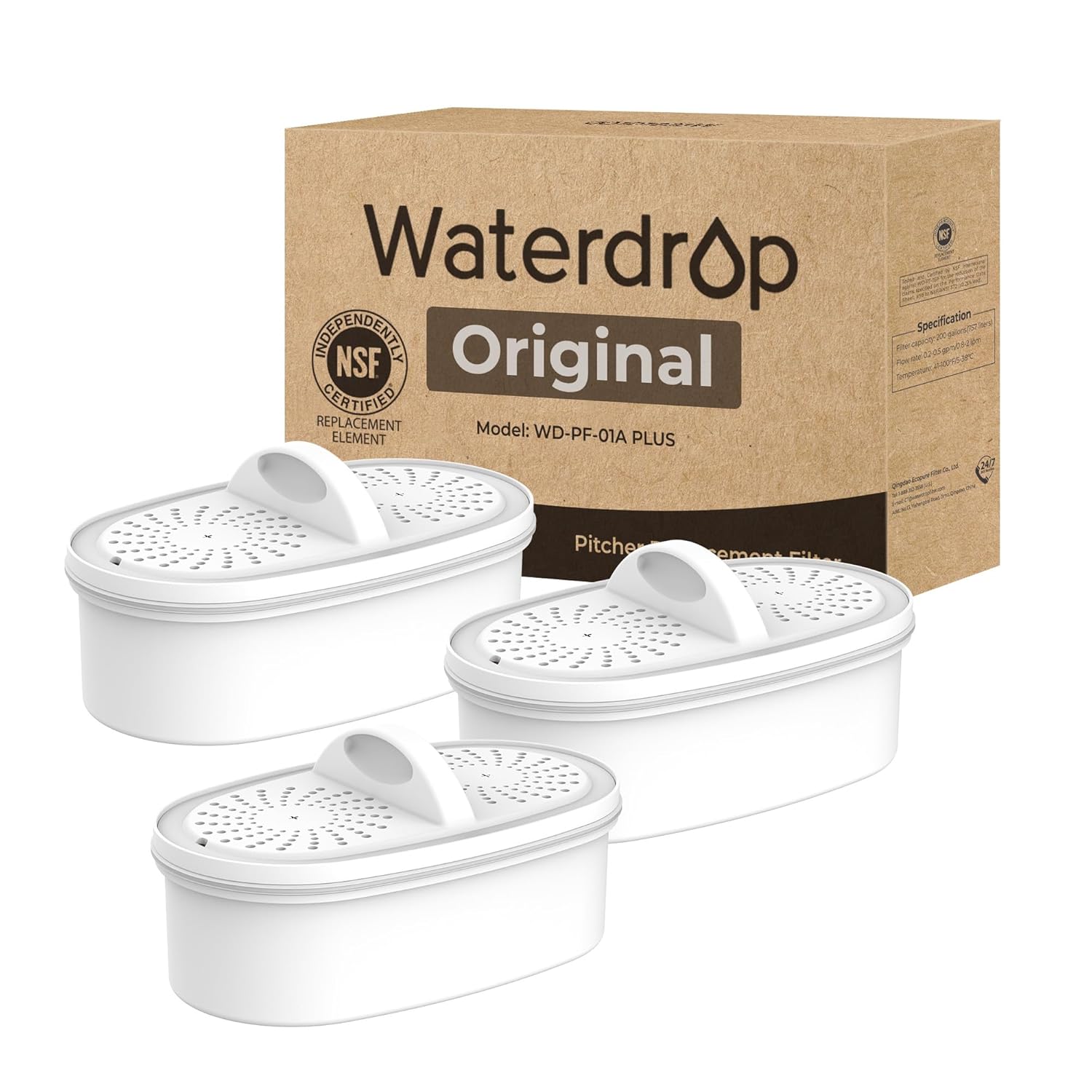
Image: Three Waterdrop WD-PF-01A Plus replacement filters shown with their retail packaging.
Setup Instructions
Follow these steps to properly set up your Waterdrop filter and system:
- Prepare the Filter: Remove any protective stickers from the new filter. Submerge the filter completely in cool, clean water for at least 10 minutes. Gently shake the filter while submerged to release any air bubbles. This ensures proper saturation and optimal filtration performance.

Image: A diagram illustrating the multi-stage filtration process within the filter, showing layers like non-woven fabric, coconut shell activated carbon, ion-exchange resin, and activated carbon fiber.
- Clean the System Components: Before first use, thoroughly clean all parts of your Waterdrop pitcher or dispenser (reservoir, lid, and main body) with mild soapy water. Rinse all components thoroughly with clean water to remove any soap residue.
- Install the Filter: Insert the prepared filter firmly into its designated slot in the pitcher or dispenser. Ensure it is seated correctly to prevent leaks and ensure proper water flow.

Image: A close-up view of the filter being placed into the water pitcher's upper compartment, highlighting its snug fit to prevent unfiltered water from mixing with filtered water.
- Initial Flushing: Fill the reservoir with tap water. Allow the water to filter through completely. Discard the first two full cycles of filtered water. This flushes out any carbon fines and prepares the filter for regular use.
- Activate Filter Life Indicator (if applicable): If your Waterdrop system has a filter life indicator button, press and hold it for 5 seconds until it turns blue (or as indicated in your specific model's manual). This resets the timer for the new filter.
Operating Instructions
Using your Waterdrop filtration system is straightforward:
- Filling: Open the lid or filling port and pour cold tap water into the upper reservoir. The water will pass through the filter and collect in the lower chamber.
- Fast Flow Rate: The WD-PF-01A Plus filter is designed for an ultra-high fast flow rate of 0.3 gallons per minute (gpm), allowing for quick access to filtered water.
- Dispensing: For dispenser models, use the integrated spout to pour filtered water. For pitcher models, simply pour from the pitcher's spout.

Image: An illustration showing different Waterdrop pitcher and dispenser models, indicating compatibility with the WD-PF-01A Plus filter.
Maintenance
Regular maintenance ensures optimal performance and longevity of your filter and system:
- Filter Replacement: Replace the filter every 200 gallons or approximately every 2 months, whichever comes first. The actual lifespan may vary based on local water quality and usage. Timely replacement ensures continued effective filtration.

Image: A visual representation of the filter's lifespan, indicating it can last up to 2 months or filter 200 gallons of water, and comparing its capacity to multiple standard filters.
- Cleaning the System: Periodically clean the pitcher or dispenser with mild soap and water. Avoid abrasive cleaners.
Troubleshooting
If you encounter issues with your Waterdrop filter, consider the following:
- Slow Filtration Speed: If the water filters slowly, remove the filter from the system. Gently shake the filter to dislodge any trapped air bubbles or carbon fines. Re-submerge it in water for a few minutes, then reinsert it into the system. Ensure the filter is not completely dry between uses.
- Unusual Taste/Odor: If the filtered water develops an unusual taste or odor, it may be time to replace the filter. Ensure the initial flushing steps were followed correctly.
- Leaks: Ensure the filter is firmly seated in its compartment and that all components of the pitcher/dispenser are correctly assembled and tightened.
Specifications
| Product Dimensions | 5.55"D x 3.5"W x 7.24"H |
| Item Model Number | WD-PF-01A |
| Material | Carbon Fiber |
| Product Benefits | Eliminates impurities and bad taste/odor |
| External Testing Certification | NSF/ANSI 42 & 372 |
| Manufacturer | Waterdrop |
Certifications
The Waterdrop WD-PF-01A Plus filter is rigorously tested and certified to meet high standards:
- NSF/ANSI 42 Certified: Reduces chlorine, taste, and odor.
- NSF/ANSI 372 Certified: Ensures lead-free material.

Image: The NSF Certified logo, confirming the filter's compliance with NSF/ANSI 42 and 372 standards for water quality and material safety.
Customer Support
For further assistance, warranty information, or technical support, please visit the official Waterdrop website or contact their customer service directly. Refer to the packaging or the official Waterdrop website for the most up-to-date contact information.
You can also find additional resources and FAQs on the Waterdrop Store on Amazon.