1. Introduction
This manual provides detailed instructions for the installation, operation, and maintenance of your LAXIHUB LXB-006 Outdoor Security Camera. Designed for outdoor surveillance, this camera offers 1080P Full HD video, enhanced night vision, two-way audio, motion and noise detection, and IP65 weather resistance. It is compatible with Amazon Alexa and Google Assistant for convenient smart home integration. Please read this manual thoroughly before using the product to ensure proper setup and optimal performance.
2. Product Overview
2.1 Key Features
- 1080P Full HD Resolution: Provides clear and crisp video recordings.
- Superior Night Vision: Equipped with an enhanced infrared sensor for sharp videos and images in low-light conditions.
- Two-way Audio: Built-in ultra-responsive microphone and speaker with noise cancellation for real-time communication.
- Motion & Noise Detection: Automatically detects activity and sends alert notifications via the Arenti App.
- IP65 Water Resistance: Designed to withstand various weather conditions, including rain, fog, and snow.
- Smart Home Compatibility: Works with Amazon Alexa and Google Assistant.
- Cloud Storage & Local Storage: Offers 3-month free cloud storage (72-hour video retention) and supports FAT32 Micro SD cards up to 256GB (sold separately).
- Multi-User Sharing: Allows multiple users to view images and videos simultaneously via the Arenti App.
2.2 What's in the Box
- LAXIHUB LXB-006 Security Camera
- Mounting Screws
- Power Adaptor
2.3 Product Visuals

Figure 2.1: LAXIHUB LXB-006 Outdoor Security Camera, showing its bullet-style design and wall-mount base.

Figure 2.2: Overview of key features including Night Vision, IP65 Waterproofing, 3 Months Free Cloud Storage, 2-Way Audio, and Human Motion & Sound Detection.
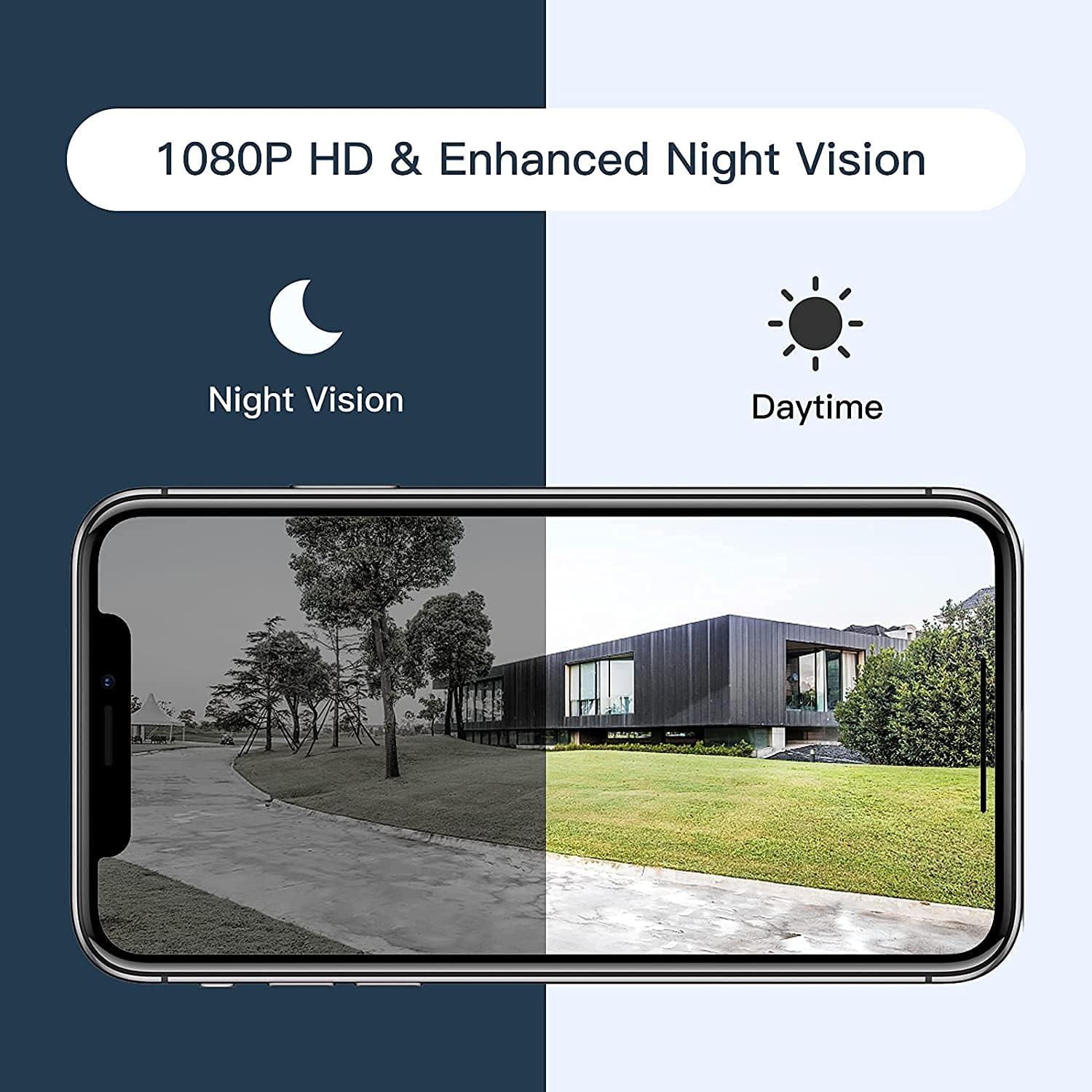
Figure 2.3: Comparison illustrating the camera's 1080P HD resolution and enhanced night vision capabilities, showing clear images in both daytime and nighttime conditions.
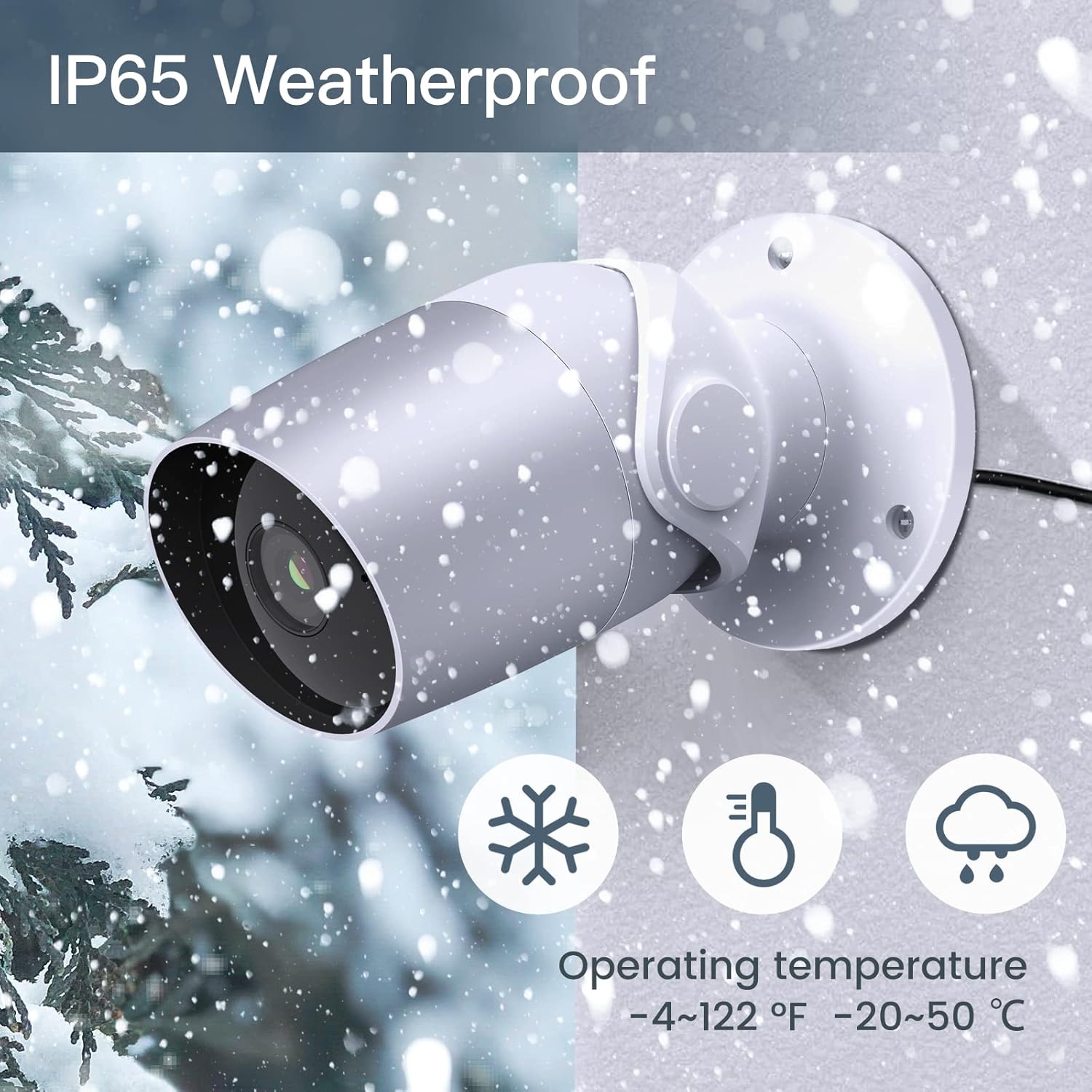
Figure 2.4: Depiction of the camera's IP65 weatherproof rating, indicating its ability to operate reliably in various outdoor conditions, including snow, within an operating temperature range of -4°F to 122°F (-20°C to 50°C).
3. Setup Guide
3.1 Before You Begin
- Ensure your Wi-Fi network is 2.4GHz. The camera does not support 5GHz Wi-Fi.
- Have your Wi-Fi network name (SSID) and password ready.
- Download the Arenti App from the App Store (iOS) or Google Play Store (Android).
- Choose a suitable outdoor location for mounting, ensuring a clear view and access to a power outlet.
3.2 Installation Steps
- Unpack the Camera: Carefully remove all components from the packaging.
- Power On: Connect the power adaptor to the camera and plug it into a power outlet. The camera's indicator light will turn on.
- Create Account (Arenti App): Open the Arenti App and follow the on-screen instructions to create a new account or log in if you already have one.
- Add Device: In the Arenti App, tap the "+" icon to add a new device. Select your camera model from the list.
- Connect to Wi-Fi: Follow the app's instructions to connect the camera to your 2.4GHz Wi-Fi network. This typically involves scanning a QR code displayed on your phone with the camera's lens.
- Mount the Camera: Once connected, choose your desired mounting location. Use the provided screws to securely attach the camera to a wall or suitable surface. Ensure the camera is positioned to cover the desired surveillance area.
- Adjust Angle: Adjust the camera's angle to achieve the optimal viewing perspective.
4. Operating Instructions
4.1 Using the Arenti App
The Arenti App is the primary interface for controlling and monitoring your LAXIHUB LXB-006 camera. After successful setup, you can access live view, recorded footage, and various settings.
- Live View: Tap on your camera in the app to view the live feed.
- Two-way Audio: While in live view, tap the microphone icon to speak through the camera's speaker. Tap the speaker icon to hear audio from the camera's microphone.
- Recording & Playback: Access recorded events from the app's timeline or event list. Videos are saved to the cloud (if enabled) or the inserted Micro SD card.
- Motion & Noise Detection: Configure detection sensitivity and alert notifications in the camera settings within the app. You will receive push notifications when motion or noise is detected.
- Sharing Access: Invite family members or trusted individuals to view your camera feed by sharing access through the app's sharing feature.

Figure 4.1: Illustration of the camera's two-way audio functionality, enabling communication with individuals near the camera via the Arenti App.

Figure 4.2: Depiction of the camera's unlimited sharing feature, allowing all family members to monitor the camera feed simultaneously from their devices.
4.2 Smart Home Integration
The LAXIHUB LXB-006 camera can be integrated with Amazon Alexa and Google Assistant for voice control and viewing on compatible smart displays.
- Amazon Alexa: Enable the Arenti skill in the Alexa app. Once linked, you can say commands like, "Alexa, show me the front door camera" to view the live feed on an Echo Show or Fire TV.
- Google Assistant: Link your Arenti account in the Google Home app. You can then use commands such as, "Hey Google, show me the backyard camera" on Google Nest Hub devices.

Figure 4.3: The camera's compatibility with Amazon Alexa, demonstrating a user viewing the camera feed on an Alexa-enabled smart display.
4.3 Video Information
No official product videos with verified seller creator type were available for embedding in this manual.
5. Maintenance
- Cleaning: Periodically clean the camera lens and housing with a soft, damp cloth. Do not use harsh chemicals or abrasive cleaners.
- Firmware Updates: Ensure your camera's firmware is up to date through the Arenti App. Firmware updates often include performance improvements and security enhancements.
- Environmental Conditions: While IP65 rated, avoid directing high-pressure water jets directly at the camera. Ensure the power connection is protected from extreme weather.
- SD Card Management: If using a Micro SD card, periodically check its status in the app and consider formatting it every few months to maintain optimal recording performance.
6. Troubleshooting
Common Issues and Solutions
| Issue | Possible Cause / Solution |
|---|---|
| Camera offline / Cannot connect to Wi-Fi |
|
| Poor image quality |
|
| Motion/Noise detection not working |
|
| Two-way audio issues |
|
| SD card not recording |
|
If issues persist, please refer to the support section or contact LAXIHUB customer service.
7. Specifications
| Feature | Detail |
|---|---|
| Model Number | LXB-006 |
| Video Capture Resolution | 1080p Full HD |
| Frame Rate | 25 FPS |
| Viewing Angle | 110 Degrees |
| Connectivity Technology | Wi-Fi (2.4GHz only) |
| Power Source | Corded Electric (12 Volts DC, 4.5 watts) |
| International Protection Rating | IP65 (Water Resistance) |
| Night Vision Range | 15 Feet |
| Storage | Cloud Storage, Micro SD Card (up to 256GB, FAT32) |
| Controller Type | Amazon Alexa, Google Assistant |
| Mounting Type | Wall Mount |
| Product Dimensions | 7 x 3 x 3.5 inches |
| Item Weight | 14.4 ounces |
| Operating Temperature | -4°F to 122°F (-20°C to 50°C) |
8. Warranty and Support
8.1 Cloud Storage
The LAXIHUB LXB-006 camera includes a 3-month free trial of cloud storage, which saves video clips of 60-180 seconds. Videos are retained in the cloud for 72 hours if the service is enabled.
8.2 Customer Support
For technical support, troubleshooting assistance beyond this manual, or warranty inquiries, please contact LAXIHUB customer service through the Arenti App or visit the official LAXIHUB website. Please have your product model number (LXB-006) and purchase information ready when contacting support.


