
IBELL BM18-60
IBELL BM18-60 Battery Instruction Manual
Model: BM18-60 | Brand: IBELL
Introduction
This manual provides essential information for the safe and effective use of your IBELL BM18-60 OEM Battery. This battery is specifically designed as an Original Equipment Manufacturer (OEM) replacement part for the iBELL BM18-60 Brushless Impact Driver Drill. Please read this manual thoroughly before initial use and retain it for future reference.
Safety Information
Always observe the following safety precautions to prevent injury or damage to the battery and tool:
- Only charge the battery with the designated IBELL BM Charger. Using an incompatible charger may cause fire, injury, or damage.
- Do not expose the battery to water, moisture, or extreme temperatures (above 50°C / 122°F or below -10°C / 14°F).
- Do not short-circuit the battery terminals.
- Do not disassemble, crush, or puncture the battery.
- Keep the battery away from children and pets.
- If the battery shows signs of damage, leakage, or overheating, discontinue use immediately and dispose of it properly according to local regulations.
- Avoid dropping the battery. If dropped, inspect for damage before further use.
Package Contents
Verify that all items are present upon opening the package:
- 1 x IBELL BM18-60 Battery
- 1 x IBELL BM Charger (as indicated by product specifications)
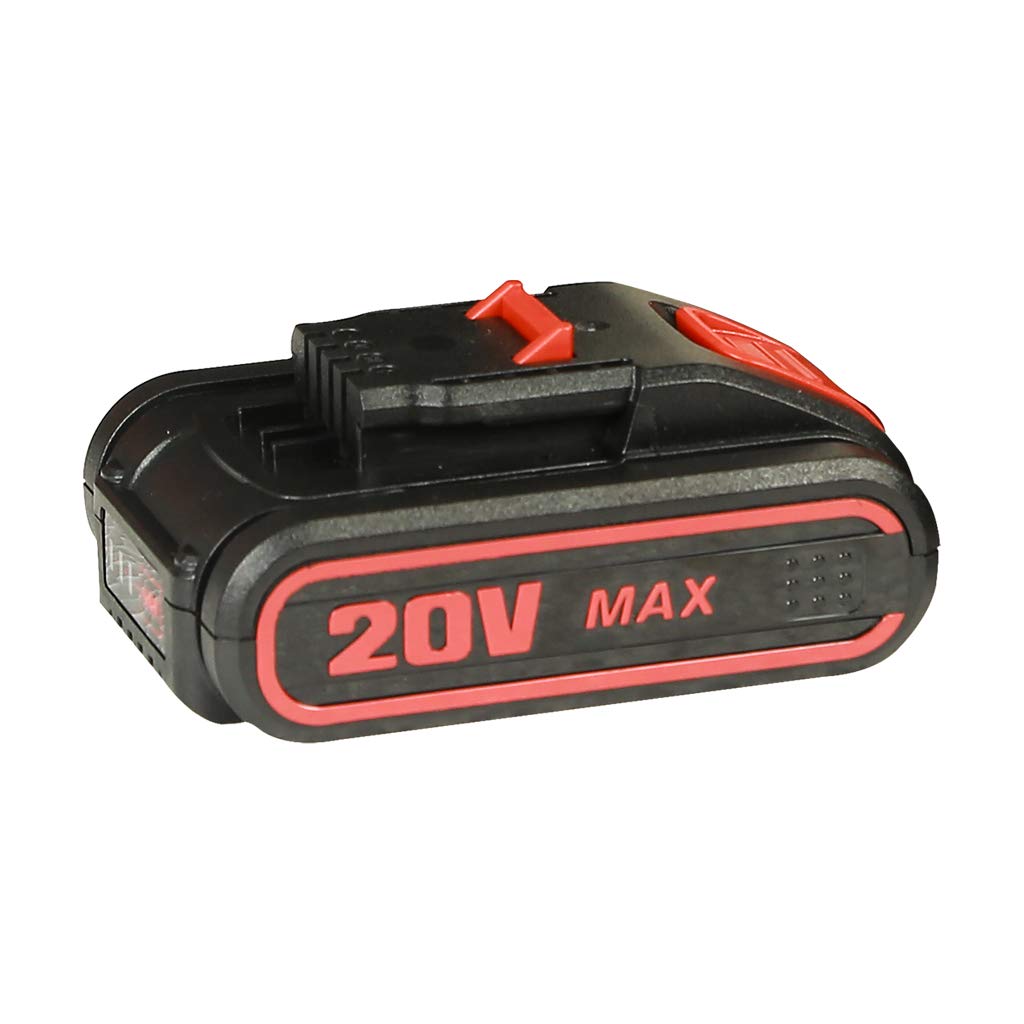
An image showing the IBELL BM18-60 Lithium-Ion battery. It features a black casing with red accents and the '20V MAX' branding, indicating its voltage capacity. The battery has connection terminals visible on the top.
Setup
Initial Charging
- Connect the IBELL BM Charger to a standard power outlet.
- Align the battery with the charging port on the charger and slide it in until it clicks into place.
- The charger's indicator light will show the charging status (refer to your charger's manual for specific light patterns).
- Allow the battery to fully charge before first use. This typically takes a few hours.
- Once fully charged, remove the battery from the charger.
Attaching to Compatible Tool
This battery is designed for the iBELL BM18-60 Brushless Impact Driver Drill.
- Ensure the tool is turned off and disconnected from any power source.
- Align the battery with the battery slot on the iBELL BM18-60 Brushless Impact Driver Drill.
- Slide the battery firmly into the slot until it clicks securely into place. Ensure it is fully seated to prevent accidental detachment during operation.
- To remove the battery, press the release button(s) on the battery or tool and slide the battery out.
Operation
Charging Procedure
Recharge the battery when its performance diminishes. Always use the IBELL BM Charger.
- Insert the battery into the IBELL BM Charger.
- Monitor the charger's indicator lights for charging status.
- Do not overcharge the battery; remove it once fully charged.
Battery Indicator (if applicable)
Some iBELL batteries or tools may feature a battery charge indicator. Consult your tool's manual for details on how to check the battery level.
Usage with the Tool
Once the battery is securely attached to the iBELL BM18-60 Brushless Impact Driver Drill, the tool is ready for operation. Refer to the iBELL BM18-60 Brushless Impact Driver Drill's instruction manual for specific operating procedures and safety guidelines for the tool itself.
Maintenance
Cleaning
Keep the battery and its terminals clean. Use a dry, soft cloth to wipe away dust and debris. Do not use harsh chemicals or abrasive cleaners.
Storage
For optimal battery life, store the battery in a cool, dry place away from direct sunlight and extreme temperatures. If storing for extended periods, charge the battery to approximately 50% capacity and recharge every 3-6 months to prevent deep discharge.
Battery Care Tips
- Avoid completely draining the battery before recharging.
- Do not store the battery in a discharged state.
- Protect the battery from physical impact.
Troubleshooting
| Problem | Possible Cause | Solution |
|---|---|---|
| Battery not charging | Charger not plugged in; Faulty charger; Damaged battery; Incorrect battery insertion | Ensure charger is properly connected; Test charger with another battery (if available); Inspect battery for visible damage; Re-insert battery correctly. |
| Battery not holding charge | Battery nearing end of life; Improper storage; Deep discharge | Battery may need replacement; Store battery in a cool, dry place at partial charge; Avoid fully discharging the battery. |
| Tool not operating with battery | Battery not fully inserted; Battery discharged; Tool malfunction | Ensure battery is clicked into place; Charge battery fully; Refer to the tool's instruction manual for troubleshooting tool-specific issues. |
Specifications
| Feature | Detail |
|---|---|
| Model Number | BM1860S003 |
| Generic Name | Battery |
| Battery Type | Lithium Ion |
| Voltage | 18 Volts |
| Amperage | 3 Amps |
| Reusability | Rechargeable |
| Item Weight | 330 Grams |
| Product Dimensions (LxWxH) | 10 x 10 x 10 Centimeters |
| Included Components | Charger |
Related documentsBM18-60

Ask a question about this manual
Ask about setup, troubleshooting, compatibility, parts, safety, or missing instructions. Manuals+ will review the question and use this page’s manual context to help answer it.