
Retro-Bit RB-SGA-048
Retro-Bit Official Sega Saturn 2.4 GHz Wireless Controller User Manual
Model: RB-SGA-048
1. Product Overview
This manual provides comprehensive instructions for the Retro-Bit Official Sega Saturn 2.4 GHz Wireless Controller. This controller is designed for use with Sega Saturn, Sega Genesis Mini, Nintendo Switch, PlayStation 3, PC, and Mac systems, offering a wireless gaming experience with classic control.

Image description: The Retro-Bit Official Sega Saturn 2.4 GHz Wireless Controller in white, shown with its packaging, a Sega Saturn port receiver, and a USB receiver.
2. Package Contents
- 1x Retro-Bit Official Sega Saturn 2.4 GHz Wireless Controller (White)
- 1x Sega Saturn Port Receiver
- 1x USB Port Receiver
- 1x Storage Case
- 1x 3.3ft Charging Cable

Image description: The Retro-Bit wireless controller neatly stored within its protective case, alongside both the Sega Saturn and USB receivers.
3. Setup Instructions
3.1. Charging the Controller
Connect the included 3.3ft charging cable to the controller's charging port and a USB power source. The LED indicator on the controller will show charging status. A full charge provides approximately 550 mAh of battery life.
3.2. Connecting to a Device
- Select the appropriate receiver: Use the Sega Saturn Port Receiver for Sega Saturn consoles or the USB Port Receiver for Sega Genesis Mini, Nintendo Switch, PlayStation 3, PC, and Mac.
- Insert the receiver: Plug the chosen receiver into the corresponding port on your gaming system or computer.
- Power on the controller: Press the HOME button on the controller to power it on. The controller will automatically attempt to pair with the receiver.
- Pairing (if necessary): If the controller does not connect automatically, press the pairing button on the receiver and then the HOME button on the controller simultaneously until the connection is established. The LED indicator on both the controller and receiver will become solid when successfully paired.

Image description: A close-up view of the Sega Saturn port receiver, which connects the wireless controller to a Sega Saturn console.
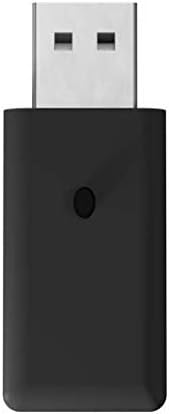
Image description: A close-up view of the USB port receiver, used to connect the wireless controller to various modern systems like PC, Mac, Switch, and PS3.
4. Operating the Controller
4.1. Button Layout and Functions
The controller features a classic 6-button layout with a responsive D-Pad, HOME, SELECT, and START buttons, along with shoulder buttons (L, R, Z, Y, X, A, B, C).
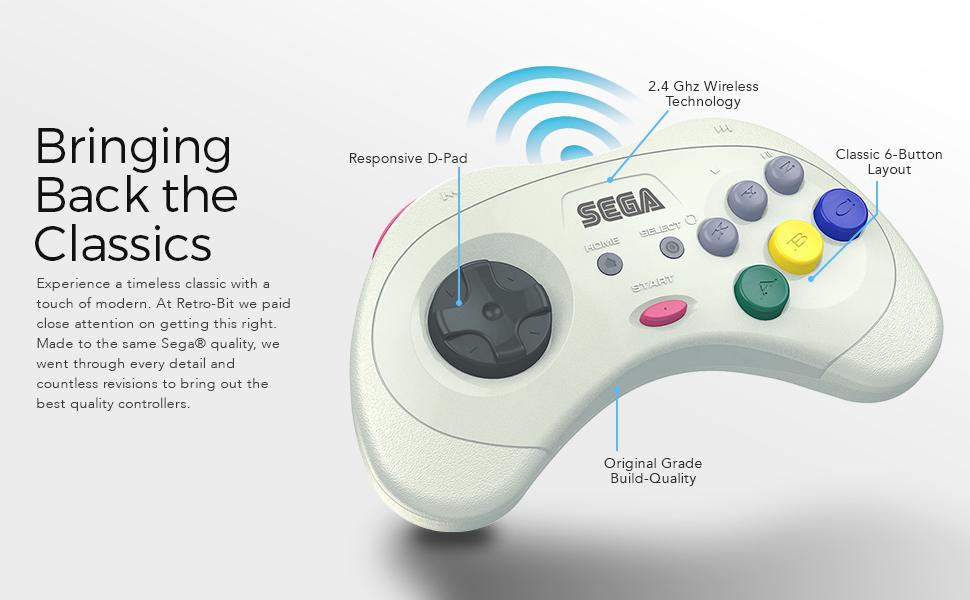
Image description: An annotated image of the Retro-Bit wireless controller highlighting its key features: Responsive D-Pad, 2.4 GHz Wireless Technology, Classic 6-Button Layout, and Original Grade Build-Quality.
4.2. Compatibility Modes
The controller automatically adapts to the connected system via the receiver.
- Sega Saturn: Full functionality for Sega Saturn games.
- Sega Genesis Mini: Compatible with the Sega Genesis Mini console.
- Nintendo Switch: Functions as a Pro Controller.
- PlayStation 3: Functions as a standard PS3 controller.
- PC/Mac: Recognized as a standard gamepad, compatible with most games supporting XInput or DirectInput.
4.3. Sleep Mode
To conserve battery, the controller will enter sleep mode after 5 minutes of inactivity. Press any button to wake it up.
5. Maintenance
- Cleaning: Use a soft, dry cloth to clean the controller. Avoid abrasive cleaners or solvents.
- Storage: Store the controller in its included storage case when not in use to protect it from dust and damage.
- Battery Care: For optimal battery life, avoid fully discharging the controller frequently. Charge it regularly.
6. Troubleshooting
6.1. Controller Not Responding
- Ensure the controller is charged.
- Verify the receiver is securely plugged into the device.
- Re-attempt the pairing process as described in the "Connecting to a Device" section.
- Check for interference from other 2.4 GHz wireless devices.
6.2. Connection Issues
- Ensure you are within the 30ft gaming range.
- Try a different USB port on your PC/Mac/PS3 if using the USB receiver.
- Ensure the correct receiver is used for your system.
6.3. Buttons Not Functioning Correctly
- Test the controller on a different game or system to isolate the issue.
- Ensure no debris is lodged under the buttons.
7. Technical Specifications
| Feature | Detail |
|---|---|
| Model Number | RB-SGA-048 |
| Connectivity | 2.4 GHz Wireless |
| Compatibility | Sega Saturn, Sega Genesis Mini, Switch, PS3, PC, Mac |
| Battery | 550 mAh Rechargeable |
| Charging Cable | 3.3ft USB |
| Wireless Range | Up to 30ft |
| Sleep Mode | After 5 minutes of inactivity |
| Package Dimensions | 7.36 x 5.83 x 2.05 inches |
| Item Weight | 15.5 ounces |
8. Warranty and Support
For warranty information and technical support, please refer to the official Retro-Bit website or contact their customer service. Keep your proof of purchase for warranty claims.
Related documentsRB-SGA-048


Ask a question about this manual
Ask about setup, troubleshooting, compatibility, parts, safety, or missing instructions. Manuals+ will review the question and use this page’s manual context to help answer it.