1. Product Overview
The Cobra SC 100 Smart Dash Cam is designed to provide comprehensive road coverage and driver assistance. It records in Full HD 1080P resolution, features built-in WiFi and GPS, and integrates with the Drive Smarter App for real-time alerts and incident reporting.

Image: The Cobra SC 100 Dash Cam shown alongside a smartphone displaying the Drive Smarter App interface, highlighting its connectivity and user experience.
What's in the Box
- SC 100 Dash Cam
- 8GB MicroSD Card
- Adhesive Mount
- Vehicle Charger
- Micro USB Data Cable

Image: A visual representation of all components included in the Cobra SC 100 Dash Cam package, laid out neatly.
2. Setup and Installation
Follow these steps to properly set up your Cobra SC 100 Dash Cam for optimal performance.
Mounting the Dash Cam
- Attach the active magnetic mount to the dash cam.
- Remove any protective stickers from the mount and lens.
- Attach the dash cam to a high-center point on your vehicle's windshield using the adhesive mount. Ensure it does not obstruct your view.
- Rotate the camera lens to face the road, ensuring a clear and unobstructed view.

Image: The Cobra SC 100 Dash Cam is shown mounted on the windshield of a vehicle, capturing the road ahead.
Powering the Device
- Plug the vehicle charger into your car's 12V power outlet.
- Connect the Micro USB Data Cable from the vehicle charger to the GPS mount on the dash cam.
- The dash cam will power on automatically when the vehicle's ignition is turned on.
Drive Smarter App Connection
Download and install the Drive Smarter App from your smartphone's app store. Follow the in-app instructions to register and create a new account. Power on your SC 100 and connect it to the app to set up your vehicle information and access live view for camera adjustment.

Image: The Drive Smarter App is displayed on both a car's infotainment screen via Apple CarPlay/Android Auto and a smartphone, demonstrating its versatile connectivity.
3. Operating Instructions
The Cobra SC 100 offers various features to enhance your driving experience and safety.
Video Recording
The dash cam records in crystal-clear Full HD (1080P) resolution. Recordings are automatically saved to the included 8GB MicroSD card. Loop recording ensures continuous operation by overwriting the oldest unprotected footage when the card is full.
Built-in WiFi & GPS
Built-in WiFi allows you to instantly store, edit, and share footage from anywhere with Cloud Based Video Management via the Drive Smarter App. Embedded GPS syncs location and speed information to provide critical data for incident reports.
Exclusive Shared Alerts
Connect to the Drive Smarter community to receive live alerts from other drivers across the country. With Apple CarPlay & Android Auto compatibility, you can view your route and interact with alerts directly on your vehicle's display.
Mayday Alerts
In the event of a serious accident, the Emergency Mayday feature will automatically send a text message to your designated emergency contact, providing your location and incident details.

Image: An infographic highlighting key features of the Cobra SC 100, including Full HD 1080P video, Cloud Video Management, and Safety & Security features like Emergency Mayday Alert and Parking Mode.
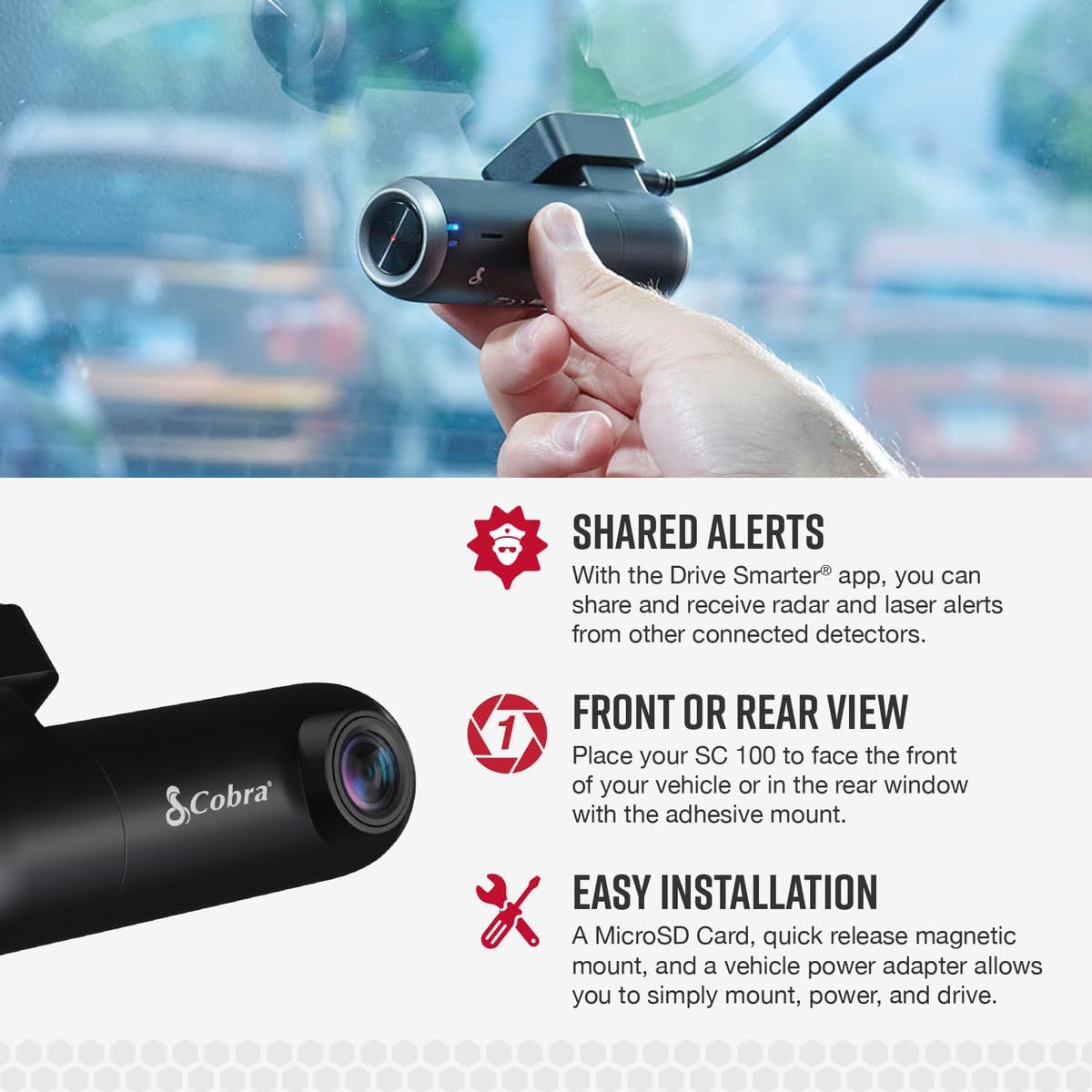
Image: Details on Shared Alerts through the Drive Smarter app, options for front or rear view placement, and the easy installation process of the Cobra SC 100 Dash Cam.
Product Overview Video
Video: A comprehensive overview of the Cobra SC 100 Smart Dash Cam, detailing its features and benefits for drivers.
4. Maintenance
Proper maintenance ensures the longevity and optimal performance of your dash cam.
Cleaning
Gently wipe the lens and body of the dash cam with a soft, dry cloth. Avoid using abrasive cleaners or solvents that could damage the device.
MicroSD Card Management
The dash cam uses an 8GB MicroSD card for storage. It is recommended to periodically format the MicroSD card (at least once a month) to maintain optimal recording performance and prevent data corruption. Refer to the Drive Smarter App or the full user manual for instructions on how to format the card.
5. Troubleshooting
If you encounter issues with your Cobra SC 100 Dash Cam, refer to the following common problems and solutions.
App Disconnecting from Camera
Ensure your phone's Bluetooth and Wi-Fi are enabled and connected to the dash cam. The dash cam acts as a Wi-Fi hotspot for connection. Also, verify that location services (GPS) are active on your phone as required by the app. Try restarting both the dash cam and the Drive Smarter App.
"Memory card is full" Message
Even if the card is not physically full, this message can appear if the card needs formatting or if there are too many protected files. Format the MicroSD card through the app or directly on the device. Ensure you back up any important footage before formatting.
Poor Video Quality
Check the camera lens for smudges or dirt and clean it gently. Ensure the dash cam is securely mounted and not vibrating excessively. Verify that the recording resolution settings in the Drive Smarter App are set to Full HD (1080P).
6. Specifications
| Feature | Detail |
|---|---|
| Product Dimensions | 1.26 x 1.34 x 3.92 inches |
| Item Weight | 3.04 ounces |
| ASIN | B08C3VY3MC |
| Item model number | SC 100 |
| Connectivity technologies | Wi-Fi |
| Special features | Built-In WiFi, Quick Release Magnetic Mount, Live Remote Viewing, Built-In GPS |
| Other display features | Wireless |
| Color | black, silver |
| Whats in the box | Micro USB Data Cable, SC 100 Dash Cam, 8GB MicroSD Card, Adhesive Mount, Vehicle Charger |
| Manufacturer | Cobra Electronics |
| Country of Origin | China |
| Date First Available | July 13, 2020 |
| Brand | Cobra |
| Model Name | SC 100 |
| Orientation | Front and Inside |
| Vehicle Service Type | Car |
| Connectivity Technology | Wi-Fi |
| Special Feature | Built-In WiFi, Quick Release Magnetic Mount, Live Remote Viewing, Built-In GPS |
| Video Capture Resolution | 1080p |
| Included Components | Micro USB Data Cable, SC 100 Dash Cam, 8GB MicroSD Card, Adhesive Mount, Vehicle Charger |
| Mounting Type | Magnetic Mount |
7. Warranty and Support
Protection Plans
Optional protection plans are available for your Cobra SC 100 Dash Cam:
- 2-Year Protection Plan
- 3-Year Protection Plan
- Complete Protect: One plan covers all eligible past and future purchases (monthly billing)
For details on activating your product warranty, please refer to the documentation included in your package or visit the Cobra website.
Additional Resources
For further assistance, please visit the official Cobra website or contact their customer support.


