
Technical Pro (2) BOOM8
Technical Pro BOOM8 Wireless TWS Portable 8" LED Party Speakers User Manual
Model: (2) BOOM8
Brand: Technical Pro
Introduction
Welcome to the user manual for your Technical Pro BOOM8 Wireless TWS Portable 8" LED Party Speakers. This manual provides essential information for the safe and efficient operation of your new speakers. Please read it thoroughly before use and retain it for future reference.
The BOOM8 speakers are designed to deliver powerful audio with dynamic LED lighting, offering versatile connectivity options including Bluetooth, USB, FM radio, and AUX input. With True Wireless Stereo (TWS) functionality, you can connect two BOOM8 speakers for an immersive stereo sound experience.
Safety Information
To ensure safe operation and prevent damage, please observe the following precautions:
- Do not expose the speakers to water, moisture, or extreme temperatures.
- Avoid placing the speakers near heat sources such as radiators, heat registers, stoves, or other apparatus (including amplifiers) that produce heat.
- Use only attachments/accessories specified by the manufacturer.
- Clean only with a dry cloth. Do not use liquid cleaners or aerosol cleaners.
- Protect the power cord from being walked on or pinched, particularly at plugs, convenience receptacles, and the point where they exit from the apparatus.
- Unplug the apparatus during lightning storms or when unused for long periods of time.
- Refer all servicing to qualified service personnel. Servicing is required when the apparatus has been damaged in any way, such as power-supply cord or plug is damaged, liquid has been spilled or objects have fallen into the apparatus, the apparatus has been exposed to rain or moisture, does not operate normally, or has been dropped.
Package Contents
Verify that all items listed below are included in your package:
- Technical Pro BOOM8 Portable Rechargeable 8" LED Speaker (x2)
- USB Charging Cable (x1)
- User Manual (x1)

Image: Technical Pro BOOM8 User Manual and USB Charging Cable
Product Overview
Familiarize yourself with the various components and controls of your BOOM8 speaker.

Image: Front View of BOOM8 Speaker with Blue LED

Image: Top View of BOOM8 Speaker Control Panel

Image: Close-up of BOOM8 Control Panel
Control Panel Features:
- POWER/VOLUME Knob: Turns the speaker on/off and adjusts the master volume.
- 5V DC IN: Charging port for the built-in battery.
- AUX Input: 3.5mm jack for connecting external audio devices.
- Playback Controls: Previous Track, Play/Pause, Next Track.
- LED Switch: Toggles the LED lights on/off.
- USB Port: For playing MP3 files from a USB flash drive (up to 64GB).
- MIC IN: 1/4" input for a microphone.
- LCD Screen: Displays current mode and track information.
Setup
Charging the Battery
Before initial use, fully charge the speaker's built-in rechargeable battery for 8-10 hours. Connect the provided USB charging cable to the 5V DC IN port on the speaker and to a compatible USB power adapter (not included). The charging indicator light will illuminate during charging.
Powering On/Off
To power on the speaker, rotate the POWER/VOLUME knob clockwise until it clicks and the display illuminates. To power off, rotate the knob counter-clockwise until it clicks.
Initial Placement
Place the speakers on a stable, flat surface. For optimal sound dispersion, ensure there are no obstructions directly in front of the speaker grille.
Operating Instructions
Bluetooth Pairing (Single Speaker)
- Ensure the speaker is powered on and in Bluetooth mode (indicated on the LCD screen). If not, press the Mode button to cycle through modes until "Bluetooth" is displayed.
- Enable Bluetooth on your A2DP stereo Bluetooth device (e.g., smartphone, tablet).
- Search for available Bluetooth devices. The speaker will appear as "BOOM8".
- Select "BOOM8" from the list to pair. A confirmation tone will sound upon successful pairing.
- You can now play audio from your device through the speaker. The Bluetooth range is approximately 30 feet.
True Wireless Stereo (TWS) Pairing
TWS allows you to connect two BOOM8 speakers wirelessly to a single Bluetooth device for a true stereo sound experience.

Image: Two BOOM8 Speakers in TWS Configuration
- Ensure both BOOM8 speakers are powered on and in Bluetooth mode.
- On one of the speakers (this will be your primary speaker), press and hold the Play/Pause button for a few seconds until you hear a pairing tone. The two speakers will automatically connect to each other.
- Once the speakers are paired with each other, enable Bluetooth on your A2DP stereo Bluetooth device.
- Search for available Bluetooth devices and select "BOOM8".
- Both speakers will now play audio in stereo from your device.
USB Playback
- Insert a USB flash drive (formatted with MP3 files, maximum 64GB) into the USB port on the control panel.
- The speaker will automatically switch to USB mode and begin playing the first compatible MP3 file.
- Use the Previous Track, Play/Pause, and Next Track buttons to control playback.
- The speaker supports a repeat function for USB playback.
FM Radio Operation
- Press the Mode button to switch to FM Radio mode.
- Press the Play/Pause button once to initiate an automatic station scan. The speaker will scan and save available FM stations.
- Use the Previous Track and Next Track buttons to navigate between saved stations.
AUX Input
- Connect an external audio device (e.g., smartphone, MP3 player) to the AUX input port using a 3.5mm audio cable (not included).
- Press the Mode button to switch to AUX mode.
- Audio from your connected device will now play through the speaker. Control playback from your external device.
Microphone Input
- Connect a 1/4" microphone (not included) to the MIC IN port.
- Adjust the microphone volume using the dedicated microphone volume control (if available on your microphone or speaker model).
- The microphone input can be used simultaneously with other audio sources (Bluetooth, USB, AUX).
LED Light Control
The BOOM8 speakers feature dynamic LED lights around the woofer. To toggle the LED lights on or off, press the dedicated LED switch on the control panel.
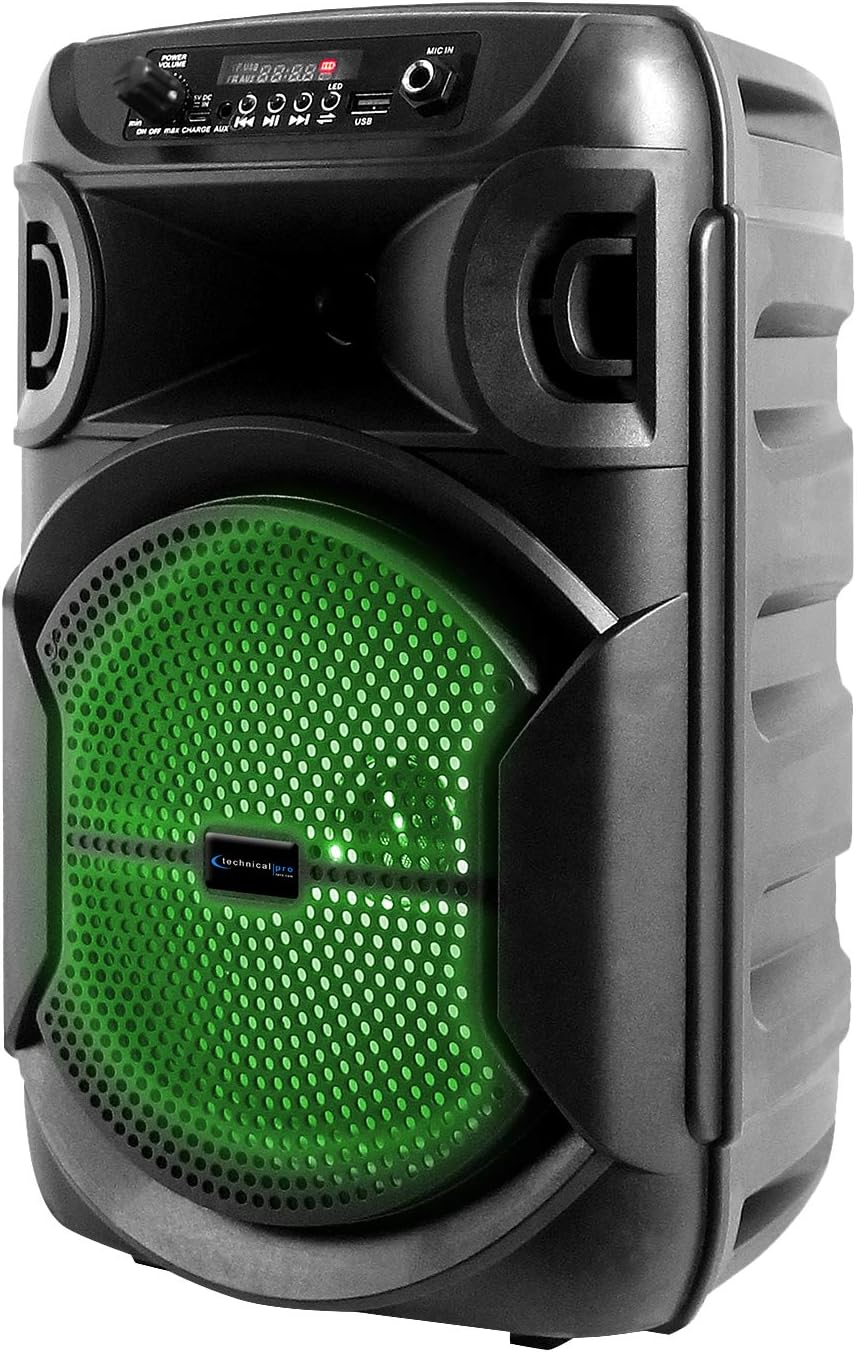
Image: BOOM8 Speaker with Green LED Illumination
Maintenance
Cleaning
- Always power off and unplug the speaker before cleaning.
- Use a soft, dry cloth to wipe the exterior surfaces of the speaker.
- Do not use abrasive cleaners, waxes, or solvents as they may damage the finish.
Storage
- Store the speaker in a cool, dry place away from direct sunlight and extreme temperatures.
- If storing for an extended period, ensure the battery is partially charged (around 50%) to maintain battery health. Recharge every few months if not in use.
Troubleshooting
If you encounter issues with your BOOM8 speakers, refer to the following table for common problems and solutions.
| Problem | Possible Cause | Solution |
|---|---|---|
| Speaker does not power on. | Battery is depleted. | Connect the speaker to a power source using the USB charging cable and allow it to charge. |
| No sound from speaker. | Volume is too low or muted. Incorrect input mode. Bluetooth not paired. | Increase the volume. Ensure the correct input mode (Bluetooth, USB, AUX, FM) is selected. Re-pair Bluetooth device. |
| Bluetooth device cannot find speaker. | Speaker not in Bluetooth pairing mode. Device too far. Interference. | Ensure speaker is in Bluetooth mode. Move device closer to speaker. Avoid strong electromagnetic interference. |
| TWS pairing fails. | Speakers not reset. One speaker already paired to a device. | Ensure both speakers are in Bluetooth mode and not connected to any device. Try holding the Play/Pause button on one speaker again to initiate TWS pairing. |
| USB playback not working. | USB drive not formatted correctly. Incompatible file type. Drive size too large. | Ensure USB drive is formatted correctly and contains MP3 files. Max USB size is 64GB. |
Specifications
| Feature | Detail |
|---|---|
| Peak Power | 1000 Watts |
| Woofer Size | 8 inches (LED woofer) |
| Inputs | USB flash drive, FM Radio, AUX, Bluetooth, 1/4'' microphone input |
| Bluetooth Version | A2DP & AVRCP stereo Bluetooth device compatible |
| Bluetooth Range | 30 Feet |
| USB Card Maximum Size | 64GB |
| Supported Audio Files (USB) | .mp3 files |
| Impedance | 3 ohms |
| Sensitivity | 80 ± 2dB (1W@1M) |
| Frequency Response | 80Hz - 18KHz |
| Material | ABS Plastic Face & Rugged perforated grill |
| Power Source | Built-in rechargeable battery |
| Battery Charge Time (Initial) | 8-10 hours |
| Item Weight | 8 pounds (per speaker) |
| Package Dimensions | 15 x 9 x 8 inches |
Warranty and Support
For warranty information and technical support, please refer to the documentation provided with your purchase or contact Technical Pro directly.
Contact Information:
Questions / Comments: Call 888-842-6277
Email: info@tpro.com
Related documents(2) BOOM8


Ask a question about this manual
Ask about setup, troubleshooting, compatibility, parts, safety, or missing instructions. Manuals+ will review the question and use this page’s manual context to help answer it.