
Amazon Fire HD 10 (2021 Release)
Amazon Fire HD 10 Tablet User Manual
Model: Fire HD 10 (2021 Release)
Brand: Amazon
Introduction
The Amazon Fire HD 10 tablet is designed for entertainment and productivity, featuring a vibrant 10.1-inch 1080p Full HD display. This manual provides essential information for setting up, operating, and maintaining your device, ensuring optimal performance and user experience.

Figure 1: Overview of the Amazon Fire HD 10 tablet highlighting its core specifications and supported applications.
What's in the Box
Verify that all items are present in your product packaging:
- Fire HD 10 tablet
- USB-C (2.0) cable
- 9W power adapter
- Quick Start Guide
Setup
- Charge the Device: Connect the USB-C cable to the tablet and the 9W power adapter, then plug the adapter into a wall outlet. Allow the device to charge fully before first use (approximately 4 hours from 0% to 100% while in standby).
- Power On: Press and hold the power button located on the side of the tablet until the Amazon logo appears.
- Initial Setup: Follow the on-screen instructions to select your language, connect to a Wi-Fi network (supports 2.4 GHz and 5.0 GHz), register your Amazon account, and set up basic preferences.
Operating the Device
Display and Visuals
The Fire HD 10 features a brilliant 10.1-inch 1080p display (1920 x 1200 resolution) with over 2 million pixels (224 ppi), providing bright, vivid image quality. The screen is strengthened with aluminosilicate glass for enhanced durability.
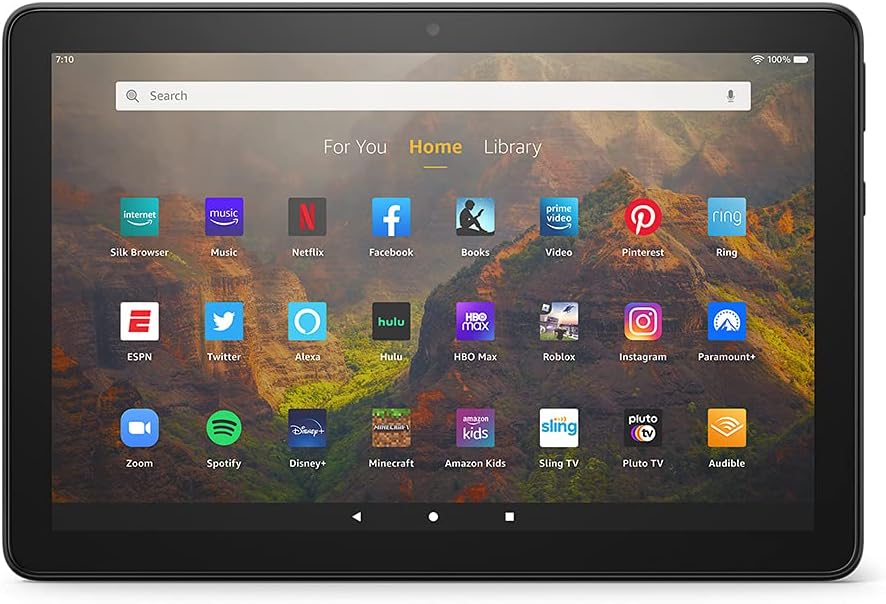
Figure 2: The Fire HD 10 home screen, showcasing a variety of available applications.
Performance
Equipped with an octa-core 2.0 GHz processor and 3 GB of RAM, the Fire HD 10 is designed to be responsive, handling tasks and app navigation smoothly.
Battery Life
Enjoy up to 12 hours of reading, web browsing, video watching, and music listening on a single charge. Battery life may vary based on device settings, usage, and other factors.
Connectivity
The tablet supports 2.4 GHz and 5.0 GHz Wi-Fi networks (does not support ad-hoc networks). It also features built-in Bluetooth 5.0 LE for connecting to compatible stereo headphones, speakers, microphones, and other LE accessories.
Alexa Integration
The Fire HD 10 offers hands-free Alexa functionality. You can use voice commands to control your device, play media, make video calls, check email, update shopping lists, and set reminders. Alexa and Fire HD 10 are designed with privacy features, allowing you to view and delete voice recordings or use the Alexa Hands-Free Mode on/off toggle.
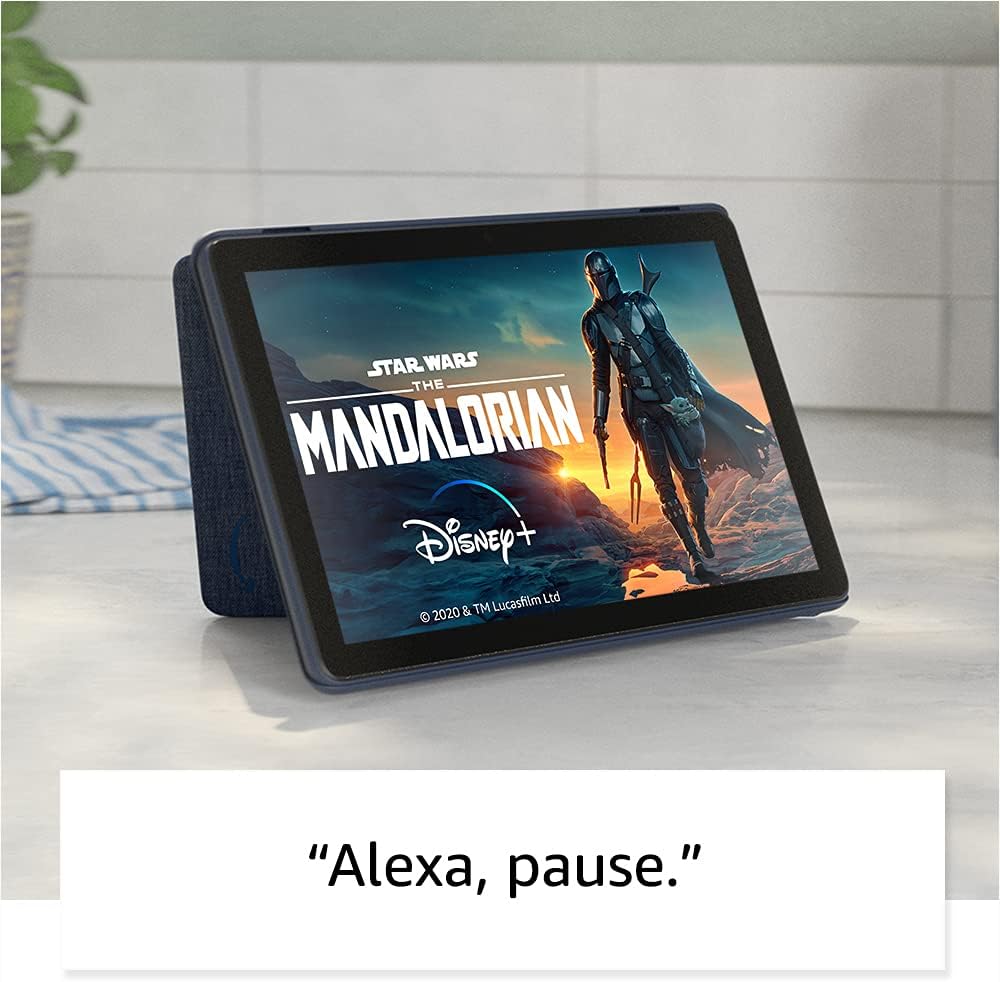
Figure 3: Using Alexa voice commands to control media playback on the Fire HD 10 tablet.

Figure 4: Initiating a video call using Alexa voice commands on the Fire HD 10 tablet.
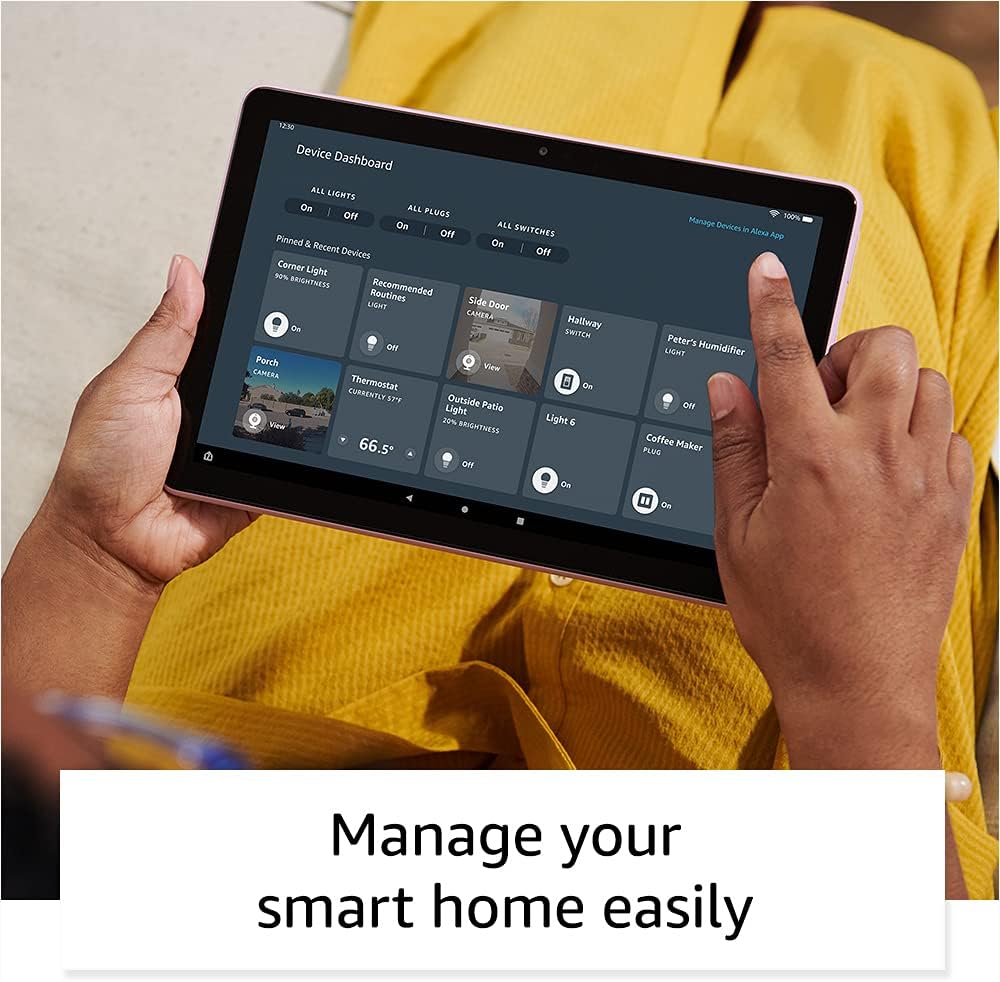
Figure 5: The device dashboard on the Fire HD 10, allowing easy management of smart home devices.
Applications and Productivity
Access a wide range of applications through Amazon's Appstore, including popular streaming services like Netflix, Hulu, and Disney+, social media apps like Facebook and Instagram, and productivity tools such as Microsoft Office, OneNote, and Dropbox. Note that Google Play is not supported.

Figure 6: Examples of entertainment and social media content accessible on the Fire HD 10 tablet.
Split Screen Functionality
The Fire HD 10 supports split-screen mode, allowing you to run two compatible applications side by side for enhanced multitasking, such as using Facebook Messenger while watching Prime Video.

Figure 7: The Fire HD 10 tablet demonstrating split-screen multitasking with an optional Bluetooth keyboard case.
Maintenance
- Cleaning: Use a soft, lint-free cloth to clean the screen and body of the tablet. Avoid abrasive cleaners or solvents.
- Storage: The tablet comes with 32 GB or 64 GB of internal storage. You can expand storage up to 1 TB using a microSD card (sold separately). Regularly manage your storage to ensure optimal performance.
- Software Updates: Ensure your device is updated to the latest software version for security and performance improvements.
Troubleshooting
If you encounter issues with your Fire HD 10 tablet, consider the following common solutions:
- Device Unresponsive: Press and hold the power button for 40 seconds to perform a hard reset.
- Wi-Fi Connectivity Issues: Ensure your Wi-Fi router is working correctly. Try restarting both the tablet and the router.
- App Not Working: Try force-closing the app and reopening it. If the issue persists, clear the app's cache or reinstall it.
- Battery Draining Quickly: Reduce screen brightness, close unused apps, and disable unnecessary features like Bluetooth or Wi-Fi when not in use.
For more detailed troubleshooting, refer to the online support resources available on the Amazon website.
Specifications
| Feature | Detail |
|---|---|
| Display | 10.1” 1080p Full HD (1920 x 1200) with 224 ppi, aluminosilicate glass |
| Size | 9.73” x 6.53” x 0.36” (247mm x 166mm x 9.2 mm) |
| Weight | 16.4 oz (465 g) |
| CPU & RAM | Octa-core 2.0 GHz with 3 GB of RAM |
| Storage | 32 GB or 64 GB internal, expandable up to 1 TB with microSD |
| Battery Life | Up to 12 hours (reading, web, video, music) |
| Charge Time | Approx. 4 hours with 9W adapter |
| Wi-Fi Connectivity | 2.4 GHz and 5.0 GHz networks (no ad-hoc support) |
| Ports | USB-C (2.0), microSD slot |
| Audio | 3.5 mm stereo jack, dual integrated speakers |
| Sensors | Accelerometer, ambient light sensors |
| Cameras | 2 MP front-facing, 5 MP rear-facing (720p HD video) |
| Microphones | 2 built-in microphones |
| Bluetooth | Built-in Bluetooth 5.0 LE |
| Available Colors | Black, Denim, Olive, Lavender |
| Generation | 11th generation, 2021 release |
Accessibility Features
The Fire HD 10 includes various accessibility features to personalize the device for different needs. These can be accessed via Settings → Accessibility:
- VoiceView screen reader: Provides audio feedback for users who are blind or visually impaired.
- Screen Magnifier: Allows zooming in/out and panning around the screen.
- Tap to Alexa: Enables interaction with Alexa via touch through on-screen tiles or a keyboard.
- Switch Access: For users with motor impairments, enabling control via compatible Bluetooth devices.
- Kindle Read Aloud: Alexa can read Kindle books aloud.
- Additional features include settings for Closed Captioning, Font Size, Display Size, High Contrast Text, Color Inversion, Color Correction, and Convert Stereo to Mono audio.
Warranty and Support
Your Fire HD 10 tablet comes with a 1-year limited warranty and service. Optional extended warranty plans (1-year, 2-year, and 3-year) are available for U.S. customers and sold separately. Use of the Fire HD 10 tablet is subject to Amazon's Conditions of Use.
For further assistance, visit Amazon's official support website or refer to the "Manage Your Content and Devices" section for device-specific information.
This device receives guaranteed software security updates until at least four years after it is last available for purchase as a new unit on Amazon websites.
Related documentsFire HD 10 (2021 Release)


Ask a question about this manual
Ask about setup, troubleshooting, compatibility, parts, safety, or missing instructions. Manuals+ will review the question and use this page’s manual context to help answer it.