
1. Introduction
Thank you for purchasing the Omron HBP-1320 Arm Blood Pressure Monitor. This device is designed for accurate measurement of blood pressure and pulse rate in a clinical or home setting. Please read this manual thoroughly before using the unit to ensure correct operation and to understand all safety features. Keep this manual for future reference.
Important Safety Information
- Consult your physician before using this device if you have any medical conditions.
- Do not self-diagnose or self-treat based on measurement results. Always consult a healthcare professional.
- Keep the device out of reach of infants and children.
- Do not use the device for any purpose other than measuring blood pressure.
- Avoid using the device in environments with strong electromagnetic fields.
2. Package Contents
Verify that all components are present in the package:
- Omron HBP-1320 Blood Pressure Monitor Unit
- Arm Cuff
- Batteries (included)
- Instruction Manual (this document)
3. Setup
3.1 Battery Installation
- Open the battery compartment cover located on the back or side of the monitor.
- Insert the included batteries, ensuring the correct polarity (+/-) as indicated inside the compartment.
- Close the battery compartment cover securely.
3.2 Attaching the Arm Cuff
The arm cuff is a crucial component for accurate measurements. Ensure it is correctly attached to the monitor and your arm.
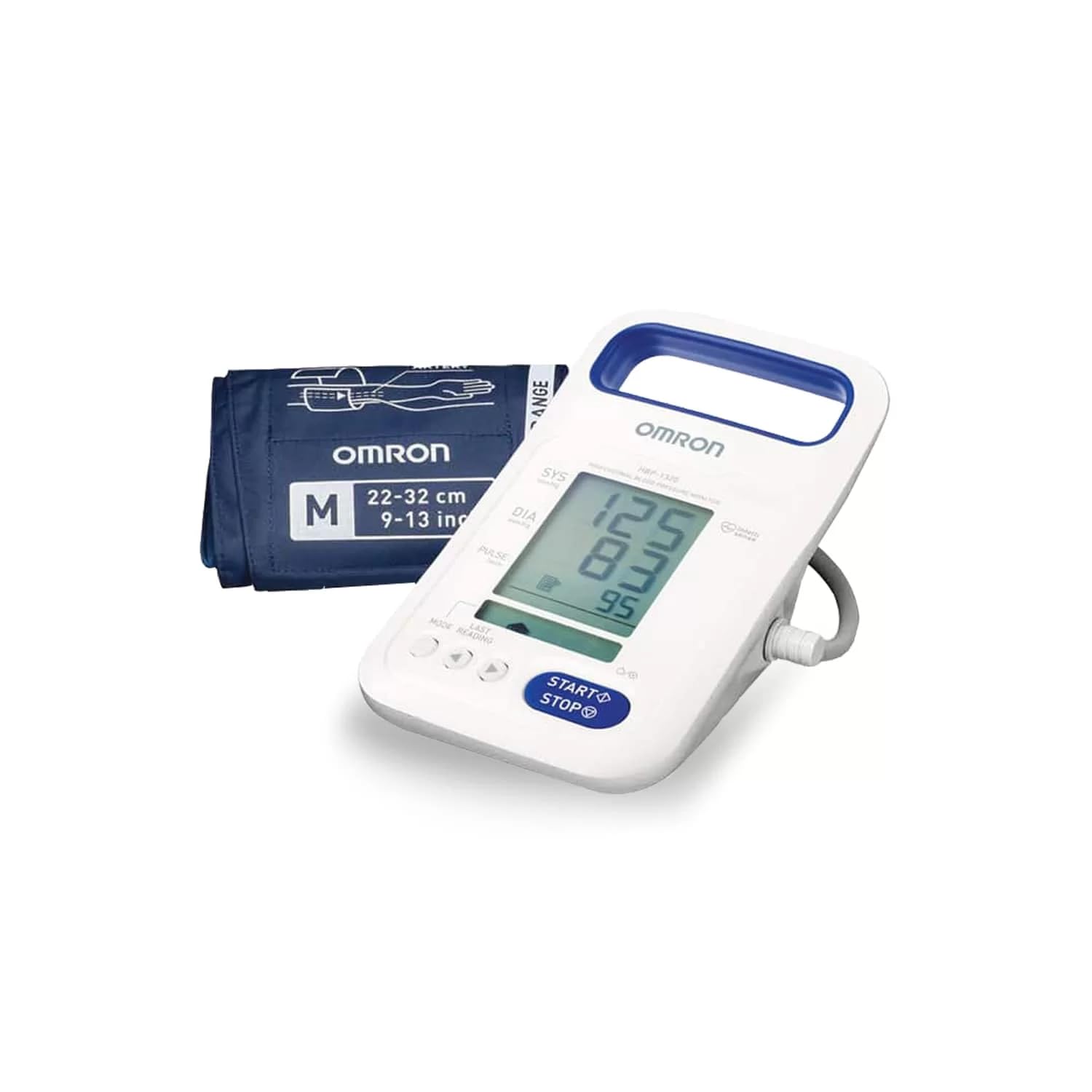
Image: The Omron HBP-1320 Blood Pressure Monitor with its arm cuff. This image illustrates the main unit and the cuff, which is connected via a tube.
- Connect the air plug of the arm cuff firmly into the air jack on the side of the monitor.
- Wrap the cuff around your upper arm, approximately 1-2 cm above your elbow. The air tube should run down the inside of your arm.
- Ensure the cuff is snug but not too tight. You should be able to insert two fingers comfortably between the cuff and your arm.
- Position the cuff so the artery mark (if present) is over your brachial artery.
4. Operating Instructions
4.1 Taking a Measurement
- Sit in a comfortable position with your back supported and feet flat on the floor.
- Rest your arm on a table so the cuff is at heart level.
- Remain still and quiet during the measurement. Avoid talking or moving.
- Press the START/STOP button. The cuff will begin to inflate automatically.
- The monitor will deflate the cuff and display your systolic pressure, diastolic pressure, and pulse rate.
- Press the START/STOP button again to turn off the monitor, or it will power off automatically after a few minutes of inactivity.
4.2 Understanding Your Readings
- Systolic Pressure: The top number, indicating the pressure in your arteries when your heart beats.
- Diastolic Pressure: The bottom number, indicating the pressure in your arteries when your heart rests between beats.
- Pulse Rate: Your heart rate, measured in beats per minute.
Consult your doctor or healthcare provider to interpret your blood pressure readings and for personalized advice.
5. Maintenance
5.1 Cleaning the Monitor and Cuff
- Wipe the monitor unit and cuff gently with a soft, dry cloth.
- If necessary, use a cloth lightly dampened with water or a mild detergent, then wipe dry.
- Do not use abrasive cleaners, alcohol, or benzene.
- Do not immerse the monitor or cuff in water.
5.2 Storage
- Store the device in a clean, dry place away from direct sunlight, extreme temperatures, and humidity.
- Avoid storing the device in areas where it may be exposed to strong vibrations or shocks.
- Remove batteries if the unit will not be used for an extended period to prevent leakage.
6. Troubleshooting
If you encounter issues with your Omron HBP-1320, please refer to the following common problems and solutions:
| Problem | Possible Cause | Solution |
|---|---|---|
| Monitor does not power on. | Batteries are low or incorrectly inserted. | Replace batteries or check polarity. |
| Error message displayed. | Cuff not applied correctly, movement during measurement, or air leakage. | Re-apply cuff, remain still, check cuff connection. Refer to specific error codes in the full manual if available. |
| Inaccurate readings. | Incorrect cuff size, improper arm position, or talking during measurement. | Ensure correct cuff size, position arm at heart level, remain silent and still. |
If the problem persists, contact Omron customer support.
7. Specifications
| Feature | Detail |
|---|---|
| Model | HBP-1320 |
| Display Type | Digital |
| Power Source | Battery Powered (Batteries included) |
| Included Components | Arm Cuff |
| Product Dimensions (LxWxH) | 15 x 23 x 17 cm |
| Item Weight | 1.2 kg (1 kg 200 g) |
| Country of Origin | China |
8. Warranty and Support
Omron products are manufactured to high-quality standards. For information regarding warranty coverage, please refer to the warranty card included with your product or visit the official Omron website.
For technical support, service, or to purchase replacement parts, please contact Omron customer service through their official website or the contact information provided in your product packaging.
Omron Official Website: www.omron-healthcare.com


