
Vacmaster VQ1220PFC-03
Vacmaster VQ1220PFC Wet Dry Vacuum Cleaner
Model: VQ1220PFC-03 | Brand: Vacmaster
Introduction
The Vacmaster VQ1220PFC is a versatile and powerful wet and dry vacuum cleaner designed for a variety of cleaning tasks in your home, garage, or workshop. Its robust construction and intelligent features make it an essential tool for tackling both everyday dust and challenging wet spills.
Important Safety Information
Always read and understand all safety warnings and instructions before operating this appliance. Failure to follow the warnings and instructions may result in electric shock, fire, and/or serious injury. Keep this manual for future reference.
- Do not leave the appliance unattended when plugged in. Unplug from outlet when not in use and before servicing.
- Do not use with damaged cord or plug. If appliance is not working as it should, has been dropped, damaged, left outdoors, or dropped into water, return it to a service center.
- Do not pull or carry by cord, use cord as a handle, close a door on cord, or pull cord around sharp edges or corners. Do not run appliance over cord. Keep cord away from heated surfaces.
- Do not unplug by pulling on cord. To unplug, grasp the plug, not the cord.
- Do not handle plug or appliance with wet hands.
- Do not put any object into openings. Do not use with any opening blocked; keep free of dust, lint, hair, and anything that may reduce air flow.
- Keep hair, loose clothing, fingers, and all parts of body away from openings and moving parts.
- Do not pick up anything that is burning or smoking, such as cigarettes, matches, or hot ashes.
- Do not use to pick up flammable or combustible liquids, such as gasoline, or use in areas where they may be present.
- Do not use without filters in place.
- Use extra care when cleaning on stairs.
- Do not use to pick up toxic material, such as chlorine bleach, ammonia, or drain cleaner.
What's in the Box
Your Vacmaster VQ1220PFC comes with a comprehensive set of accessories to handle various cleaning tasks. Please check the contents of your package against the list below:

The Vacmaster VQ1220PFC wet and dry vacuum cleaner with all included accessories.

A detailed view of the various nozzles, wands, and hose included with the vacuum.
- Vacmaster VQ1220PFC Unit (Power Head and Tank)
- 2.5m Flexible Suction Hose
- 3 Interlocking Extension Wands
- Universal Floor Head (with wet and dry inserts)
- Crevice Tool
- Detailing Brush
- Power Tool Adapter
- Cartridge Filter (for dry vacuuming)
- Foam Filter (for wet vacuuming)
- Fleece Filter Bag (for dry debris collection)
- Instruction Manual
Setup and Assembly
The Vacmaster VQ1220PFC requires minimal assembly before its first use. A Phillips head screwdriver is needed for attaching the handle and wheels.
Initial Assembly
- Attach the Handle: Secure the carrying handle to the top of the power head using the provided screws and a Phillips head screwdriver.
- Install the Wheels: Attach the four caster wheels to the base of the tank. Ensure they are securely fastened for stability.
- Connect the Hose: Insert the flexible suction hose into the main intake port on the front of the tank. Twist to lock it into place.

The main unit with the hose connected to the suction port.

The power head detached from the tank, revealing the filter compartment.
Filter Installation (Wet vs. Dry)
The Vacmaster VQ1220PFC uses different filters for wet and dry applications to ensure optimal performance and longevity.
For Dry Vacuuming:
Use the Cartridge Filter for dry debris. For fine dust, it is recommended to also use the Fleece Filter Bag inside the tank to protect the cartridge filter and simplify disposal.
- Ensure the tank is completely dry and free of any liquids.
- If using, install the Fleece Filter Bag by aligning its opening with the intake port inside the tank.
- Place the Cartridge Filter onto the filter cage located on the underside of the power head. Secure it by twisting or locking it into place as per the filter's design.
- Carefully place the power head back onto the tank and secure the latches.
For Wet Vacuuming:
Use the Foam Filter for wet spills. The cartridge filter must be removed for wet vacuuming.
- Remove the power head from the tank.
- Remove the Cartridge Filter if it is installed.
- Slide the Foam Filter over the filter cage on the underside of the power head. Ensure it covers the cage completely.
- Carefully place the power head back onto the tank and secure the latches.

The cartridge filter, used for dry vacuuming, attached to the power head.

The foam filter, used for wet vacuuming, installed over the filter cage.
Video: How to Install the Machine
This video demonstrates the assembly process and filter installation for the Vacmaster VQ1220PFC, including how to switch between wet and dry vacuuming setups.
Operating Instructions
The Vacmaster VQ1220PFC offers multiple functionalities for diverse cleaning needs.
1. Wet and Dry Vacuuming
This vacuum is designed to handle both wet and dry debris. Ensure the correct filter is installed for the task (Cartridge Filter for dry, Foam Filter for wet).
- Attach the desired nozzle (e.g., universal floor head, crevice tool) to the end of the extension wand or directly to the hose.
- Plug the vacuum cleaner into a suitable power outlet.
- Turn the power switch to the "ON" position.
- For wet vacuuming, the float mechanism will automatically shut off suction when the tank is full to prevent overflow. Empty the tank immediately after wet vacuuming.

Vacuuming wet spills on a tiled floor, demonstrating the wet vacuuming capability.
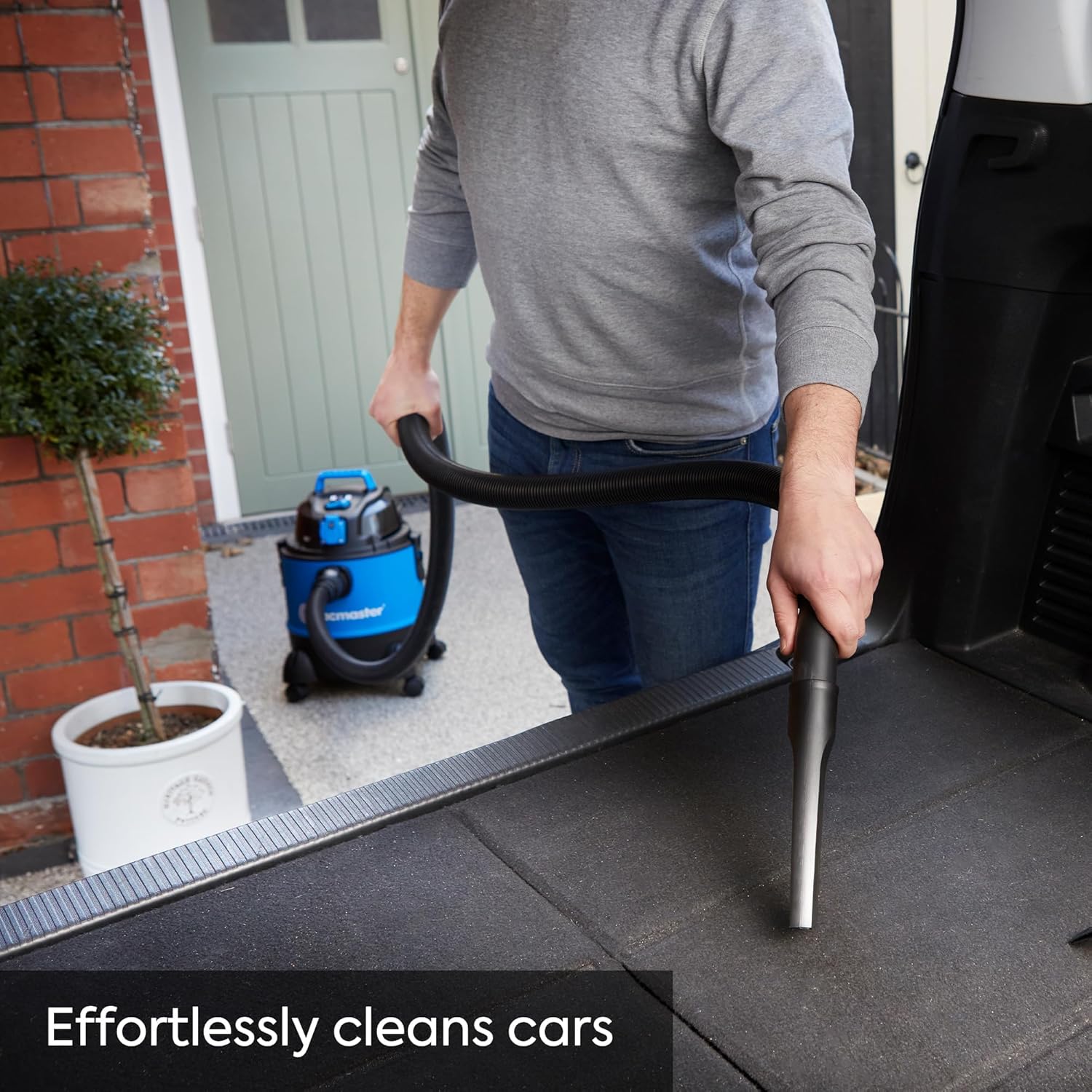
Effortlessly cleaning the interior of a car, showcasing the versatility for dry debris.
2. Blowing Function
The vacuum can be converted into a powerful blower for clearing leaves, debris, or drying surfaces.
- Locate the exhaust port on the back of the power head.
- Remove the suction hose from the intake port and firmly insert it into the exhaust port.
- Turn the power switch to the "ON" position. The vacuum will now function as a blower.

The vacuum easily switches to a blower function, ideal for clearing leaves and light debris.
3. Integrated Power Take-Off (PTO) Socket
The integrated PTO socket allows you to connect power tools for synchronized dust extraction, ensuring a cleaner workspace during tasks like grinding, sanding, or drilling.
- Plug your power tool into the integrated socket on the top of the vacuum cleaner.
- Connect the vacuum hose to the dust extraction port of your power tool using the provided power tool adapter.
- Set the vacuum's power switch to the "AUTO" position.
- When you turn on your power tool, the vacuum will automatically start. When you turn off your power tool, the vacuum will stop after a short delay to clear any remaining dust.
- The maximum power tool capacity for the PTO socket is 740W.

Connecting power tools to the integrated socket for efficient dust extraction during woodworking.
Maintenance
Regular maintenance ensures the longevity and optimal performance of your Vacmaster VQ1220PFC.
1. Emptying the Tank
- Always unplug the vacuum cleaner before emptying the tank.
- Release the latches on the side of the tank and lift off the power head.
- Carefully empty the collected debris or liquid into a suitable container.
- Clean the inside of the tank with water and mild detergent if necessary, then dry thoroughly before reassembly.

The 20-liter collection tank provides ample capacity for extended cleaning sessions.
2. Filter Cleaning and Replacement
Cartridge Filter (Dry):
- Tap the filter gently over a waste bin to dislodge loose dust.
- For a more thorough clean, rinse the filter under running water. Allow it to air dry completely (24-48 hours) before re-installing. Do not use heat to dry.
- Replace the cartridge filter when it shows signs of wear or reduced performance.
Foam Filter (Wet):
- Rinse the foam filter under running water to remove debris.
- Squeeze out excess water and allow it to air dry completely before storing or using for dry applications.
Fleece Filter Bag (Dry):
- Dispose of the bag when full. These bags are typically single-use.
Troubleshooting
| Problem | Possible Cause | Solution |
|---|---|---|
| Vacuum does not turn on. | No power supply. | Check if the power cord is securely plugged into a working outlet. Check circuit breaker. |
| Low suction power. | Clogged hose or nozzle. Full tank. Clogged or incorrect filter. | Check hose and nozzles for blockages. Empty the tank. Clean or replace filters; ensure correct filter for wet/dry use. |
| Water coming out of exhaust. | Tank is full during wet vacuuming. Foam filter not installed or damaged. | Empty the tank immediately. Ensure foam filter is correctly installed and undamaged. |
| Dust escaping from exhaust. | Cartridge filter not installed or damaged. Filter bag not used for fine dust. | Ensure cartridge filter is correctly installed and undamaged. Use a fleece filter bag for fine dust. |
| Power tool connected to PTO does not activate vacuum. | Vacuum switch not in "AUTO" mode. Power tool exceeds max wattage. | Set vacuum switch to "AUTO". Ensure power tool wattage is within the 740W limit. |
Specifications
| Feature | Detail |
|---|---|
| Brand | Vacmaster |
| Model Number | VQ1220PFC-03 |
| Power | 1250W Motor, 200 AW Suction Power |
| Tank Capacity | 20 Liters |
| Product Dimensions | 33 x 33.5 x 44.8 cm |
| Weight | 5 Kilograms |
| Form Factor | Upright |
| Hose Length | 2.5 meters |
| Power Cord Length | 4.1 meters |
| Filter Type | Cartridge (Dry), Foam (Wet) |
| Special Features | Bagged/Bagless operation, Integrated Power Take-Off (PTO) socket (max 740W), Blower Function, Compact, Portable, Lightweight |
| Cordless | No |
Warranty and Support
Your Vacmaster VQ1220PFC comes with a Two-Year Warranty from the date of purchase, covering defects in materials and workmanship under normal use. Please retain your proof of purchase for warranty claims.
For technical support, troubleshooting assistance, or warranty service, please contact Vacmaster customer support through their official website or the retailer where you purchased the product.

Vacmaster offers a 2-year warranty for peace of mind.
Related documentsVQ1220PFC-03


Ask a question about this manual
Ask about setup, troubleshooting, compatibility, parts, safety, or missing instructions. Manuals+ will review the question and use this page’s manual context to help answer it.