1. Introduction
Thank you for choosing the KW-triO Model 055X6 Swing Stapler. This manual provides essential information for the proper setup, operation, and maintenance of your stapler. Please read these instructions carefully to ensure optimal performance and longevity of the product.
2. Product Overview
The KW-triO Model 055X6 is a compact and efficient desktop stapler designed for everyday use. Its ergonomic stand-up design helps save desk space. It is capable of fastening up to 20 sheets of 80g paper and holds up to 100 staples.

Figure 2.1: Front view of the KW-triO Model 055X6 Swing Stapler, showcasing its compact design.
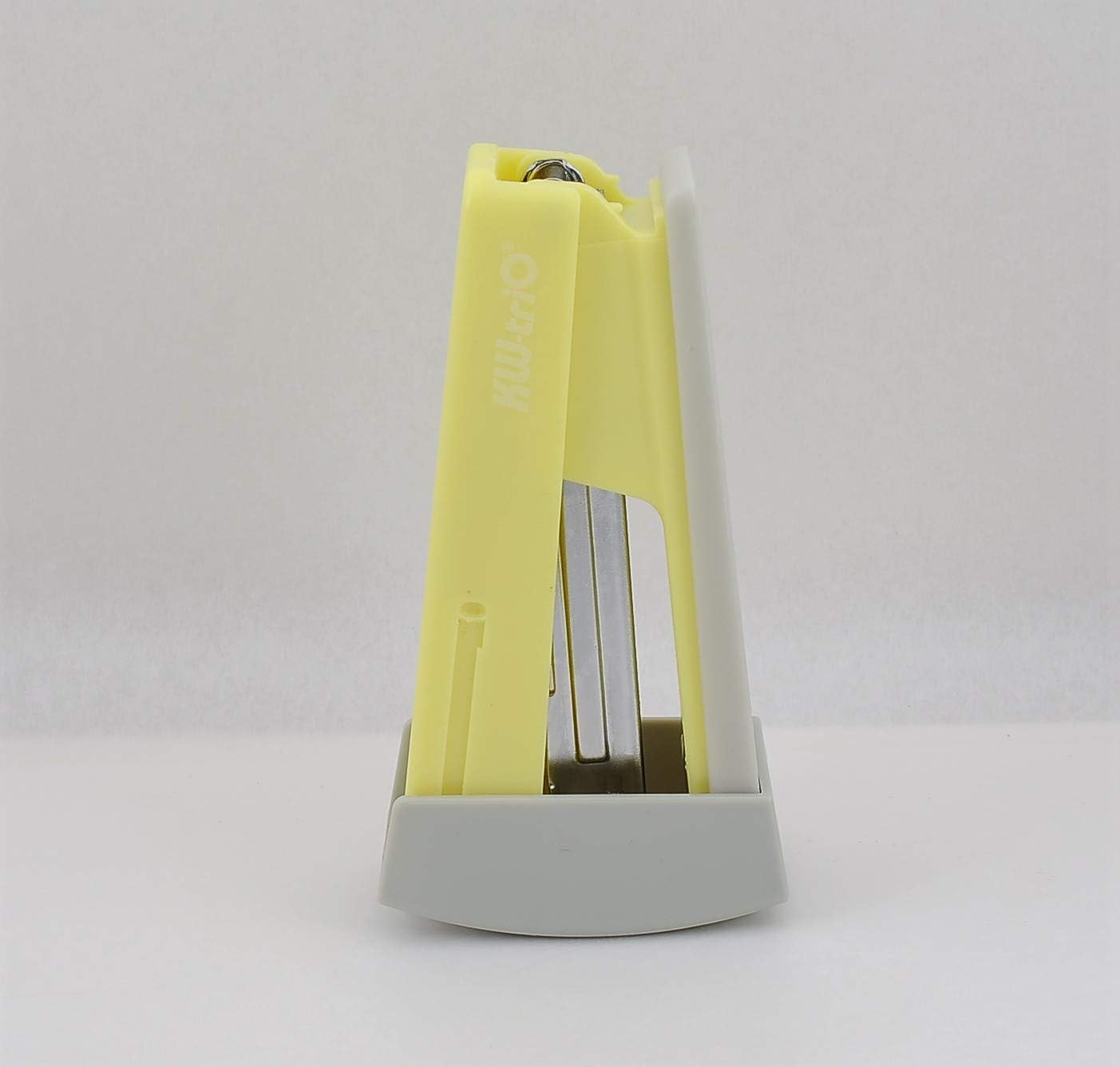
Figure 2.2: Side view of the KW-triO Model 055X6 Swing Stapler in its upright, space-saving position.
3. Setup
3.1 Loading Staples
- Gently press the release button or pull the top cover upwards to open the stapler.
- Pull the staple tray outwards until it fully extends.
- Insert a strip of compatible staples (24/6mm or 26/6mm) into the staple tray. Ensure the staples are facing downwards.
- Push the staple tray back into the stapler until it clicks securely into place.
- Close the top cover of the stapler.
Your stapler comes with 1000 staples to get you started immediately.

Figure 3.1: Example of KW-triO stapler packaging, showing the included staples.
4. Operating Instructions
4.1 Stapling Documents
- Gather the papers you wish to staple, ensuring they are neatly aligned.
- Place the corner or edge of the papers into the stapler's throat, positioning them where you want the staple to be placed.
- Press down firmly on the top of the stapler until the staple pierces the paper and clinches underneath.
- Release the pressure and remove the stapled documents.
The stapler can fasten up to 20 sheets of 80g paper. Do not exceed this capacity to prevent jamming or damage to the stapler.

Figure 4.1: Demonstrating the ergonomic grip of the KW-triO stapler during use.
5. Maintenance
To ensure the longevity and smooth operation of your KW-triO stapler, follow these simple maintenance guidelines:
- Keep the stapler clean and free from dust and debris. Use a soft, dry cloth to wipe its exterior.
- Avoid dropping the stapler, as this can damage its internal mechanisms.
- Only use compatible staples (24/6mm or 26/6mm) to prevent jamming.
- Store the stapler in a dry environment.
6. Troubleshooting
6.1 Common Issues and Solutions
- Stapler Jams:
- Ensure you are using the correct staple size (24/6mm or 26/6mm).
- Do not exceed the maximum sheet capacity (20 sheets of 80g paper).
- Open the stapler, remove any jammed staples, and re-load the staple tray.
- Staples Not Feeding:
- Check if the staple tray is fully loaded and properly seated.
- Ensure the staples are inserted correctly, facing downwards.
- The staple pusher might be stuck; gently pull it back and release it.
- Staples Not Clinching Properly:
- Ensure you are pressing down firmly and evenly.
- Verify that the paper thickness is within the stapler's capacity.
7. Specifications
| Feature | Specification |
|---|---|
| Model Number | 055X6 |
| Brand | KW-Trio |
| Dimensions (L x W x H) | 4.5 x 1.5 x 2.5 inches |
| Item Weight | 4.8 ounces |
| Material | Plastic |
| Color | Yellow |
| Staple Capacity | 100 staples |
| Sheet Capacity | Up to 20 sheets (80g paper) |
| Compatible Staples | 24/6mm, 26/6mm |
| Included Staples | 1000 |
8. Warranty and Support
KW-triO products are manufactured to high-quality standards. For any questions, technical support, or warranty inquiries, please refer to the contact information provided with your purchase or visit the official KW-triO website. Please retain your proof of purchase for warranty claims.


