Introduction
This manual provides instructions for the safe and efficient use of your DEWENWILS 3-Outlet Power Strip with 15-Foot Braided Extension Cord and 250 Joules Surge Protection. Please read all instructions carefully before use and retain this manual for future reference.
Safety Information
WARNING: To reduce the risk of electric shock, fire, or injury, always follow these basic safety precautions:
- Do not exceed the maximum electrical rating of 13A/125V/1625W.
- This device is for indoor use only. Do not expose to moisture or use in wet locations.
- Do not plug into another relocatable power tap or extension cord.
- Fully insert the plug into the outlet.
- Keep children away from the power strip.
- Do not disassemble or modify the device.
- If the surge protection indicator light is off, the surge protection feature is no longer active. Replace the unit.
Product Features
- 3 Grounded Outlets: Provides power for multiple devices.
- 15-Foot Braided Extension Cord: Durable, tangle-free, and flexible for extended reach.
- 250 Joules Surge Protection: Safeguards electronic devices from power surges, spikes, and lightning.
- Flat Plug (45° Angled): Space-saving design allows furniture to be placed closer to the wall.
- UL Certified: Ensures safety and quality standards are met.
- Protected Indicator Light: Green LED confirms active surge protection.
Setup
- Unpack the Power Strip: Carefully remove the power strip from its packaging.
- Choose a Location: Select a dry, indoor location near the devices you intend to power. Ensure the 15-foot cord can reach the wall outlet without being stretched or obstructed.
- Plug into Wall Outlet: Insert the flat plug of the power strip firmly into a standard 3-prong grounded wall outlet. The 45° angled design allows for placement behind furniture.
- Verify Surge Protection: Once plugged in, the green "PROTECTED" LED indicator light on the power strip should illuminate, confirming that the surge protection feature is active.
- Connect Devices: Plug your electronic devices into the three grounded outlets on the power strip. Ensure the total power consumption does not exceed 1625W.
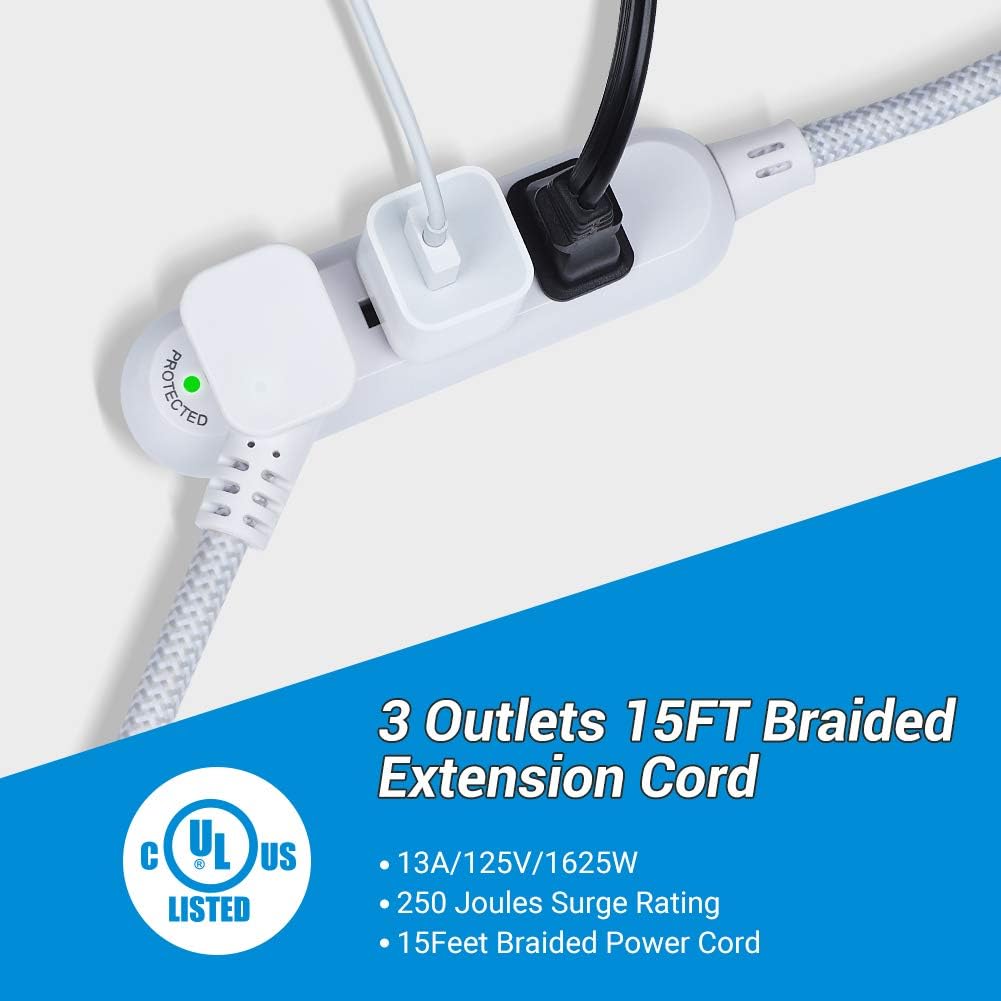
Image: The DEWENWILS 3-Outlet Power Strip with various device plugs inserted, showing the compact design and braided cord. The 'Protected' indicator light is visible.
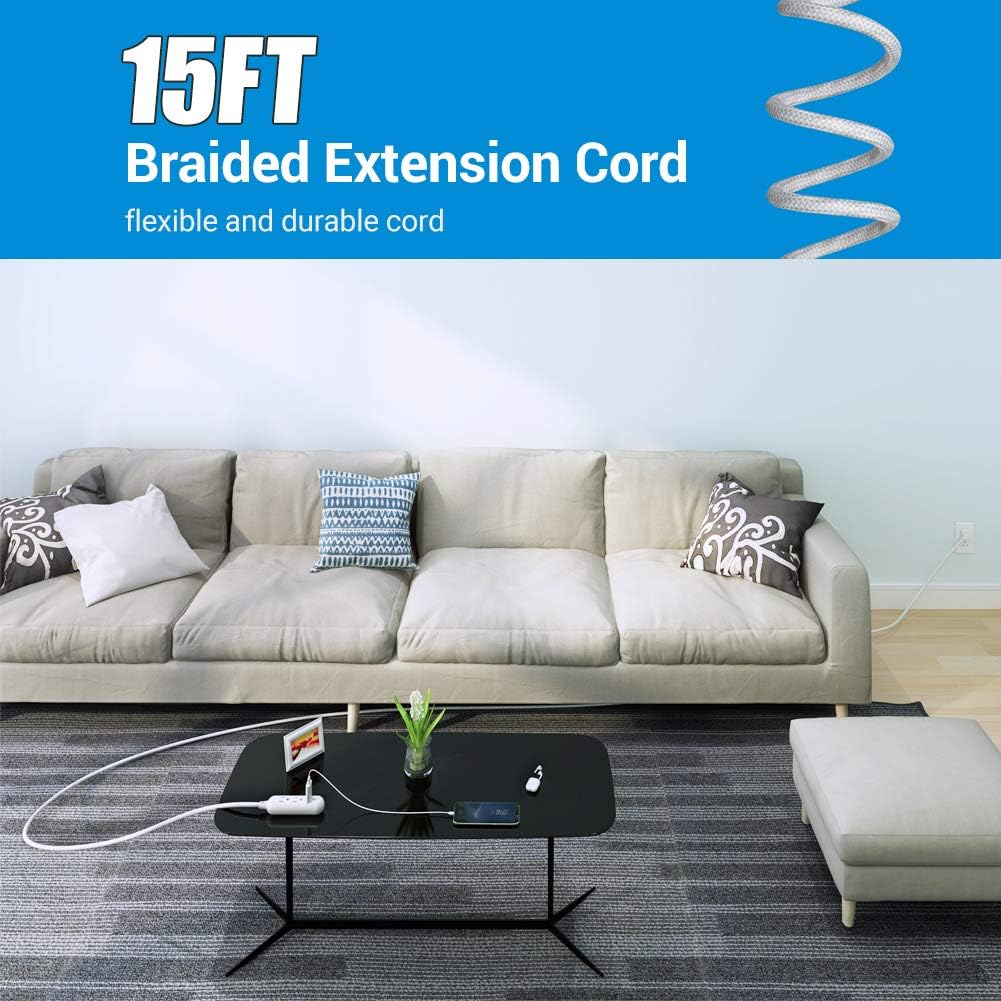
Image: The 15-foot braided extension cord extending from a wall outlet to a power strip on a coffee table in a living room, demonstrating its reach and flexibility.

Image: A close-up of the 45-degree angled flat plug inserted into a wall outlet, positioned behind a piece of furniture, illustrating its space-saving design.
Operating Instructions
The DEWENWILS 3-Outlet Power Strip operates automatically once plugged into a live wall outlet. There is no on/off switch.
- Power Delivery: Once connected to a wall outlet, the power strip will provide power to all connected devices.
- Surge Protection Indicator: The green "PROTECTED" LED light indicates that the surge protection components are functioning correctly. If this light is off, the surge protection has been compromised, and the unit should be replaced to ensure continued protection for your devices.

Image: A close-up of the power strip showing the green 'Protected' LED indicator light illuminated, signifying active surge protection.
Maintenance
- Cleaning: Disconnect the power strip from the wall outlet before cleaning. Use a dry, soft cloth to wipe the exterior. Do not use liquid cleaners or sprays.
- Inspection: Periodically inspect the power strip and cord for any signs of damage, such as frayed wires, cracked casing, or loose connections. If damage is found, discontinue use immediately and replace the unit.
- Storage: When not in use, store the power strip in a cool, dry place away from direct sunlight and moisture.
Troubleshooting
- No power to connected devices:
- Ensure the power strip is securely plugged into a functioning wall outlet.
- Check if the wall outlet itself is receiving power by plugging in another device.
- Verify that the total wattage of connected devices does not exceed 1625W. Overloading can cause internal safety mechanisms to trip.
- "PROTECTED" LED indicator light is off:
- This indicates that the surge protection components have absorbed a significant surge and are no longer active. While the power strip may still provide power, your devices are no longer protected from future surges.
- For continued surge protection, the power strip must be replaced.
Specifications
| Model | B08BQXR9R |
| Outlets | 3 Grounded Outlets |
| Cord Length | 15 Feet |
| Cord Type | Braided Fabric |
| Surge Protection | 250 Joules |
| Electrical Rating | 13A/125V/1625W |
| Plug Type | 45° Angled Flat Plug |
| Product Dimensions | 4.72 x 1.37 x 1.18 inches |
| Item Weight | 1.29 pounds |
| Certifications | UL Listed |

Image: A diagram showing the dimensions of the DEWENWILS 3-Outlet Power Strip, including length, width, and thickness measurements.
Warranty and Support
This DEWENWILS product comes with a 1-Year Limited Warranty from the date of purchase. This warranty covers defects in materials and workmanship under normal use.
For warranty claims, technical support, or any questions regarding your product, please contact DEWENWILS customer service. Refer to the product packaging or the official DEWENWILS website for the most current contact information.
Online Support: Visit the DEWENWILS Store on Amazon


