1. Introduction
Thank you for choosing the iPlay, iLearn Electronic Motion Sensor Boxing Robots. This interactive toy offers engaging gameplay for both single players and two players, utilizing motion sensor technology for dynamic boxing matches. Please read this manual thoroughly to ensure proper setup and operation.
2. What's in the Box
- 1 x Boxing Machine (Game Base)
- 2 x Boxer Figures (Red and Blue)
- 1 x Sticker Sheet
3. Setup and Assembly
Follow these steps to assemble your boxing robots and prepare for play:
- Battery Installation: The boxing machine requires 4 AA batteries (not included). The battery compartment is located on the underside of the base. Use a screwdriver to open the compartment, insert the batteries according to polarity, and secure the cover.
- Attaching Boxer Figures: Insert the boxer figure's heels first into the empty slot on the game base. Then, push the front of the figure down until it clips securely into place.
- Applying Stickers: Use the provided sticker sheet to customize your boxer figures with eye and eyebrow details.
- Removing Boxer Figures: To remove a boxer, gently pull its head back, and it will detach from the base.

Figure 3.1: Assembled boxing robots ready for play.

Figure 3.2: Installation and removal of boxer figures.
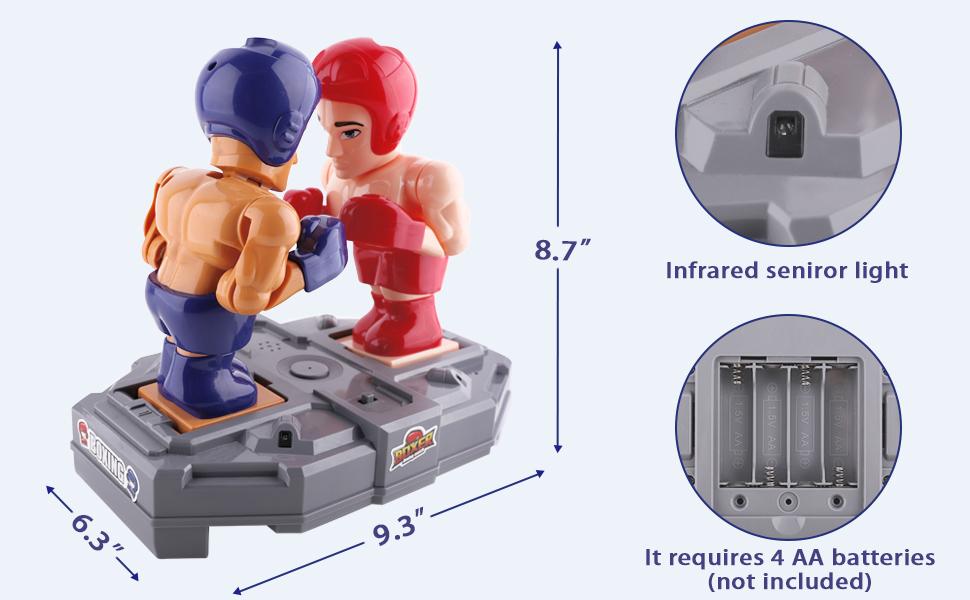
Figure 3.3: Product dimensions and battery compartment location.
4. Operating Instructions
The boxing robots feature motion sensor controls, allowing for intuitive gameplay. The game base has a power switch with three positions: OFF, 1 (VS Machine Mode), and 2 (VS Player Mode).
4.1. Motion Sensor Controls
The robots respond to hand or finger movements near the sensor zones located on the sides of the game base. Wave your fist to initiate punching actions from your robot.
4.2. VS Player Mode (Two Players)
For a two-player experience, slide the power switch to position 2. Each player controls one robot by waving their hand near the corresponding sensor zone. The objective is to hit the opponent's chest piece, causing their head to pop off, indicating a knockout.

Figure 4.1: Two Players Mode in action.
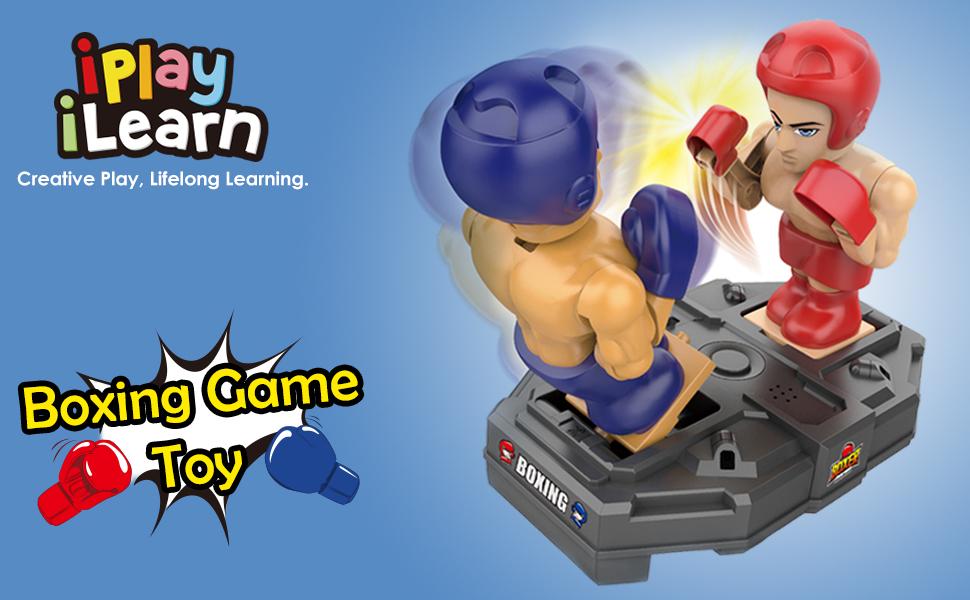
Figure 4.2: Diagram of Two Players Mode setup.
4.3. VS Machine Mode (Single Player)
To play against the machine, slide the power switch to position 1. In this mode, Position 1 is for the machine, and Position 2 is for the player. There are 5 levels of difficulty. Defeat each level to progress to a more challenging opponent.

Figure 4.3: Single Player Mode in action.

Figure 4.4: Diagram of Single Player Mode setup.
4.4. Official Product Videos
Video 4.1: Official product video demonstrating the iPlay, iLearn RC Fighting Robots in action, showcasing their features and gameplay.
Video 4.2: Official product video showing the iPlay, iLearn RC Boxing Battle Game Toy, highlighting the interactive boxing action and motion sensor controls.
5. Maintenance
To ensure the longevity of your boxing robots, follow these maintenance guidelines:
- Cleaning: Wipe the game base and figures with a soft, dry cloth. Avoid using harsh chemicals or abrasive cleaners.
- Storage: Store the toy in a cool, dry place away from direct sunlight when not in use.
- Battery Care: Remove batteries if the toy will not be used for an extended period to prevent leakage.
6. Troubleshooting
If you encounter any issues with your iPlay, iLearn Electronic Motion Sensor Boxing Robots, please refer to the following common solutions:
- Robots Not Responding:
- Ensure the power switch is in position 1 or 2.
- Check if the batteries are correctly installed and not depleted. Replace if necessary.
- Verify that your hand movements are within the sensor zones.
- Difficulty with Knockouts:
- Ensure the boxer figures are securely attached to the base.
- Practice precise and forceful hand movements to activate the punches effectively.
- Unexpected Shutdown:
- This may indicate low battery power. Replace all 4 AA batteries.
7. Specifications
| Product Dimensions | 9.3 x 6.3 x 8.7 inches |
| Item Weight | 1.65 pounds |
| Model Number | DT-BOXG-267 |
| Recommended Age | 36 months - 18 years |
| Batteries Required | 4 AA batteries |
| Manufacturer | iPlay, iLearn |
8. Warranty and Support
For any questions, concerns, or support regarding your iPlay, iLearn Electronic Motion Sensor Boxing Robots, please contact the manufacturer directly through their official channels. Please retain your proof of purchase for warranty claims, if applicable.


