
1. Introduction
The BONAOK D30 is a versatile wireless Bluetooth karaoke microphone designed for entertainment. It combines a microphone, a Bluetooth speaker, and a recorder into one portable device, featuring colorful lights and multiple sound modes. This manual provides detailed instructions for its setup, operation, and maintenance.
2. Package Contents
Please check the package to ensure all items are present:
- 1 x BONAOK D30 Karaoke Microphone
- 1 x USB Charging Cable
- 1 x Audio Cable
- 1 x AUX Cable (1.2 meters)
- 1 x Portable Hard Case
- 1 x BONAOK User Manual
- 1 x Colorful Paper Box
- 1 x Sponge Microphone Cover

Image: Contents of the BONAOK D30 package, including the microphone, cables, and carrying case.
3. Product Overview
3.1 Microphone Components

Image: Detailed view of the microphone head, showing the foam windscreen, durable metal net, mic grilles, and dynamic mic core.
- Foam Windscreen: Reduces breath sounds and plosives.
- Durable Metal Net: Protects the microphone capsule.
- Mic Grilles: Further protection and sound shaping.
- Dynamic Mic Core: High-quality core for clear audio capture.
3.2 Control Panel and Ports

Image: Close-up of the microphone's control panel and bottom ports, indicating various buttons and connections.
- LED Light: Indicator for various functions.
- MIC Volume: Adjusts microphone input volume.
- Echo Volume: Adjusts echo effect level.
- Bluetooth Indicator: Shows Bluetooth connection status.
- Light ON/OFF: Toggles the colorful LED lights.
- Prev: Skips to the previous track.
- Mode (Bluetooth/SD): Switches between Bluetooth and Micro SD card playback modes.
- Power ON/OFF (Long Press) / Play/Pause (Short Press): Multi-function button for power and playback control.
- Music Volume: Adjusts music playback volume.
- Charging Indicator: Shows charging status.
- Magic Sing: Activates/cycles through magic sound modes.
- Next: Skips to the next track.
- Original/Accompaniment (O/A): Switches between original vocal and accompaniment tracks.
- Headphone Port: 3.5mm jack for private listening.
- AUX Port: 3.5mm jack for wired audio input.
- TF Card Port: Slot for Micro SD card.
- Micro USB Port: For charging and recording.
4. Setup
4.1 Charging the Microphone
Before first use, fully charge the microphone. Connect the provided USB charging cable to the Micro USB port on the microphone and the other end to a USB power adapter (not included) or a computer's USB port. The charging indicator light will show the charging status and turn off when fully charged.
4.2 Power On/Off
- To Power On: Long press the Power ON/OFF button (center button) until the LED lights illuminate.
- To Power Off: Long press the Power ON/OFF button again until the LED lights turn off.
4.3 Bluetooth Connection
The BONAOK D30 uses Bluetooth 5.0 for fast and stable connections up to 10 meters.
- Power on the microphone. The Bluetooth indicator will flash, indicating it's in pairing mode.
- On your smartphone or Bluetooth-enabled device, go to Bluetooth settings and search for available devices.
- Select "BONAOK D30" from the list.
- Once connected, the Bluetooth indicator will stop flashing and remain solid. You can now play music from your device through the microphone's speaker.

Image: The BONAOK D30 microphone illustrating its various connectivity options, including Bluetooth, USB, and AUX.
4.4 Wired Connections (AUX, USB, Micro SD)
- AUX Connection: Use the provided 3.5mm AUX cable to connect the microphone to an audio output device (e.g., phone, tablet, computer) for direct audio playback.
- USB Drive Playback: Insert a USB flash drive containing MP3 music files into the Micro USB port (using an appropriate adapter if necessary). The microphone will automatically switch to USB mode and begin playing.
- Micro SD Card Playback: Insert a Micro SD card (TF card) with MP3 music files into the TF Card Port. The microphone will automatically switch to SD card mode and begin playing. Use the 'Mode' button to switch between Bluetooth and SD card modes if needed.
5. Operating Instructions
5.1 Basic Controls
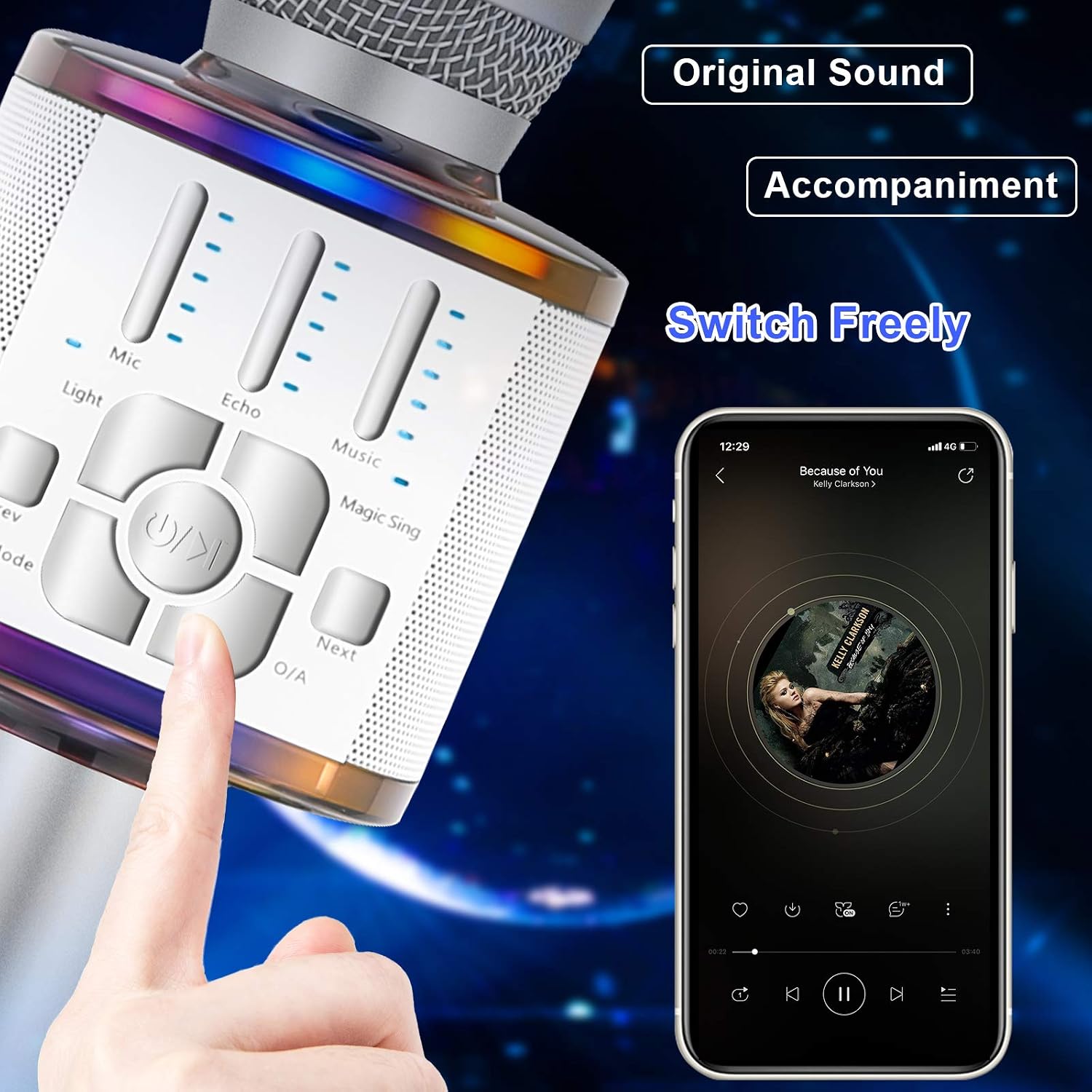
Image: A hand interacting with the control panel of the BONAOK D30, highlighting the ease of switching between original sound and accompaniment.
- MIC Volume: Slide the control up or down to adjust your voice volume.
- Echo Volume: Slide the control up or down to add or reduce echo effect.
- Music Volume: Slide the control up or down to adjust the background music volume.
- Light ON/OFF: Press this button to turn the colorful LED lights on or off.
- Prev/Next: Press these buttons to skip to the previous or next song.
- Play/Pause: Short press the Power ON/OFF button to play or pause music.
- Original/Accompaniment (O/A): Press this button to switch between the original vocal track and the instrumental accompaniment.
5.2 Singing and Recording
- Connect the microphone to your smartphone via Bluetooth or AUX cable.
- Open your preferred karaoke app or music player on your phone.
- Play a song and sing along into the microphone. Adjust MIC, Echo, and Music volumes to your preference.
- To record, connect the microphone to your phone using the provided audio cable (Micro USB to 3.5mm jack) and use a recording app on your phone. The microphone acts as an external audio input.
5.3 Magic Sound Modes
The BONAOK D30 features 4 different magic sound modes to enhance your singing experience:
- Baby Voice
- Female Voice
- Male Voice
- Monster Voice
Press the Magic Sing button to cycle through these voice changing effects.
6. Maintenance
- Keep the microphone dry. Do not expose it to water or excessive moisture.
- Clean the microphone's exterior with a soft, dry cloth. Do not use harsh chemicals or abrasive cleaners.
- Store the microphone in its portable hard case when not in use to protect it from dust and physical damage.
- Avoid dropping the microphone or subjecting it to strong impacts.
- Charge the microphone regularly to maintain battery health, even if not used frequently.
7. Troubleshooting
| Problem | Possible Cause | Solution |
|---|---|---|
| Microphone does not power on. | Low battery. | Charge the microphone for at least 2-3 hours. |
| Cannot connect via Bluetooth. | Bluetooth not enabled on device; microphone not in pairing mode; too far from device. | Ensure Bluetooth is on. Power cycle the microphone to enter pairing mode. Move closer to the device (within 10m). |
| No sound from microphone. | MIC volume too low; microphone muted; connection issue. | Increase MIC volume. Check if the microphone is properly connected (Bluetooth or wired). |
| Music playback issues. | Music volume too low; incorrect mode selected (Bluetooth/SD/AUX); file format not supported. | Increase Music volume. Ensure correct mode is selected. Check if audio files are in MP3 format for USB/SD. |
| Echo effect not working. | Echo volume too low. | Increase Echo volume. |
8. Specifications
| Feature | Detail |
|---|---|
| Model Number | D30 |
| Brand | BONAOK |
| Recommended Uses | Singing, Karaoke |
| Connectivity Technology | USB, Bluetooth 5.0, Auxiliary |
| Connector Type | 3.5 mm Jack, USB |
| Special Features | Volume Control, Mute Function, Magic Sound Modes |
| Compatible Devices | Personal Computer, Amplifier, Smartphone |
| Color | Silver |
| Item Dimensions (LxWxH) | 11 x 10 x 32 cm |
| Power Source | Rechargeable Battery (charged via USB cable) |
| Number of Channels | 1 |
| Frequency Response | 10 kHz |
| Noise Level | 115 dB |
| Part Number | BA022MS |
9. Warranty and Support
BONAOK is committed to providing excellent customer service. For any inquiries or support needs regarding your D30 Wireless Bluetooth Karaoke Microphone, please contact our customer service team. We offer 24-hour lifetime warm customer service to assist you with any issues or questions you may have.


