
EPOS 1000224
EPOS Expand SP 30+ (1000224) Portable Bluetooth Speakerphone Instruction Manual
Model: 1000224 | Brand: EPOS
Introduction
The EPOS Expand SP 30+ is a portable Bluetooth speakerphone designed for instant conferencing anywhere. It offers multi-point connectivity for up to three devices and one-touch access to Microsoft Teams functionalities, ensuring clear communication for all participants.
What's in the Box
- EPOS Expand SP 30+ Portable Bluetooth Speakerphone
- USB-C Cable
- USB-C to USB-A Adapter
- BTD 800 USB Adapter
- Carry Pouch

Product Overview
The EPOS Expand SP 30+ features intuitive controls and a sleek design for professional use.

Key Features
- Enjoy instant conferencing anywhere: Portable with Bluetooth or USB-C connection.
- Multi-point connectivity: Connects to up to 3 devices simultaneously.
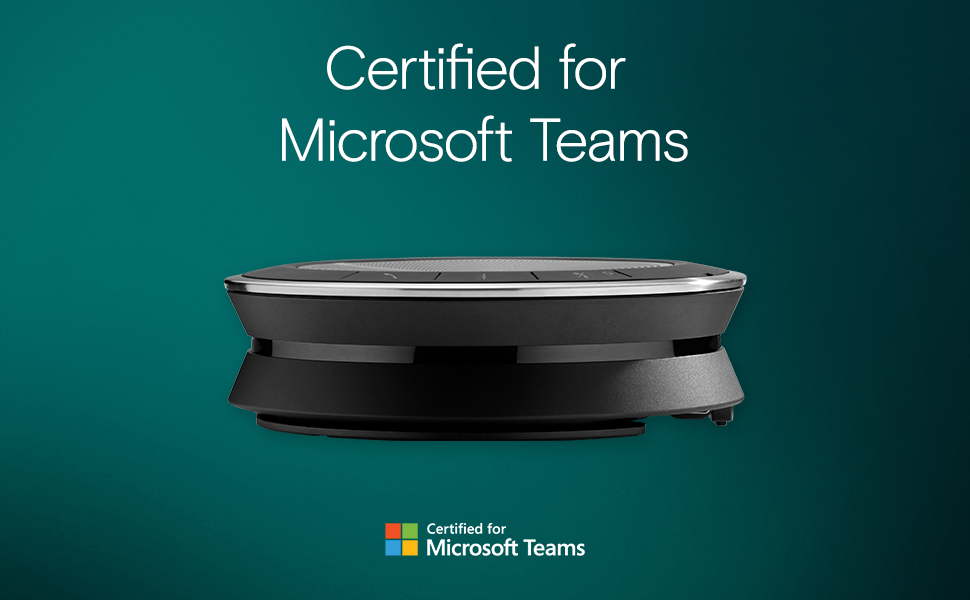
- One-touch access to Microsoft Teams functionalities.
- Sound-enhanced audio for clear communication.
- Includes USB Bluetooth Dongle for easy PC connection.


Setup
Charging
Connect the speakerphone to a power source using the provided USB-C cable. The device is battery-powered and includes 1 C battery (required and included).
Connectivity
The EPOS Expand SP 30+ offers flexible connectivity options:
- USB-C Connection: Plug the integrated USB-C cable directly into your PC or compatible device.
- USB-A Connection: Use the included USB-C to USB-A adapter to connect to devices with USB-A ports.
- Bluetooth Connection: Pair the speakerphone with your mobile phone, PC, or tablet via Bluetooth. The BTD 800 USB adapter is included for enhanced Bluetooth connectivity with PCs.
- Multi-point Connectivity: The device supports connection to up to 3 devices simultaneously.
Operating Instructions
Power On/Off
Use the touch controls on the speakerphone to power the device on or off.
Call Management
The touch controls allow you to answer, end, and manage calls directly from the speakerphone.
Volume Control
Adjust the audio volume using the dedicated touch buttons on the device.
Mute Function
Activate or deactivate the microphone mute function via the touch controls.
Microsoft Teams Integration
Access Microsoft Teams functionalities with a single touch for seamless collaboration.
Official Product Videos
Seamless Collaboration - EPOS EXPAND 30 Series Speakerphones
Video: This video demonstrates the seamless collaboration features of the EPOS EXPAND 30 Series Speakerphones, highlighting their ease of use and integration into professional communication environments.
Product Overview Video
Video: A concise product overview video showcasing the key functionalities and design aspects of the EPOS Expand SP 30+ speakerphone.
Specifications
| Feature | Detail |
|---|---|
| Brand | EPOS |
| Model Name | EXPAND SP 30+ |
| Item Model Number | 1000224 |
| Material | Plastic |
| Color | Black |
| Speaker Type | Component |
| Speaker Maximum Output Power | 5 Watts |
| Audio Output Mode | Stereo |
| Connectivity Technology | Bluetooth, USB |
| Wireless Communication Technology | Bluetooth |
| Power Source | Battery Powered |
| Batteries | 1 C batteries required. (included) |
| Control Method | Touch |
| Compatible Devices | Mobile phone, PC, Tablet |
| Product Dimensions | 4.72 x 4.72 x 1.47 inches |
| Item Weight | 11 Ounces |
| UPC | 840064400251 |
Maintenance
To ensure the longevity and optimal performance of your EPOS Expand SP 30+, follow these maintenance guidelines:
- Cleaning: Use a soft, dry cloth to clean the device. Avoid using harsh chemicals or abrasive materials.
- Storage: Store the speakerphone in its provided carry pouch when not in use to protect it from dust and scratches.
- Handling: Handle the device with care. Avoid dropping it or exposing it to extreme temperatures or moisture. The device is not waterproof.
Troubleshooting
If you encounter any issues with your EPOS Expand SP 30+, try the following solutions:
- No Power: Ensure the device is fully charged or connected to a power source via the USB-C cable.
- No Audio/Poor Audio Quality: Check the volume levels on both the speakerphone and your connected device. Ensure the device is properly connected via USB or Bluetooth.
- Bluetooth Connectivity Issues: Make sure Bluetooth is enabled on your device and the speakerphone is in pairing mode. Try unpairing and re-pairing the device. Ensure no other devices are interfering with the Bluetooth signal.
- Microphone Not Working: Check if the microphone is muted on the speakerphone or your connected application (e.g., Microsoft Teams).
Warranty & Support
The EPOS Expand SP 30+ comes with a Limited Warranty. For detailed information regarding warranty coverage, terms, and conditions, please refer to the official EPOS website or the documentation included in your product packaging.
For further support, technical assistance, or to access updated user manuals, please visit the official EPOS support portal.
Related documents1000224


Ask a question about this manual
Ask about setup, troubleshooting, compatibility, parts, safety, or missing instructions. Manuals+ will review the question and use this page’s manual context to help answer it.