
HOMVILLA Modern
HOMVILLA Digital Alarm Clock with Large LED Temperature Display
Model: Modern
Brand: HOMVILLA
Introduction
Thank you for choosing the HOMVILLA Digital Alarm Clock. This manual provides comprehensive instructions for the proper setup, operation, and maintenance of your new device. Please read this guide thoroughly before use to ensure optimal performance and longevity of your alarm clock.
Product Features
- Large LED Display: 5.6-inch mirror LED screen for clear time and temperature viewing.
- Dual Alarm with Snooze: Set two independent alarms with adjustable snooze duration.
- Adjustable Brightness: Four levels of brightness, with automatic dimming between 10 PM and 6 AM.
- USB Powered with Battery Backup: Includes a USB charging cable for power; built-in button battery saves settings during power outages.
- Intelligent Voice Control: Display activates for 5 seconds with ambient noise above 90 decibels or a tap.
- Memory Function: Retains settings when powered off, provided the internal battery is sufficiently charged.
- 12/24 Hour Format: Supports both time display formats.
- Elegant Mirror Design: Compact and stylish, can also function as a mirror.
Setup
1. Power Connection
Connect the provided USB cable to the alarm clock's 5V/1A power input port (located on the back). Plug the other end into a compatible USB power adapter (not included) or a USB port. The LED display will light up.
 Image: Back view of the HOMVILLA Digital Alarm Clock, highlighting the USB power input and various control buttons.
2. Battery Backup
The alarm clock has a built-in button battery. This battery ensures that your time and alarm settings are saved in case of a power interruption. The clock requires continuous USB power for the display to remain constantly lit. If operating on battery backup only, the display will turn off to conserve power and will activate for 5 seconds when a sound or touch is detected.
 Image: The alarm clock demonstrating its memory function, showing that settings are retained even when the main power is off.
Operating Instructions
1. Time Setting (12/24 Hour Format)
- Press and hold the "TIME SET" button (often labeled with a clock icon) on the back of the unit. The hour digits will begin to flash.
- Use the "UP" or "DOWN" buttons to adjust the hour.
- Press "TIME SET" again to move to minute adjustment. Use "UP" or "DOWN" to set the minutes.
- Press "TIME SET" a third time to select between 12-hour (with AM/PM indicator) or 24-hour format. Use "UP" or "DOWN" to toggle.
- Press "TIME SET" one last time to confirm and exit time setting mode.
2. Alarm Setting (Dual Alarm & Snooze)
This clock supports two independent alarms (Alarm 1 and Alarm 2).
- Setting Alarm 1:
- Slide the "ALARM1 ON/OFF" switch to "ON". The alarm icon will appear on the display.
- Press and hold the "ALARM SET" button (often labeled with a bell icon). The hour digits for Alarm 1 will flash.
- Use "UP" or "DOWN" to adjust the alarm hour.
- Press "ALARM SET" again to move to minute adjustment. Use "UP" or "DOWN" to set the alarm minutes.
- Press "ALARM SET" to confirm.
- Setting Alarm 2: Follow the same steps as Alarm 1, using the "ALARM2 ON/OFF" switch.
- Snooze Function: When an alarm sounds, press the "SNOOZE/LIGHT" button on top of the clock. The alarm will pause and sound again after 5 minutes. The alarm icon will flash during snooze mode. To turn off the alarm completely, press any other button on the back of the clock.
 Image: Illustration of the snooze function and the ability to set two distinct alarms for different schedules.
3. Brightness Adjustment
The display has 4 adjustable brightness levels. Press the "SNOOZE/LIGHT" button (on top) to cycle through the brightness levels (1-4). The clock also features an automatic dimming function, reducing brightness between 10:00 PM and 6:00 AM to avoid disturbance during sleep.
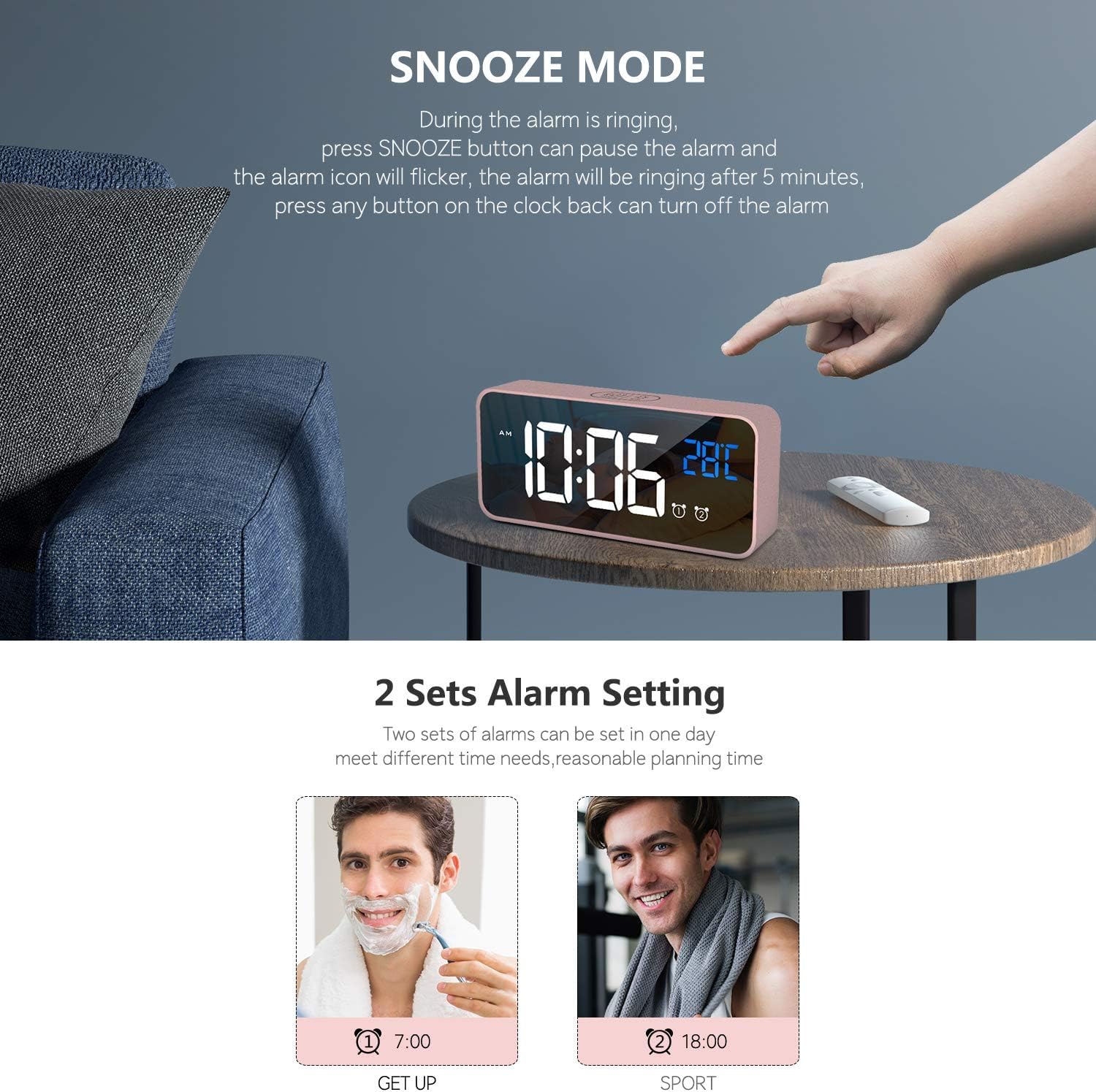 Image: Four distinct brightness levels of the alarm clock display, demonstrating the adjustable illumination.
4. Intelligent Voice Control Function
When the clock is powered by its internal battery (not connected via USB), the display will turn off to save power. It will activate for 5 seconds if the ambient noise reaches 90 decibels or if the desktop where it's placed is lightly knocked. When connected via USB, the display remains continuously lit, and the voice control function is inactive.
 Image: The alarm clock activating its display in response to sound, illustrating the intelligent voice control feature.
5. Volume Adjustment
The alarm volume can be adjusted. While in alarm setting mode or when an alarm is sounding, use the "VOLUME ADJUSTMENT" buttons (often labeled with speaker icons) on the back to increase or decrease the volume.
 Image: Diagram showing the location and function of the volume adjustment controls on the alarm clock.
Maintenance
- Clean the clock's surface with a soft, dry cloth. Avoid using abrasive cleaners or solvents.
- Keep the device away from direct sunlight, high temperatures, and high humidity.
- Do not disassemble the unit. Refer to qualified personnel for any repairs.
Troubleshooting
| Problem | Possible Cause | Solution |
|---|---|---|
| Display is off or not continuously lit. | The clock is running on battery backup, or the USB power is disconnected. | Connect the clock to a continuous USB power source. When on battery, the display activates for 5 seconds with sound/touch. |
| Alarm does not sound. | Alarm is not activated, or volume is too low. | Ensure the "ALARM ON/OFF" switch is set to "ON" for the desired alarm. Check and adjust the alarm volume. |
| Time/settings are lost after power outage. | Internal button battery is depleted or not sufficiently charged. | Ensure the clock is regularly connected to USB power to charge the internal battery. |
| Voice control not working. | Clock is connected to USB power, or ambient noise is insufficient. | Voice control is only active when running on battery backup. Ensure noise level is above 90dB or tap the surface. |
Specifications
- Brand: HOMVILLA
- Model Number: Modern
- Color: Rose
- Display Type: Digital LED
- Product Dimensions: 14.5 cm (L) x 6.5 cm (H) x 3.2 cm (W) / 5.7 x 2.56 x 1.26 inches
- Screen Size: 5.6 inches
- Power Source: Electric Cable (USB 5V/1A)
- Battery: 1 C battery (included, for backup)
- Material: Acrylonitrile Butadiene Styrene (ABS) Plastic
- Item Weight: 220 Grams
- Special Features: Alarm, Temperature Display, Snooze, Adjustable Brightness, Voice Control, Memory Function
- Connectivity Technology: USB
- Movement Type: Quartz
Warranty and Support
HOMVILLA offers a lifetime warranty for this product. For any questions, technical support, or warranty claims, please contact HOMVILLA customer service through your purchase platform or the official HOMVILLA website.
Related documentsModern


Ask a question about this manual
Ask about setup, troubleshooting, compatibility, parts, safety, or missing instructions. Manuals+ will review the question and use this page’s manual context to help answer it.