
1. Product Overview
The COMISO X26L is a portable, waterproof Bluetooth speaker designed for high-quality audio playback in various environments. It features a robust design, long battery life, and advanced connectivity options.

Figure 1: COMISO X26L speaker demonstrating its waterproof design.
Key Features:
- Crystal Clear Sound: Equipped with two precision acoustic drivers for distinct mids and highs, and a proprietary passive bass radiator for enhanced bass.
- IPX7 Waterproof Rating: Can be fully submerged up to 1 meter for 30 minutes, suitable for outdoor and indoor activities including showers, pool parties, hiking, and camping.
- True Wireless Stereo (TWS) Function: Pair two COMISO X26L speakers for a true wireless stereo experience with double enhanced sound.
- Extended Playtime: Built-in 6000mAh rechargeable battery provides up to 36 hours of continuous playtime.
- Bluetooth 5.0 Connectivity: Ensures quick, low-latency, and stable connections within a 10-meter (33-foot) range.
- Built-in Microphone: Allows for hands-free calls.
2. Setup
2.1 What's in the Box
- COMISO X26L Bluetooth Speaker
- USB-C Charging Cable
- 3.5mm Audio Cable
- User Manual
2.2 Charging the Speaker
Before first use, fully charge the speaker. The charging port is located at the base of the unit, protected by a rubber flap.
- Open the rubber flap at the base of the speaker.
- Connect the provided USB-C charging cable to the speaker's charging port.
- Connect the other end of the USB-C cable to a compatible USB power adapter (not included).
- A blue LED indicator ring around the top control panel will illuminate during charging.
- Charging typically takes approximately 3 hours. The LED indicator will change or turn off once fully charged.
2.3 Powering On/Off
The power button is located in the center of the top control panel.
- To Power On: Press and hold the power button for a few seconds until you hear an audio prompt and the blue LED indicator ring illuminates.
- To Power Off: Press and hold the power button for a few seconds until you hear an audio prompt and the blue LED indicator ring turns off.
2.4 Bluetooth Pairing
The speaker uses Bluetooth 5.0 for stable wireless connections.
- Ensure the speaker is powered on and the blue LED indicator ring is flashing, indicating it's in pairing mode.
- On your device (smartphone, tablet, etc.), enable Bluetooth and search for available devices.
- Select 'COMISO X26L' from the list of devices.
- Once connected, you will hear an audio confirmation, and the blue LED indicator will stop flashing and remain solid.
- The speaker will automatically reconnect to the last paired device when powered on, if within range.

Figure 2: Bluetooth connectivity and True Wireless Stereo setup.
2.5 True Wireless Stereo (TWS) Pairing
To achieve a stereo sound experience, you can pair two COMISO X26L speakers together.
- Ensure both COMISO X26L speakers are powered on and not connected to any other Bluetooth device.
- On one speaker (this will be your master speaker), press the middle power button twice quickly. You will hear a prompt indicating TWS pairing mode.
- The two speakers will automatically search for and connect to each other. Once connected, you will hear an audio confirmation.
- Now, connect your device to the master speaker via Bluetooth as described in section 2.4. The audio will play in sync on both speakers, providing a stereo sound.
- To disconnect TWS, simply power off either speaker.
3. Operating the Speaker
3.1 Control Panel Functions
The top control panel features intuitive buttons for managing playback and volume.
- Power Button (Center): Press and hold to power on/off. Press once to play/pause music. Double-press for TWS pairing.
- Volume Up (+) / Next Track: Press once to increase volume. Press and hold to skip to the next track.
- Volume Down (-) / Previous Track: Press once to decrease volume. Press and hold to go to the previous track.
- Play/Pause Button (Triangle): Press once to play or pause music.
3.2 Wired Connectivity
For devices without Bluetooth or to conserve battery, use the 3.5mm audio jack.
- Open the rubber flap at the base of the speaker.
- Connect the provided 3.5mm audio cable to the AUX port on the speaker.
- Connect the other end of the audio cable to your audio source.
- The speaker will automatically switch to AUX mode.
3.3 Water Resistance (IPX7)
The COMISO X26L is IPX7 rated, meaning it can be submerged in water up to 1 meter (3 feet) for 30 minutes. This makes it ideal for use in wet environments.
- Ensure the rubber flap covering the charging and AUX ports is securely closed before exposing the speaker to water.
- Avoid prolonged submersion beyond the specified depth and time.
- Do not expose the speaker to saltwater or other chemicals, as this may damage the device.
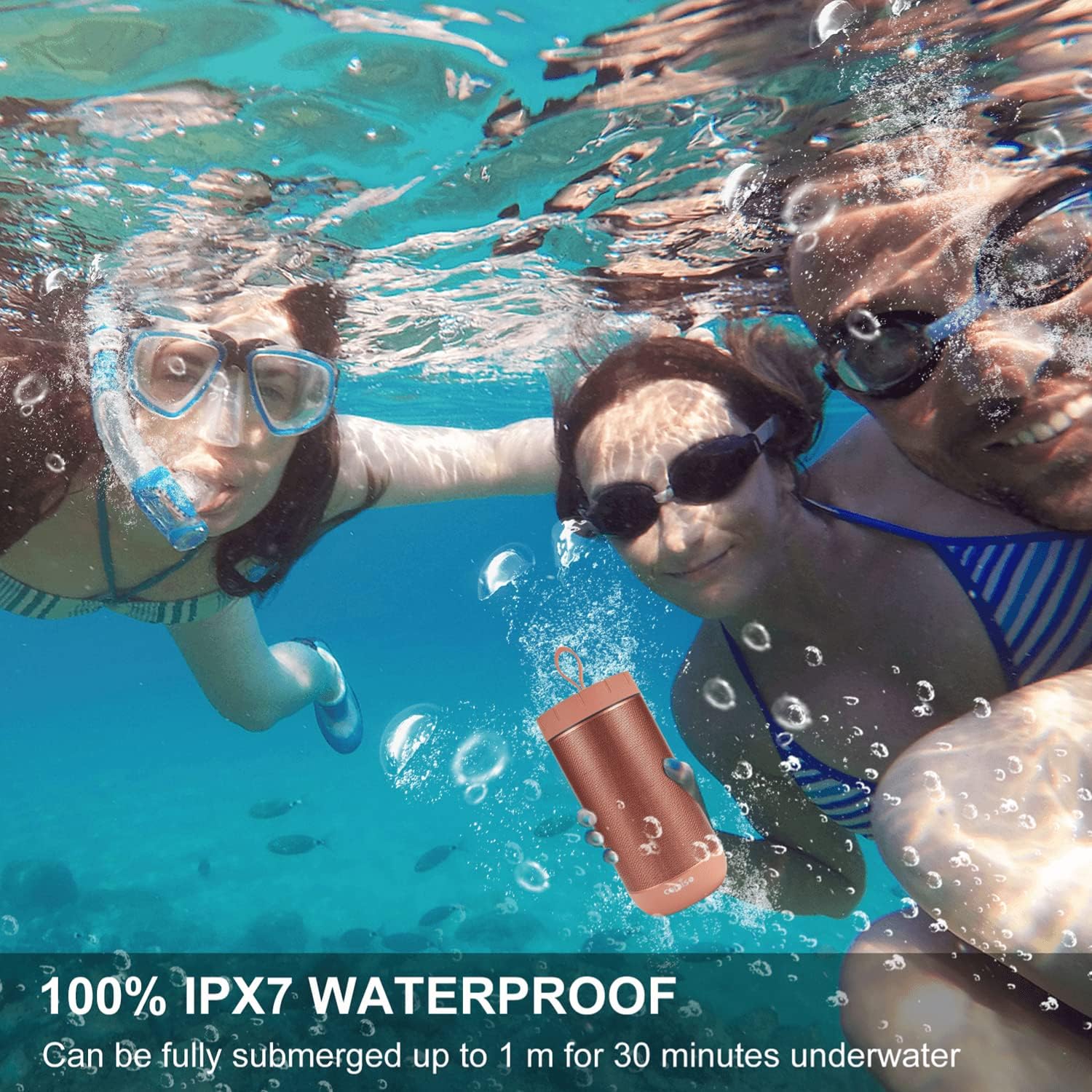
Figure 3: The COMISO X26L is IPX7 waterproof.
4. Maintenance
4.1 Cleaning
- Wipe the speaker with a soft, damp cloth.
- Do not use abrasive cleaners or solvents.
- Ensure all ports are dry before charging or connecting cables after exposure to water.
4.2 Storage
- Store the speaker in a cool, dry place away from direct sunlight and extreme temperatures.
- If storing for an extended period, charge the battery to approximately 50% to prolong its lifespan.
5. Troubleshooting
5.1 Speaker Does Not Power On
- Ensure the battery is charged. Connect the speaker to a power source using the USB-C cable.
- Press and hold the power button for a few seconds.
5.2 Unable to Pair via Bluetooth
- Ensure the speaker is in pairing mode (flashing blue LED).
- Make sure the speaker is within the 10-meter (33-foot) Bluetooth range of your device.
- Turn off and on Bluetooth on your device, then try searching again.
- If previously paired, try 'forgetting' the device on your phone's Bluetooth settings and re-pairing.
- Ensure no other devices are currently connected to the speaker.
5.3 No Sound or Low Volume
- Increase the volume on both the speaker and your connected device.
- Ensure the speaker is properly paired via Bluetooth or connected via the 3.5mm audio cable.
- Check if the audio source is playing correctly.
5.4 TWS Pairing Fails
- Ensure both speakers are COMISO X26L models.
- Make sure neither speaker is connected to any other Bluetooth device before attempting TWS pairing.
- Power off both speakers, then power them on and try the TWS pairing process again.
6. Specifications
| Model Name | X26L |
| Speaker Type | Outdoor |
| Wireless Communication Technology | Bluetooth 5.0 |
| Water Resistance Level | IPX7 (Waterproof) |
| Speaker Maximum Output Power | 25 Watts |
| Battery Capacity | 6000 Milliamp Hours |
| Playtime | Up to 36 Hours |
| Charging Time | Approx. 3 Hours |
| Bluetooth Range | 10 Meters (33 Feet) |
| Product Dimensions | 3.5"D x 3.5"W x 39.37"H |
| Item Weight | 1.58 Pounds |
| Audio Output Mode | Stereo, Surround |
| Control Method | Touch |
7. Warranty and Support
7.1 Warranty Information
This product comes with a Limited Warranty. Please refer to the warranty card included in your product packaging for specific terms and conditions. Keep your purchase receipt as proof of purchase.
7.2 Customer Support
For any questions, technical assistance, or warranty claims, please contact COMISO customer support through the retailer where you purchased the product or visit the official COMISO website for contact information.
