1. Introduction
This manual provides essential information for the proper installation, operation, and maintenance of your SimPure HP8 Original HEPA Replacement Filter (Model: SP-HP8-RF). This filter is specifically designed for use with the SimPure HP8 Air Purifier to ensure optimal air purification performance.
The SimPure HP8 replacement filter features a 4-stage filtration system, including a pre-filter, True HEPA filter, and activated carbon filter stages. This system is engineered to capture 99.97% of airborne particles such as dust, pollen, smoke, odors, pet dander, and volatile organic compounds (VOCs) as small as 0.3 microns.
2. Product Features
- Compatibility: Exclusively designed for the SimPure HP8 True HEPA Air Purifier.
- 4-Stage Filtration: Incorporates a pre-filter, True HEPA filter, and activated carbon filter for comprehensive air purification.
- High Efficiency: Captures 99.97% of particles down to 0.3 microns, including dust, pollen, smoke, odors, pet hair, and VOCs.
- Easy Replacement: Designed for simple, tool-free installation.
- Sealed for Protection: Filters are sealed to maintain their integrity and service life until use.

Image: Illustration comparing the activated carbon density of a generic filter versus a SimPure filter, highlighting the increased active carbon in the SimPure filter for enhanced adsorption.
3. Installation and Filter Replacement
Follow these steps to replace the filter in your SimPure HP8 Air Purifier:
- Open the Back Cover: Gently open the back cover of your SimPure HP8 Air Purifier and remove the used filter.
- Remove Packaging: Take the new replacement filter out of its plastic packaging. Important: Ensure all plastic wrapping is removed before installation.
- Install New Filter: Insert the new filter into the air purifier, making sure the front side is facing outwards.
- Close Cover: Securely close the back cover of the air purifier.
- Reset Filter Life: After replacing the filter, press and hold the 'FILTER' button on the control panel for 3 seconds to reset the filter life indicator.

Image: A visual guide illustrating the four simple steps for changing the SimPure HP8 air purifier filter, from opening the back cover to resetting the filter indicator.
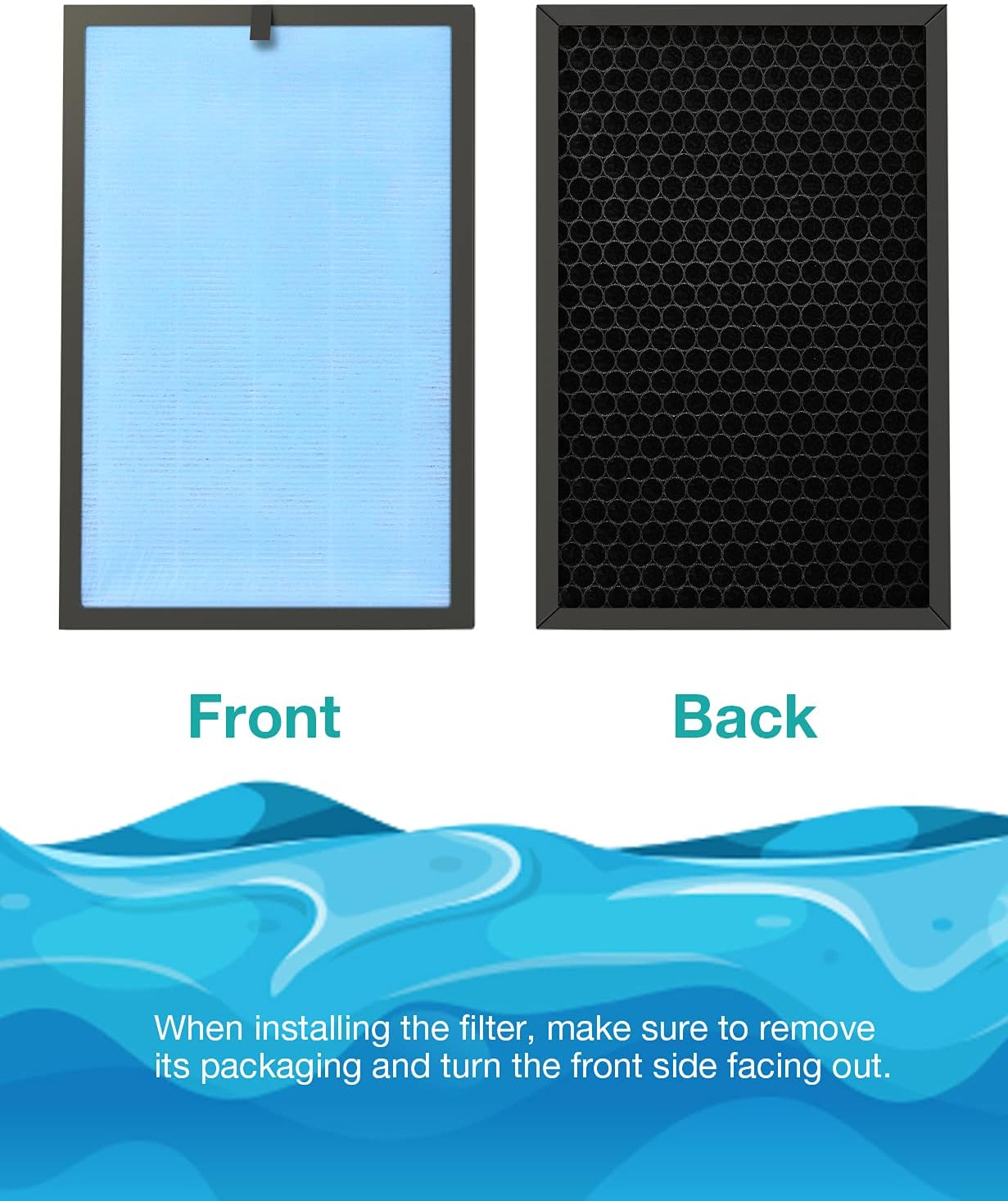
Image: Depiction of the front and back sides of the SimPure HP8 replacement filter, emphasizing the need to remove packaging and ensure correct orientation during installation.
4. Maintenance
To maintain the stated air purifier performance and ensure optimal air quality, it is recommended to replace the filter every 6 months. The filters are properly sealed to protect their service time until they are ready for use.

Image: The SimPure HP8 replacement filter shown in its protective packaging, featuring a 'Genuine 100%' seal, indicating authenticity and quality.
5. Specifications
| Feature | Detail |
|---|---|
| Product Dimensions | 16.5 x 10.8 x 1.6 inches |
| Item Model Number | SP-HP8-RF |
| Item Weight | 2.43 Pounds |
| Manufacturer | SimPure |
| Filter Type | HEPA |
6. Important Notes
- Always use genuine SimPure replacement filters to ensure compatibility and maintain the performance of your air purifier.
- This filter is designed exclusively for the SimPure HP8 Air Purifier and is not compatible with other SimPure air purifier models.
- Remove all plastic packaging from the new filter before inserting it into the air purifier.
7. Warranty and Support
SimPure is committed to providing high-quality products and customer satisfaction. For any questions regarding your replacement filter or air purifier, please contact SimPure customer support. A long-term supply of replacement filters is available to ensure continuous air purification.
For further assistance, please visit www.simpurelife.com or contact customer service at 1-866-528-4572.


