
LEXIN ET COM
LEXIN ET-COM Bluetooth Motorcycle Intercom System User Manual
Model: ET COM | Brand: LEXIN
1. Introduction
The LEXIN ET-COM is a Bluetooth motorcycle communication system designed to enhance your riding experience. It allows for two-way intercom communication between riders, hands-free phone calls, music streaming, and FM radio reception. This system incorporates advanced DSP and CVC noise cancellation technologies for clear audio, even at high speeds.
Key features include:
- Two-Way Intercom: Communicate with up to 2 riders within a 1200-meter range.
- Bluetooth V5.0: Ensures stable and efficient wireless connectivity.
- DSP & CVC Noise Cancellation: Reduces external noise for clear audio quality.
- Long Battery Life: 800mAh battery provides up to 15 hours of music playback, 8 hours of talk time, and 300 hours of standby.
- FM Radio: Built-in FM radio for entertainment on the go.
- Voice Assistant Support: Access Siri and S Voice for hands-free control.
- IP67 Water Resistance: Designed to withstand various weather conditions.
- Interchangeable Face Plates: Customize the unit's appearance with different colored housings.

Image: The LEXIN ET-COM unit securely mounted on the side of a motorcycle helmet.

Image: A visual representation of DSP and CVC advanced noise cancellation technology, showing how external noise is copied and canceled for improved audio clarity.
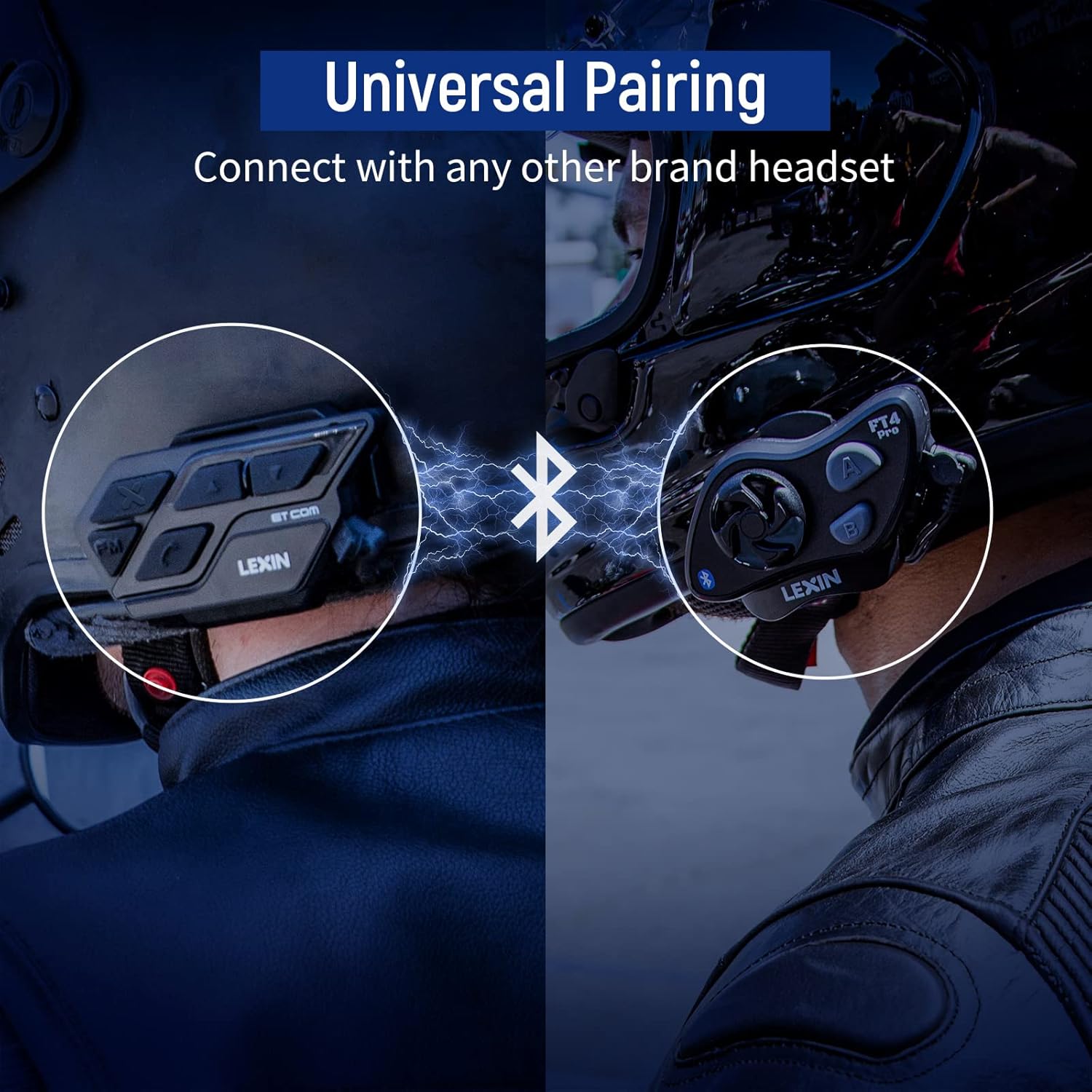
Image: A motorcycle helmet with the LEXIN ET-COM unit shown in rainy conditions, highlighting its IP67 water resistance for all-weather use.

Image: The LEXIN ET-COM unit displaying its 800mAh battery capacity, indicating 300 hours of standby time, 15 hours of music playback, and 1.5 hours of charging time.
2. Package Contents
Please verify that all items are present in your package:
- LEXIN ET-COM Main Unit
- Microphone (Boom or Button type)
- Steel Needle (for housing removal)
- Allen Key
- Mounting Screws
- Microphone Fixing Piece
- Speaker Pads
- Metal Clip
- 3M Adhesive Base
- User Guide
- Type-C USB Data Cable
- 5 Additional Decorative Color Housings

Image: A comprehensive diagram illustrating all components included in the LEXIN ET-COM package, along with a visual guide for helmet installation.
3. Setup and Installation
3.1 Charging the Unit
Before first use, fully charge the ET-COM unit. Connect the provided Type-C USB data cable to the charging port on the unit and to a USB power source. The LED indicator will show charging status and turn off when fully charged.
3.2 Mounting to Helmet
The ET-COM unit can be mounted to your helmet using either the metal clip or the 3M adhesive base. Choose the method that best suits your helmet type and preference.
- Clip Mount: Slide the metal clip between the helmet shell and the inner padding. Secure the ET-COM unit to the clip.
- Adhesive Mount: Clean the desired mounting area on the helmet surface. Peel off the protective film from the 3M adhesive base and firmly press the ET-COM unit onto the helmet. Hold for 30 seconds to ensure a strong bond.
3.3 Speaker and Microphone Installation
Install the speakers and microphone inside your helmet:
- Attach the speaker pads to the inside of the helmet, aligning them with your ears.
- Place the speakers into the pads.
- Position the microphone in front of your mouth, ensuring it is close but not touching. Use the microphone fixing piece if necessary.
- Connect the speaker and microphone cables to the corresponding ports on the ET-COM unit.
3.4 Bluetooth Pairing with Phone
To pair your ET-COM with your mobile phone:
- Ensure the ET-COM unit is off.
- Press and hold the Power button until the LED indicator flashes red and blue alternately, indicating pairing mode.
- On your phone, enable Bluetooth and search for new devices.
- Select "LEXIN ET-COM" from the list of available devices.
- Once paired, the LED indicator will flash blue slowly.
3.5 Intercom Pairing (Unit-to-Unit)
To pair two ET-COM units for intercom communication:
- Ensure both ET-COM units are off.
- On both units, press and hold the Intercom button until the LED indicators flash red and blue alternately.
- Briefly press the Intercom button on one of the units. The units will search for each other.
- Once paired, the LED indicators on both units will flash blue slowly.

Image: An illustration demonstrating the universal pairing capability of the LEXIN ET-COM, connecting with another brand's headset via Bluetooth.
4. Operating Instructions
4.1 Power On/Off
- Power On: Press and hold the Power button for approximately 3 seconds until the LED flashes blue.
- Power Off: Press and hold the Power button for approximately 3 seconds until the LED flashes red and then turns off.
4.2 Volume Control
- Increase Volume: Press the Volume Up button (+).
- Decrease Volume: Press the Volume Down button (-).
4.3 Music Playback
- Play/Pause: Press the Multi-function button (often the central button).
- Next Track: Press the Volume Up button (+) for 2 seconds.
- Previous Track: Press the Volume Down button (-) for 2 seconds.
4.4 FM Radio
- Turn On/Off FM Radio: Press the FM button.
- Scan Stations: Press the Volume Up (+) or Volume Down (-) button briefly to change stations.
4.5 Intercom Communication
- Start Intercom: Briefly press the Intercom button.
- End Intercom: Briefly press the Intercom button again.
4.6 Phone Calls
- Answer Call: Briefly press the Multi-function button.
- End Call: Briefly press the Multi-function button.
- Reject Call: Press and hold the Multi-function button for 2 seconds.
- Redial Last Number: Double-press the Multi-function button.
4.7 Voice Assistant
- Activate Voice Assistant (Siri/S Voice): Press and hold the Multi-function button for 2 seconds (when not on a call or intercom).
Image: A detailed view of the LEXIN ET-COM unit, highlighting the various control buttons for power, volume, FM, and intercom functions.
5. Maintenance
5.1 Cleaning
Wipe the unit with a soft, damp cloth. Do not use harsh chemicals or abrasive cleaners. Ensure the charging port cover is securely closed to maintain water resistance.
5.2 Battery Care
To prolong battery life:
- Charge the unit fully before long periods of storage.
- Avoid exposing the unit to extreme temperatures.
- Recharge the unit at least once every three months if not in regular use.
5.3 Changing Face Plates
The ET-COM unit features interchangeable decorative face plates:
- Carefully insert the steel needle into the small slot on the side of the unit to release the current face plate.
- Gently pry off the old face plate.
- Align the new face plate with the unit and press firmly until it clicks into place.

Image: A step-by-step guide demonstrating how to remove and replace the interchangeable 6-color face plates on the LEXIN ET-COM unit.
6. Troubleshooting
| Problem | Possible Cause | Solution |
|---|---|---|
| Unit does not power on | Low battery; Unit frozen | Charge the unit fully; Perform a reset by pressing and holding the Power button for 10 seconds. |
| No sound from speakers | Volume too low; Speakers not connected properly; Faulty speakers | Increase volume; Check speaker connections; Test with another audio source or contact support. |
| Cannot pair with phone/intercom | Unit not in pairing mode; Bluetooth interference; Already paired to max devices | Ensure unit is in pairing mode (flashing red/blue); Move away from other Bluetooth devices; Clear previous pairings and try again. |
| Intercom range is short or connection is unstable | Obstructions (buildings, terrain); Weather conditions; Too many paired devices | Ensure clear line of sight; Reduce distance between units; Try re-pairing. |
| Poor audio quality / static | Microphone placement; Speaker placement; Environmental noise | Adjust microphone closer to mouth; Ensure speakers are centered over ears; DSP/CVC should mitigate noise, but extreme conditions may affect quality. |
7. Specifications
- Model Name: ET COM
- Bluetooth Version: V5.0
- Connectivity Technology: Wireless
- Intercom Range: Up to 1200 meters (0.7 miles) for 2 riders
- Battery Type: Lithium-ion
- Battery Capacity: 800 mAh
- Music Playback Time: Up to 15 hours
- Talk Time: Up to 8 hours
- Standby Time: Up to 300 hours
- Charging Time: Approximately 1.5 hours
- Water Resistance Level: IP67 (Impermeable)
- Noise Cancellation: DSP & CVC
- Control Type: Voice Control
- Headphone Jack: USB
- Form Factor: Circum-Auricular
- Age Range Description: Adult
8. Warranty and Support
For warranty information and technical support, please refer to the official LEXIN website or contact your retailer. Keep your proof of purchase for any warranty claims.
If you encounter issues not covered in this manual, please reach out to LEXIN customer service for assistance.
Related documentsET COM


Ask a question about this manual
Ask about setup, troubleshooting, compatibility, parts, safety, or missing instructions. Manuals+ will review the question and use this page’s manual context to help answer it.