
1. Product Overview
The AWQ 200 LED Net Mesh String Lights are designed to provide versatile decorative lighting for various occasions. This product features 200 energy-efficient LED bulbs arranged in a 9.8ft x 6.6ft net, offering 8 distinct lighting modes and a convenient timer function. Suitable for both indoor and outdoor applications, these lights are ideal for enhancing the ambiance of gardens, bushes, bedrooms, and event spaces.
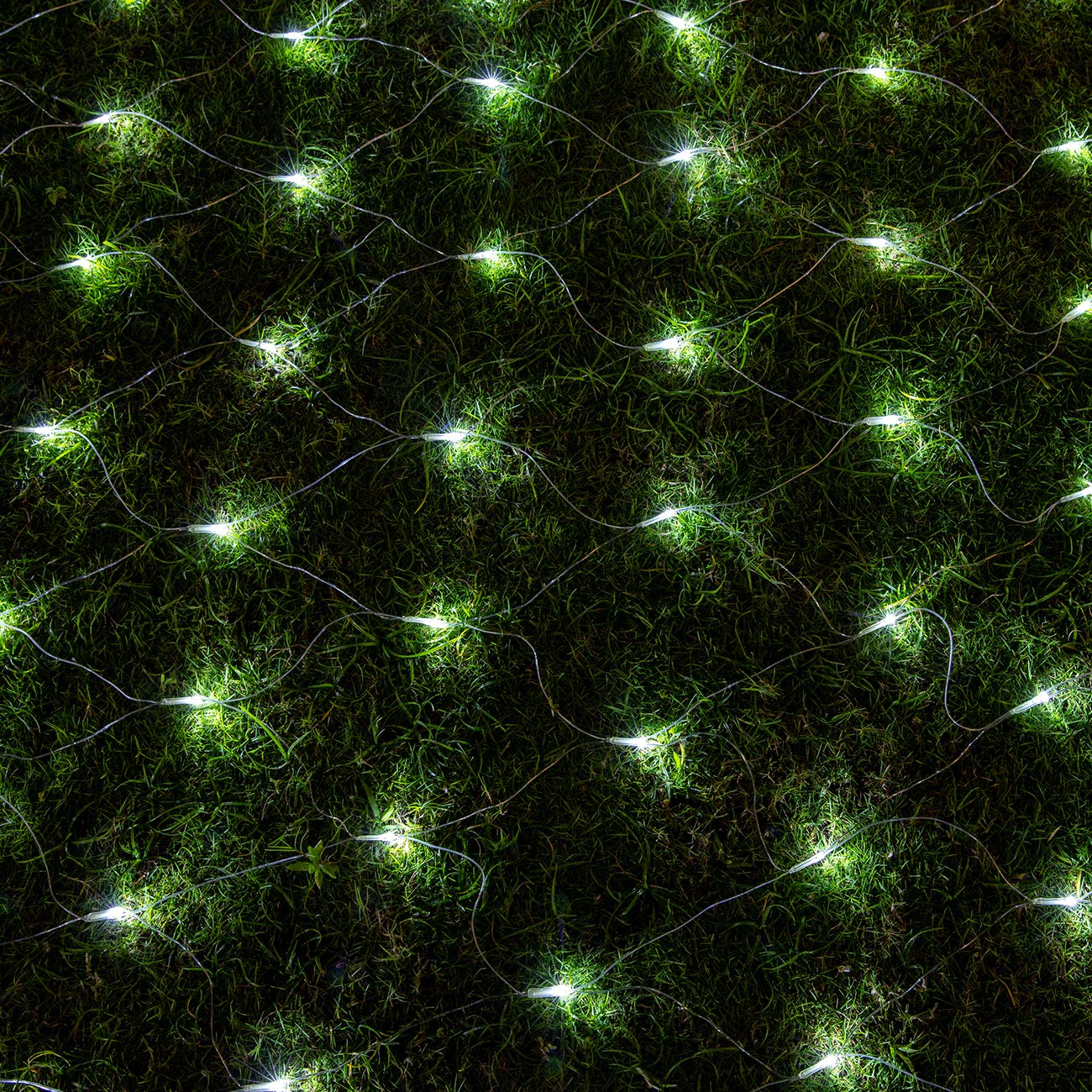
This image shows the AWQ 200 LED White Net Mesh String Lights draped over a white garden bench, extending onto the grass, demonstrating their decorative effect in an outdoor setting.
2. Safety Information
- Ensure the power adapter is placed indoors or protected from water when the lights are used outdoors, as the adapter is not waterproof.
- The lights and wiring are IP44 rated, designed to withstand most weather conditions including rain and snow.
- Do not attempt to modify or repair the lights or adapter. Contact qualified personnel for service.
- Keep away from flammable materials.
- Unplug the lights from the power source when not in use or before cleaning.
3. Package Contents
- 1 x AWQ 200 LED Net Mesh String Lights (9.8ft x 6.6ft)
- 1 x Power Adapter (30V low voltage, UL 588 certified)
4. Setup Instructions
- Unpack: Carefully remove the net mesh lights and power adapter from the packaging.
- Placement: Determine the desired location for your lights. The net design allows for easy draping over bushes, walls, or other structures.
- Connect Power: Connect the male plug of the light string to the female socket of the power adapter. Ensure a secure connection.
- Extend (Optional): These lights are designed with male and female safe plugs, allowing you to connect up to five light chains together for larger decorative areas. Connect additional sets by aligning the connectors and twisting to secure.
- Power On: Plug the power adapter into a standard electrical outlet. The lights should illuminate.

This diagram illustrates the physical dimensions of the net mesh string lights, detailing the 16.4 feet (5 meters) power line, the 9.84 feet (3 meters) by 6.56 feet (2 meters) light string area with 200 LEDs, and the end connector for extending up to 5 sets.
5. Operating Instructions
5.1 Changing Lighting Modes
The AWQ Net Mesh String Lights feature 8 different lighting modes to suit various preferences and occasions. To change the mode, simply press the button located on the power adapter. Each press will cycle through the following modes:
- Combination
- In Waves
- Sequential
- Slow Glow
- Chasing/Flash
- Slow Fade
- Twinkle/Flash
- Steady On
5.2 Timer Function
The lights include a built-in timer function that allows them to operate for 6 hours ON and 18 hours OFF automatically each day.
- To Activate Timer: Press and hold the button on the power adapter for 3 seconds. A green light on the adapter will illuminate, indicating the timer is active.
- To Cancel Timer: Press and hold the button on the power adapter for 3 seconds again, or simply unplug the lights from the power source. The green light will turn off.

A close-up of the power adapter, showing the 'PRESS' button used to cycle through 8 lighting modes and activate the 6-hour timer function. A green light indicates the timer is active.
6. Maintenance
- Cleaning: Disconnect the lights from the power source before cleaning. Gently wipe the lights and wires with a soft, dry cloth. Do not use harsh chemicals or abrasive cleaners.
- Storage: When not in use, carefully coil the lights and store them in a cool, dry place away from direct sunlight and moisture. Avoid tangling to prevent damage to the wires and bulbs.
- Inspection: Periodically inspect the lights and power adapter for any signs of damage, such as frayed wires or cracked casings. Discontinue use if damage is found.
7. Troubleshooting
| Problem | Possible Cause | Solution |
|---|---|---|
| Lights do not turn on. | No power, loose connection, or faulty adapter. | Check if the power adapter is securely plugged into a working outlet. Ensure all connectors between the lights and adapter are firm. |
| Lights flicker or some bulbs are out. | Loose connection or damaged wire/bulb. | Check all connections. While individual bulbs are not replaceable, the net is designed for durability. If significant sections are out, contact support. |
| Timer function not working. | Timer not activated correctly. | Press and hold the button on the adapter for 3 seconds until the green indicator light turns on. If it's already on, press and hold again to reset it. |
| Cannot change lighting modes. | Button not pressed correctly or adapter issue. | Ensure you are pressing the mode button firmly. If the issue persists, try unplugging and replugging the unit. |
8. Specifications
| Feature | Detail |
|---|---|
| Brand | AWQ |
| Model Number | JT-EL/FC300V0300 |
| UPC | 610452362375 |
| Light Source Type | LED |
| Number of LEDs | 200 |
| Net Dimensions | 9.8 ft x 6.6 ft (3m x 2m) |
| Power Line Length | 16.4 ft (5m) |
| Total Length (approx.) | 26.2 ft |
| Light Color | White |
| Power Source | Corded Electric |
| Voltage | 30 Volts |
| Wattage | 6 watts |
| Control Method | Button on Adapter |
| Special Features | 8 Lighting Modes, Timer Function (6h ON/18h OFF) |
| Indoor/Outdoor Usage | Indoor, Outdoor (Adapter requires indoor placement or protection) |
| Water Resistance Level | IP44 (Lights and wire) |
| Material Type | Plastic |
| Extendable | Connect up to 5 sets |
| Item Weight | 1.1 Pounds |
9. Warranty and Support
For warranty information or technical support, please refer to the product packaging or contact the retailer where the product was purchased. Keep your proof of purchase for any warranty claims.