
ANRAN K04W6166
ANRAN 8-Channel Wireless Surveillance Camera System User Manual
Model: K04W6166
Product Overview
The ANRAN 8-Channel Wireless Surveillance Camera System provides comprehensive security monitoring with high-definition video and audio recording capabilities. This system includes a 13-inch LCD NVR monitor and four 5MP wireless cameras, designed for easy setup and reliable performance.

Figure 1: Complete ANRAN 8-Channel Wireless Surveillance Camera System including NVR monitor, 2TB HDD, and four 5MP cameras.
Package Contents
Before installation, please verify that all components are present in the package:
- 1x 13-inch LCD NVR Monitor (with pre-installed 2TB HDD)
- 4x 5MP Wireless IP Cameras
- 1x NVR Power Adapter
- 4x Camera Power Adapters
- 1x Quick Start Guide
- 1x 1m/3ft Network Cable
- 1x USB Mouse
- 1x Pack of Mounting Screws
- Waterproof Lids (for cable connections)
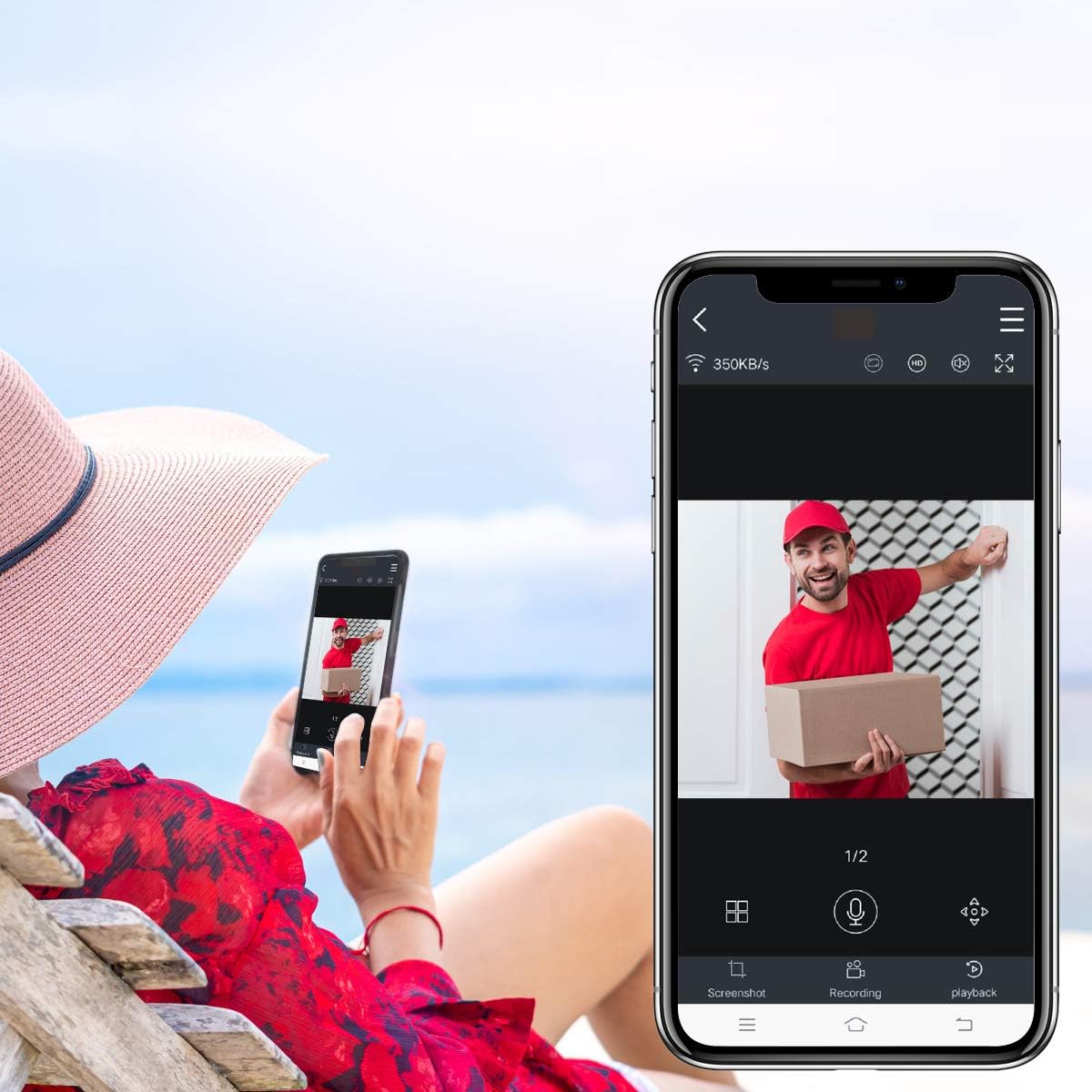
Figure 2: Illustration of all items included in the ANRAN surveillance system package.
Setup Guide
Initial System Connection
- Connect NVR: Plug the NVR power adapter into the NVR and a power outlet. The 13-inch LCD monitor will power on.
- Connect Cameras: Plug each camera's power adapter into the camera and a power outlet.
- Automatic Pairing: The cameras are pre-paired with the NVR. Once powered on, the video feed from each camera should automatically appear on the NVR monitor within seconds.
- Hard Drive: The 2TB hard drive is pre-installed in the NVR for immediate recording.
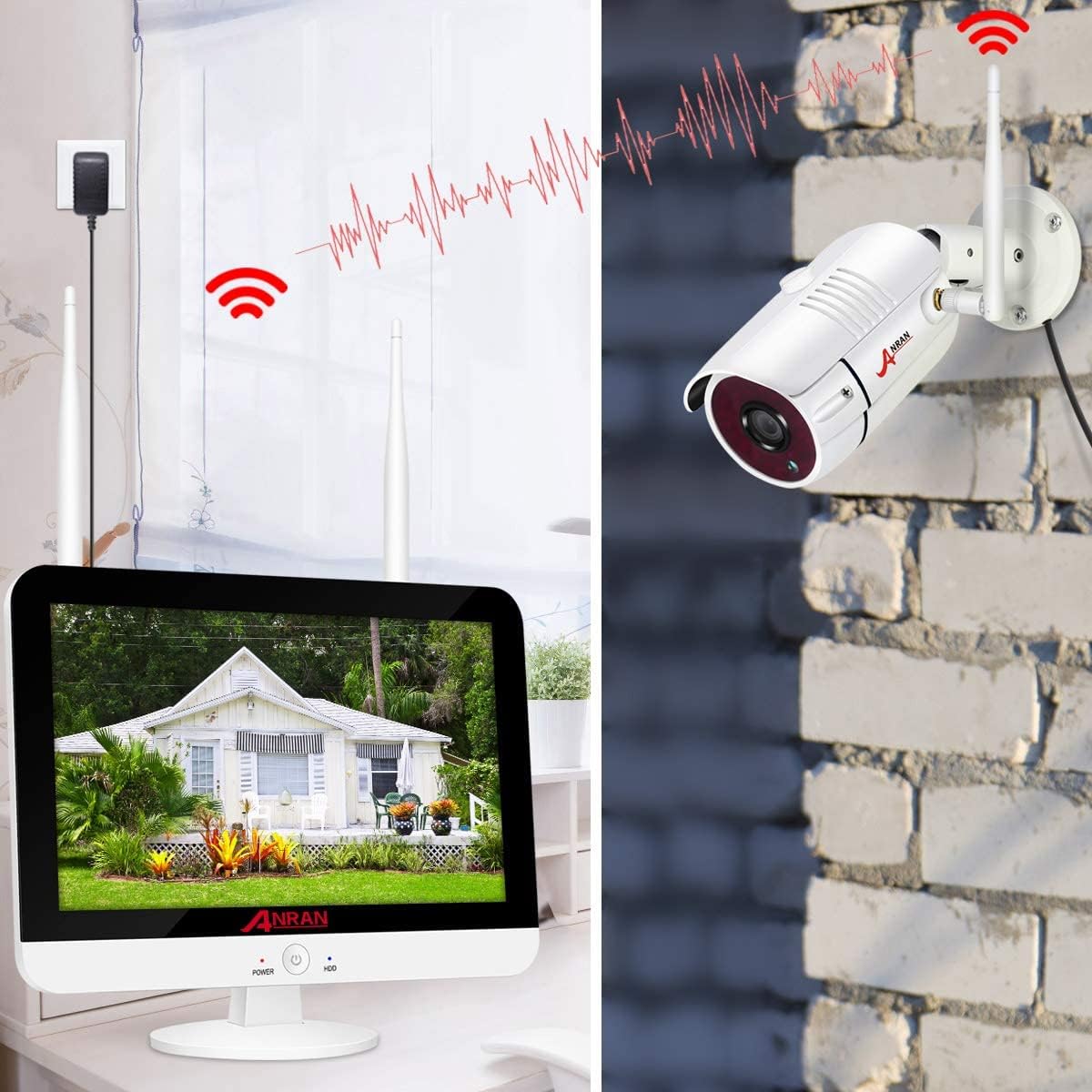
Figure 3: Diagram illustrating the wireless connection between the cameras and the NVR monitor.
Remote Access Setup (Optional)
To view your surveillance feed remotely via PC or mobile app, follow these steps:
- Connect NVR to Internet: Use the provided network cable to connect the NVR's WLAN port to your router.
- Download App: Scan the QR code provided in the Quick Start Guide or search for the "ARCCCTV" app on your mobile device's app store.
- Register Account: Create an account using your email or phone number.
- Add Device: On the NVR, navigate to the network settings to find the device's QR code or serial number. Use the app to scan the QR code or manually enter the serial number to add your surveillance system.
- PC/IE Browser Access: Follow instructions in the Quick Start Guide for accessing the system via PC software or Internet Explorer browser.

Figure 4: Steps for setting up remote viewing via the mobile application.
Operating Instructions
Video Quality and Features
The ANRAN system features 5MP (2560 x 1920) Super HD cameras, providing significantly clearer images than 1080p systems. This allows for greater detail, even when digitally zoomed.
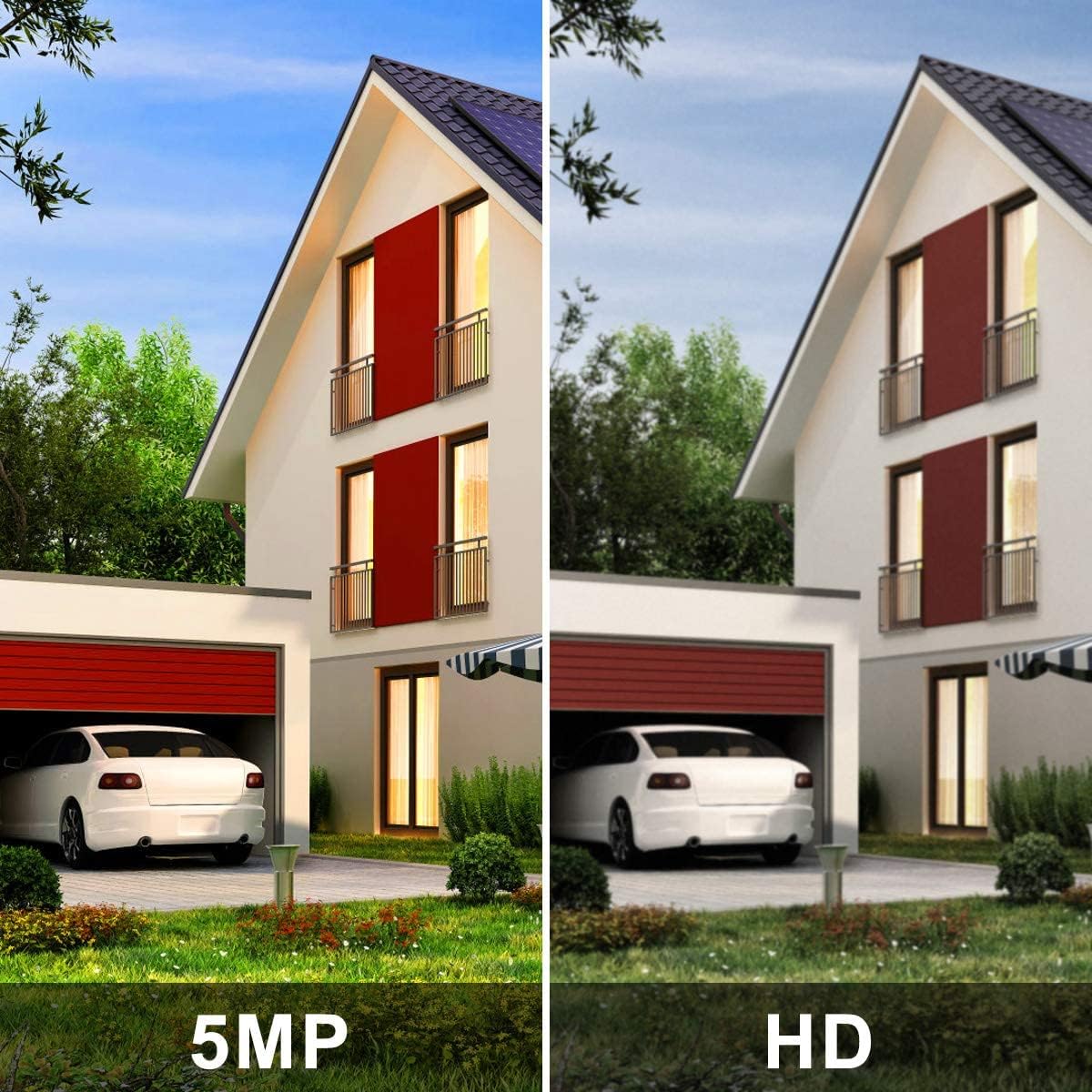
Figure 5: Visual comparison demonstrating the superior clarity of 5MP resolution over standard HD.
Cameras are equipped with an IR-CUT filter and high-power IR LEDs for clear night vision, automatically switching between day and night modes based on lighting conditions.

Figure 6: Example of day and night vision footage from the ANRAN cameras.
Recording Modes and Alerts
The system supports various recording modes:
- Motion Detection: Records only when motion is detected, saving storage space. You can customize sensitivity.
- Manual Recording: Start and stop recording manually.
- Continuous Recording: Records 24/7.
- Timed Recording: Schedule specific times for recording.
When motion is detected, the system can send real-time push notifications to your mobile app or emails, allowing you to respond promptly.
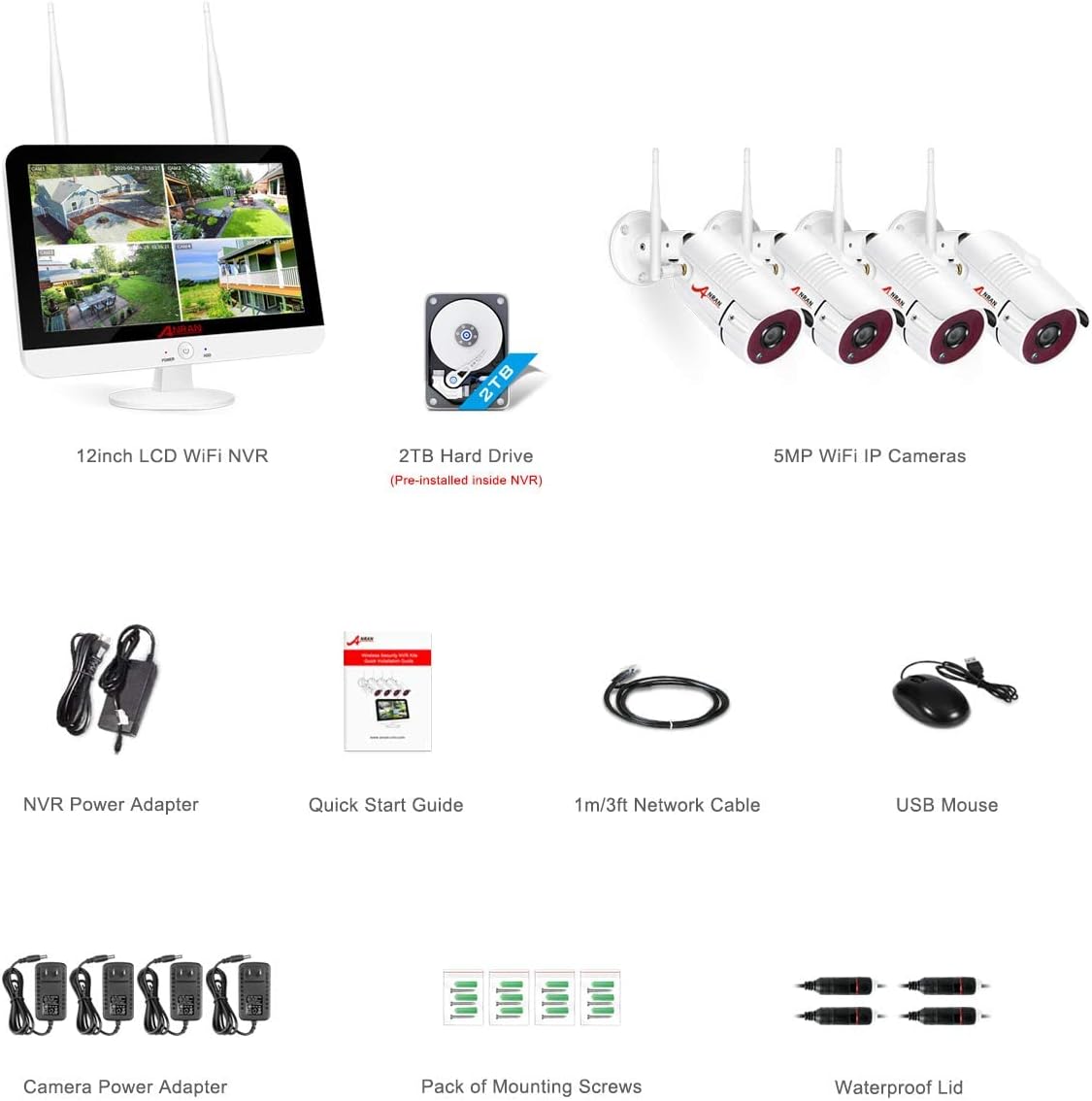
Figure 7: Illustration of motion detection triggering recording and sending alerts to a mobile device.
Unlike many surveillance systems, the ANRAN system also supports audio recording, capturing both video and sound for a more complete record. Note: This audio recording feature was added recently. Devices purchased before February may not include this functionality.
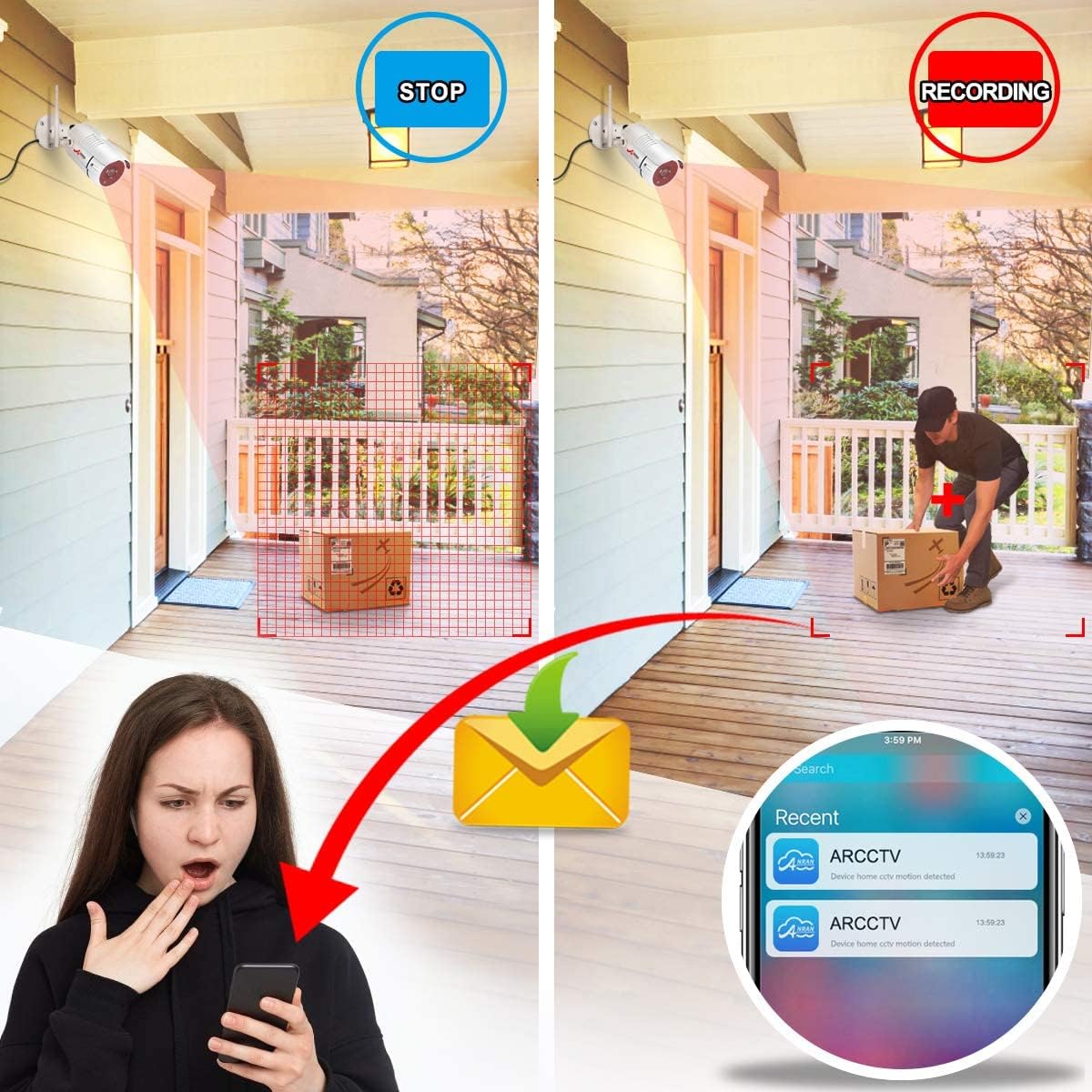
Figure 8: Example of live video feed being viewed remotely on a smartphone.
Maintenance
Camera Care
The cameras feature an IP66 aluminum alloy housing, making them durable and weatherproof. To ensure optimal performance:
- Regularly check camera lenses for dirt, dust, or cobwebs and clean gently with a soft, damp cloth.
- Ensure power connections are secure and protected from moisture.
- Periodically check the mounting brackets for stability.
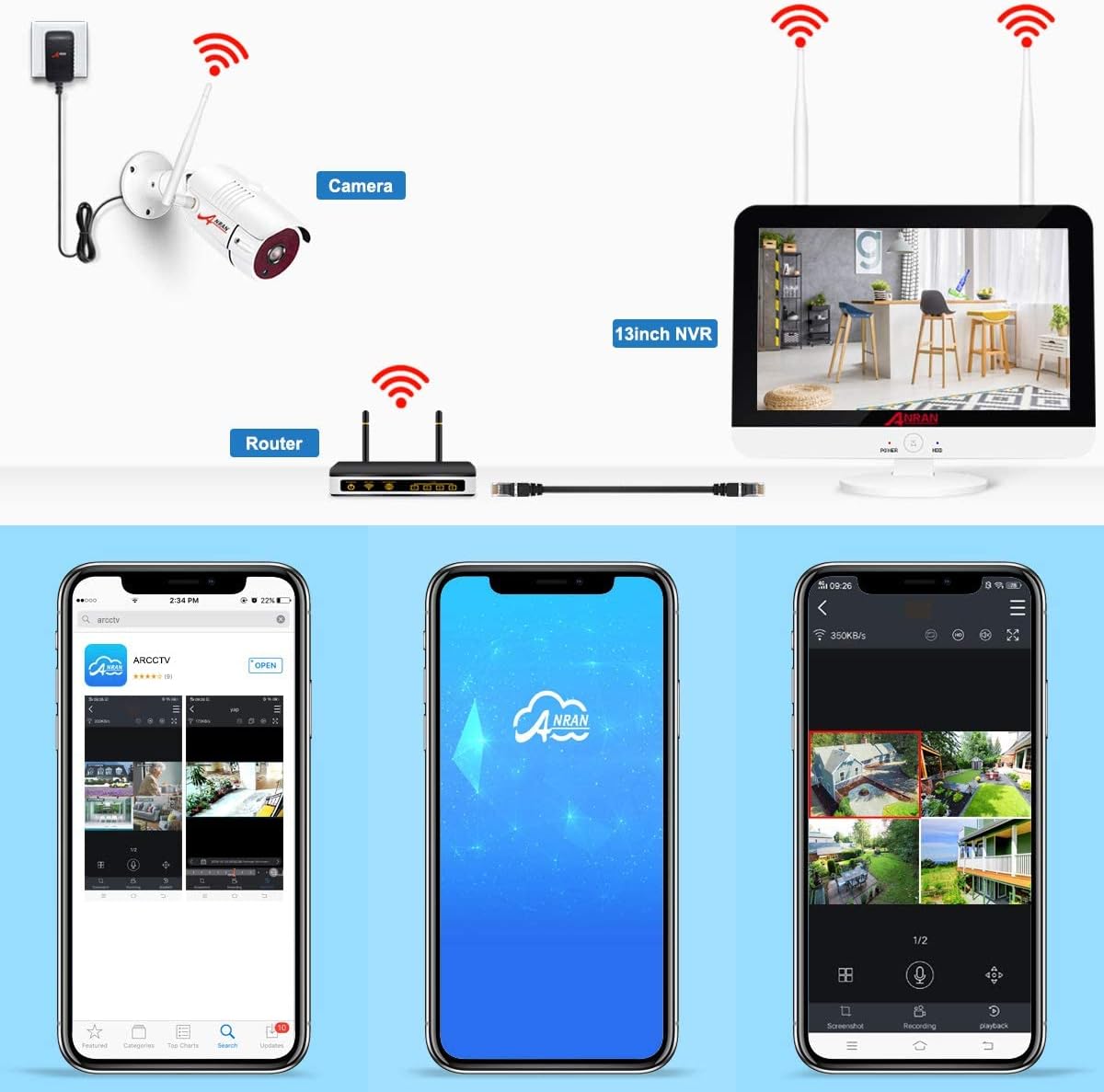
Figure 9: Detailed view of the camera's components, including the IP66 weatherproof housing and IR LEDs.
Hard Drive Management
The NVR comes with a pre-installed 2TB hard drive. The system automatically manages storage by overwriting the oldest footage when the drive is full. You can configure recording settings (e.g., motion detection only) to optimize storage usage.
Troubleshooting
Common Issues and Solutions
- No Image on NVR: Ensure both the NVR and all cameras are properly powered on. Check all power adapters and connections.
- Weak Wi-Fi Signal/Disconnected Camera: Position cameras and NVR to minimize obstacles (thick walls, metal objects) that can interfere with wireless signals. Consider relocating the NVR for better signal strength if necessary.
- Motion Detection Not Working: Verify motion detection settings in the NVR menu. Adjust sensitivity and detection zones as needed.
- No Audio Recording: Confirm your system model supports audio recording. This feature was recently added; older models may not have it.
System Expansion
This 8-channel surveillance system allows for expansion. You can add up to 4 additional cameras to the original 4 cameras, for a total of 8 cameras, to cover more areas. Contact ANRAN support if you wish to purchase individual cameras.
Specifications
| Feature | Detail |
|---|---|
| Model Number | K04W6166 |
| Video Resolution | 5MP (2560 x 1920) Super HD |
| NVR Monitor Size | 13 inches LCD |
| Hard Drive Capacity | 2TB (pre-installed) |
| Number of Channels | 8-channel (4 cameras included, expandable to 8) |
| Camera Features | Night Vision, Motion Sensor, Audio Recording (on newer models), IP66 Weatherproof |
| Power Input | 12 Volt |
| Item Weight | 4.41 Kilograms |
| Dimensions (Packaging) | 34.6 x 27.6 x 18.9 cm |
Warranty and Support
ANRAN is committed to providing excellent customer service. If you encounter any issues or have questions regarding your surveillance system, please contact our support team. Feedback from other users indicates a responsive and helpful service.
Important Disclaimer: Please ensure compliance with local laws and regulations regarding the use of surveillance products.
Ask a question about this manual
Ask about setup, troubleshooting, compatibility, parts, safety, or missing instructions. Manuals+ will review the question and use this page’s manual context to help answer it.