
1. Product Overview
The WiMiUS K3 is a high-definition 1080P WiFi projector designed for versatile home theater and presentation use. It features wireless connectivity for smartphones and tablets, a high brightness output, and a robust sound system.
- Native Resolution: 1920x1080P (supports 4K input)
- Brightness: 7500 Lux (1500 ANSI Lumens)
- Contrast Ratio: 10000:1
- Projection Size: 50-300 inches
- Connectivity: WiFi, 2x HDMI, 2x USB, VGA, AV, 3.5mm Audio Out
- Speakers: Dual 10W Stereo Speakers
- Lamp Life: Up to 100,000 hours
2. Package Contents
Please check the package contents upon unboxing to ensure all items are present:
- WiMiUS K3 Projector
- Power Cable
- HDMI Cable
- AV Cable
- Remote Control (batteries not included)
- User Manual
- Lens Cap
3. Setup Guide
3.1 Projector Placement
Position the projector on a stable, flat surface or mount it to the ceiling. Ensure there is adequate ventilation around the unit.

Image: The WiMiUS K3 projector can be ceiling-mounted for optimal viewing and sound projection.
3.2 Power Connection
- Connect the power cable to the projector's power input port.
- Plug the other end of the power cable into a power outlet.
- Press the power button on the projector or remote control to turn it on.
3.3 Focus and Keystone Correction
Adjust the focus ring on the projector lens until the image is clear. Use the digital keystone correction feature (accessible via the remote or on-screen menu) to correct any trapezoidal distortion, ensuring a rectangular image.
3.4 Connecting Devices
The K3 projector offers multiple connectivity options:

Image: Overview of the projector's input ports and compatible multimedia devices.
- HDMI: Connect PCs, laptops, gaming consoles (PS3/PS4), Fire TV Sticks, or DVD players using an HDMI cable.
- USB: Insert a USB drive to play media files directly.
- VGA: Connect older computers or devices using a VGA cable.
- AV: Use the provided AV cable for devices with composite video output.
- WiFi (Wireless Screen Mirroring): Connect your smartphone or iPad wirelessly.
4. Operating Instructions
4.1 Power On/Off
Press the power button on the projector or the remote control to turn the unit on or off. Allow a few seconds for the projector to warm up or cool down.
4.2 Input Source Selection
Use the 'Source' button on the remote control or the projector's control panel to select the desired input source (HDMI1, HDMI2, USB1, USB2, VGA, AV, Screen Mirroring).
4.3 Wireless Screen Mirroring (iOS/Android)
The WiMiUS K3 supports wireless screen mirroring for both iOS and Android devices.
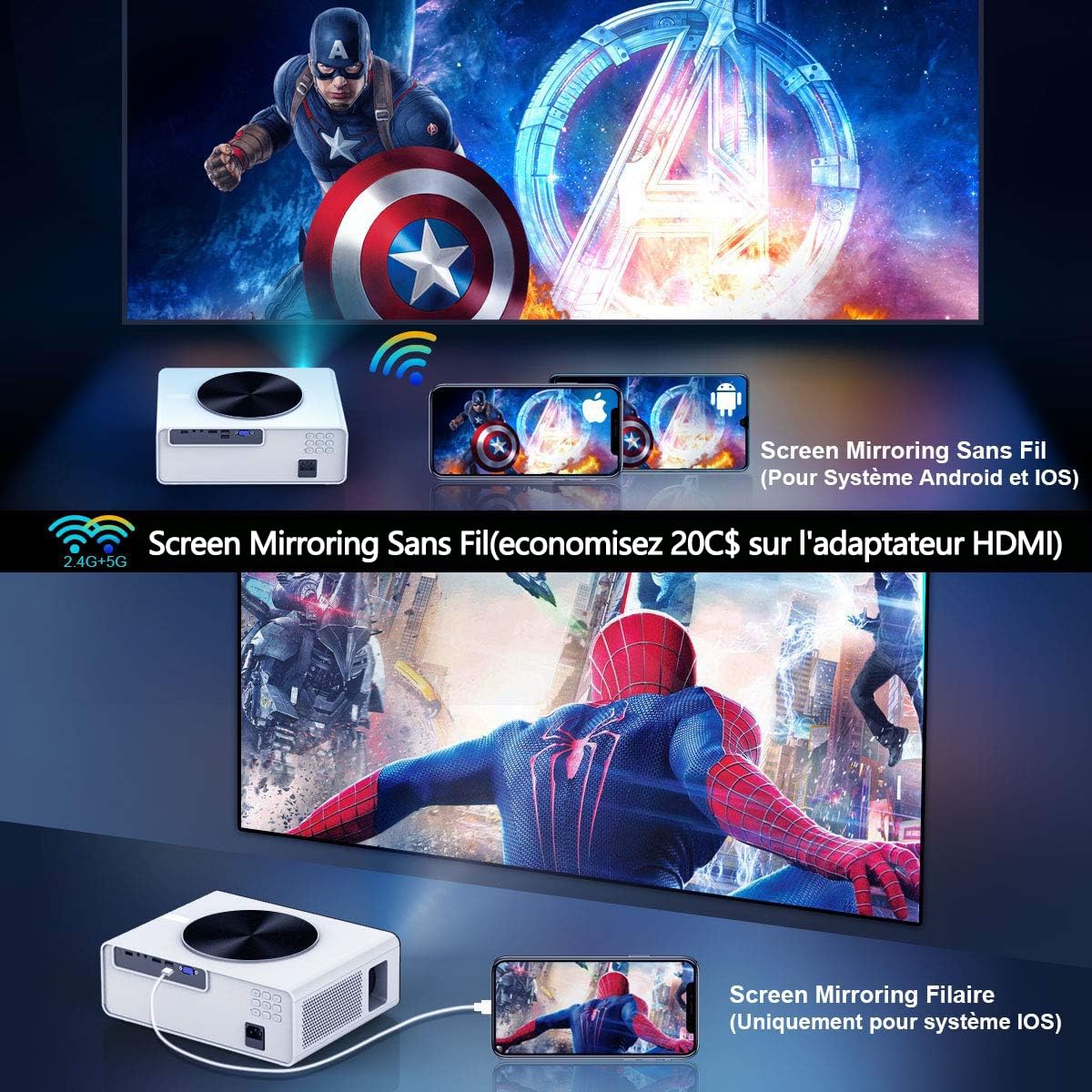
Image: Wireless screen mirroring setup for smartphones and tablets.
- Select 'Screen Mirroring' as the input source.
- Follow the on-screen instructions provided by the projector to connect your specific device (iOS or Android). This typically involves connecting your phone to the projector's WiFi network and then activating the screen mirroring function on your phone.
4.4 Adjusting Projection Size and Distance
The projector supports a flexible projection size from 50 to 300 inches. Adjust the distance between the projector and the screen to achieve the desired image size. The zoom function (100-75%) can be used to fine-tune the image size without moving the projector.

Image: Flexible projection size and distance guide.
4.5 Image and Audio Settings
Access the projector's menu to adjust image settings such as brightness, contrast, color, and aspect ratio (16:9 or 4:3). For audio, you can use the built-in dual 10W stereo speakers or connect external speakers via the 3.5mm audio output jack.

Image: Visual comparison of brightness and contrast performance.

Image: Projector performance in low light conditions.
5. Maintenance
5.1 Cleaning the Lens
Use a soft, lint-free cloth specifically designed for optical lenses to gently wipe the projector lens. Avoid using abrasive cleaners or excessive force.
5.2 Cleaning the Dust Filter
The projector features a removable dust filter. Regularly clean the filter to prevent dust buildup, which can affect performance and cooling. Refer to the projector's physical design for the filter location and removal instructions.
5.3 Storage
When not in use for extended periods, store the projector in a cool, dry place, away from direct sunlight and extreme temperatures. Use the lens cap to protect the lens from dust and scratches.
6. Troubleshooting
If you encounter issues with your WiMiUS K3 projector, please refer to the following common problems and solutions:
- No Image:
- Ensure the projector is powered on and the power cable is securely connected.
- Verify the correct input source is selected (e.g., HDMI1, USB).
- Check the connection cables (HDMI, VGA) for damage or loose connections.
- Blurry Image:
- Adjust the focus ring on the lens until the image is sharp.
- Use keystone correction to ensure the image is rectangular.
- Ensure the projection surface is flat and smooth.
- No Sound:
- Increase the volume on both the projector and the connected device.
- Check if external speakers are connected and properly functioning.
- Ensure the audio output settings on your connected device are correct.
- WiFi Connection Issues:
- Ensure your smartphone/tablet is connected to the projector's WiFi network as per on-screen instructions.
- Restart both the projector and your mobile device.
- Check for any interference from other wireless devices.
- Washed Out Colors:
- Adjust the brightness, contrast, and color settings in the projector's image menu.
- Ensure the room is sufficiently dark for optimal viewing, as ambient light can significantly impact image quality.
7. Specifications
| Feature | Specification |
|---|---|
| Brand | WiMiUS |
| Model | K3 |
| Native Resolution | 1920 x 1080 (Full HD) |
| Supported Resolution | Up to 4K |
| Brightness | 7500 Lux (1500 ANSI Lumens) |
| Contrast Ratio | 10000:1 |
| Aspect Ratio | 16:9, 4:3 |
| Projection Size | 50 - 300 Inches |
| Lamp Life | 100,000 Hours |
| Connectivity | WiFi, 2x HDMI, 2x USB 2.0, VGA, AV, 3.5mm Audio Out |
| Speakers | Dual 10W Stereo |
| Product Dimensions | 31 x 11 x 23 cm |
| Item Weight | 3.53 kg |
| Wattage | 140 Watts |
8. Warranty and Support
8.1 Warranty Information
The WiMiUS K3 projector comes with a 3-year warranty. This warranty covers manufacturing defects and ensures free repair for the first year. Please retain your proof of purchase for warranty claims.
8.2 Customer Support
For any technical assistance, troubleshooting beyond this manual, or warranty inquiries, please contact WiMiUS customer support through their official website or the retailer where the product was purchased.


