
1. Introduction
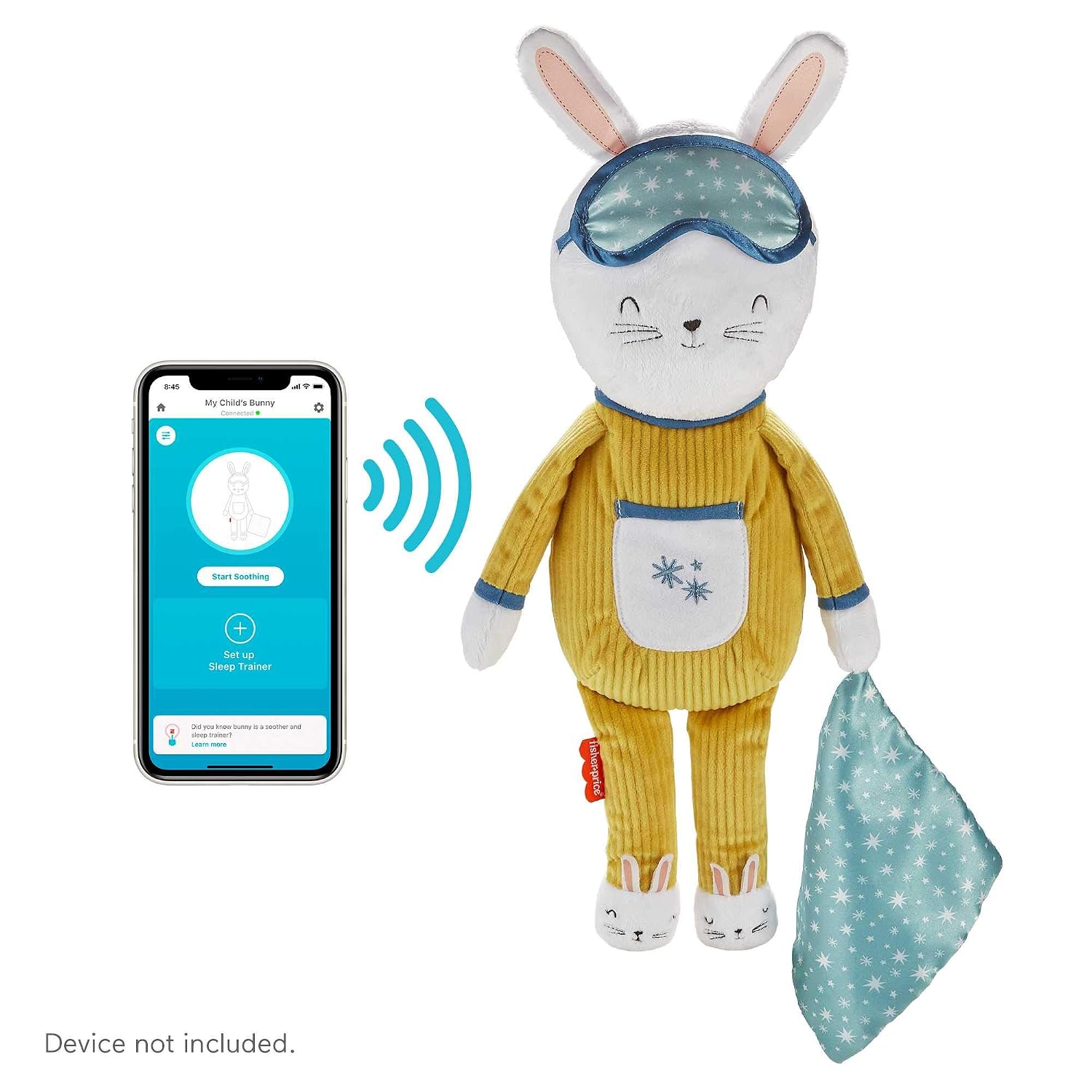
The Fisher-Price Hoppy Dreams Soother & Sleep Trainer is a plush toy designed to assist toddlers aged 18 months and older with sleep routines. It features a sleep expert-approved playlist of calming music and sounds, along with a light-up belly that indicates sleep and wake times. The device can be customized and controlled via the Smart Connect app.
2. Product Overview
The Hoppy Dreams Soother is a soft, machine-washable bunny plush. Its primary functions include:
- Soothing Sounds & Music: Offers a selection of calming melodies and natural sounds.
- Sleep Training Lights: The bunny's belly illuminates with different colors to signal when it's time to sleep (e.g., red) and when it's okay to wake up (e.g., green).
- Smart Connect App Control: Allows for remote customization of settings, including light colors, sounds, music, and timers.
- Machine-Washable: The plush exterior can be cleaned for hygiene.

3. Safety Information
Please read and retain these instructions for future reference. Adult supervision is recommended during use.
- Age Suitability: This product is intended for toddlers aged 18 months and older.
- Battery Safety: Requires 4 AA batteries (included). Always insert batteries with correct polarity (+ and -). Do not mix old and new batteries, or different types of batteries (alkaline, standard, rechargeable). Remove exhausted batteries promptly. Do not short-circuit battery terminals. Remove batteries if the product is not used for an extended period.
- Choking Hazard: Ensure all components are securely attached. Small parts, such as batteries, should be kept out of reach of young children.
- Electrical Components: Do not immerse the electronic module in water. Always remove the electronic module before washing the plush.
4. Setup
4.1 Battery Installation
- Locate the battery compartment on the back or bottom of the plush toy.
- Using a Phillips head screwdriver, open the battery compartment cover.
- Insert 4 new AA (LR6) alkaline batteries, ensuring correct polarity (+/-).
- Replace the cover and tighten the screw securely.
4.2 Smart Connect App Download
- Download the free Fisher-Price Smart Connect app from your device's app store (iOS or Android).
- Follow the in-app instructions to pair your mobile device with the Hoppy Dreams Soother. Ensure Bluetooth is enabled on your device.
5. Operating Instructions
5.1 Basic Operation
- To activate the soother, gently press the bunny's belly. This will initiate a pre-set sequence of music, sounds, and lights.
- To turn off the soother, press and hold the bunny's belly for a few seconds.
- The soother typically plays for approximately 40 minutes before automatically turning off.
5.2 Sleep Training Function
The light-up belly serves as a visual cue for sleep training:
- Red Light: Indicates it is time to sleep or remain in bed.
- Green Light: Indicates it is okay to wake up and start the day.
These light cues can be programmed and customized through the Smart Connect app to align with your child's sleep schedule.

6. Smart Connect App Features
The Smart Connect app provides comprehensive control and customization options for your Hoppy Dreams Soother:
- Custom Playlists: Select from a variety of music and soothing sounds, including white noise, to create personalized playlists.
- Light Customization: Adjust the color and brightness of the belly light.
- Timer Settings: Set specific durations for music, sounds, and lights.
- Sleep/Wake Schedules: Program the light-up belly to change colors at pre-set sleep and wake times.
- Volume Control: Adjust the audio volume remotely.

7. Maintenance
7.1 Cleaning Instructions
The plush bunny is machine-washable:
- Before washing, carefully remove the electronic module from inside the plush toy.
- Machine wash the plush in cold water on a gentle cycle.
- Do not bleach.
- Tumble dry on low heat or air dry.
- Ensure the plush is completely dry before reinserting the electronic module.
7.2 Battery Replacement
Refer to Section 4.1 for detailed battery installation and replacement instructions. Replace batteries when sounds become distorted or lights dim.
8. Troubleshooting
| Problem | Possible Cause | Solution |
|---|---|---|
| Soother does not turn on. | Batteries are low or incorrectly installed. | Check battery polarity and replace with fresh AA batteries. |
| App cannot connect to the soother. | Bluetooth is off, soother is out of range, or app needs reset. | Ensure Bluetooth is enabled on your device. Move closer to the soother. Close and reopen the Smart Connect app. Re-pair the device in the app settings. |
| Lights or sounds are not working as expected. | Settings in the app are incorrect or batteries are low. | Verify settings within the Smart Connect app. Replace batteries if necessary. |
| Sleep/wake light cues are not accurate. | Time settings in the app are incorrect or device needs synchronization. | Adjust the sleep/wake schedule in the Smart Connect app. Ensure the app and soother are synchronized after time changes or battery replacement. |
9. Specifications
| Feature | Detail |
|---|---|
| Model Number | GMN58 |
| Product Dimensions | 4.75 x 2.25 x 17.75 inches (12.1 x 5.7 x 45.1 cm) |
| Item Weight | 6.9 ounces (195 grams) |
| Material Type | Plush |
| Batteries Required | 4 AA batteries (included) |
| Additional Features | Light-up Belly, Smart Connect App Control |

10. Warranty and Support
For warranty information, product support, or to inquire about replacement parts, please contact Fisher-Price Customer Service. You can find contact details on the official Fisher-Price website or through the Smart Connect app.
Online Support: Visit the official Fisher-Price website for FAQs and support resources.