
1. Introduction
This manual provides essential information for setting up, operating, and maintaining your TCL 55C715 55-inch 4K Ultra HD Certified Android Smart QLED TV. Please read it thoroughly to ensure proper usage and to maximize your viewing experience. This television combines advanced QLED display technology with the versatility of Android TV, offering stunning visuals and smart features.

Image: The TCL 55C715 TV displaying the Android TV interface with apps like Netflix, YouTube, and Prime Video, highlighting its smart capabilities.
2. What's in the Box
Upon unpacking, ensure all the following items are present:
- 1 x TCL 55C715 LED TV
- 1 x Table Top Stand (set)
- 1 x Wall Mount Bracket (set)
- 1 x User Manual (this document)
- 1 x Warranty Card
- 1 x Remote Control
- 2 x AAA Batteries (for remote control)
3. Setup
3.1 Physical Installation
Your TCL 55C715 TV offers flexible installation options:
- Tabletop Stand: Attach the provided tabletop stand to the bottom of the TV. The stand features dual positioning, allowing you to place the feet wide apart for maximum stability or closer together to fit narrower entertainment centers.
- Wall Mount: Use the included wall mount bracket to securely attach the TV to a wall. Ensure proper installation by a qualified professional to prevent damage or injury.
3.2 Connections
Connect your external devices using the ports located on the side of the TV:
- HDMI Ports: 3 HDMI ports are available. HDMI 1 supports ARC (Audio Return Channel) for simplified audio connections to compatible sound systems.
- USB Ports: 2 USB 2.0 ports for connecting USB storage devices.
- LAN Port: For wired internet connection.
- Antenna/Cable In: For connecting an antenna or cable TV.
- Digital Audio Out (Optical): For connecting to external audio receivers.
- 3.5mm Headphone Out: For connecting headphones or external speakers.
3.3 Initial Power On and First-Time Setup
- Connect the power cord to the TV and a power outlet.
- Press the power button on the TV or remote control to turn it on.
- Follow the on-screen instructions to complete the initial setup, including language selection, network connection (Wi-Fi or Ethernet), and Google account sign-in.
4. Operating Instructions
4.1 Smart TV Interface (Android TV)
Your TCL 55C715 runs on Certified Android P, providing access to a wide range of apps and services from the Google Play Store. The user interface is designed for ease of navigation.

Image: The Android TV home screen on the TCL 55C715, showing popular streaming applications and the Google Assistant search function.
4.2 Remote Control
The included remote control is minimalist and functional, designed for intuitive operation. It features dedicated buttons for popular streaming services like Netflix and a Google Assistant button for voice commands.

Image: The sleek remote control for the TCL 55C715, featuring quick access buttons for Netflix and the Google Assistant.
4.3 Voice Control (AI-Google Assistant)
The TV supports AI-Google Assistant with hands-free voice control. You can issue commands directly to the TV by saying "Ok Google" or by pressing the Google Assistant button on the remote. Ensure the physical mic toggle on the back of the TV is set to 'ON' for hands-free functionality.
Text Description of Video: This video demonstrates the user interface of the TCL C715 4K UHD Smart QLED TV. It shows the Android TV home screen, navigating through apps, and using the remote control. The video highlights the functionality of the AI-Google Assistant and the responsiveness of the system, including the physical mic on/off button on the back of the TV.
5. Display and Audio Features
5.1 Display Technology
Experience stunning visuals with the QLED 4K UHD display (3860 x 2160 resolution) and a 60Hz refresh rate. The A+ Grade LED Panel ensures vibrant colors and sharp details. The TV supports multiple HDR formats including HDR10, HDR10+, HLG, and Dolby Vision, delivering enhanced contrast and color accuracy.

Image: The TCL 55C715 showcasing a colorful image of a parrot, emphasizing the dramatic visual quality provided by Dolby Vision.

Image: A split-screen comparison on the TCL 55C715, illustrating the enhanced color saturation and vibrancy of QLED technology compared to conventional displays.
Text Description of Video: This video provides a performance review of the TCL C715 4K UHD Smart QLED TV. It demonstrates the TV's picture quality with various content, including 4K, HDR, and SDR. The video highlights support for Dolby Vision, HDR10, HDR10+, and HLG, showcasing vibrant colors and good contrast. It also touches upon gaming performance and sound quality.
Text Description of Video: This video highlights the Quantum Dot technology in the TCL C715 QLED TV. It visually explains how Quantum Dots enhance color and brightness, leading to a more vivid and accurate picture. The video also mentions support for Dolby Vision, HDR10+, and HLG.
5.2 Audio Quality
The TV delivers 30 Watts of audio output through Onkyo Speakers, enhanced with Dolby Atmos for an immersive sound experience. This setup provides clear vocals and dynamic sound for movies, music, and games.
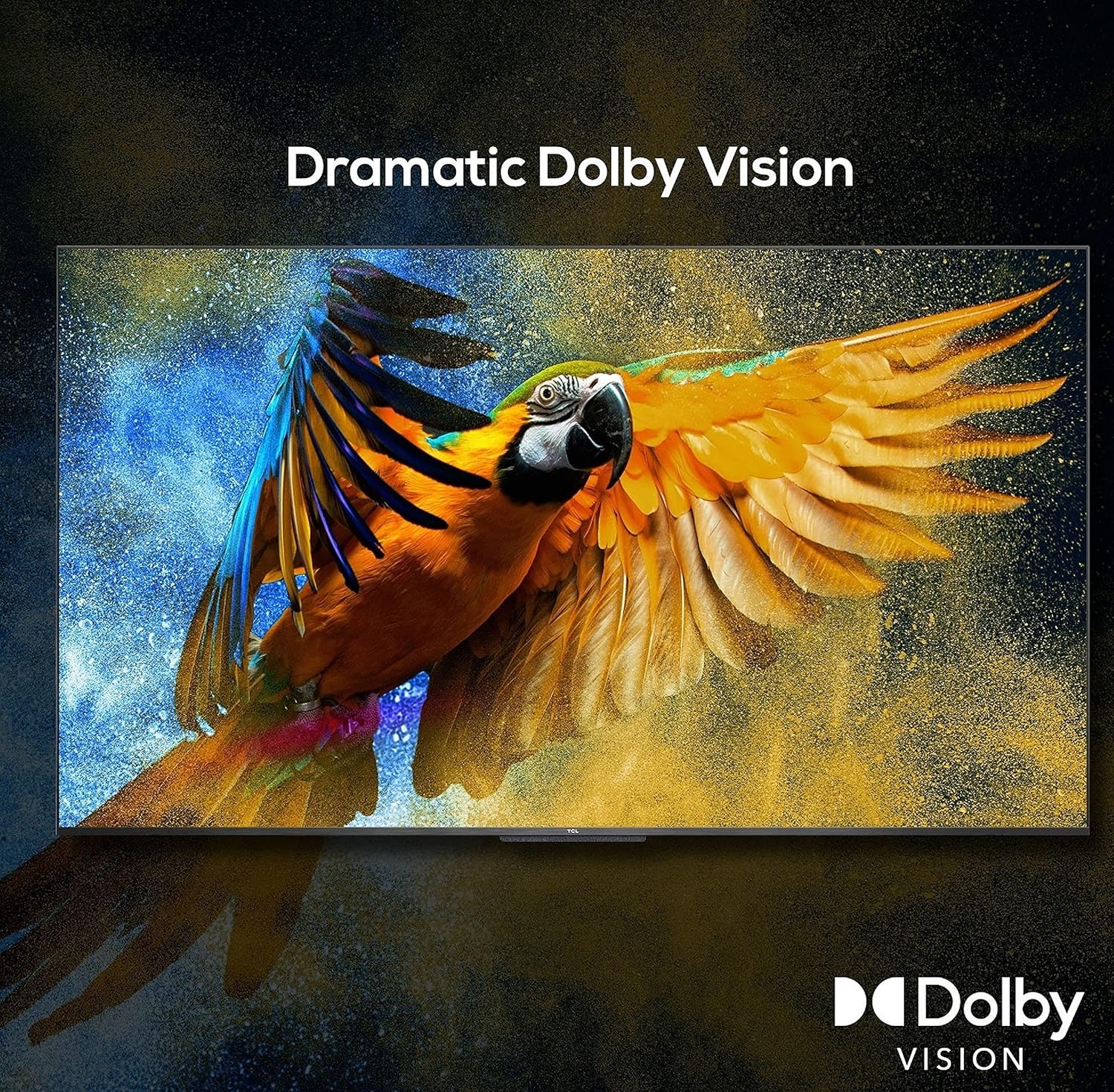
Image: The TCL 55C715 showcasing a serene landscape, highlighting the immersive audio experience provided by Dolby Atmos.
Text Description of Video: This video demonstrates the Dolby Vision and Dolby Atmos features of the TCL C715 QLED TV. It illustrates how Dolby Vision enhances picture quality with improved color and contrast, and how Dolby Atmos creates a three-dimensional sound experience, immersing the viewer in the audio.
6. Specifications
General
- Brand: TCL
- Model: 55C715
- Model Year: 2020
- Product Dimensions: 30.5 x 122.9 x 70.4 cm; 14.8 kg
- Item Weight: 14 kg 800 g
Display
- Screen Size: 55 Inches (138.7 cm)
- Display Technology: QLED
- Resolution: 4K Ultra HD (3840 x 2160 pixels)
- Refresh Rate: 60 Hz
- Display Type: A+ Grade LED Panel
- Viewing Angle: 178 Degrees
- Image Aspect Ratio: 16:9
- Image Contrast Ratio: 5000:1
- Response Time: 6.5 Milliseconds

Image: Detailed dimensions of the TCL 55C715 TV, showing its width, height, and depth in both centimeters and inches.
Smart TV Features
- Operating System: Android P (Certified Android TV)
- AI-Google Assistant: Built-in, Hands-free voice control
- Google Cast + T-cast: Yes
- RAM Memory Installed Size: 2.5 GB
- Memory Storage Capacity: 16 GB
- Apps: 5000+ Apps including YouTube, Netflix, Prime Video
Audio
- Audio Output Mode: Stereo
- Audio Wattage: 30 Watts
- Speaker Surround Sound: Dolby Atmos | DTS
- Supported Audio Formats: MP3, WMA
Connectivity
- Hardware Interface: HDMI, USB
- Total USB Ports: 2
- Connector Type: Wi-Fi
- Supports Bluetooth Technology: Yes
- Remote Control Technology: Infrared
- Maximum Operating Distance (Remote): 12 Feet
Power
- Power Source: AC
- Voltage: 240 Volts
- Batteries: 2 AAA batteries required (included)
7. Troubleshooting
If you encounter any issues with your TCL 55C715 TV, please refer to the following common solutions:
- No Power: Ensure the power cord is securely connected to both the TV and a working power outlet. Check if the power indicator light is on.
- No Picture/Sound: Verify that the correct input source is selected. Check all cable connections (HDMI, antenna, etc.) for secure fit.
- Remote Not Responding: Replace the AAA batteries in the remote control. Ensure there are no obstructions between the remote and the TV's IR sensor.
- Wi-Fi Connectivity Issues: Restart your router and modem. Go to the TV's network settings and try reconnecting to your Wi-Fi network.
- Voice Control Not Working: Ensure the physical mic toggle on the back of the TV is switched to 'ON'. Check the TV's settings to confirm Google Assistant is enabled.
- Slow Performance/Lagging UI: Restart the TV. Clear cache for frequently used apps or perform a factory reset if the issue persists (note: this will erase all data and settings).
For more detailed troubleshooting or persistent issues, please contact TCL customer support.
8. Maintenance
To ensure the longevity and optimal performance of your TCL 55C715 TV, follow these maintenance guidelines:
- Cleaning the Screen: Gently wipe the screen with a soft, dry microfiber cloth. For stubborn smudges, lightly dampen the cloth with water or a specialized screen cleaner (avoid harsh chemicals).
- Cleaning the Frame: Use a soft, dry cloth to wipe the TV frame and stand.
- Ventilation: Ensure adequate airflow around the TV. Do not block ventilation openings.
- Power Off When Not in Use: Turn off the TV when not in use to save energy and prolong its lifespan.
- Avoid Direct Sunlight: Do not expose the TV to direct sunlight or extreme temperatures.
9. Warranty and Support
Your TCL 55C715 TV comes with a 1 Year Warranty Care. Please refer to the included Warranty Card for detailed terms and conditions.
For product support, service requests, or further assistance, please visit the official TCL India website or contact their customer service helpline.
Manufacturer: Bhagwati Products Ltd.


