
Introduction
This manual provides essential information for the installation, use, and maintenance of your Spigen Back Cover designed specifically for the Samsung Galaxy Note 20 Ultra. This case, model ACS01578, offers comprehensive protection while maintaining the device's original design and functionality.

Image: The Spigen Crystal Clear case installed on a Samsung Galaxy Note 20 Ultra, highlighting its transparent design that preserves the phone's aesthetics.
Setup and Installation
Follow these steps to properly install the Spigen Back Cover on your Samsung Galaxy Note 20 Ultra:
- Clean Your Device: Ensure your Samsung Galaxy Note 20 Ultra is clean and free of dust or debris before installation.
- Align the Case: Gently align the top edge of your phone with the top edge of the case.
- Insert the Phone: Carefully push your phone into the case, ensuring all corners and edges are securely seated. Apply gentle pressure until the phone is fully enclosed by the case.
- Check Fit: Verify that all buttons, ports, and camera cutouts align correctly with your device.
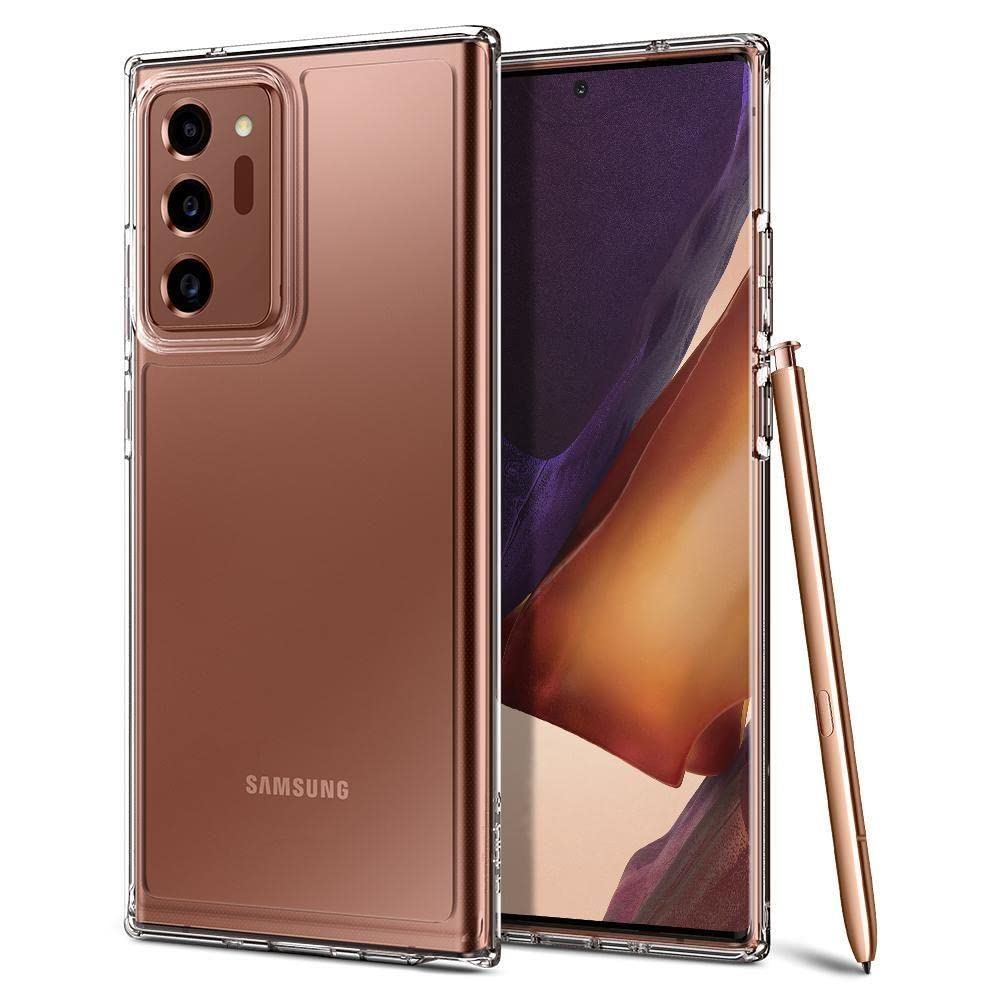
Image: A side view of the Samsung Galaxy Note 20 Ultra with the Spigen clear case, demonstrating the precise fit and access to ports.
Operating and Features
The Spigen Back Cover is designed to enhance your device's protection and usability:
- Comprehensive Protection: The case provides all-around protection for your device against daily wear and tear.
- Air Cushion Technology: Integrated Air Cushion Technology in each corner absorbs and mitigates impacts, offering enhanced shock absorption.
- Elevated Edges: Raised bezels around the screen and camera provide additional protection against scratches when the device is placed on flat surfaces.
- Wireless Charging Compatible: The case is designed to be thin enough to allow for wireless charging and PowerShare functionality without needing to remove the case.
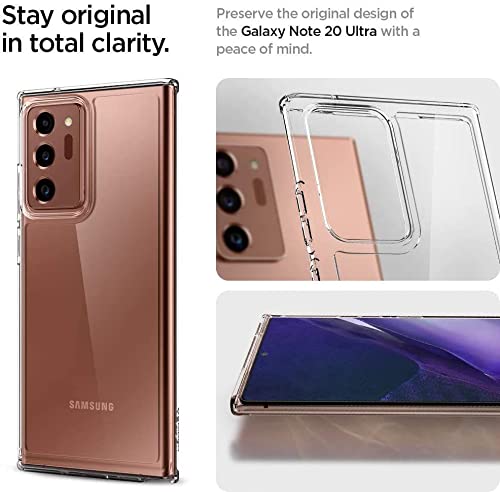
Image: A visual representation of Spigen's Air Cushion Technology, illustrating how it absorbs impacts in the corners of the case for superior protection.

Image: A Samsung Galaxy Note 20 Ultra, protected by the Spigen case, actively charging on a wireless charging pad, demonstrating compatibility.
Maintenance and Care
To ensure the longevity and appearance of your Spigen Back Cover, follow these maintenance guidelines:
- Cleaning: Wipe the case regularly with a soft, damp cloth. For stubborn dirt, a mild soap solution can be used. Avoid harsh chemicals or abrasive cleaners.
- Avoid Extreme Temperatures: Do not expose the case to extreme heat or cold, as this may affect its material integrity.
- Inspect Periodically: Periodically remove the case and inspect both the case and your phone for any trapped dust or debris that could cause scratches.
Troubleshooting
If you encounter any issues with your Spigen Back Cover, consider the following:
- Case Not Fitting Correctly: Ensure you have the correct model case for your Samsung Galaxy Note 20 Ultra. Remove and re-install the case, ensuring all corners snap into place.
- Wireless Charging Issues: While the case is designed for wireless charging compatibility, ensure your wireless charger is properly aligned with your phone. Remove any metal objects or cards from between the phone and the case.
- Scratches on Case: Minor scratches are normal with use. For deeper scratches, consider replacing the case to maintain optimal protection and aesthetics.
Specifications
| Feature | Detail |
|---|---|
| Brand | Spigen |
| Model Number | ACS01578 |
| Compatible Phone Models | Samsung Galaxy Note 20 Ultra |
| Compatible Devices | SAMSUNG Galaxy Note 20 Ultra 5G |
| Color | Crystal |
| Form Factor | Basic Case |
| Product Finish Type | Smooth/Glossy |
| Item Weight | 80 Grams |
| Special Features | Air Cushion Technology, Shock Absorption, Elevated Edges, Wireless Charging Compatible |
Warranty Information
This Spigen Back Cover comes with a 6-month warranty from the date of purchase. This warranty covers manufacturing defects. It does not cover damage caused by misuse, accidents, or normal wear and tear. Please retain your proof of purchase for warranty claims.
Customer Support
For further assistance, technical support, or warranty claims, please visit the official Spigen website or contact their customer service department. Refer to the packaging or the Spigen website for the most current contact information.
Official Spigen Store: Visit Spigen Store on Amazon