
1. Introduction
This manual provides essential information for the safe and effective installation, operation, and maintenance of your Hotmoon Novostella 98.4ft Smart LED Outdoor Rope Light. Please read this manual thoroughly before use and retain it for future reference.
2. Safety Information
- Operate the rope light using the provided 24V low voltage power supply only. Using a higher voltage can cause damage and pose a safety risk.
- The product is ETL safety certified, ensuring compliance with safety standards.
- The rope light has an IP65 waterproof rating, making it suitable for outdoor use. However, ensure all connections are secure and sealed to maintain waterproofing.
- If the rope light needs to be cut, use the provided glue to seal the cut ends immediately to prevent water ingress and maintain the waterproof property. Do not cut unless absolutely necessary.
- Avoid bending the rope light sharply or applying excessive force, as this may damage the internal LED components.
- Keep out of reach of children and pets during installation and operation.
3. Package Contents
Verify that all items listed below are included in your package:
- Novostella 98.4ft Smart LED Outdoor Rope Light (consisting of two 49.2ft spools)
- 24V Power Adapter
- RF Remote Control (with 1 CR2 battery included)
- Mounting Clips (36 pieces)
- Cable Ties
- Waterproof Glue (for sealing cut ends)
- Instruction Manual (with QR code for app download)

4. Specifications
| Feature | Detail |
|---|---|
| Model Number | NTS101-RGB-US-F |
| Length | 98.4ft (49.2ft x 2) |
| Brand | Hotmoon |
| Indoor/Outdoor Usage | Outdoor |
| Special Features | Color Changing, Waterproof, Remote Controlled, Timer, Dimmable, Energy Efficient |
| Light Source Type | LED |
| Power Source | Corded Electric |
| Light Color | Multicolor (RGB) |
| Voltage | 24 Volts (DC) |
| Wattage | 24.5 watts |
| Number of Light Sources | 420 |
| Control Method | App, RF Remote |
| Waterproof Rating | IP65 |
5. Setup
5.1 Pre-Installation Check
Before permanent installation, unroll the rope lights and connect them to the power adapter. Plug in the adapter to ensure all lights function correctly. Download the 'Magic Lantern' app by scanning the QR code in the included manual and test app connectivity and basic functions.
5.2 Connecting the Rope Lights
The 98.4ft rope light consists of two 49.2ft sections. Connect these sections to the main controller cable, then connect the controller cable to the 24V power adapter. Ensure all connections are tight and secure to maintain the waterproof seal.

5.3 Mounting the Rope Lights
Use the provided mounting clips and screws to secure the rope lights to your desired surface. For optimal stability and appearance, space the clips evenly. Ensure screws are flush with the clips to avoid damaging the rope light. Cable ties can be used for additional securing or cable management.
Important: The rope lights are designed for a maximum length of 98.4ft. Do not attempt to extend the length by connecting additional sets, as this can overload the power supply and damage the lights.
5.4 App Download and Connection
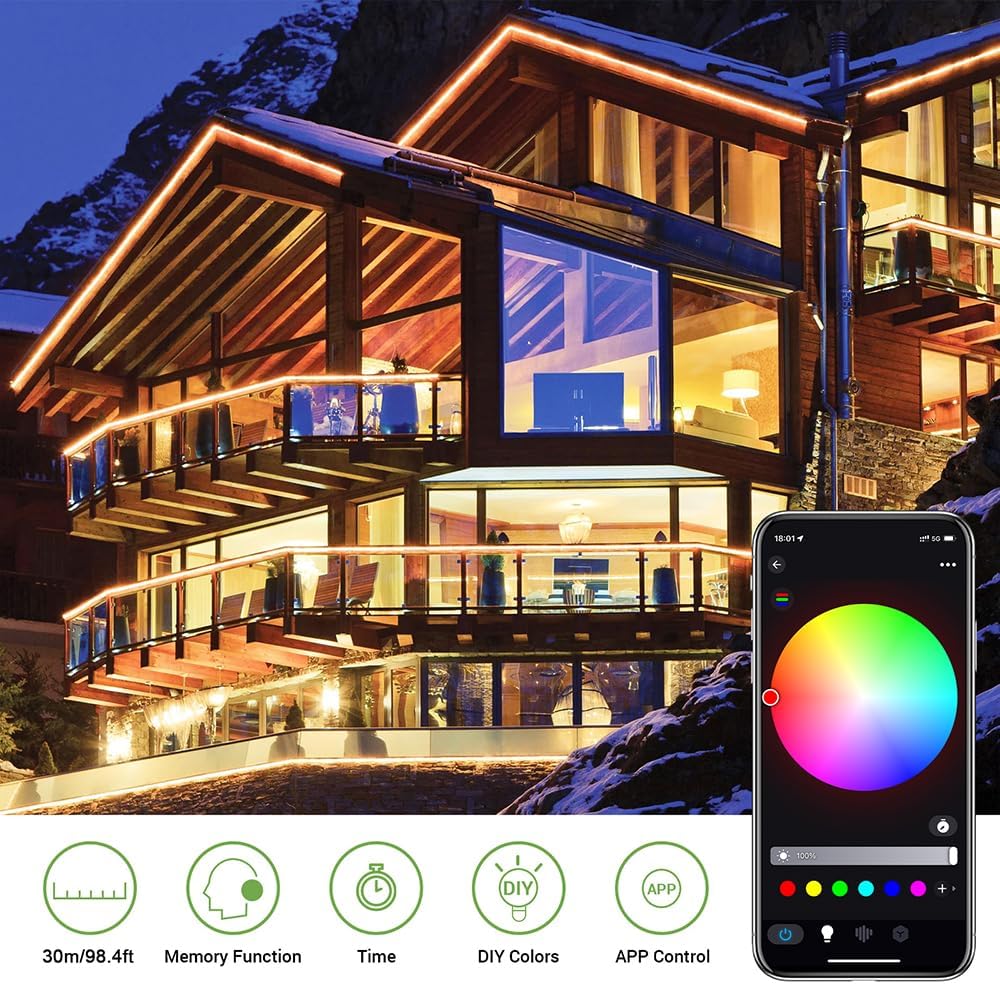
Scan the QR code in the instruction manual to download the 'Magic Lantern' app. Once installed, open the app and ensure your device's Bluetooth is enabled. The app should automatically detect the rope lights. Follow the on-screen prompts to connect and begin controlling your lights.
Video 1: This video demonstrates the unboxing, initial testing, and app connection process for the Novostella Smart LED Rope Light, including a preview of various lighting modes.
6. Operating Instructions
6.1 App Control
The 'Magic Lantern' app offers extensive control over your rope lights:
- Color Selection: Use the color wheel or preset color options to choose static colors.
- Dynamic Modes: Explore various lighting effects categorized as Basic, Curtain, Trans (Transition), Water, Flow, Tail, and Run. These modes offer diverse patterns and color changes.
- Music Sync Mode: The built-in sensitive microphone allows the lights to synchronize with music played through your phone or ambient sounds.
- Timer Function: Set schedules for the lights to turn on/off at specific times.
- DIY Colors: Create and save your own custom color combinations.
- Brightness and Speed Adjustment: Adjust the intensity of the lights and the speed of dynamic effects.


6.2 RF Remote Control
The included RF remote control provides basic functionality for quick adjustments:
- Power On/Off: Turn the lights on or off.
- Color Selection: Select from a range of static colors.
- Mode Selection: Cycle through various pre-programmed lighting modes.
- Brightness Adjustment: Increase or decrease the light intensity.

7. Maintenance
- Regularly inspect the rope lights and connections for any signs of wear or damage.
- Clean the surface of the rope lights with a soft, damp cloth. Do not use harsh chemicals or abrasive cleaners.
- Ensure the power adapter and all connections remain dry and free from debris.
- If any part of the rope light is damaged, discontinue use and replace the affected section or the entire unit.
8. Troubleshooting
- Lights not turning on: Check if the power adapter is securely plugged into a working outlet. Ensure all connections between the rope light sections and the controller are firm. Verify the remote control battery is functional.
- App not connecting: Ensure Bluetooth is enabled on your device and the rope lights are powered on. Try restarting the app or your device.
- Inconsistent lighting: Check for any kinks or damage along the rope light. Ensure the power supply is adequate and not overloaded.
9. Warranty and Support
The Novostella Smart LED Outdoor Rope Light comes with a 1-year warranty. For warranty claims, technical support, or any questions regarding your product, please contact Hotmoon customer service through the retailer's platform or the contact information provided in the product packaging.