
Introduction
Thank you for choosing the SLuB Bone Conduction Headphones F806. These open-ear wireless earphones utilize advanced bone conduction technology and Bluetooth 5.0 connectivity to provide a unique audio experience while keeping you aware of your surroundings. This manual provides detailed instructions for setup, operation, maintenance, and troubleshooting to ensure optimal performance and longevity of your device.
Product Overview
Key Features
- Bone Conduction Technology: Delivers audio through your cheekbones, leaving your ears open to ambient sounds.
- Open-Ear Design: Enhances situational awareness, ideal for outdoor activities.
- Bluetooth 5.0: Provides stable and efficient wireless connectivity.
- Ultra-Lightweight: Weighs approximately 35 grams for comfortable extended wear.
- IPX5 Waterproof: Resistant to sweat and light rain, suitable for sports.
- Long Battery Life: Up to 8 hours of continuous playback.
Product Components

Figure 1: Overview of SLuB Bone Conduction Headphones F806, highlighting features such as 180 mAh battery, 9h talk time, 8h play time, 180h standby time, and 25g weight, suitable for cycling, climbing, working, gym, and running.

Figure 2: Illustration of the open-ear design, allowing users to hear surroundings and avoid potential dangers while enjoying music.

Figure 3: Explanation of bone conduction technology, which delivers audio to the auditory nerve via the cheekbone, keeping both ears open.

Figure 4: Demonstration of the headphones' resilient and durable titanium wire skeleton, capable of 360° bending without deformation.

Figure 5: Visual representation of the IPX5 waterproof rating, indicating nano-coating protection against sweat and water.
Setup Instructions
1. Charging the Headphones
- Locate the USB charging interface on the headphones.
- Connect the provided USB charging cable to the headphones and a compatible USB power source (e.g., computer USB port, wall adapter).
- The indicator light will illuminate during charging. Once fully charged, the light will change color or turn off, depending on the model. A full charge typically takes approximately 2 hours.
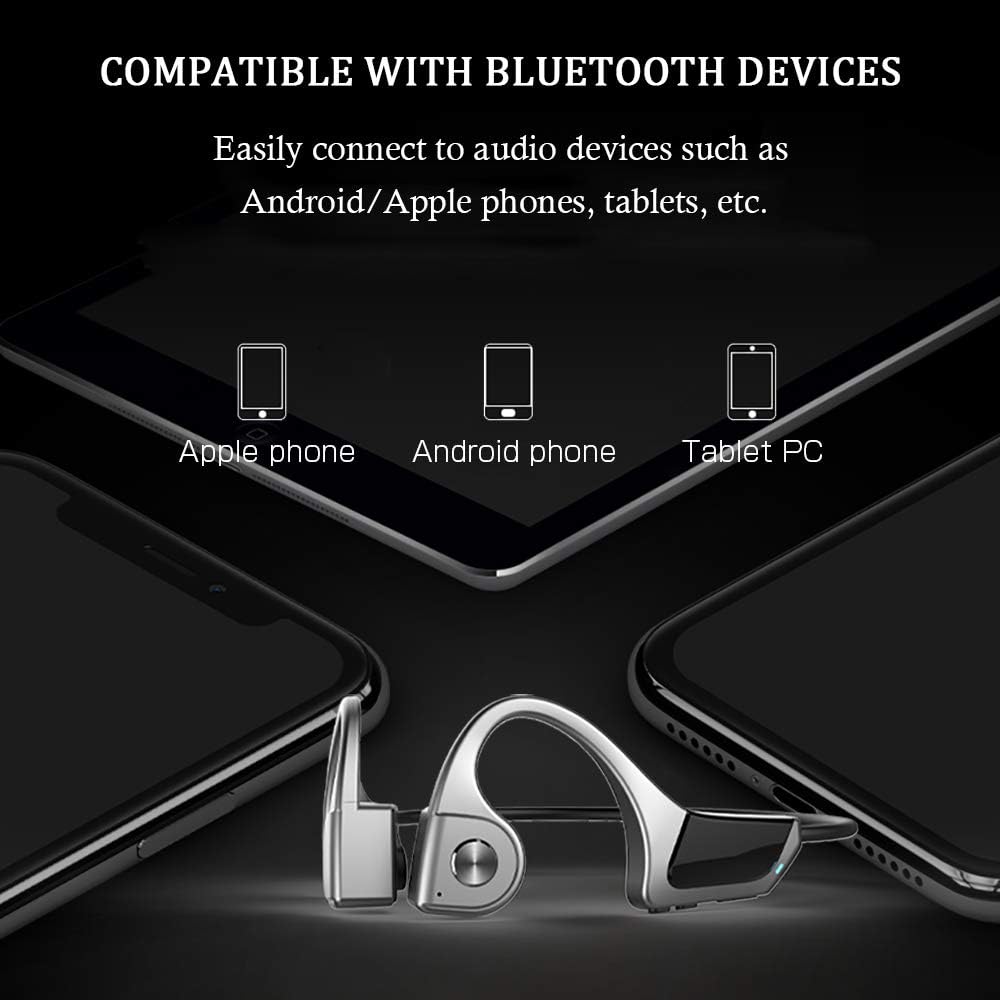
Figure 6: Location of the USB Charging Interface, Indicator Light, and Volume controls.
2. Bluetooth Pairing
- Power On: Press and hold the multifunction button (Power Button) for 2 seconds until the indicator light flashes, indicating pairing mode.
- Activate Bluetooth: On your device (smartphone, tablet, etc.), enable Bluetooth.
- Select Device: Search for "SLuB F806" or a similar name in the list of available Bluetooth devices and select it to connect.
- Confirmation: Once successfully paired, the indicator light will stop flashing or show a steady light, and you may hear an audio prompt.

Figure 7: Compatibility with various Bluetooth devices, including Apple phones, Android phones, and Tablet PCs.
Operating Instructions
Button Functions

Figure 8: Detailed functions of the micro raised buttons for easy control.
| Function | Action |
|---|---|
| Power On/Off | Press and hold the multifunction button for 2 seconds. |
| Voice Dialing | Press and hold the multifunction button for 2 seconds (when powered on). |
| Volume Up (+) / Volume Down (-) | Click the +/- key. |
| Answer / Hang Up Call | Click the multifunction button. |
| Play / Pause Music | Click the multifunction button. |
| Previous / Next Track | Long press the +/- key. |
Maintenance
- Cleaning: Wipe the headphones with a soft, damp cloth. Do not use harsh chemicals or abrasive materials.
- Storage: Store the headphones in a cool, dry place away from direct sunlight and extreme temperatures.
- Charging: Ensure the charging port is dry before connecting the charging cable.
- Water Exposure: While IPX5 rated, avoid submerging the headphones in water. Dry thoroughly if exposed to sweat or rain.
Troubleshooting
| Problem | Possible Solution |
|---|---|
| Headphones do not power on. | Ensure the headphones are fully charged. Press and hold the multifunction button for 2 seconds. |
| Cannot pair with device. |
|
| No sound or low volume. |
|
| Poor call quality. |
|
Specifications
| Feature | Detail |
|---|---|
| Model Number | F806 |
| Brand | SLuB |
| Connectivity Technology | Bluetooth 5.0, Wireless |
| Ear Placement | Open Ear |
| Water Resistance Level | IPX5 Waterproof |
| Item Weight | 35 Grams |
| Material | Plastic |
| Control Type | Media Control |
| Control Method | Touch (referring to button presses) |
| Specific Uses | Sports and Exercise |
Warranty and Support
For warranty information and customer support, please refer to the documentation included with your purchase or contact the retailer. Keep your proof of purchase for any warranty claims.