Introduction
Welcome to the user manual for your Xiaomi Mi Pro 2 Electric Scooter. This manual provides essential information for the safe operation, maintenance, and troubleshooting of your scooter. Please read it thoroughly before your first ride to ensure optimal performance and safety.

Figure 1: Xiaomi Mi Pro 2 Electric Scooter
This image shows the Xiaomi Mi Pro 2 Electric Scooter from a front-side angle, highlighting its sleek black design, handlebars, deck, and wheels. The scooter is unfolded and ready for use.
Safety Warnings
WARNING: It is illegal to use an electric scooter on public roads or any other prohibited areas (e.g., roads, sidewalks, cycle paths) in some regions. Electric scooters should only be used on private land with the owner's permission. For more information, please refer to your local Department of Transportation instructions regarding electric transporters. Children must always be supervised by a competent adult, and appropriate protective equipment must be worn.
- Always wear a helmet and other protective gear (knee pads, elbow pads) when riding.
- Do not ride in heavy rain or through puddles deeper than 2 cm.
- Avoid riding on slippery surfaces, loose gravel, or steep inclines.
- Maintain a safe distance from other vehicles and pedestrians.
- Do not perform stunts or sudden maneuvers.
- Ensure all screws and quick releases are tightened before each ride.
- Do not exceed the maximum load capacity of 100 kg.
Setup
1. Unboxing and Initial Inspection
Carefully remove all components from the packaging. Check for any visible damage or missing parts. The package should include the scooter, charger, and user manual.
2. Handlebar Assembly
- Lift the stem of the scooter until it locks into the upright position.
- Attach the handlebar to the stem, ensuring the cables are not pinched.
- Secure the handlebar with the provided screws using the hex wrench.

Figure 2: Handlebar and Display
This image provides a close-up view of the scooter's handlebar, showing the grips, brake levers, bell, and the central display unit. This is where the user will interact with the scooter's controls.
3. Initial Charging
Before first use, fully charge the scooter's battery. Connect the charger to the charging port on the scooter and then to a power outlet. The indicator light on the charger will change when charging is complete.
The scooter is equipped with a 183Wh Li-ion battery.
Operating Instructions
1. Power On/Off
Press and hold the power button on the display to turn the scooter on or off.
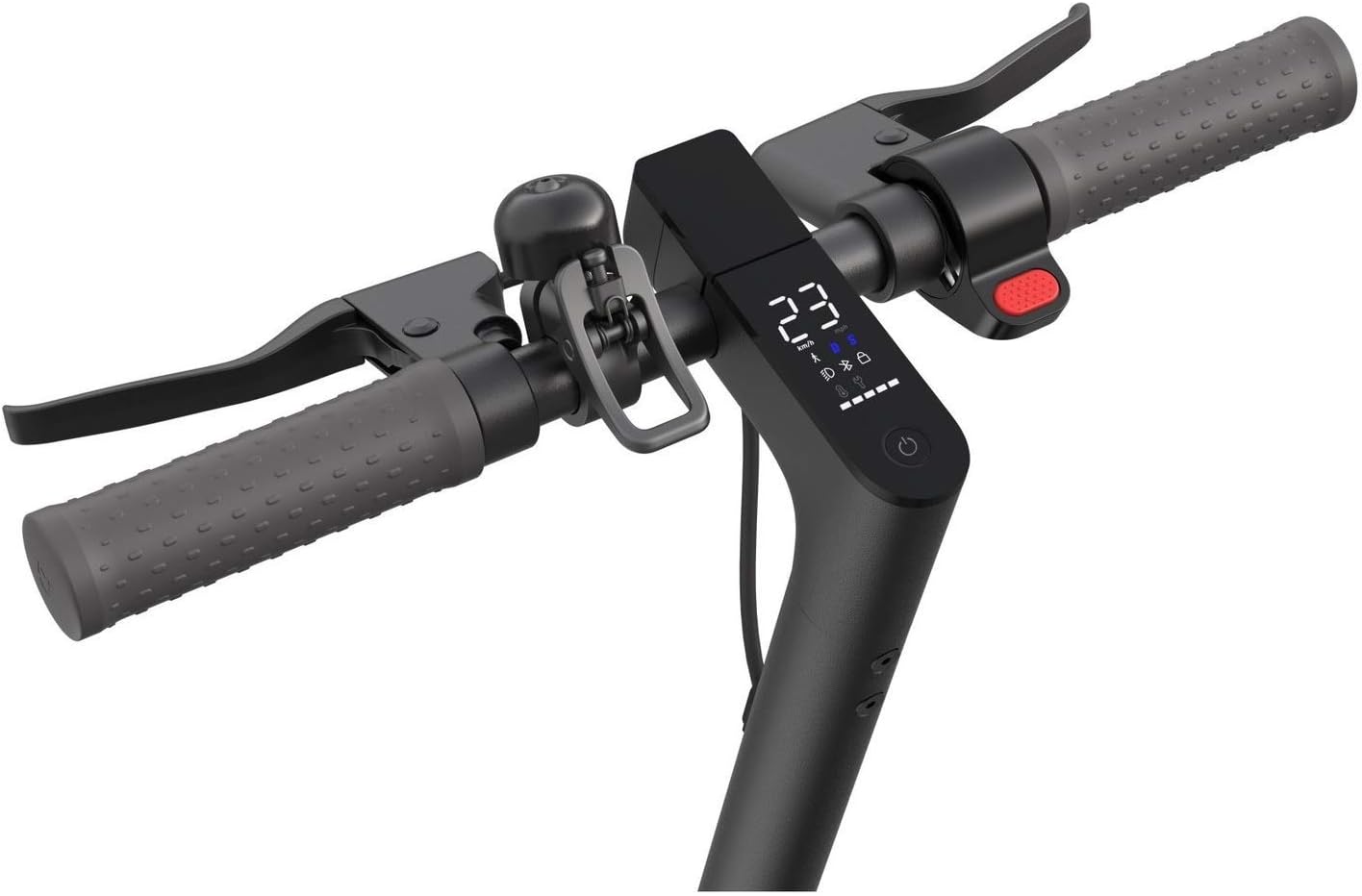
Figure 3: Integrated Display
This image shows a detailed view of the scooter's integrated display, which provides real-time information such as speed, battery level, distance traveled, and riding mode indicators.
2. Riding Modes
The Mi Pro 2 features multiple riding modes. Press the power button briefly to switch between modes (e.g., Eco, Standard, Sport). The display will indicate the current mode.
- Eco Mode: For maximum range and energy efficiency.
- Standard Mode: Balanced performance for daily commuting.
- Sport Mode: For maximum speed and acceleration (up to 25 km/h).
3. Starting to Ride
To start, kick off with one foot while simultaneously pressing the accelerator lever. The motor will engage once a certain speed is reached.
4. Braking
The scooter is equipped with a dual braking system. Use the brake lever on the handlebar to engage the rear disc brake and the E-ABS regenerative anti-lock braking system on the front wheel. Apply brakes gently and gradually.
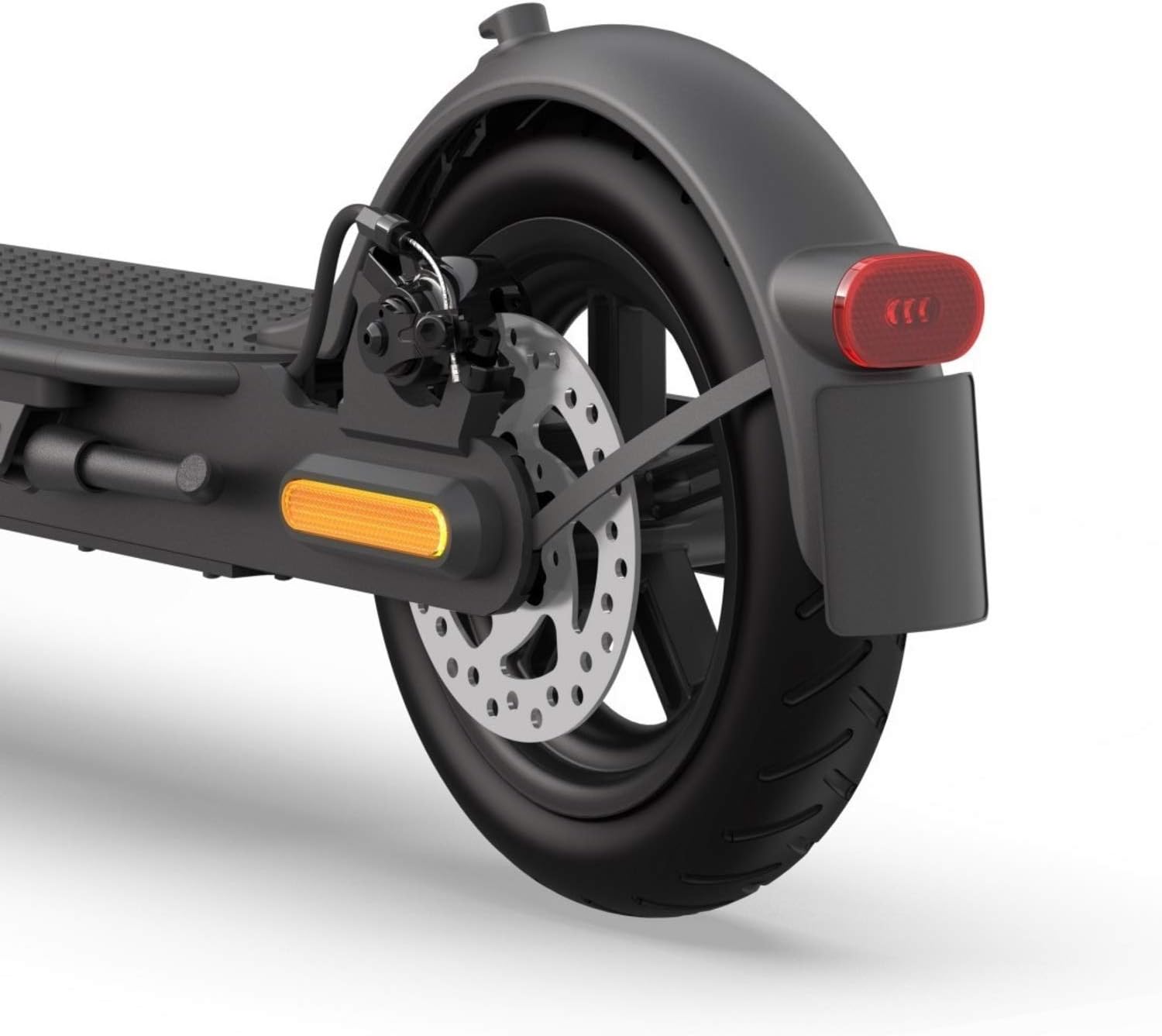
Figure 4: Rear Wheel and Disc Brake
This image focuses on the rear wheel of the scooter, clearly showing the disc brake mechanism and the rear fender with its integrated taillight and reflector.
5. Cruise Control and KERS
- Cruise Control: Maintain a consistent speed for a few seconds, and the scooter will automatically activate cruise control. Press the brake or accelerator to disengage.
- Kinetic Energy Recovery System (KERS): This system converts kinetic energy from braking and coasting into electrical energy, extending battery life.
6. Folding and Carrying
To fold the scooter, release the folding mechanism near the base of the stem and fold the stem down until it latches onto the rear fender. This makes the scooter compact and easy to carry.

Figure 5: Scooter Folded for Portability
This image shows a person carrying the Xiaomi Mi Pro 2 Electric Scooter in its folded state, demonstrating its portability and compact design for easy transport.
Maintenance
1. Tire Pressure
Regularly check and maintain the tire pressure of your 8.5-inch pneumatic tires. Proper tire pressure (typically around 50 PSI or as indicated on the tire sidewall) is crucial for ride comfort, range, and tire longevity. Use a suitable air compressor for inflation.

Figure 6: Front Wheel Detail
This image provides a close-up view of the scooter's front wheel, highlighting the pneumatic tire and the integrated reflector on the fork.
2. Battery Care
- Avoid completely draining the battery before recharging.
- Store the scooter in a cool, dry place when not in use, ideally with the battery charged to 50-70%.
- Charge the battery at least once every three months, even if not in use, to prevent deep discharge.
3. Cleaning
Wipe the scooter clean with a damp cloth. Do not use high-pressure water jets or corrosive cleaning agents. Ensure the charging port cover is securely closed before cleaning.
4. Brake Adjustment
Periodically check the brake effectiveness. If the brakes feel loose or too tight, they may need adjustment. Consult a qualified technician or refer to online tutorials for detailed instructions.
Troubleshooting
| Problem | Possible Cause | Solution |
|---|---|---|
| Scooter does not power on. | Low battery; loose connections. | Charge the battery; check all cable connections. |
| Reduced speed or range. | Low tire pressure; battery degradation; riding uphill frequently. | Inflate tires to recommended pressure; ensure proper battery charging habits. |
| Brakes feel weak. | Brake pads worn; cable loose. | Inspect brake pads and cable; adjust brake tension or replace pads. |
| Unusual noises during operation. | Loose components; foreign object. | Check all screws and moving parts; inspect for debris. |
| "Diagnostic test" leads to slow speed. | Incorrect "hard reset" procedure. | Avoid performing unofficial "diagnostic tests" that involve specific button combinations (e.g., gas+brake+power). If affected, contact customer support. |
Specifications
| Feature | Detail |
|---|---|
| Model Name | Mi Electric Scooter Pro2 |
| Model Number | FBC4025GL |
| Brand | Xiaomi |
| Motor Power | 250 W |
| Max Speed | 25 km/h (approx. 15.5 mph) |
| Max Range | Up to 45 km (approx. 28 miles) |
| Battery Type | 18650 Li-ion cells, 183Wh capacity |
| Tire Size | 8.5 inches (pneumatic) |
| Max Load Capacity | 100 kg (approx. 220 lbs) |
| Net Weight | 14.2 kg (approx. 31.3 lbs) |
| Dimensions (L x W x H) | 112 x 43 x 113 cm (unfolded) |
| Braking System | Dual braking system (rear disc brake, front E-ABS) |
| Special Features | Foldable, Lightweight, Cruise Control, KERS |
Warranty and Support
For warranty information and customer support, please refer to the official Xiaomi website or contact your local authorized dealer. Keep your purchase receipt as proof of purchase for warranty claims.
For further assistance, you may visit the Xiaomi Global Support Page.


