
1. Introduction
This manual provides detailed instructions for the safe operation, setup, and maintenance of your DEERC DE51 Remote Control Helicopter. Please read this manual thoroughly before operating the helicopter to ensure proper function and to prevent damage.
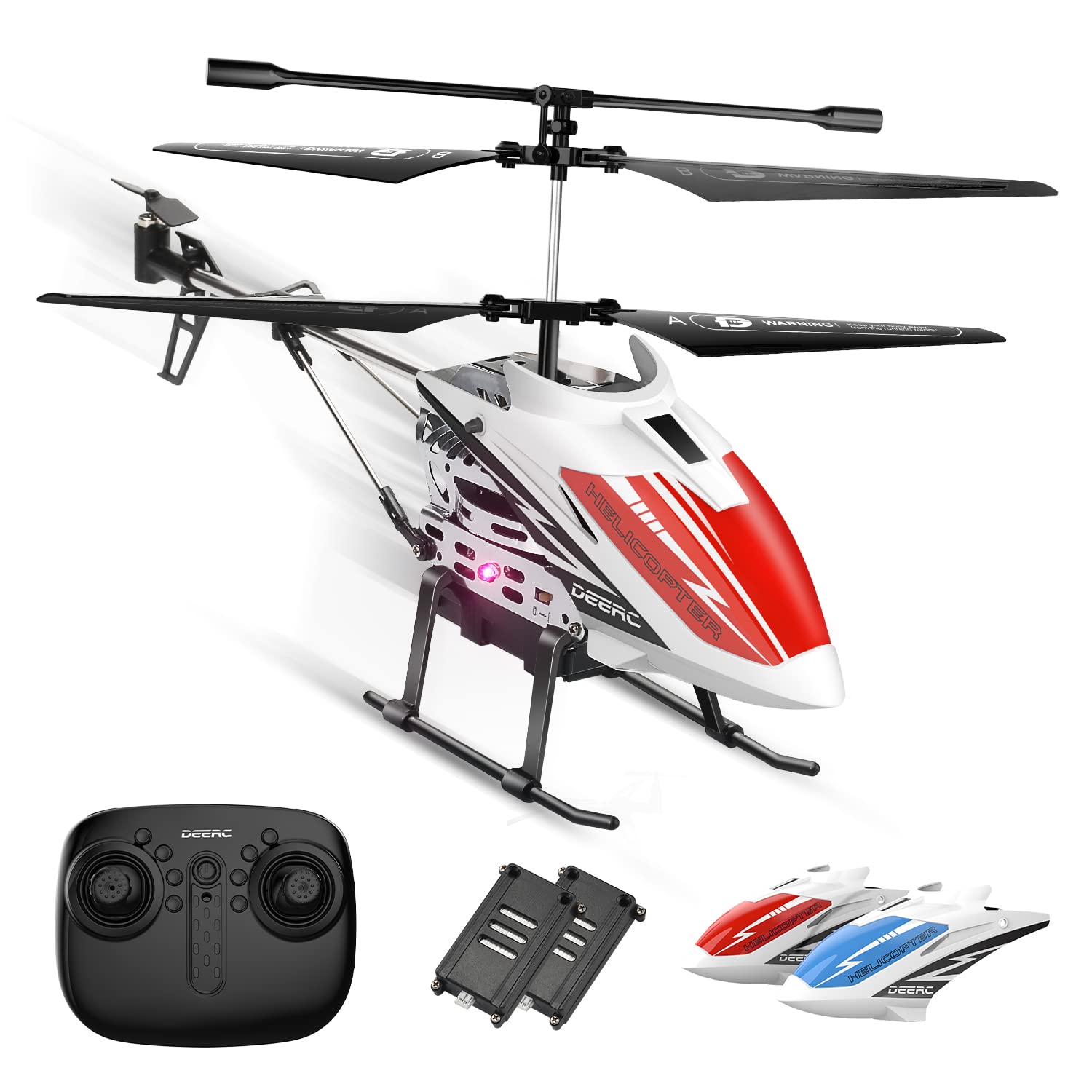
Image 1: The DEERC DE51 Remote Control Helicopter, its remote controller, two modular batteries, and two interchangeable helicopter shells (red and blue).
2. Package Contents
Verify that all items are present in the package:
- DEERC DE51 Helicopter
- Remote Control Transmitter
- Modular Batteries (x2)
- Helicopter Shells (x2, typically red and blue)
- USB Charging Cable
- Spare Rotor Blades
- Instruction Manual (this document)
3. Setup
3.1. Battery Installation and Charging
- Helicopter Battery: Insert one of the provided modular batteries into the helicopter's battery compartment. Ensure it clicks securely into place.
- Remote Control Batteries: Open the battery cover on the back of the remote control. Insert 3x AAA batteries (not included) according to the polarity markings. Close the cover.
- Charging: Connect the modular battery to the USB charging cable. Plug the USB cable into a standard USB power adapter (e.g., computer USB port, phone charger). The charging indicator light on the USB cable will illuminate during charging and turn off when fully charged. Charging typically takes 60-90 minutes.
Note: Always use the provided USB charging cable. Do not leave batteries charging unattended. Disconnect the battery once fully charged.
3.2. Helicopter Shell Assembly
The DE51 helicopter comes with two interchangeable shells. Choose your preferred shell and carefully attach it to the helicopter body. Ensure it is securely fastened before flight.

Image 2: The DEERC DE51 helicopter showcasing its two interchangeable body shells in red and blue, highlighting the customization option.
3.3. Pairing the Remote Control
- Ensure both the helicopter and the remote control are powered off.
- Place the helicopter on a flat, level surface.
- Turn on the helicopter's power switch. The LED lights on the helicopter will flash.
- Turn on the remote control's power switch.
- Push the left joystick (throttle) all the way up, then pull it all the way down. You will hear a "beep" sound from the remote control, and the helicopter's LED lights will become solid, indicating successful pairing.
Note: If pairing fails, turn off both devices and repeat the steps. Ensure no other 2.4GHz devices are causing interference nearby.
4. Operating Instructions
4.1. Remote Control Functions

Image 3: Detailed diagram of the DEERC DE51 remote control, indicating the function of each button and joystick for precise operation.
- Left Joystick (Throttle):
- Up/Down: Controls altitude (ascend/descend).
- Right Joystick:
- Up/Down: Controls forward/backward movement.
- Left/Right: Controls left/right rotation (yaw).
- One Key Take-Off/Landing Button: Initiates automatic take-off or landing.
- Emergency Stop Button: Immediately stops all propellers. Use only in emergency situations to prevent damage.
- Speed Mode Button: Toggles between High and Low speed modes.
- LED Light Control Button: Turns the helicopter's LED lights on or off.
- Trim Buttons: Used to fine-tune the helicopter's stability if it drifts in any direction during hover.
4.2. Flight Operations
- Take-Off:
- After pairing, press the One Key Take-Off button. The helicopter will automatically ascend and hover at a stable altitude.
- Alternatively, slowly push the left joystick (throttle) upwards to manually ascend.
- Altitude Hold: The DE51 features an Altitude Hold function, allowing the helicopter to maintain a stable hovering height without continuous throttle input.
- Directional Control: Use the right joystick to control forward, backward, left, and right movements.
- Rotation (Yaw): Use the left joystick (left/right) to rotate the helicopter clockwise or counter-clockwise.
- Landing:
- Press the One Key Landing button. The helicopter will slowly descend and land automatically.
- Alternatively, slowly pull the left joystick (throttle) downwards to manually descend and land.
- Speed Adjustment: Press the Speed Mode button to switch between low speed (for beginners or indoor flight) and high speed (for more experienced pilots or larger spaces).
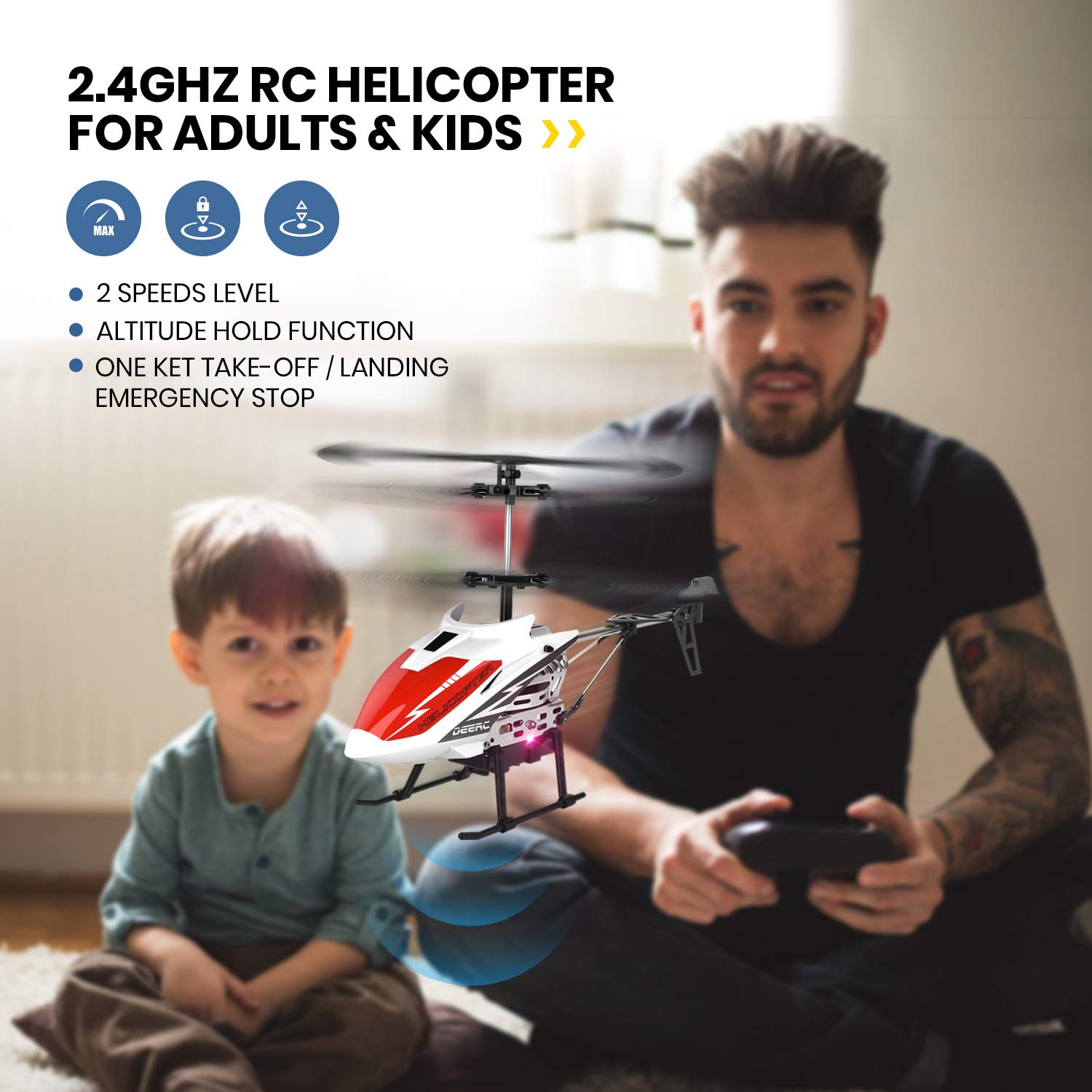
Image 4: A DEERC DE51 helicopter in flight indoors, demonstrating its suitability for indoor use, with a father and child observing.
Important Flight Considerations:
- This helicopter is designed for indoor use or outdoor use in calm conditions with no wind.
- Maintain a safe distance from people, animals, and obstacles.
- Always supervise children during operation.
5. Maintenance
5.1. General Care
- Keep the helicopter and remote control clean and dry. Wipe with a soft, dry cloth.
- Avoid exposing the helicopter to direct sunlight or extreme temperatures.
- Store the helicopter and remote in a safe place when not in use to prevent damage.
5.2. Battery Care
- Always remove batteries from the remote control if not used for extended periods.
- Charge the modular helicopter batteries only with the provided USB cable.
- Do not overcharge or deep discharge the batteries.
- Store batteries in a cool, dry place.

Image 5: Illustration of the DEERC DE51 helicopter's low battery reminder system, where the helicopter's light turns red when power is low.
5.3. Propeller Replacement
In case of damage to the rotor blades, replace them with the spare blades provided. Carefully remove the damaged blade and install the new one, ensuring it is oriented correctly and securely attached.

Image 6: A detailed view of the DEERC DE51 helicopter's durable alloy structure and flexible propellers, designed for resilience during operation.
6. Troubleshooting
| Problem | Possible Cause | Solution |
|---|---|---|
| Helicopter does not respond to remote. | Not paired; low battery in remote or helicopter; power switch off. | Ensure both devices are powered on. Re-pair the remote and helicopter. Charge helicopter battery. Replace remote batteries. |
| Helicopter drifts during hover. | Needs trim adjustment; uneven surface during take-off. | Use the trim buttons on the remote to correct drift. Ensure take-off is from a flat, level surface. |
| Short flight time. | Battery not fully charged; old battery. | Ensure battery is fully charged before use. Consider replacing old batteries if performance degrades significantly. |
| Helicopter crashes easily. | Strong wind outdoors; pilot inexperience. | Fly indoors or in very calm conditions. Practice in low speed mode. |
| LED lights flashing on helicopter. | Not paired; low battery. | Attempt to re-pair. Charge the helicopter battery. |
7. Specifications
| Feature | Detail |
|---|---|
| Model | DE51 |
| Brand | DEERC |
| Control Frequency | 2.4GHz |
| Channels | 3.5 Channel |
| Flight Time | Approx. 10+ minutes per battery (2 batteries included for 20+ minutes total) |
| Control Distance | Approx. 50 meters (indoors, no interference) |
| Battery Type | Lithium-Ion (Modular) |
| Material | Metal body, flexible blades |
| Dimensions (LxWxH) | 25 x 5.2 x 12.7 cm |
| Weight | 310 g |
| Recommended Age | 14 years and up |
8. Safety Guidelines
- Do not operate the helicopter near people, animals, or obstacles.
- Avoid flying in strong winds or adverse weather conditions.
- Keep fingers and hair away from rotating propellers.
- Do not touch the motor after flight as it may be hot.
- Always turn off the helicopter and remote control after use.
- This product is not suitable for children under 3 years due to small parts. Recommended age is 14+.
9. Warranty and Support
For warranty information, technical support, or replacement parts, please contact DEERC customer service. Refer to the product packaging or the official DEERC website for contact details.
DEERC Official Website: www.deerc.com (Example link, actual link may vary)


