
1. Introduction
This manual provides detailed instructions for the installation, operation, and maintenance of the EASYGUARD EC002PP-T2-A0610 Remote Starter and Passive Keyless Entry (PKE) system. This system upgrades your vehicle from a standard key start to a push-button start with added convenience and security features.
2. Compatibility
The EC002PP-T2-A0610 PKE kit is designed for specific key-start petrol Toyota models. Please verify your vehicle's compatibility before installation:
- Toyota Highlander: 2009-2014
- Toyota Camry: 2006-2017
- Toyota Yaris: 2009-2013
- Toyota Vios: 2009-2013
- Toyota Reiz: 2006-2011 & 2013-2017
- Toyota Tundra: 2010-2019
This system is not compatible with other vehicle models.

Figure 2.1: Important compatibility notice for Toyota vehicles.
3. Key Features
The EASYGUARD EC002PP-T2-A0610 system offers the following functionalities:
- Push Button Start/Stop: Convert your key ignition to a modern push-button start.
- Passive Keyless Entry (PKE): Automatically locks/unlocks doors as you approach or leave the vehicle with the key fob.
- Remote Engine Start/Stop: Start or stop your engine remotely for pre-cooling or pre-warming the vehicle.
- Manual Arm/Lock & Disarm/Unlock: Standard remote control functions.
- Mute/Audible Alarm: Select between silent or audible alarm notifications.
- Remote Trunk Release: Open your vehicle's trunk remotely.
- Panic Mode: Activate the alarm for emergency situations.
- Valet Mode: Temporarily disable certain security features for valet parking.
- Central Door Locking Automation: Doors lock automatically when driving and unlock when the engine is off.
- Touch Password Entry: Securely lock or unlock your car using a touch-sensitive keypad.
- Password Revision & Reset: Ability to change and reset your touch password.
- CAN BUS Compatibility: Semi plug & play design with minimal wiring required.
- Bypass Module Included: Essential for certain vehicle immobilizer systems.
- Optional Smartphone Control: Upgradeable with an additional GPS002-AA 4G LTE module (sold separately) for smartphone app control and GPS tracking.
4. Setup and Installation
The EC002PP-T2-A0610 system features a semi plug & play design with an OBD2 connector and T-harness, minimizing damage to the original car circuit. However, professional installation is strongly recommended.
4.1 General Installation Notes
- Professional Installation Recommended: Although designed for semi plug & play, installation requires knowledge of car trim/dashboard removal and wiring harness connections. If you lack alarm installation experience, seek assistance from a trained alarm installer or professional.
- Steering Wheel Lock: You must unlock or remove the steering wheel lock during installation.
- Wiring: While CAN BUS compatible, a few wires still need to be connected.
- Bypass Module: A bypass module is included in the kit.
4.2 Push Button Installation
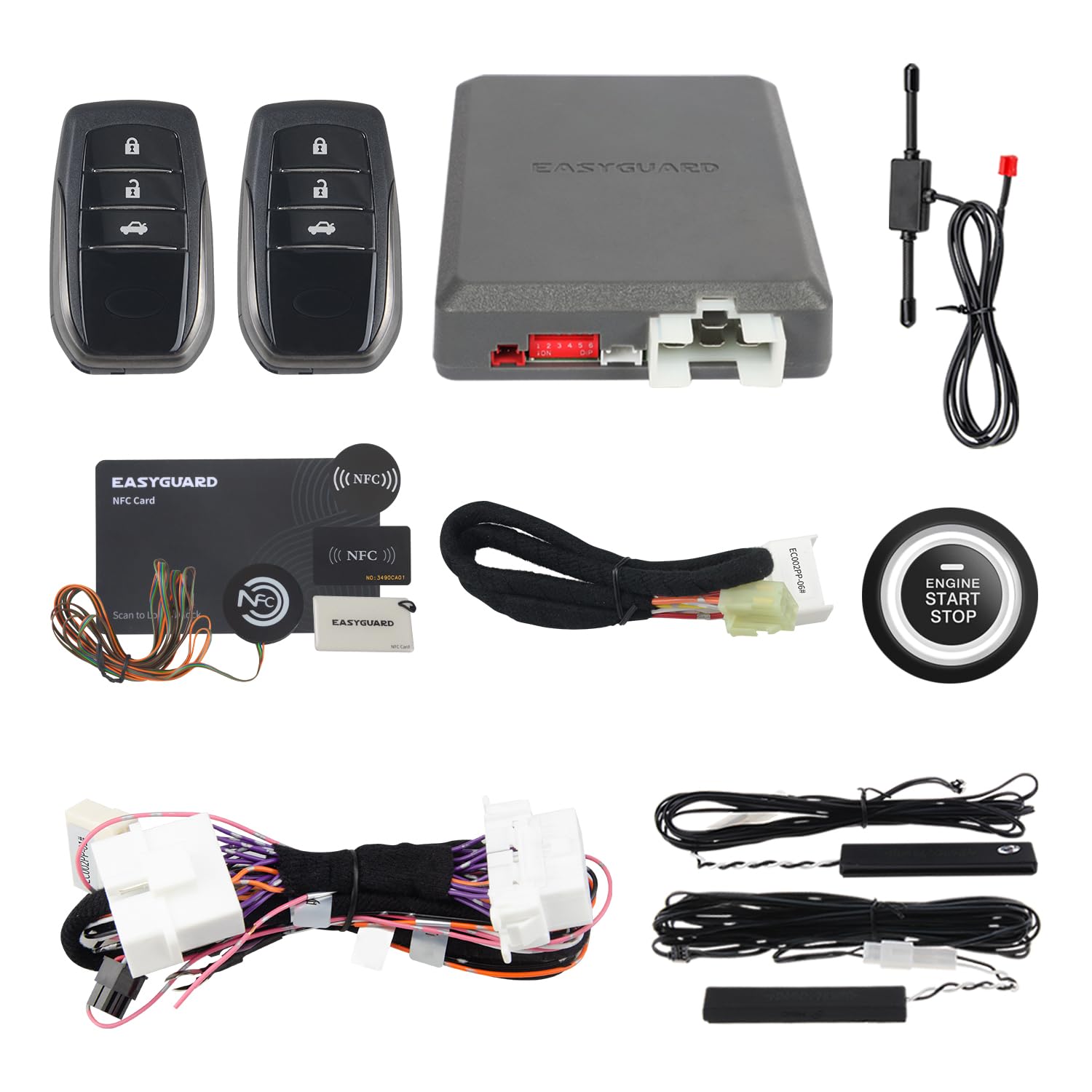
Figure 4.1: Example of the push-button start/stop installation.
The push-button start/stop replaces your vehicle's traditional key ignition. This involves integrating the new button into the dashboard. Ensure all connections are secure and properly insulated.
4.3 Wiring Harness Connection
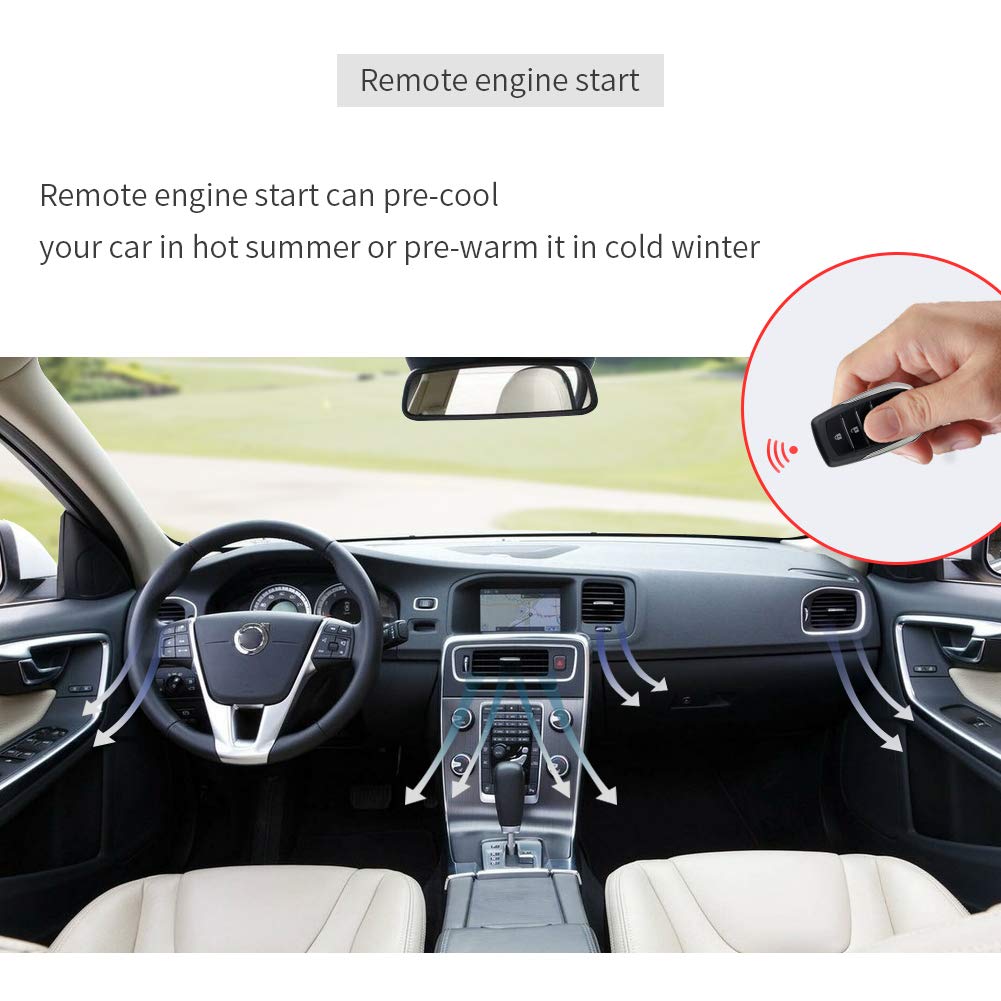
Figure 4.2: CAN BUS wire harnesses for Toyota. Ensure the correct harness is used for your specific model and year.
The kit includes specific CAN BUS wire harnesses for Toyota vehicles. It is crucial to identify and use the correct harness for your car's model number and year to ensure proper functionality and avoid electrical issues.
4.4 PKE Antenna Installation
Video 4.1: This video demonstrates the installation process for the PKE antenna. Proper placement is essential for optimal passive keyless entry functionality.
The PKE antenna is a critical component for the passive keyless entry feature. Refer to the video for guidance on its correct placement and connection within the vehicle. Ensure the antenna is not obstructed and is securely mounted.
5. Operating Instructions
5.1 Remote Control Functions

Figure 5.1: Remote control button functions.
The remote control provides access to various system features:
- LED Indicator: Shows the status of the remote control.
- Arm/Panic Mode Button: Press to arm the alarm system or hold for panic mode.
- Disarm Button: Press to disarm the alarm system and unlock doors.
- Start Button/Trunk Release: Press to remotely start the engine or hold to release the trunk.
5.2 Passive Keyless Entry (PKE)

Figure 5.2: Passive Keyless Entry (PKE) operation.
With PKE enabled, the system automatically detects your key fob:
- Automatic Unlock: When you approach the vehicle within 3-6 feet with the key fob, the car doors will automatically unlock.
- Automatic Lock: When you walk away from the car, approximately 6-9 feet, the car doors will automatically lock.
5.3 Remote Engine Start

Figure 5.3: Remote engine start functionality.
The remote engine start feature allows you to start your vehicle's engine from a distance. This is useful for pre-cooling the interior in hot weather or pre-warming it in cold weather. Refer to your remote control's specific button combination for activation (typically holding the start button).
5.4 System Functions Overview
Video 5.1: This video provides an overview of the PKE and remote start functions, demonstrating their practical use.
This video illustrates the various functions of the PKE and remote start system, offering a visual guide to their operation.
6. Maintenance
The EASYGUARD EC002PP-T2-A0610 system is designed for minimal maintenance. Follow these general guidelines:
- Remote Control Batteries: Replace the remote control batteries when the range decreases or the LED indicator dims. Refer to the remote control's design for battery access.
- System Components: Avoid exposing the main control unit or other components to excessive moisture or extreme temperatures.
- Cleaning: Clean the push-button and touch password entry pad with a soft, dry cloth. Do not use abrasive cleaners or solvents.
- Professional Inspection: If you experience any persistent issues, it is recommended to have the system inspected by a professional installer.
7. Troubleshooting
If you encounter issues with your EASYGUARD EC002PP-T2-A0610 system, consider the following common troubleshooting steps:
- System Not Responding:
- Check the remote control battery.
- Ensure you are within the operating range (up to 50 meters).
- Verify that the vehicle's 12V battery is charged.
- PKE Not Working:
- Ensure the key fob is with you and not obstructed.
- Check the PKE antenna installation and connections.
- Confirm PKE is enabled in the system settings (if applicable).
- Engine Not Starting (Push Button or Remote):
- Ensure the vehicle is in Park (P) or Neutral (N) and the parking brake is engaged.
- Check for any dashboard warning lights that might prevent starting.
- Verify the bypass module is correctly installed and functioning.
- If using remote start, ensure all doors are closed and locked.
- Alarm Triggering Unexpectedly:
- Check for loose connections or faulty sensors.
- Ensure the vehicle is fully secured (doors, hood, trunk closed).
For persistent or complex issues, contact a professional installer or EASYGUARD customer support.
8. Specifications
| Brand | EASYGUARD |
| Model Number | EC002PP-T2-A0610 |
| Compatible Devices | Toyota Highlander 09-14, Toyota Camry 06-17, Toyota Yaris 09-13, Toyota Vios 09-13, Toyota Reiz 06-11 & 13-17, Toyota Tundra 10-19 |
| Maximum Range | 50 Meters |
| Remote Control Included | Yes |
| Unit Count | 1.0 Count |
| Manufacturer | ieasyguard.com |
9. Warranty and Support
For warranty information, technical support, or further assistance, please contact EASYGUARD directly. Details can typically be found on the manufacturer's official website or through your point of purchase.
Manufacturer: ieasyguard.com
For additional support, you may visit the EASYGUARD Store on Amazon.
