
Introduction
The Amazmic Wireless Karaoke Microphone is a versatile, multi-functional device designed to enhance your singing and entertainment experience. It integrates a microphone, karaoke machine, high-quality speaker, voice changer, and singing recorder into one portable unit. This manual provides detailed instructions on how to set up, operate, maintain, and troubleshoot your microphone to ensure optimal performance and enjoyment.
Package Contents
- Amazmic Wireless Karaoke Microphone (Rose Gold)
- USB Charging Cable
- User Manual
Product Overview
Familiarize yourself with the components and controls of your Amazmic Karaoke Microphone.

Figure 1: Amazmic Wireless Karaoke Microphone (Rose Gold)
This image displays the overall design of the Amazmic Wireless Karaoke Microphone in its Rose Gold color, highlighting its compact and handheld form factor.
Controls and Ports
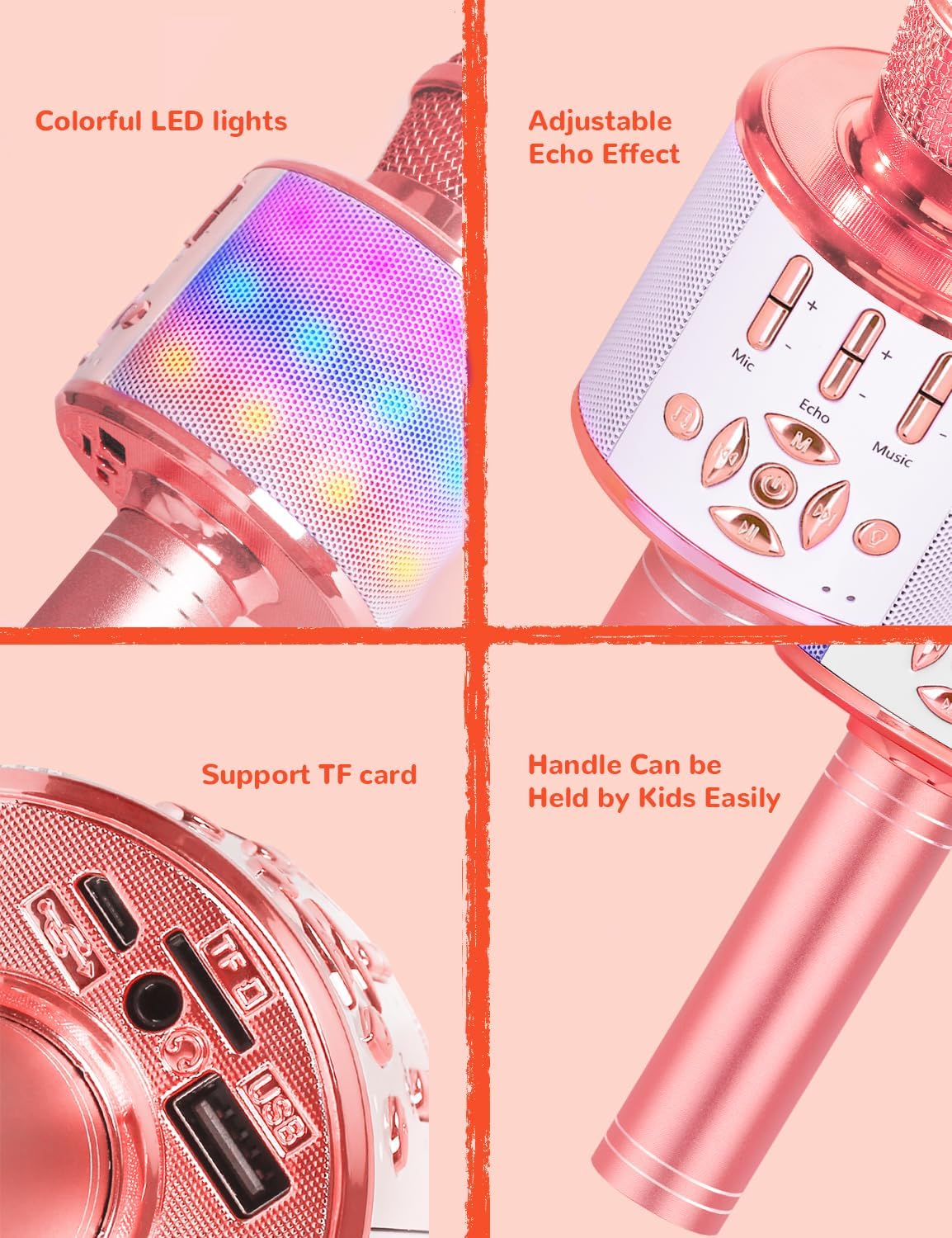
Figure 2: Detailed view of microphone controls and ports
This image provides a close-up view of the microphone's control panel, showing the microphone volume, echo, and music volume sliders, along with mode buttons, power button, and the TF card and USB ports at the base.
- Microphone Volume Slider: Adjusts the microphone's input volume.
- Echo Slider: Controls the echo effect level for your voice.
- Music Volume Slider: Adjusts the volume of connected audio playback.
- Power Button: Long press to power on/off. Short press to switch modes (Bluetooth, TF Card, AUX).
- Previous/Next Track Buttons: Navigate through music tracks.
- Play/Pause Button: Controls music playback.
- Voice Changer Button: Cycles through different voice effects.
- LED Lights: Multi-colored LED lights integrated into the speaker grille.
- TF Card Slot: For playing music directly from a TF (MicroSD) card.
- USB Port: For charging and potentially AUX connection.
Internal Components and Sound Quality
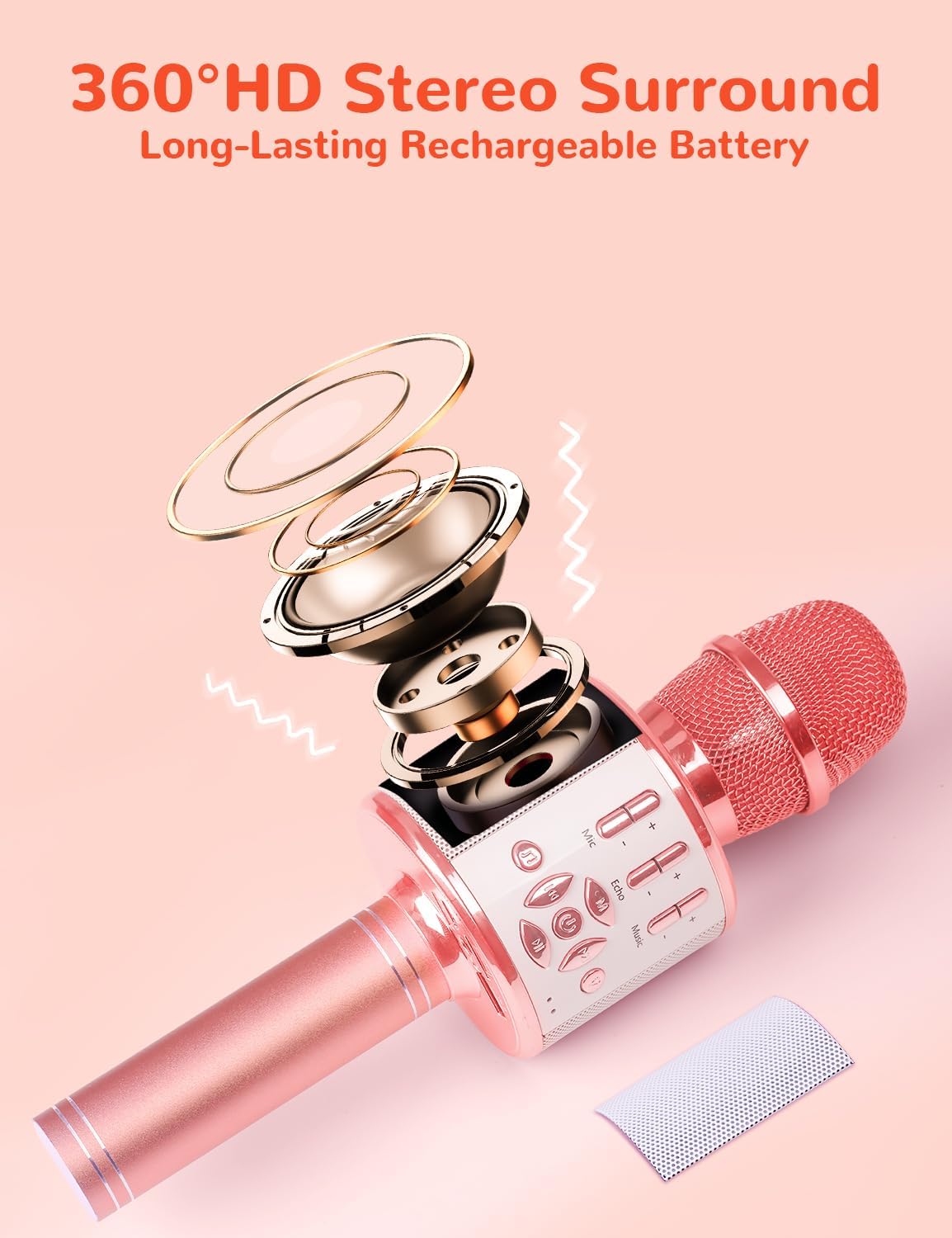
Figure 3: Internal speaker and sound structure
This image illustrates the internal speaker and sound structure of the microphone, emphasizing its 360° HD stereo surround sound capability and long-lasting rechargeable battery.
Setup
1. Charging the Microphone
Before first use, fully charge the microphone. Connect the supplied USB charging cable to the microphone's USB port and the other end to a standard USB power adapter (not included) or a computer's USB port. The charging indicator light will show charging status and turn off when fully charged. A full charge provides 4-6 hours of playtime.
2. Power On/Off
Long press the Power Button for approximately 3 seconds to turn the microphone on or off. A voice prompt will indicate the power status.
3. Bluetooth Connection
The microphone uses Bluetooth 5.0 for stable and fast connections.
- Turn on the microphone. It will automatically enter Bluetooth pairing mode.
- On your device (smartphone, tablet, PC), enable Bluetooth and search for available devices.
- Select "Amazmic" or the corresponding model name from the list to pair. A voice prompt will confirm successful connection.
- Once paired, the microphone will automatically connect to your device on subsequent uses.

Figure 4: Device compatibility
This image demonstrates the microphone's compatibility with various devices and karaoke applications, including smartphones, tablets, and PCs.
4. TF Card Mode
Insert a TF (MicroSD) card with pre-loaded MP3 music files into the TF card slot. The microphone will automatically switch to TF Card mode and begin playing music. Use the Previous/Next Track and Play/Pause buttons to control playback.
5. Cable Connection (AUX)
Connect an audio cable (not included) from your device's audio output to the microphone's AUX input (often shared with the USB port). The microphone will switch to AUX mode, allowing audio playback from your device.
Operating Instructions
1. Singing Mode
Once connected via Bluetooth, TF card, or AUX, play your desired music. Adjust the Music Volume Slider to your preferred level. Use the Microphone Volume Slider to control your voice volume and the Echo Slider to add reverberation for a professional singing effect.
2. Voice Changer
Press the Voice Changer Button to cycle through the available magic sound modes. The microphone features 4 distinct voice effects to add fun to your performance.
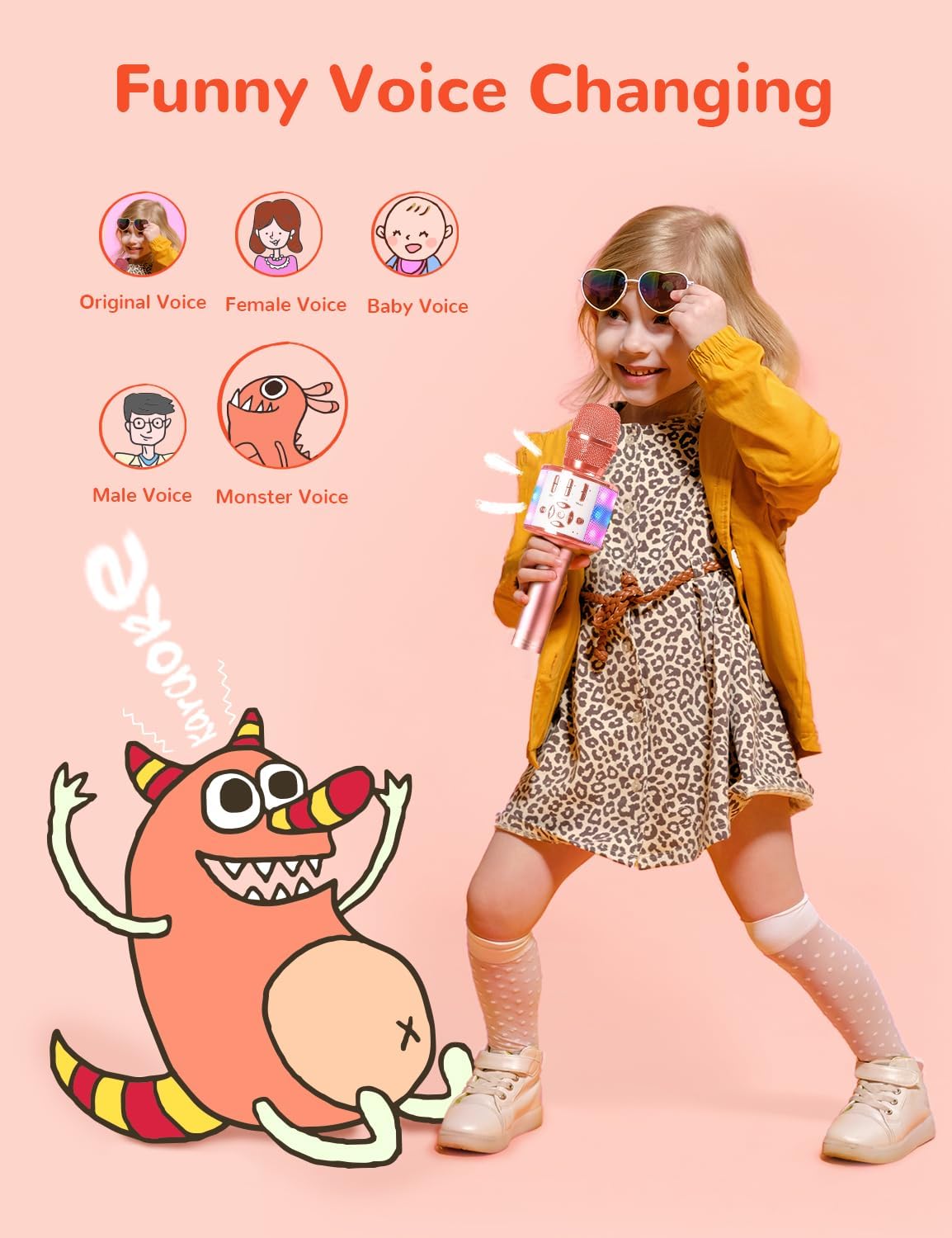
Figure 5: Voice changing feature in use
This image depicts a child enjoying the microphone's voice changing feature, illustrating the fun and interactive aspect of the different voice modes.
3. LED Light Control
The multi-colored LED lights will automatically dance with your voice or music, creating a dynamic atmosphere. There is no specific button to turn them off or on, they activate with sound.
Maintenance
- Clean the microphone with a soft, dry cloth. Do not use abrasive cleaners or solvents.
- Avoid exposing the microphone to extreme temperatures, humidity, or direct sunlight.
- Do not disassemble the microphone, as this will void the warranty.
- Store the microphone in a cool, dry place when not in use.
Troubleshooting
| Problem | Possible Cause | Solution |
|---|---|---|
| Microphone does not turn on. | Low battery. | Charge the microphone fully. |
| Cannot connect via Bluetooth. | Bluetooth not enabled on device; microphone not in pairing mode; too far from device. | Ensure Bluetooth is on and microphone is in pairing mode. Move closer to the device (within 33 feet). |
| No sound from speaker. | Volume too low; incorrect mode selected; connection issue. | Increase music and microphone volume. Check mode (Bluetooth, TF, AUX). Reconnect device. |
| Echo effect not working. | Echo slider set to minimum. | Adjust the Echo slider to increase the effect. |
Specifications
| Model Number | CFB035ARG |
| Brand | Amazmic |
| Connectivity Technology | Bluetooth 5.0 |
| Power Source | Battery Powered (1 Lithium Ion battery included) |
| Playtime | 4-6 hours (approx.) |
| Stand-by Time | More than 20 days |
| Microphone Form Factor | Handheld |
| Audio Sensitivity | 115 dB |
| Signal-to-Noise Ratio | 65 dB |
| Frequency Response | 10 KHz |
| Item Weight | 0.55 Pounds (approx. 8.8 ounces) |
| Material | Polycarbonate |
| Color | Rose Gold |
| UPC | 645249263573 |
Support
For further assistance, technical support, or warranty inquiries, please contact Amazmic customer service through the retailer where you purchased the product or visit the official Amazmic website for contact information.
Please retain your proof of purchase for any warranty claims.