
1. Introduction
The Launch CRP123X V2.0 is an advanced OBD2 diagnostic tool designed for comprehensive vehicle system analysis. This device provides detailed diagnostics for engine, transmission, ABS, and SRS systems, along with 7 essential reset functions. It features a user-friendly interface, lifetime free software updates, and broad vehicle compatibility, making it suitable for both professional technicians and DIY enthusiasts.

Image: The Launch CRP123X V2.0 diagnostic tool, shown with its protective carrying case.
2. Setup
2.1 Initial Power-On and Language Selection
- Connect the CRP123X V2.0 to your vehicle's OBD2 port. The device will power on automatically.
- Follow the on-screen prompts to select your preferred language. The device supports over 10 languages, including Japanese.
- Connect the device to a Wi-Fi network to enable software updates and online features.
2.2 Vehicle Connection and Identification
The CRP123X V2.0 utilizes AutoVIN technology to automatically identify your vehicle's information, eliminating the need for manual VIN entry. This streamlines the diagnostic process.
- Locate your vehicle's 16-pin OBD2 port, typically found under the dashboard on the driver's side.
- Plug the diagnostic cable from the CRP123X V2.0 into the OBD2 port.
- The device will attempt to automatically detect the vehicle's make, model, and year.
- Note: For some vehicle models, AutoVIN detection may not be supported. In such cases, you will need to manually enter the VIN or select the vehicle model from the software menu.

Image: The AutoVIN feature automatically identifies vehicle information for quick setup.
3. Operating Instructions
3.1 Navigation and Interface
The CRP123X V2.0 features a 5-inch large touchscreen display and physical buttons for intuitive navigation. You can operate the device using either the touchscreen or the buttons, even while wearing gloves.

Image: The user-friendly interface of the CRP123X V2.0, highlighting its touchscreen and button controls.
3.2 4-System Diagnosis
This tool provides comprehensive diagnosis for four core vehicle systems: Engine, Transmission, Anti-lock Braking System (ABS), and Supplemental Restraint System (SRS - Airbag). When a warning light illuminates for any of these systems, the CRP123X V2.0 can help you quickly identify the underlying issue.
- Read Diagnostic Trouble Codes (DTCs): Retrieve current, pending, and permanent fault codes from the selected system.
- Clear DTCs: Erase fault codes after repairs have been made, turning off warning lights.
- Live Data Stream: View real-time data parameters in text or graph format. You can compare up to four different data streams on one screen for detailed analysis.
- Freeze Frame Data: Capture a snapshot of vehicle operating conditions at the moment a fault code was set.
- I/M Readiness Status: Check the status of emission-related monitors to ensure the vehicle is ready for an inspection.
- O2 Sensor Test: Retrieve O2 sensor monitor test results for the most recently completed tests.
- On-Board Monitor Test: Retrieve results for emission-related powertrain components and systems.
- EVAP System Test: Initiate a leak test for the vehicle's EVAP system.
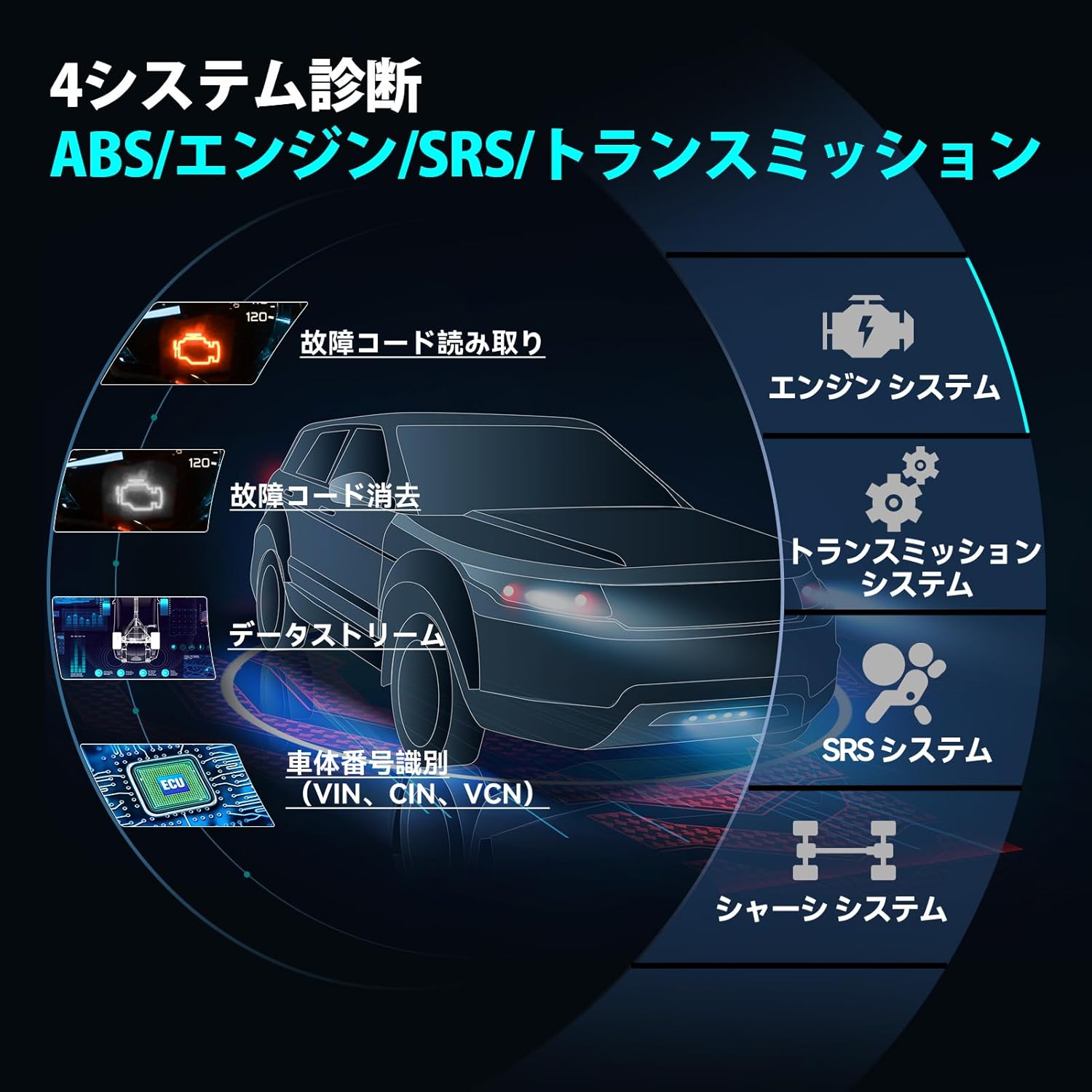
Image: Overview of the 4-system diagnostic capabilities, including reading/clearing codes and data streaming.
3.3 7 Reset Functions
The CRP123X V2.0 includes 7 special reset functions to assist with common maintenance tasks. These functions are an upgrade from previous versions, offering enhanced utility.
- Oil Reset: Reset the oil life system after an oil change.
- SAS Reset (Steering Angle Sensor): Perform steering angle sensor calibration.
- Throttle Reset: Initialize the throttle actuators to the default state.
- DPF Forced Regeneration (Diesel Particulate Filter): Clear particulate matter from the DPF filter.
- Brake Reset (EPB): Reset the electronic parking brake system after brake pad replacement.
- Battery Reset (BMS): Register the new battery after replacement.
- ABS Bleeding: Perform ABS bleeding to restore ABS brake sensitivity.
Important Note:
The availability and specific procedures for these 7 reset functions may vary depending on the vehicle's make, model, and year. Always refer to the manufacturer's website for a detailed vehicle compatibility list or contact the seller for verification before performing any reset function.
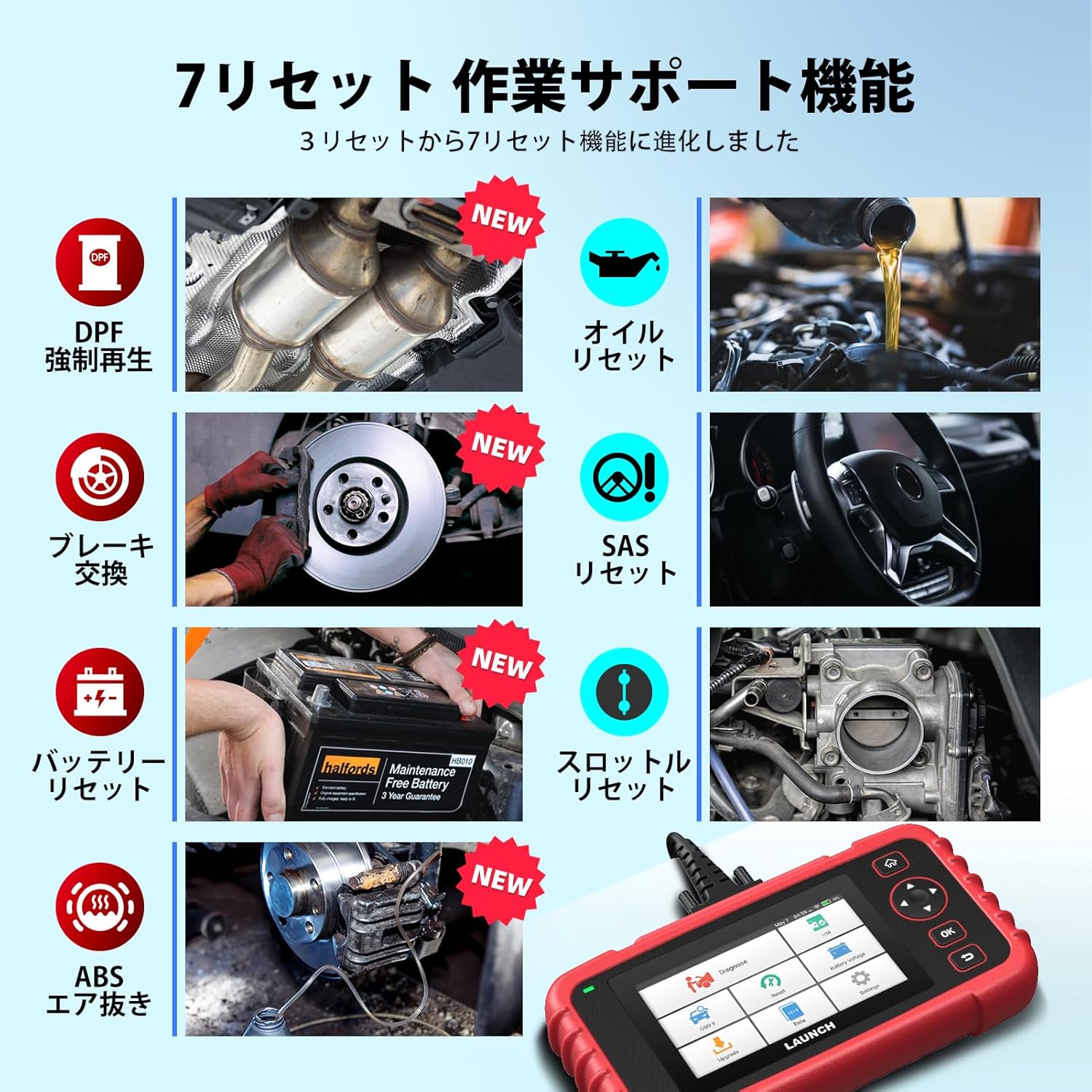
Image: Visual representation of the 7 reset functions available on the CRP123X V2.0.
3.4 Diagnostic Report Generation
Upon completion of a diagnostic session, the CRP123X V2.0 automatically generates a comprehensive diagnostic report. This report can be easily shared with customers or mechanics via email or printed for record-keeping.
4. Maintenance
4.1 Software Updates
LAUNCH is committed to continuous product improvement. Software updates are released periodically to enhance performance, add new features, and expand vehicle compatibility. All software updates for the CRP123X V2.0 are free for life.
- Ensure the device is connected to a stable Wi-Fi network.
- Navigate to the 'Update' section on the device menu.
- Follow the on-screen instructions to download and install available updates.
4.2 Battery Charging
The device is equipped with a built-in Lithium-Ion battery. To charge the device, connect it to a power source using the provided USB cable. Ensure the device is fully charged before extended use to avoid interruptions during diagnostic procedures.
4.3 Cleaning and Storage
To maintain the device's longevity and performance:
- Clean the screen and exterior with a soft, damp cloth. Avoid abrasive cleaners or solvents.
- Store the device in its protective carrying case when not in use to prevent damage from dust or impacts.
- Keep the device away from extreme temperatures and direct sunlight.
5. Troubleshooting
5.1 Engine Check Light On
If your engine check light is illuminated, connect the CRP123X V2.0 to your vehicle. Use the 'Read DTCs' function under the Engine System diagnosis to retrieve the fault codes. Once the underlying issue is resolved, use the 'Clear DTCs' function to turn off the warning light.
5.2 Interpreting Diagnostic Trouble Codes (DTCs)
After reading DTCs, you can use the device's integrated search function to look up code meanings and potential solutions. The CRP123X V2.0 allows for quick online searches to understand fault codes and related information.
5.3 Device Not Powering On
If the device does not power on when connected to the vehicle's OBD2 port:
- Ensure the OBD2 cable is securely connected to both the device and the vehicle's port.
- Check the vehicle's battery voltage. The device requires sufficient power from the vehicle.
- Try charging the device's internal battery using a USB power adapter.
5.4 Partial Japanese Translation
While the CRP123X V2.0 supports Japanese, some advanced diagnostic procedures or specific code descriptions might still appear in English. This is common for professional diagnostic tools due to the technical nature of the content. Users should be prepared to encounter some English terms, especially in detailed sub-menus or specific reset function steps.
6. Specifications
| Feature | Description |
|---|---|
| Model | CRP123X V2.0 |
| Brand | LAUNCH |
| Operating System | Android 8.1 OS |
| Display | 5-inch Touchscreen |
| Memory | 32GB ROM |
| Battery | 6100mAh Lithium-Ion |
| Connectivity | Wi-Fi |
| Vehicle Coverage | Over 100,000 models from 57 manufacturers (including Japanese, American, European, Asian vehicles) |
| Supported Systems | Engine, Transmission, ABS, SRS |
| Reset Functions | Oil Reset, SAS Reset, Throttle Reset, DPF Forced Regeneration, Brake Reset, Battery Reset, ABS Bleeding |
| Dimensions (L x W x H) | 232 x 126 x 34 mm |
| Weight | 1.09 kg |
| Supported Languages | 10+ (including English, Japanese, French, German, Spanish, Italian, Russian, Polish, Korean) |
| UPC | 792057530967 |

Image: Global vehicle compatibility map, illustrating the wide range of supported car models.

Image: Details on the CRP123X V2.0's enhanced hardware and software, including Android 8.1 OS, 32GB ROM, and 6100mAh battery.
6.1 CRP123X V2.0 vs. CRP123X Comparison
The CRP123X V2.0 offers significant upgrades over its predecessor, the CRP123X:
| Feature | CRP123X V2.0 (2024 Release) | CRP123X (2023 Release) |
|---|---|---|
| Reset Functions | 7 (Oil, SAS, Throttle, DPF, Brake, Battery, ABS Bleeding) | 3 (Oil, SAS, Throttle) |
| Screen Size | 5 inches | 5 inches |
| Operating System | Android 8.1 | Android 7.0 |
| Battery | 6100mAh | 6100mAh |
| Memory | 2GB RAM + 32GB ROM | 16GB ROM |
| Vehicle Year Coverage | 1996-2024 | 1996-2022 |
| Update Method | Wi-Fi | Wi-Fi |
| Touchscreen | Yes | Yes |
| Multi-language Support | 10+ (Japanese compatible) | 10+ |
| System Diagnosis | ABS/SRS/Engine/Transmission | 4 Systems |
| Fault Code Search Support | Yes | Yes |
| Feedback & Technical Support | Yes | Yes |
| Battery Voltage Monitoring | Yes | No |
Image: Comparison table detailing the improvements of CRP123X V2.0 over the previous CRP123X model.
7. Warranty and Support
LAUNCH is dedicated to providing excellent customer service and product reliability.
- 5-Year Quality Warranty: The CRP123X V2.0 comes with a 5-year quality warranty, ensuring peace of mind for your investment.
- Lifetime Free Updates: All software updates for the device are provided free of charge for the lifetime of the product.
- 30-Day Return/Refund Guarantee: If you are not satisfied with your purchase, a 30-day return or refund option is available.
- Technical Support: Comprehensive technical support is available to assist you with any questions or issues you may encounter.
For any inquiries or support, please click on the 'Seller' information on the product page to contact our customer service team directly.

Image: Overview of Launch's comprehensive after-sales service, including warranty, updates, and support.


