
1. Introduction
The Sense-U Pro Baby Monitor is designed to provide parents with real-time information regarding their baby's well-being. This device clips onto your baby's diaper and monitors abdominal movement, body temperature, and sleep position. It integrates with the Sense-U Baby app to deliver alerts and detailed sleep analysis directly to your smartphone.
This manual provides essential instructions for the proper setup, operation, and maintenance of your Sense-U Pro Baby Monitor. Please read it thoroughly before use to ensure safe and effective monitoring.
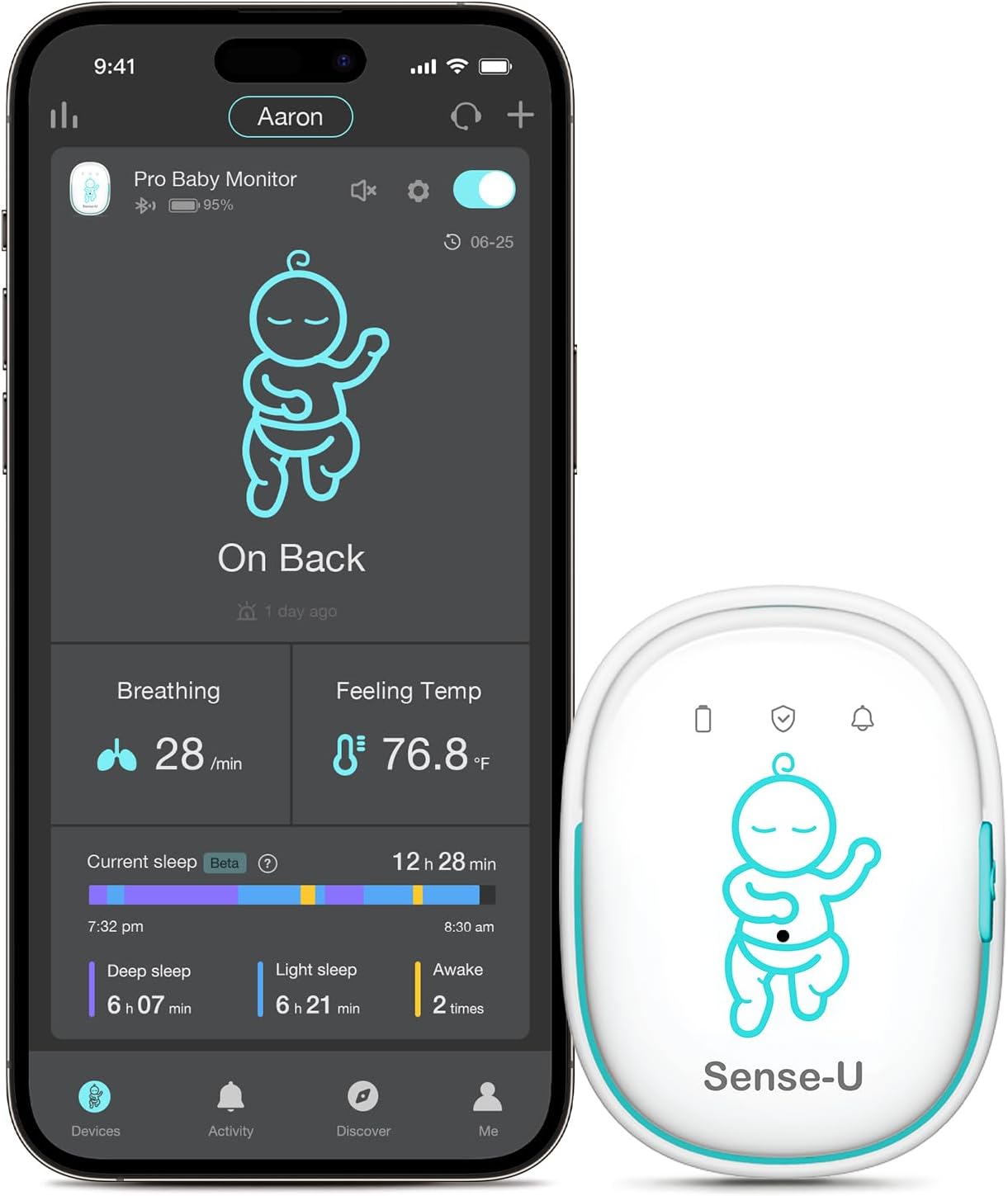
Image: Sense-U Pro Baby Monitor and its accompanying smartphone application interface.
2. Important Safety Information
DISCLAIMER: The Sense-U Pro smart baby monitor is NOT a medical device and is NOT intended for use in the diagnosis of disease or other conditions, or in the cure, mitigation, treatment, or prevention of disease. This product is meant for use with healthy children up to 18 months of age. If your child has a pre-existing medical condition, consult your doctor before use.
- Always ensure the monitor is securely clipped to the diaper or clothing to prevent choking hazards.
- Do not allow the baby to play with the monitor.
- Keep the monitor and charging cable out of reach of children.
- The device uses Bluetooth Low Energy (BLE 4.0+), which has a negligible radiation level (1/1000 of a smartphone).
- For optimal wireless connection, it is recommended to stay in the same room as the baby.
3. Setup Guide
3.1 Package Contents
Before starting, verify that all components are present:
- Sense-U Pro Baby Monitor device
- USB Charging Cable
- User Manual (this document)
3.2 Charging the Device
Before first use, fully charge the Sense-U Pro Baby Monitor. Connect the provided USB charging cable to the monitor's charging port and a standard USB power adapter (not included). The indicator light will show charging status.

Image: Sense-U Pro Baby Monitor charging via USB cable.
3.3 Downloading the Sense-U Baby App
The Sense-U Pro Baby Monitor operates with the Sense-U Baby app. Download the app from your smartphone's app store:
- For iOS devices: Search for "Sense-U Baby" on the Apple App Store.
- For Android devices: Search for "Sense-U Baby" on the Google Play Store.
Image: Sense-U Baby App download options.
3.4 Pairing the Monitor with Your Smartphone
- Ensure Bluetooth is enabled on your smartphone.
- Open the Sense-U Baby app and follow the on-screen instructions to create an account or log in.
- Select "Add Device" and choose the Sense-U Pro Baby Monitor.
- Press and hold the power button on the Sense-U Pro monitor until the indicator light flashes, indicating it's in pairing mode.
- Confirm pairing within the app.
Image: Sense-U Pro Baby Monitor connected to a smartphone via Bluetooth.
4. Operating Instructions
4.1 Attaching the Monitor
Securely clip the Sense-U Pro Baby Monitor onto your baby's diaper or snug-fitting sleepwear. Ensure the monitor is positioned near the baby's abdomen for accurate movement detection. The device should be worn snugly but not too tightly.
Image: Correct attachment of the Sense-U Pro Baby Monitor.
4.2 Monitoring Features
- Abdominal Movement: The monitor tracks subtle abdominal movements. If no movement is detected for 15 seconds, the device will gently vibrate to rouse the baby. If movement is still not detected, an audible alarm will sound, and a notification will be sent to your smartphone.
- Rollover Detection: Alerts you if your baby rolls onto their stomach, which may be an unsafe sleep position.
- Temperature Monitoring: Detects if your baby's body temperature is too warm or too cold, sending alerts to your app.
- Sleep Analysis: The Sense-U Baby app provides detailed sleep reports, including deep and light sleep stages, awake times, and overall sleep quality.

Image: Arousal vibration and audible alarm feature in action.
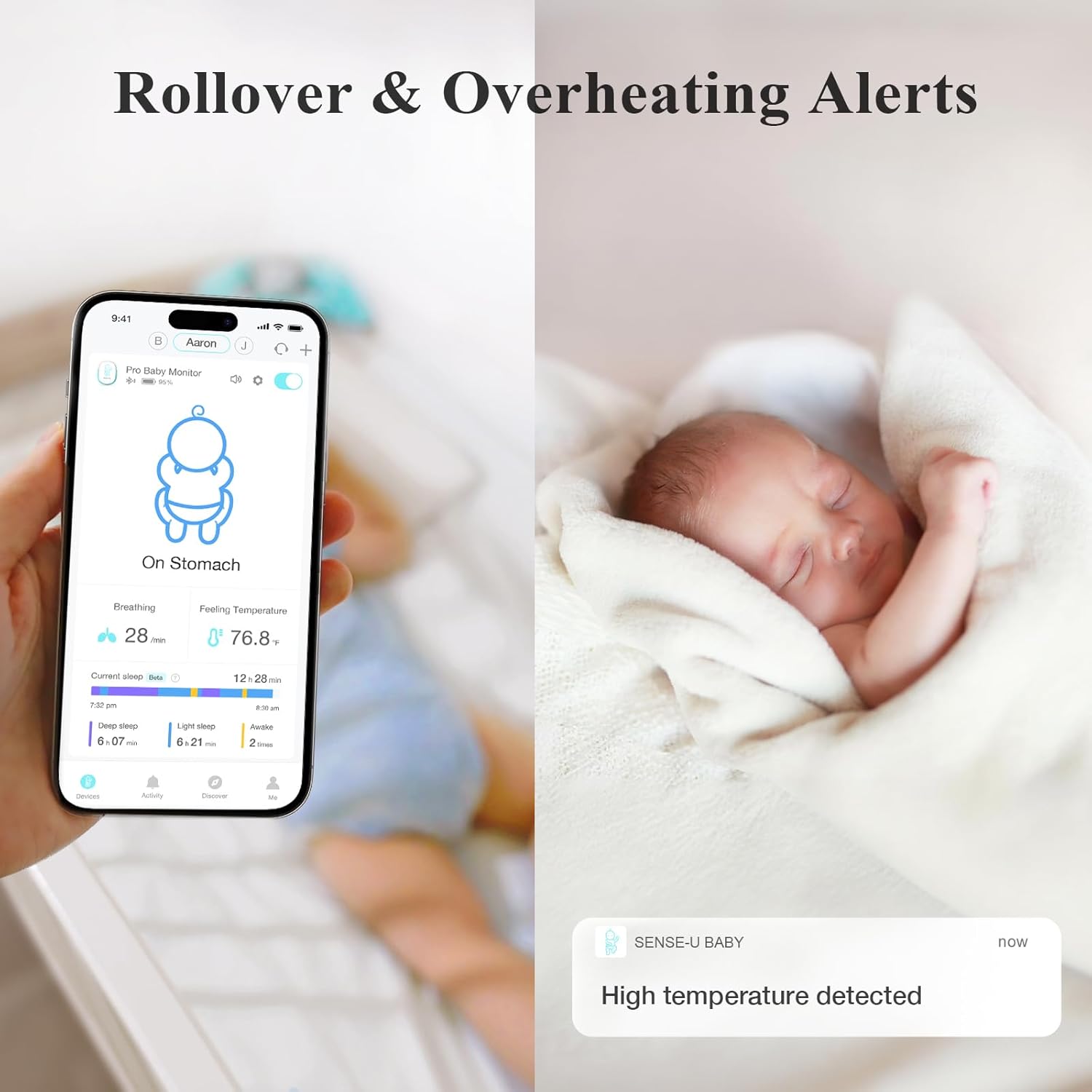
Image: Rollover and overheating alerts displayed on the Sense-U app.
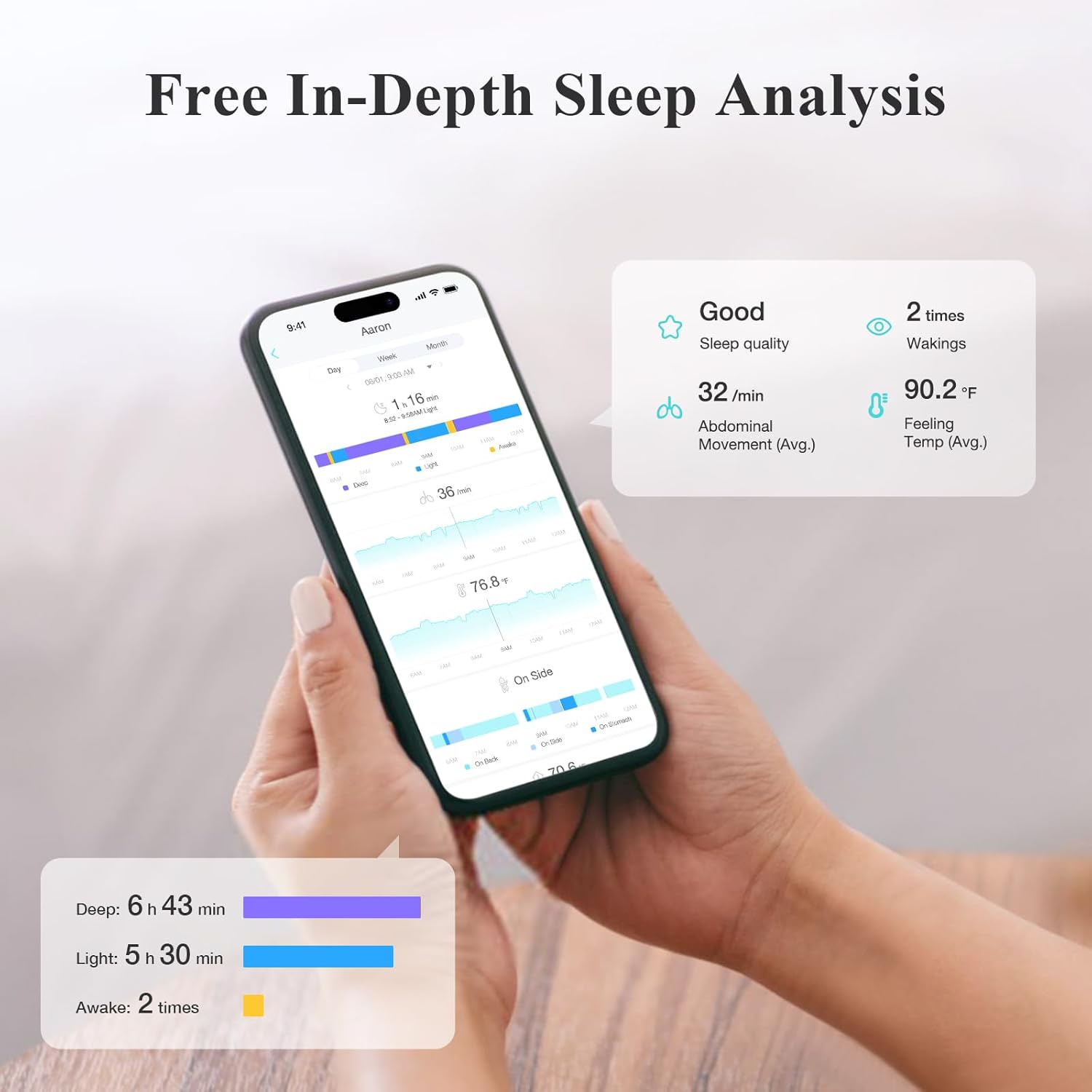
Image: In-depth sleep analysis available through the Sense-U app.
4.3 Device Indicator Lights
The Sense-U Pro monitor has indicator lights to provide quick status updates:
- Green Light: Indicates normal operation and that your baby is okay.
- Red Light: Indicates a warning or alert, prompting you to check your baby.
- Flashing Light: May indicate pairing mode or a specific alert condition. Refer to the app for details.
Image: Overview of Sense-U Pro Baby Monitor components and indicator light meanings.
5. Maintenance
5.1 Cleaning
Wipe the monitor with a soft, dry cloth. Do not use harsh chemicals or abrasive cleaners. Ensure the device is completely dry before use or charging.
5.2 Battery Life and Charging
The Sense-U Pro Baby Monitor features a rechargeable Lithium-Ion battery. A full charge provides approximately 7+ days of monitoring when used 8 hours per day. Recharge the device using the provided USB cable when the battery is low.
Image: Sense-U Pro Baby Monitor charging.
6. Troubleshooting
| Problem | Possible Cause | Solution |
|---|---|---|
| No data in app / Device disconnected | Bluetooth out of range, device off, low battery, app not running. | Ensure smartphone is within 50 feet (open space) of the monitor. Check device power and battery. Restart app. |
| False alarms for movement | Monitor not securely attached, baby in a moving object (swing, car seat). | Re-attach monitor snugly to diaper/clothing. Do not use in moving environments. |
| Inaccurate temperature readings | Monitor not in proper contact with baby's skin/clothing. | Ensure the monitor is positioned correctly and snugly against the baby. |
| Device not charging | Faulty cable, power adapter, or charging port. | Try a different USB cable and power adapter. Clean the charging port gently. Contact support if issue persists. |
7. Specifications
- Brand: Sense-U
- Model Number: SU-N3DT-US
- Material: Acrylonitrile Butadiene Styrene (ABS)
- Color: Green
- Compatible Devices: Smartphones (iOS and Android)
- Battery Type: Lithium-Ion (rechargeable)
- Battery Life: 7+ days (based on 8 hours/day usage)
- Sensor Type: Temperature, Movement
- Connectivity: Bluetooth Low Energy (BLE 4.0+)
- Wireless Range: Up to 50 feet in open space
- Product Dimensions: 1.57 x 0.71 x 2.16 inches
- Item Weight: 3.52 ounces
- UPC: 631112864855
8. Warranty and Support
8.1 Warranty Information
For specific warranty details, please refer to the warranty card included with your product or visit the official Sense-U website. Protection plans may also be available for extended coverage.
8.2 Customer Support
If you encounter any issues or have questions not covered in this manual, please contact Sense-U customer support through their official website or the Sense-U Baby app. Provide your product model number (SU-N3DT-US) and a detailed description of the issue for faster assistance.
Online Resources:


