
1. Introduction
This manual provides essential instructions for the safe and efficient operation of your Nuwave Brio 8-Qt Air Fryer. Please read this manual thoroughly before first use and retain it for future reference. The Nuwave Brio 8-Qt Air Fryer utilizes super-heated air and an efficient air-flow design to cook a variety of foods.
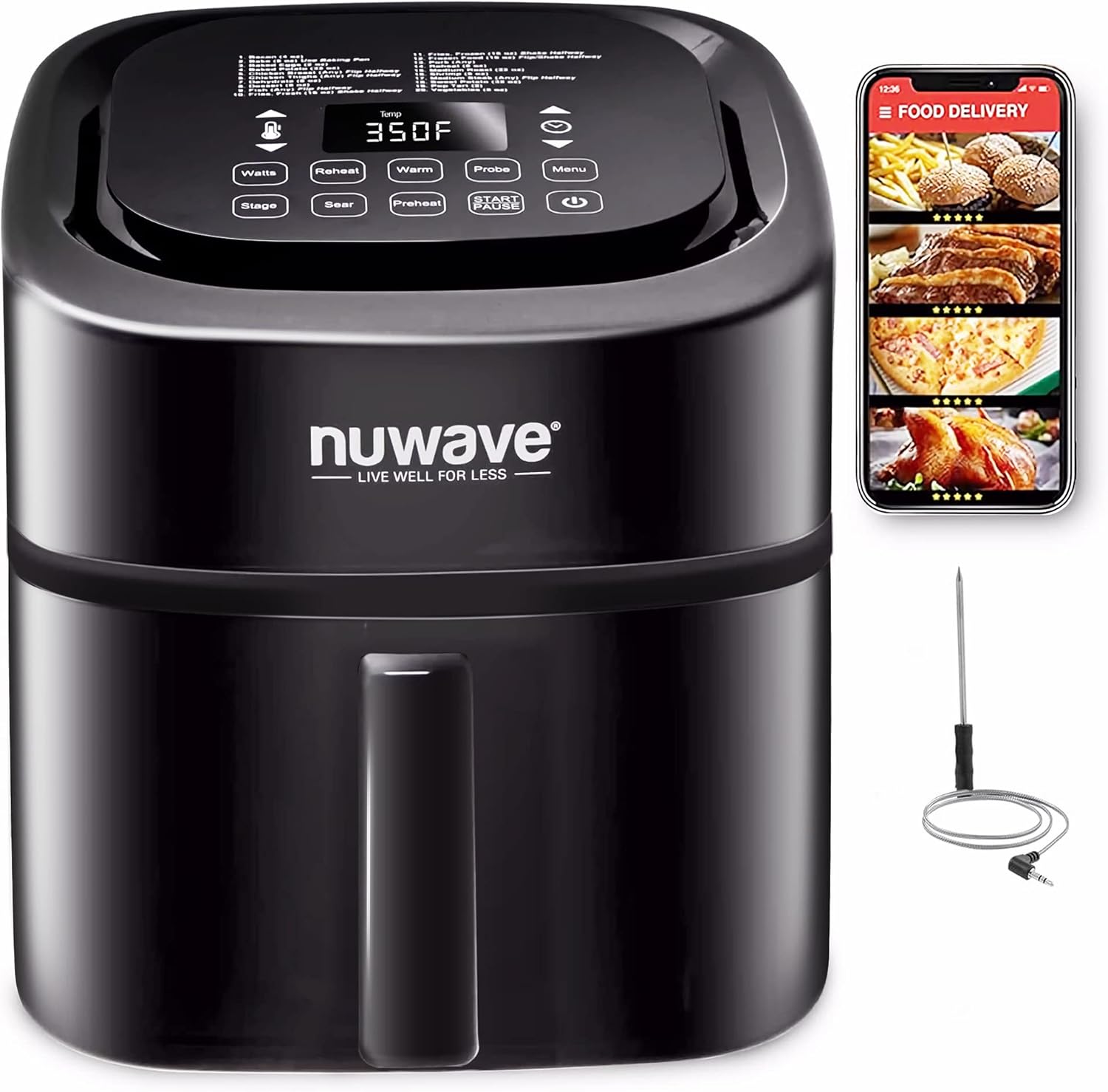
Image 1.1: Nuwave Brio 8-Qt Air Fryer with its digital display and smart thermometer accessory.
2. Important Safety Information
When using electrical appliances, basic safety precautions should always be followed to reduce the risk of fire, electric shock, and injury. This appliance is for household use only.
- Do not touch hot surfaces. Use handles or knobs.
- To protect against electric shock, do not immerse cord, plugs, or the main unit in water or other liquid.
- Close supervision is necessary when any appliance is used by or near children.
- Unplug from outlet when not in use and before cleaning. Allow to cool before putting on or taking off parts.
- Do not operate any appliance with a damaged cord or plug, or after the appliance malfunctions or has been damaged in any manner.
- The use of accessory attachments not recommended by the appliance manufacturer may cause injuries.
- Do not use outdoors.
- Do not let cord hang over edge of table or counter, or touch hot surfaces.
- Do not place on or near a hot gas or electric burner, or in a heated oven.
- Extreme caution must be used when moving an appliance containing hot oil or other hot liquids.
- Always attach plug to appliance first, then plug cord into the wall outlet. To disconnect, turn any control to "off", then remove plug from wall outlet.
- Do not use appliance for other than intended use.
- A short power-supply cord is provided to reduce the risks resulting from entanglement or tripping over a longer cord.
- This product contains chemicals known to the State of California to cause cancer and birth defects or other reproductive harm.
3. Product Overview
The Nuwave Brio 8-Qt Air Fryer is designed for versatile cooking with various components to enhance your experience.
Components:
- Main Unit: The primary housing of the air fryer.
- Control Panel: Digital interface for setting cooking parameters.
- Air Circulation Riser: Ensures even air circulation and allows fat to drip away.
- Reversible Rack: Stainless steel rack for multi-layer cooking.
- Digital Probe: Integrated thermometer for precise internal temperature monitoring.

Image 3.1: Key components of the Nuwave Brio 8-Qt Air Fryer.
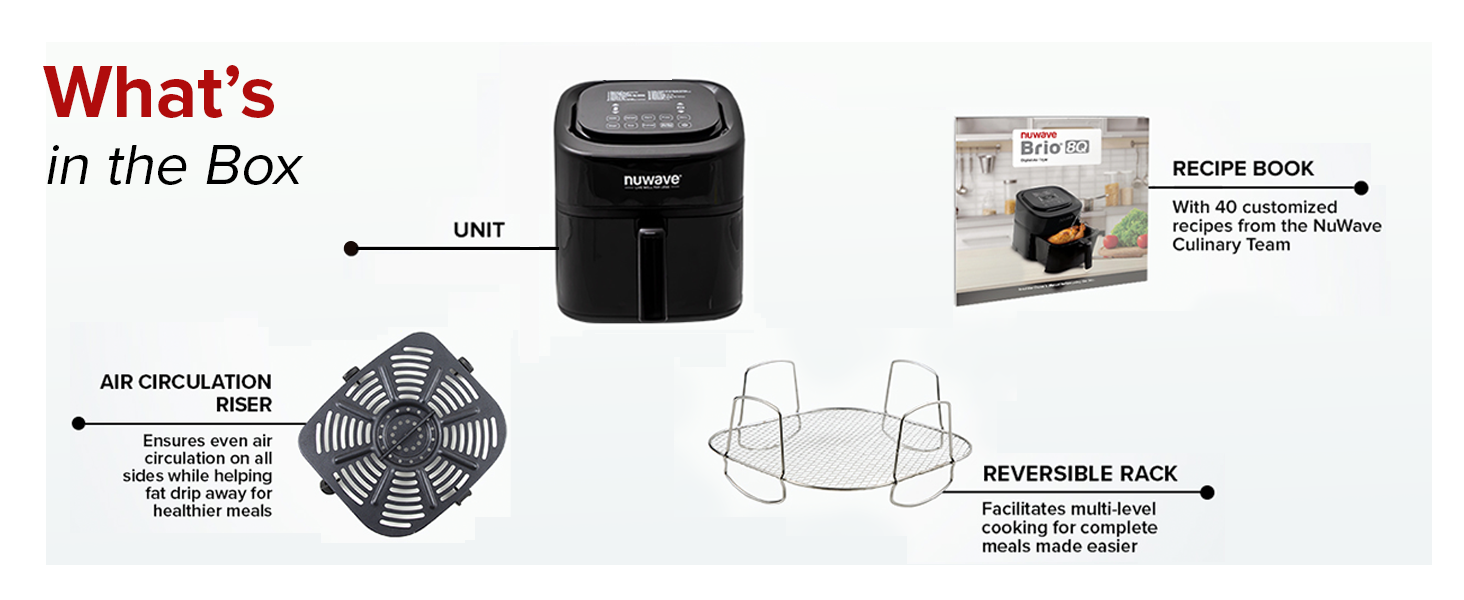
Image 3.2: Contents included with the Nuwave Brio 8-Qt Air Fryer.
Key Features:
- Linear Thermal (Linear T) Technology: Maintains precise temperature throughout the cooking process by continuously monitoring and adjusting power.
- Integrated Digital Temperature Probe: Monitors internal food temperature and automatically stops cooking when the set temperature is reached.
- 100 Pre-Programmed Presets: Includes settings for grilling, air frying, baking, broiling, roasting, dehydrating, reheating, defrosting, and toasting.
- 50 Memory Slots: Allows saving and recalling custom recipes.
- On-the-Fly Adjustments: Enables temperature and time changes during cooking without restarting the process.
- Preheat & Reheat Functions: Dedicated functions for preheating the cooking chamber and reheating food.
- Easy Cleanup: Non-stick air circulation riser and reversible rack are dishwasher safe.
- Safety Pause: Cooking pauses automatically when the air fry basket is removed and resumes when reinserted.
4. Setup
Unpacking:
- Carefully remove all components from the packaging.
- Remove any protective film or packaging materials from the appliance.
- Verify that all listed components are present.
Initial Cleaning:
- Before first use, wash the air circulation riser and reversible rack in warm, soapy water or in the dishwasher.
- Wipe the exterior of the main unit with a damp cloth. Do not immerse the main unit in water.
- Ensure all parts are completely dry before assembly and use.
Placement:
- Place the air fryer on a stable, heat-resistant surface.
- Ensure there is adequate space (at least 6 inches) around the appliance for proper ventilation.
- Do not place the air fryer near flammable materials or heat sources.
5. Operating Instructions
Basic Operation:
- Plug the air fryer into a grounded electrical outlet. The display will illuminate.
- Place food into the air fry basket, ensuring it does not exceed the MAX fill line. Insert the air circulation riser and reversible rack as needed.
- Slide the air fry basket securely into the main unit.
- Press the Power button to turn on the unit.

Image 5.1: Steps for intuitive digital control operation.
Setting Temperature and Time:
- Use the Temperature control buttons (up/down arrows) to set the desired cooking temperature (50°F to 400°F in 5°F increments).
- Use the Time control buttons (up/down arrows) to set the desired cooking duration.
- Press the START/PAUSE button to begin cooking.
Using Pre-Programmed Presets:
- The Brio features 100 pre-programmed menu presets for various cooking methods.
- Press the 'Menu' button to cycle through the available presets.
- Once a preset is selected, the default temperature and time will be displayed. These can be adjusted if desired.
- Press START/PAUSE to begin cooking.

Image 5.2: The Nuwave Brio offers 100 pre-programmed recipes and 50 memory slots for custom settings.
Using the Integrated Smart Thermometer:
- Insert the digital probe into the thickest part of the food, avoiding bone.
- Plug the probe into the designated port on the air fryer.
- Set your desired internal food temperature using the probe controls.
- The air fryer will monitor the food's internal temperature and automatically end the cooking cycle when the target temperature is reached.

Image 5.3: The integrated digital smart thermometer ensures precise cooking by monitoring internal food temperature.
On-the-Fly Adjustments:
During cooking, you can adjust the temperature or time without interrupting the cooking cycle. Simply use the temperature or time control buttons, and the changes will be applied immediately.

Image 5.4: Adjustments to cooking time or temperature can be made at any point during the cooking process.
Preheat and Reheat Functions:
- Preheat: Use the 'Preheat' button to bring the cooking chamber to the desired temperature before adding food.
- Reheat: The 'Reheat' function warms food at 360°F for 4 minutes, designed to restore crispiness to leftovers.

Image 5.5: The Preheat function ensures the cooking chamber reaches the set temperature, while Reheat warms food at 360°F for 4 minutes.
6. Cleaning and Maintenance
Regular cleaning ensures optimal performance and extends the lifespan of your Nuwave Brio Air Fryer.
Cleaning the Air Fry Basket and Accessories:
- The air fry basket, air circulation riser, and reversible rack are dishwasher safe.
- For hand washing, use warm, soapy water and a non-abrasive sponge.
- Ensure all food residue is removed.
- The non-stick coating on the air circulation riser should be treated with care to prevent damage.

Image 6.1: The air fry basket and circulation riser are non-stick, and the reversible rack is stainless steel. All are dishwasher safe.
Cleaning the Main Unit:
- Unplug the appliance and allow it to cool completely before cleaning.
- Wipe the exterior with a damp cloth. Do not use abrasive cleaners or scouring pads.
- Clean the interior of the cooking chamber with a damp cloth.
- Do not immerse the main unit in water or any other liquid.
7. Troubleshooting
If you encounter issues with your Nuwave Brio Air Fryer, refer to the following common problems and solutions:
| Problem | Possible Cause | Solution |
|---|---|---|
| Appliance does not turn on. | Not plugged in; power outlet malfunction; unit malfunction. | Ensure the power cord is securely plugged into a working outlet. Check the circuit breaker. If the issue persists, contact customer support. |
| Food is not cooked evenly. | Overcrowding the basket; insufficient shaking/flipping; incorrect temperature/time. | Do not overcrowd the basket. Shake or flip food halfway through cooking. Adjust temperature and time as needed. |
| White smoke coming from the appliance. | Grease residue from previous use; high-fat food. | Clean the air fry basket and cooking chamber thoroughly. For high-fat foods, drain excess fat during cooking. |
| Display not working. | Internal component issue. | Unplug the unit, wait a few minutes, and plug it back in. If the problem persists, contact Nuwave customer service. |
For issues not listed here, please refer to the official Nuwave support resources or contact customer service.
8. Specifications
| Feature | Specification |
|---|---|
| Model Name | Nuwave 8-Quart 6-in-1 Brio Healthy Smart Digital Air Fryer |
| Product Dimensions | 15.1"D x 16.5"W x 13.1"H |
| Capacity | 8 Quarts |
| Wattage | 1800 Watts |
| Voltage | 120 Volts |
| Temperature Range | 50°F to 400°F |
| Control Method | Touch Screen |
| Material | Stainless Steel |
| Nonstick Coating | Yes |
| Dishwasher Safe Parts | Yes (Air fry basket, air circulation riser, reversible rack) |
| Cable Length | 32 Inches |
| Item Weight | 15.87 pounds |
| UPC | 652185370128 |
9. Warranty and Support
For warranty information, product registration, or technical support, please visit the official Nuwave website or contact Nuwave customer service. Keep your purchase receipt for warranty claims.
An official User Manual in PDF format is available for download: Download User Manual (PDF)


