1. Introduction
Welcome to the user manual for your L LAVAREDO Digital Sports Watch L6606Man. This watch is designed for durability and functionality, featuring a digital display, LED backlight, alarm, stopwatch, and water resistance suitable for daily use. Please read this manual carefully to understand the watch's functions and ensure proper operation and maintenance.

Image: Front view of the L LAVAREDO Digital Sports Watch L6606Man, highlighting its digital display and button layout.
2. Product Overview
2.1 Watch Components
Familiarize yourself with the main components and buttons of your L LAVAREDO Digital Sports Watch:
- LIGHT Button: Activates the LED backlight for visibility in low-light conditions.
- MODE Button: Cycles through different modes (Time, Alarm, Stopwatch).
- START Button: Used to start/stop functions in stopwatch mode, and to adjust values during setting.
- RESET Button: Used to reset values in stopwatch mode, and to adjust values during setting.

Image: Overview of the watch's key features including daily time, alarm, 50M water resistance, LED lighting, calendar, and 12/24 hour display.
3. Setup
3.1 Setting Time and Date
- In normal time display mode, press the MODE button three times to enter time setting mode. The seconds digits will flash.
- Press the RESET button to select the value you wish to adjust (seconds, hours, minutes, month, date, day of week).
- Use the START button to increase the selected value. Hold START to rapidly advance the numbers.
- To switch between 12-hour and 24-hour format, press the RESET button until the hour digits are flashing, then press START to toggle.
- Once all settings are correct, press the MODE button to exit setting mode and return to normal time display.
3.2 Setting the Alarm
- In normal time display mode, press the MODE button twice to enter alarm setting mode. The hour digits will flash.
- Press the START button to adjust the alarm hour.
- Press the RESET button to select the minute digits.
- Press the START button to adjust the alarm minutes.
- Press the MODE button to exit alarm setting mode.
4. Operating Modes
4.1 Time Display Mode
This is the default mode, displaying the current time, date, and day of the week.
4.2 Alarm Mode
- From normal time display, press the MODE button once to enter alarm mode.
- Press the START button to toggle the alarm ON/OFF. An alarm icon will appear on the display when activated.
- Press the MODE button to return to normal time display.
4.3 Stopwatch Mode
- From normal time display, press the MODE button twice to enter stopwatch mode. The display will show '00:00:00'.
- Press the START button to begin timing.
- Press the START button again to pause timing.
- Press the RESET button to clear the stopwatch to '00:00:00'.
- Press the MODE button to return to normal time display.
4.4 LED Backlight
Press the LIGHT button at any time to illuminate the display for a few seconds.
5. Maintenance
5.1 Water Resistance
Your L LAVAREDO watch is 5ATM water resistant, meaning it can withstand splashes, rain, and brief immersion in water. It is suitable for daily use but not recommended for swimming, showering, or sauna use. Avoid pressing buttons underwater, as this can compromise the water resistance seal.
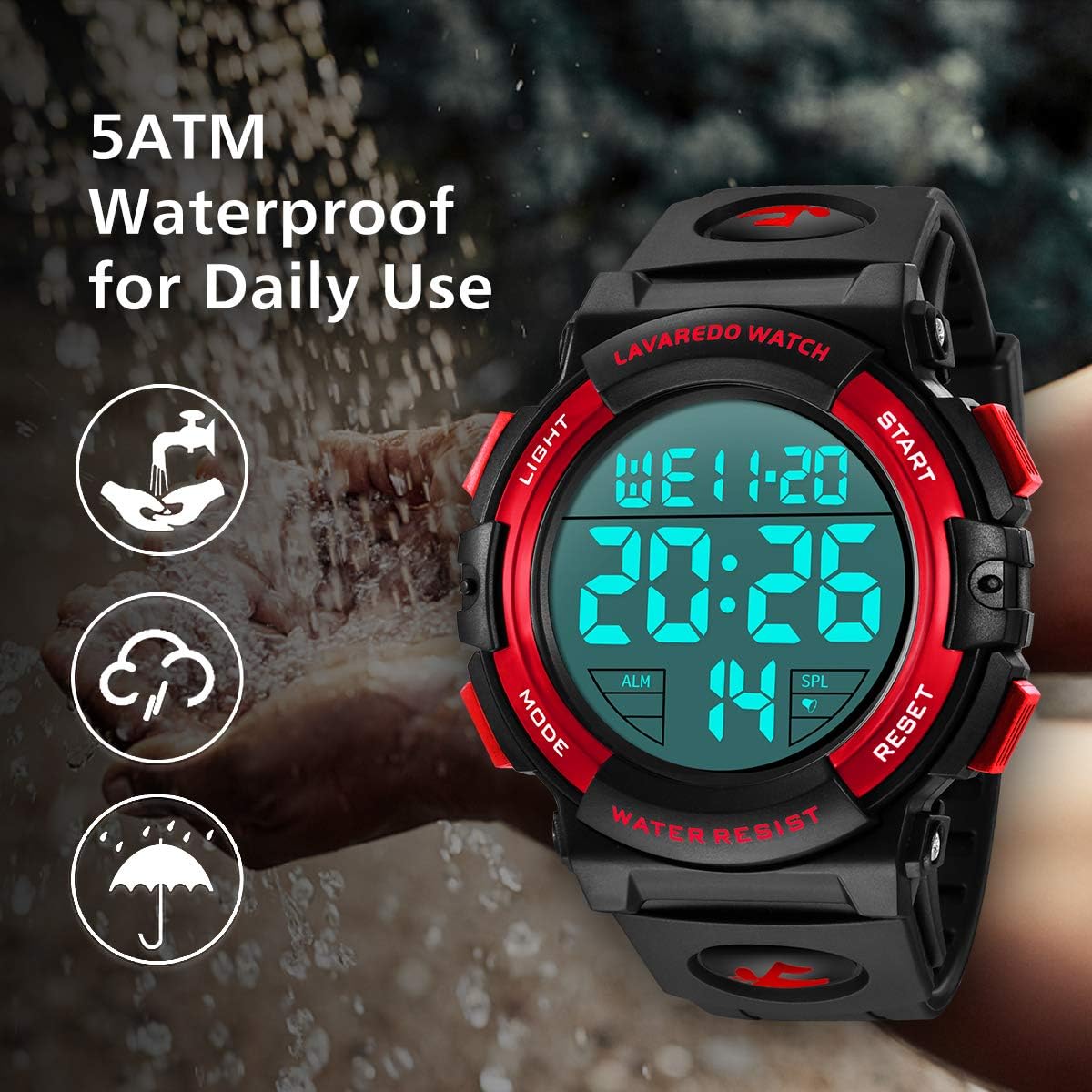
Image: Visual representation of the 5ATM water resistance, suitable for daily activities like hand washing and rain exposure.
5.2 Cleaning
Clean the watch regularly with a soft, dry cloth. For stubborn dirt, a slightly damp cloth can be used, followed by drying. Avoid harsh chemicals or abrasive materials.
5.3 Battery Replacement
The watch uses one CR2032 battery. When the display becomes dim or the watch stops functioning, the battery may need replacement. It is recommended to have the battery replaced by a professional watch technician to ensure the water resistance seal is maintained.
5.4 Storage
Store your watch away from strong magnetic fields (e.g., magnets, speakers, certain electronic devices) to prevent potential interference with its accuracy.
6. Troubleshooting
- Display is dim or blank: The battery may be low or depleted. Replace the CR2032 battery.
- Time is inaccurate: Ensure the time and date are set correctly as per Section 3.1. Strong magnetic fields can also affect accuracy; keep the watch away from such sources.
- Alarm does not sound: Check if the alarm is activated (alarm icon visible on display) as per Section 4.2.
- Water inside the watch: If water condensation appears inside the watch, stop using it immediately and seek professional service. This indicates a compromised water resistance seal.
7. Specifications
| Dial Diameter | 50 mm |
| Dial Thickness | 17 mm |
| Band Length | 270 mm |
| Band Width | 20 mm |
| Watch Weight | 64 g |
| Battery Type | 1 x CR2032 |
| Water Resistance | 5 ATM |
| Movement Type | Digital |
| Case Material | Imported PC |
| Band Material | High Quality Silicone Resin |
| Mirror Material | Highly Transparent Resin Glass |

Image: Detailed dimensions of the L LAVAREDO Digital Sports Watch L6606Man.
8. Warranty and Support
For any questions regarding your L LAVAREDO Digital Sports Watch L6606Man, please contact the seller or manufacturer directly. Refer to your purchase documentation for specific warranty details.


