
Klipsch SURROUND 3
Klipsch Surround 3 Speaker Pair User Manual
Model: SURROUND 3 (P/N: 1067530)
Introduction
Thank you for purchasing the Klipsch Surround 3 Speaker Pair. These wireless surround speakers are designed to enhance your home theater experience by providing immersive 5.1 surround sound when paired with compatible Klipsch sound bars, such as the BAR 48 Soundbar + Wireless Subwoofer.
The Klipsch Surround 3 speakers deliver the legendary, detailed, and dynamic sound Klipsch is known for, ensuring clear vocals and dynamic soundtracks. Crafted from high-quality wood materials, they offer true wireless connectivity, allowing flexible placement without the need for additional wiring. The adjustable surround volume feature enables seamless blending with your existing Klipsch sound bar setup.
What's in the Box
Please check the package contents to ensure all items are present:
- Two (2) Klipsch Surround 3 Speakers
- Two (2) 1.5m Power Cords
- One (1) Wireless USB Transmitter Dongle for Sound Bar
- Rubber Feet (for speaker placement)

Image: Front view of the Klipsch Surround 3 Speaker Pair. These compact, black speakers feature a textured grille and a subtle "Klipsch Reference" logo at the base.
Setup Guide
Follow these steps to set up your Klipsch Surround 3 speakers and integrate them with your compatible Klipsch sound bar.
1. Speaker Placement
For optimal surround sound, place the Klipsch Surround 3 speakers behind your primary listening position, slightly to the sides or directly behind. Ensure they are equidistant from the listening position for balanced sound. You can place them on stands, shelves, or mount them.
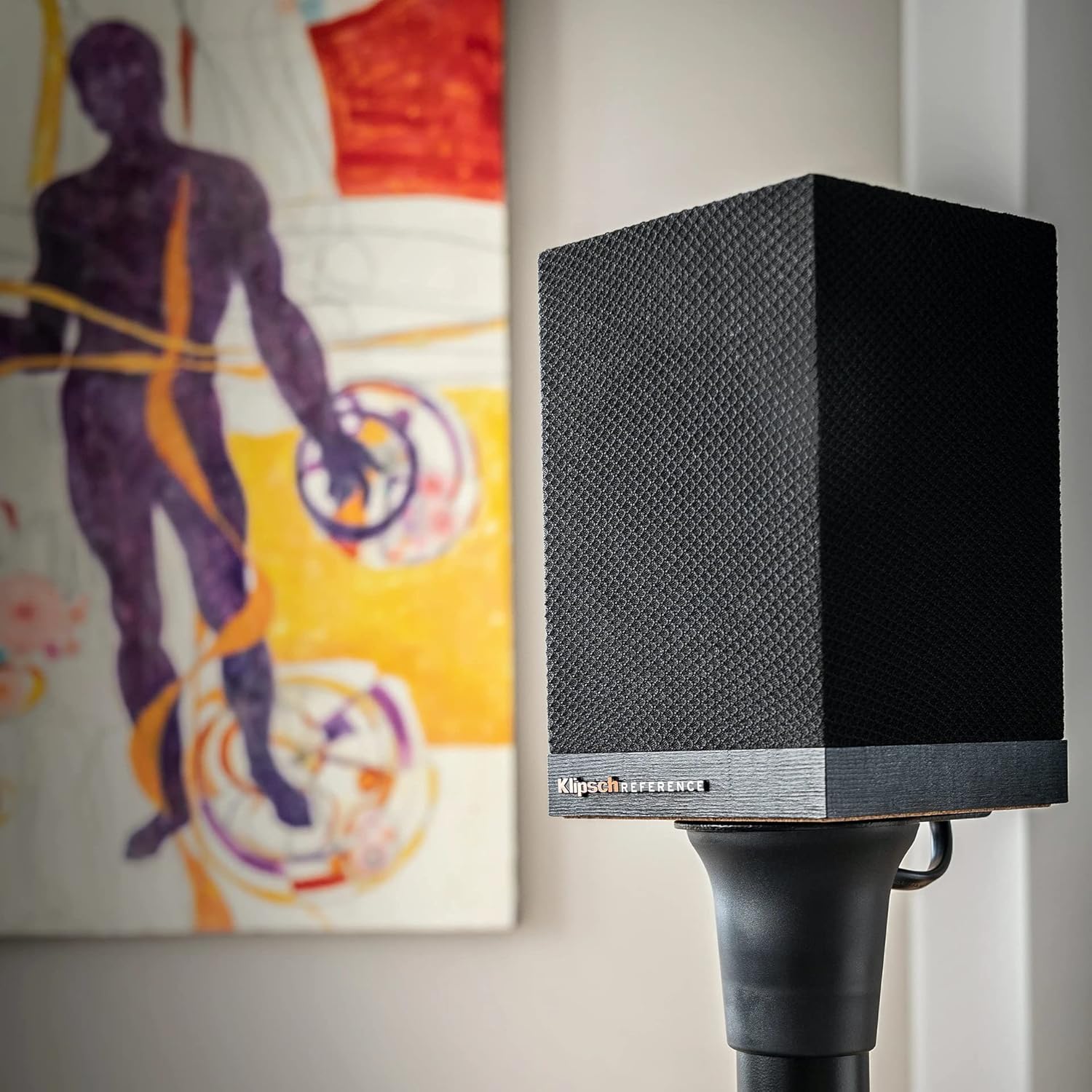
Image: A single Klipsch Surround 3 speaker positioned on a speaker stand in a room, demonstrating typical placement. The speaker is black with a textured finish.
2. Connecting Power
- Locate the power input on the rear of each Surround 3 speaker.
- Connect one end of the provided 1.5m power cord to the power input on each speaker.
- Plug the other end of each power cord into a standard wall outlet.

Image: Rear view of two Klipsch Surround 3 speakers. Each speaker shows a power input socket at the bottom, along with regulatory labels and a "PAIR" button.
3. Pairing with Sound Bar
The Klipsch Surround 3 speakers are designed for wireless pairing with compatible Klipsch sound bars (e.g., BAR 48). The wireless USB transmitter dongle facilitates this connection.
- Ensure your compatible Klipsch sound bar is powered on.
- Insert the provided Wireless USB Transmitter Dongle into the designated USB port on your Klipsch sound bar. Refer to your sound bar's manual for the exact location of this port.
- On the rear of each Surround 3 speaker, locate the PAIR button.
- Press and hold the PAIR button on each speaker until the indicator light begins to flash, indicating pairing mode.
- The speakers should automatically connect to the sound bar. The indicator light on the speakers will turn solid when successfully paired.
- If pairing is unsuccessful, ensure the sound bar and speakers are within range and try the pairing process again.
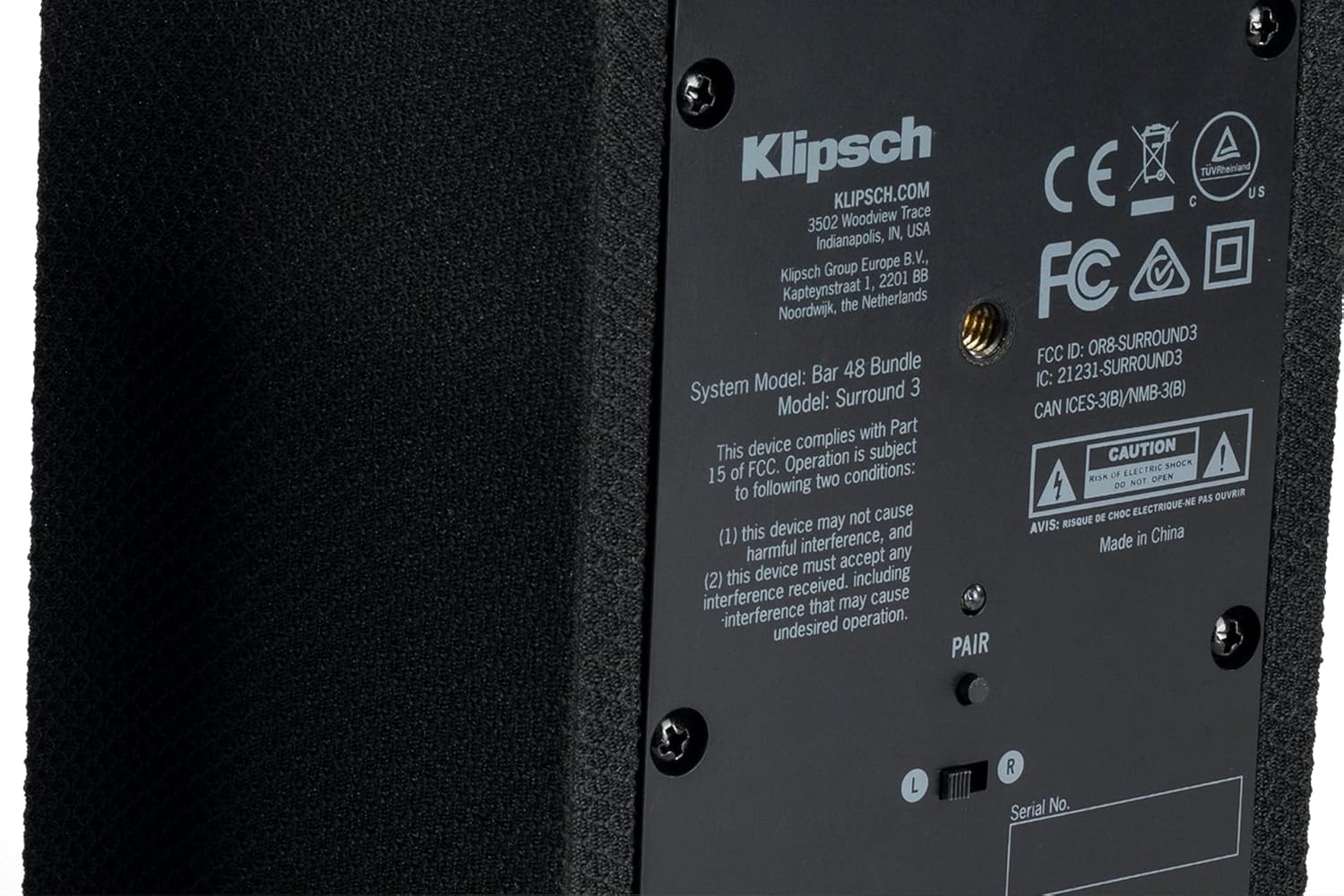
Image: A detailed view of the rear panel of a Klipsch Surround 3 speaker, highlighting the "PAIR" button located above the serial number area.
Operating Instructions
Once paired, your Klipsch Surround 3 speakers will operate in conjunction with your compatible Klipsch sound bar.
Automatic Operation
The Surround 3 speakers will automatically power on and off with your sound bar once successfully paired. They will receive audio signals wirelessly from the sound bar.
Adjusting Surround Volume
The volume of the Surround 3 speakers can be adjusted relative to the main sound bar volume. This adjustment is typically done through the remote control of your compatible Klipsch sound bar. Refer to your sound bar's user manual for specific instructions on adjusting surround channel levels to achieve your preferred balance.
Care and Maintenance
To ensure the longevity and optimal performance of your Klipsch Surround 3 speakers, follow these care and maintenance guidelines:
- Cleaning: Use a soft, dry cloth to wipe down the speaker cabinets. Avoid using abrasive cleaners, solvents, or sprays directly on the speakers, as these can damage the finish or internal components.
- Placement: Place speakers on a stable, level surface. Avoid placing them in direct sunlight, near heat sources, or in areas with excessive moisture or dust.
- Ventilation: Ensure adequate airflow around the speakers. Do not block any ventilation openings.
- Power Cords: Regularly inspect power cords for any signs of damage. Do not use damaged cords.
- Storage: If storing the speakers for an extended period, disconnect them from power and store them in a cool, dry place, preferably in their original packaging.
Troubleshooting
If you encounter issues with your Klipsch Surround 3 speakers, refer to the following common problems and solutions:
| Problem | Possible Cause | Solution |
|---|---|---|
| No sound from surround speakers. |
|
|
| Speakers frequently disconnect. |
|
|
| Sound is distorted or unclear. |
|
|
If the problem persists after trying these solutions, please contact Klipsch customer support.
Specifications
| Model Name | SURROUND 3 |
| Item Model Number | 1067530 |
| Brand | Klipsch |
| Manufacturer | Klipsch |
| Speaker Type | Surround Sound |
| Surround Sound Channel Configuration | 5.1 |
| Connectivity Technology | Wireless (Bluetooth) |
| Power Source | Corded Electric |
| Speaker Maximum Output Power | 25 Watts |
| Material | Wood |
| Color | Black |
| Product Dimensions (each) | 4.25 x 4.25 x 6.5 inches |
| Item Weight (each) | 2.2 Pounds |
| Included Components | 2x 1.5m power cord, Wireless USB transmitter dongle, Rubber feet |
| Water Resistance Level | Not Water Resistant |
| UPC | 753575500177 |
Warranty Information
The Klipsch Surround 3 Speaker Pair comes with a Limited Warranty. For specific details regarding the duration and terms of your warranty, please refer to the warranty card included with your product or visit the official Klipsch website. Keep your proof of purchase for warranty claims.
Note: This product is listed as "Renewed." While professionally inspected and tested, specific warranty terms for renewed products may vary. Please consult the Amazon Renewed Guarantee or the seller's policy for details on replacement or refund eligibility.
Customer Support
For further assistance, technical support, or warranty inquiries, please contact Klipsch customer support through their official channels. You can typically find contact information on the Klipsch website or in the documentation provided with your product.
Klipsch Official Website: www.klipsch.com
When contacting support, please have your product model name (SURROUND 3) and item model number (1067530) ready.
Ask a question about this manual
Ask about setup, troubleshooting, compatibility, parts, safety, or missing instructions. Manuals+ will review the question and use this page’s manual context to help answer it.