
1. Introduction
This manual provides detailed instructions for the installation, operation, maintenance, and troubleshooting of your VIKVIZ 4K 8MP PTZ POE IP Camera. Please read this manual thoroughly before using the product to ensure proper and safe operation. Keep this manual for future reference.
2. What's in the Box
- VIKVIZ 4K 8MP PTZ POE IP Camera
- Instruction Manual
- Mounting Screws
- Power Adapter (for non-PoE use)
- Stand
3. Product Features
- Ultra 8MP HD & 18X Optical Zoom & 328ft Night Vision: Captures 3840 x 2160@20fps resolution video with Pan 0° to 360°/Tilt 0° to 90° for wide coverage. The 4.7mm~84.6mm 18X Optical Zoom Lens allows for detailed viewing of distant objects without image degradation. Six infrared LED lights provide clear images in low light or total darkness up to 328 feet.
- Human Auto-Tracking & Auto Cruise & Scanning Tracking: Supports Human/Vehicle detection with adjustable detection area and sensitivity to reduce false alarms. The camera automatically tracks detected persons and sends real-time video/snapshots to your mobile phone. Features 1 group of cruise routes with up to 64 preset positions for loop inspection.
- Easy Remote P2P Control with Two-way Audio: Built-in microphone and speakers enable two-way audio communication. Easily add the PTZ camera to your mobile phone via Videolink for real-time video, playback, snapshots, and motion alerts. Supports MicroSD card storage up to 512GB.
- IP66 POE Camera: Power over Ethernet (PoE) simplifies installation with a single network cable for power and data. High Efficiency Video Coding (H.265+) reduces storage and transmission costs. Certified to IP66 Protection for dust and immersion resistance.
- High compatibility & On-vif: Compatible with most third-party NVRs, supporting RTSP and On-vif protocols. Works with Blue Iris, iSpy, Web viewer, and Mobile APP (Videolink, Hik-connect) for remote viewing and alarm notifications.
4. Setup and Installation
For detailed installation instructions, please refer to the provided Installation Manual (PDF) and Instructions for Use (IFU) (PDF).
The camera supports Power over Ethernet (PoE), allowing for simplified installation with a single network cable for both power and data transmission. Alternatively, a 12V DC power adapter can be used if PoE is not available.
Installation Manual: Download PDF
Instructions for Use: Download PDF
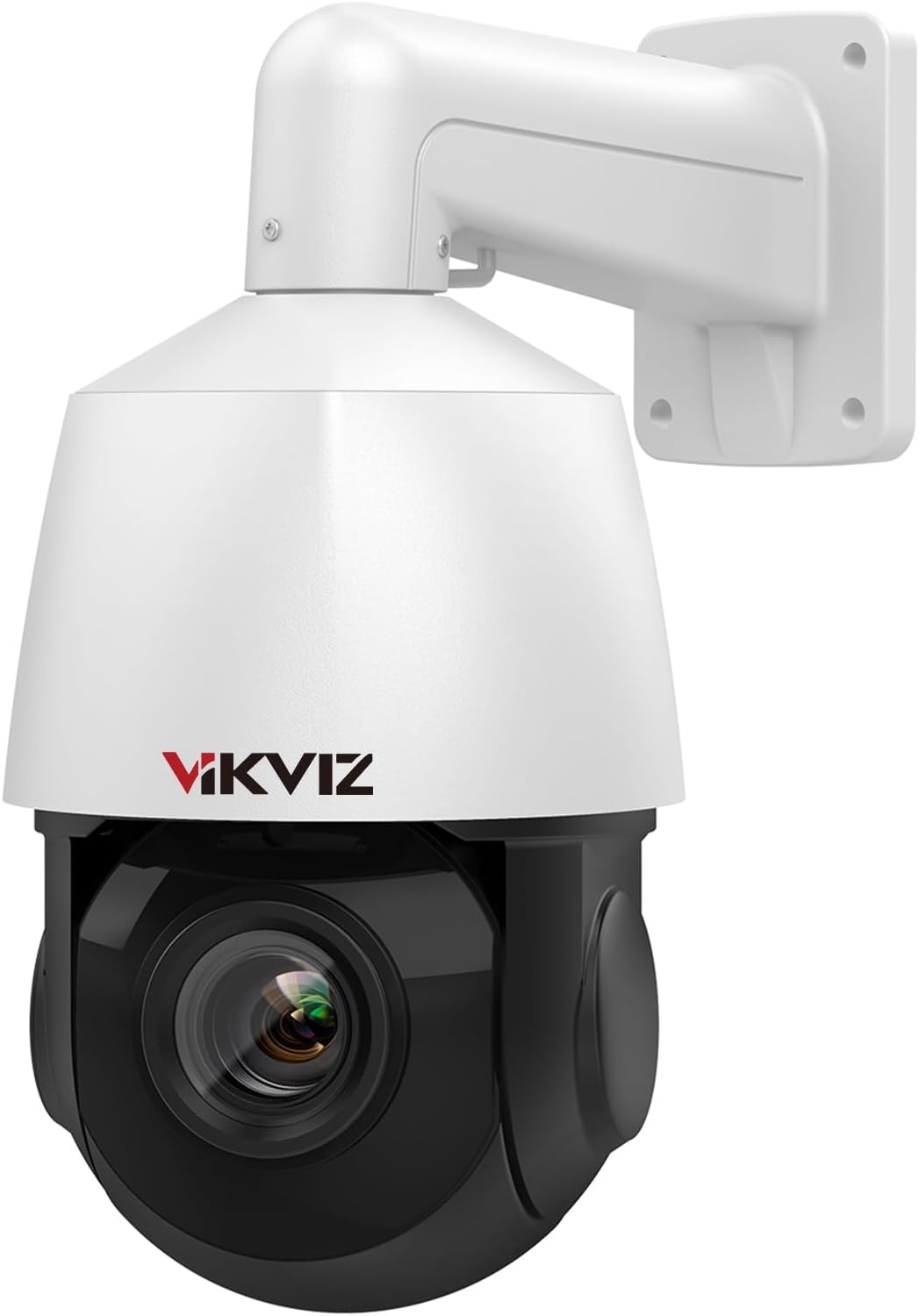
Figure 1: VIKVIZ 4K 8MP PTZ POE IP Camera, showing its dome design and wall mount.

Figure 2: Diagram illustrating various connection methods, including direct connection to a PoE NVR or a PoE switch, and connection via a router with a 12V DC power supply.
5. Operation
5.1 Pan, Tilt, and Optical Zoom (PTZ)
The camera features Pan (0° to 360°), Tilt (0° to 90°), and 18X Optical Zoom capabilities, allowing for comprehensive coverage and detailed viewing. Control these functions via the mobile application or compatible NVR software.
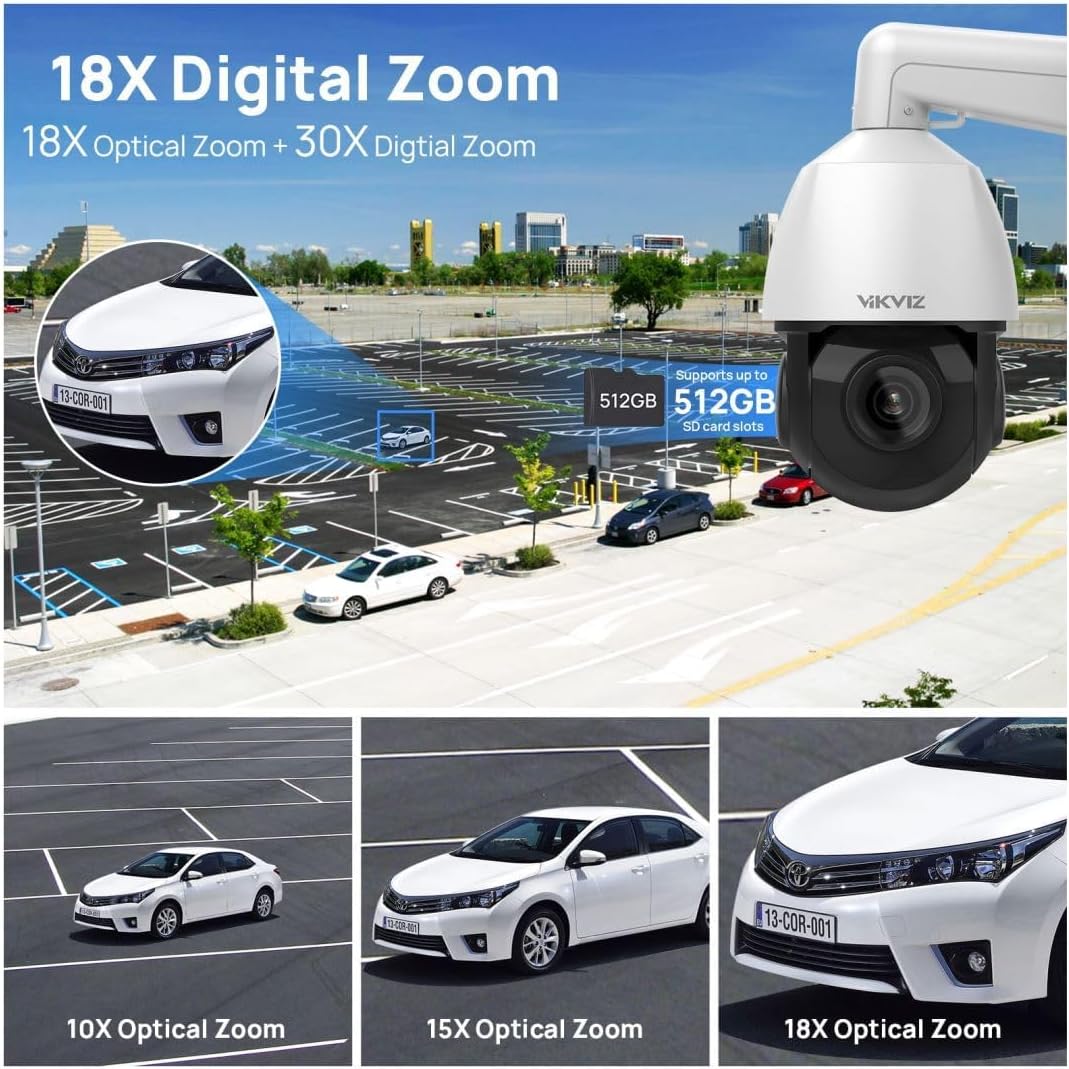
Figure 3: Demonstrates the 18X optical zoom capability, showing clear magnification from a wide view to a detailed close-up of a car.
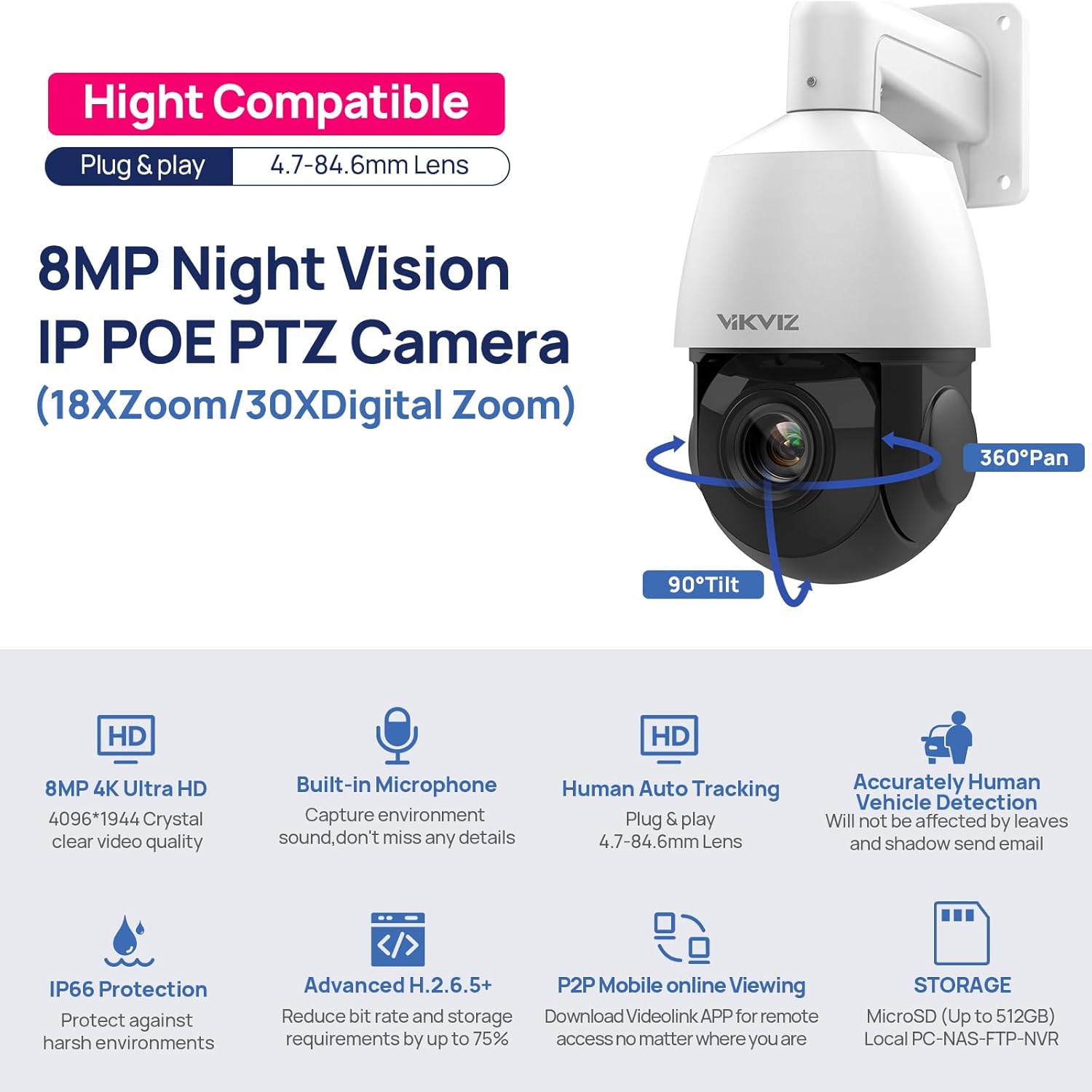
Figure 4: Highlights the 8MP resolution, night vision, and PTZ (Pan 360°, Tilt 90°) features of the camera.
5.2 Human Auto-Tracking and Detection
The camera can automatically detect and track human and vehicle movement within its field of view. You can configure detection areas and sensitivity settings to minimize false alarms. When a person or vehicle is detected, the camera can automatically track them and send real-time alerts.

Figure 5: Illustrates the human auto-tracking function, showing the camera automatically following a person in motion.
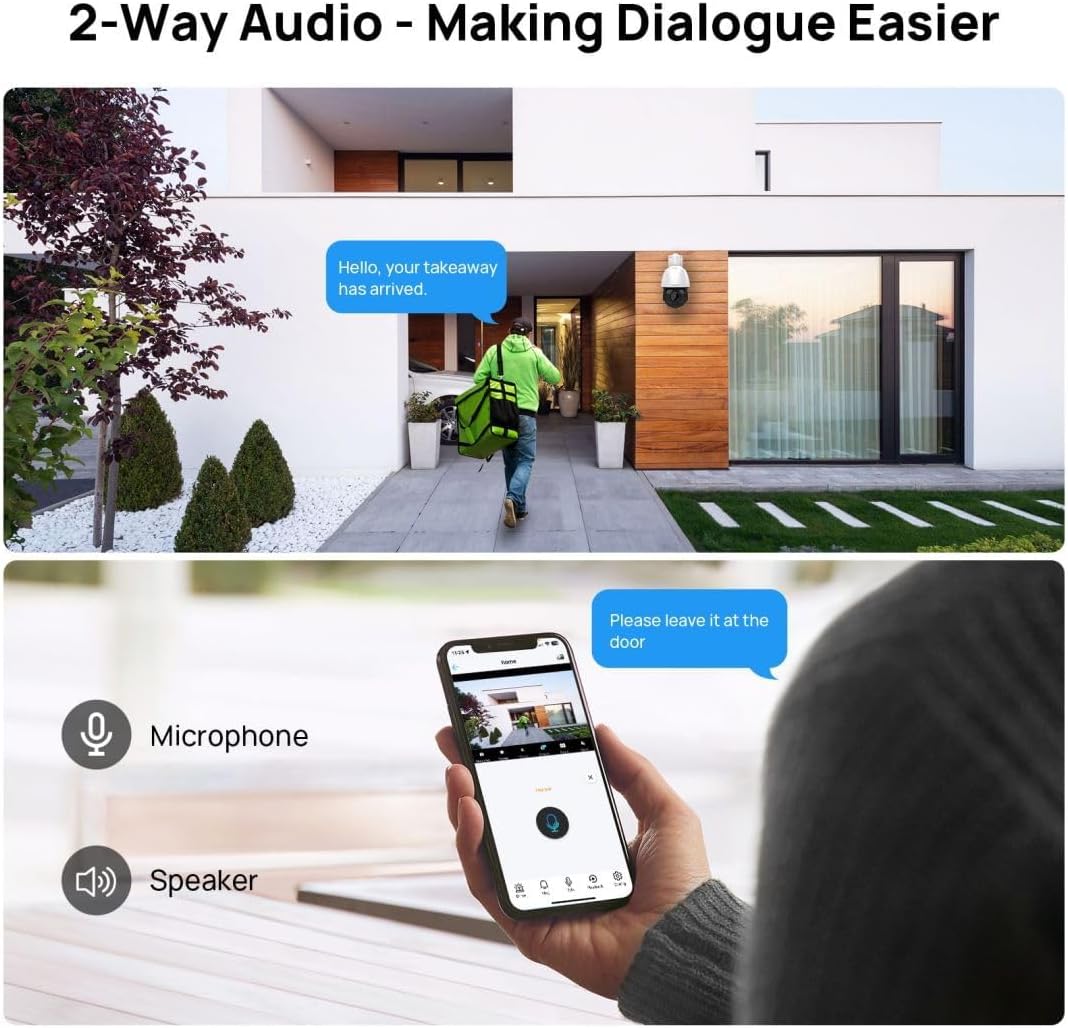
Figure 6: Depicts the smart motion detection feature, highlighting the camera's ability to distinguish and detect both human and vehicle movement, triggering alerts.
Video 1: Demonstrates how to set up motion detection and human body detection features on the camera's web interface, including sensitivity adjustments and alarm triggers.
5.3 Two-Way Audio
The integrated microphone and speaker allow for real-time two-way communication. This feature is useful for interacting with visitors or deterring intruders.

Figure 7: Illustrates the two-way audio functionality, showing a person speaking through the camera and another person responding via a mobile device.
5.4 Night Vision
Equipped with 6 infrared LED lights, the camera provides clear night vision up to 328 feet, ensuring continuous monitoring even in complete darkness.
5.5 Storage and Compatibility
The camera supports local storage via a MicroSD card up to 512GB (not included). It is highly compatible with various third-party NVRs and software, including Blue Iris, iSpy, Videolink, and Hik-connect, through RTSP and On-vif protocols.
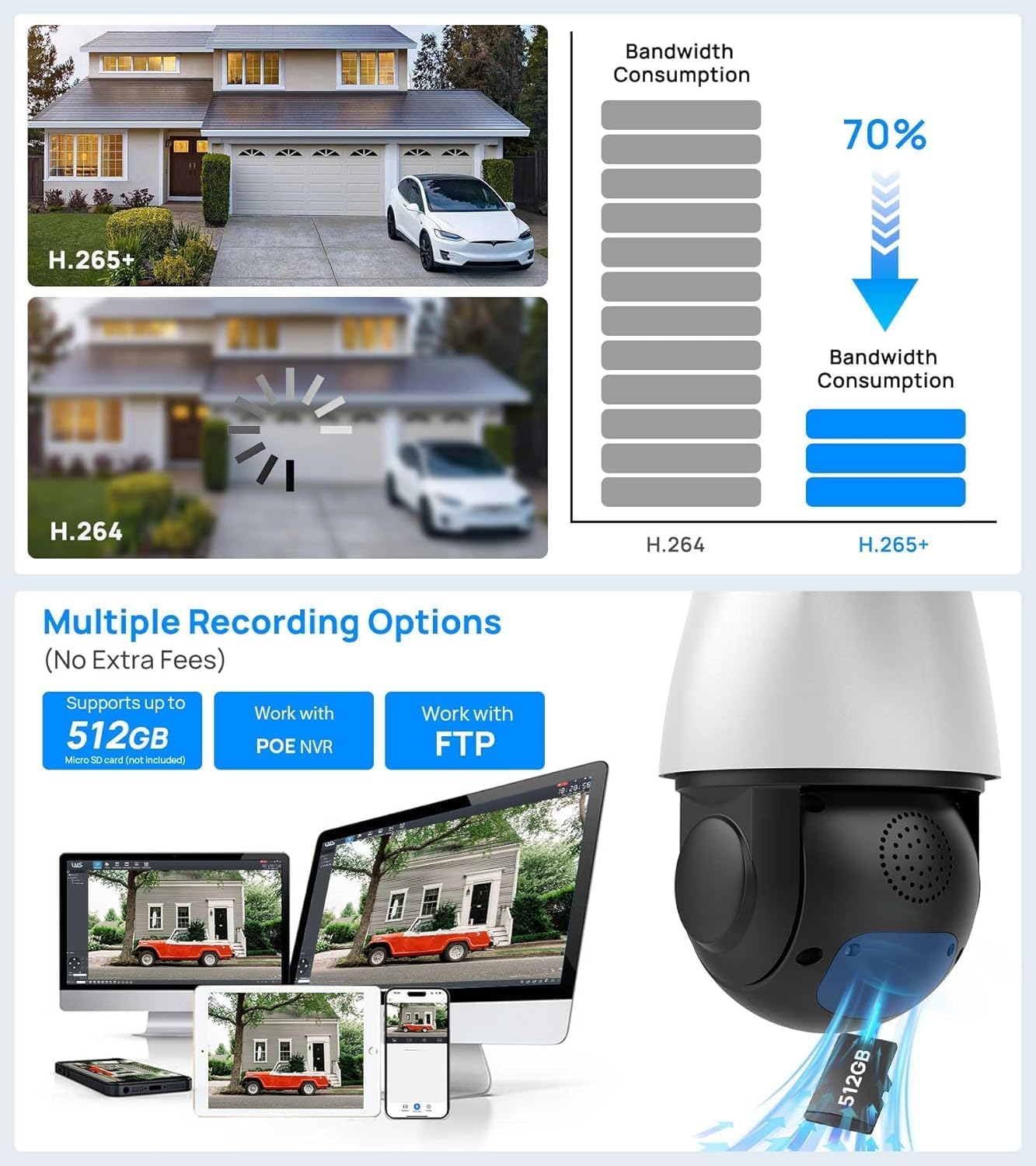
Figure 8: Shows the camera's support for up to 512GB MicroSD card storage, compatibility with PoE NVRs, and FTP for recording options.
6. Product Specifications
| Feature | Specification |
|---|---|
| Model Name | VZ-PTZ-4818X-IS3 |
| Indoor/Outdoor Usage | Outdoor |
| Video Capture Resolution | 4K (3840x2160) |
| Effective Still Resolution | 8 MP |
| Optical Zoom | 18 x |
| Night Vision Range | 328 Feet |
| Connectivity Technology | Ethernet (PoE) |
| Wireless Communication Technology | on_vif |
| Power Source | Corded Electric (12V DC) |
| Material | Metal |
| International Protection Rating | IP66 |
| Flash Memory Supported Size Maximum | 512 GB |
| Audio Visual Recording Capabilities | Audio |
| Item Dimensions L x W x H | 8.6 x 5.74 x 8.26 inches |
| Item Weight | 4.22 pounds |
7. Troubleshooting
If you encounter issues with your VIKVIZ PTZ IP Camera, please consider the following common troubleshooting steps:
- No Power: Ensure the PoE connection is active or the 12V DC power adapter is securely connected and receiving power.
- No Video/Offline: Check network cable connections. Verify network settings (IP address, gateway, DNS) are correct. Ensure the camera is properly added to your NVR or mobile application.
- Motion Detection Not Triggering: Review the motion detection settings in the camera's web interface. Adjust sensitivity and detection areas. Ensure 'Intelligent Detect' is disabled if 'Motion Detect' is enabled, as per the video instructions.
- PTZ Control Issues: Verify network connectivity. Ensure the control software/app is up to date. Check for any physical obstructions to the camera's movement.
- Poor Image Quality: Clean the camera lens. Check for proper lighting conditions. Adjust image settings (brightness, contrast, sharpness) in the camera's configuration.
For more detailed troubleshooting, refer to the comprehensive Instructions for Use (IFU) PDF provided with your product.
8. Maintenance
Regular maintenance helps ensure the longevity and optimal performance of your camera:
- Cleaning: Gently wipe the camera lens and housing with a soft, damp cloth. Avoid abrasive cleaners or solvents.
- Firmware Updates: Periodically check the VIKVIZ official website or contact support for available firmware updates to enhance performance and security.
- Cable Inspection: Regularly inspect all cables for any signs of wear, damage, or corrosion, especially for outdoor installations.
- Environmental Checks: Ensure the camera's mounting remains secure and free from obstructions. Clear any debris or vegetation that might block the view or interfere with PTZ movement.
9. Warranty and Support
VIKVIZ provides a 2-year manufacturer maintenance warranty and lifetime technical support for each customer. For any inquiries or assistance, please visit the official VIKVIZ store or contact their customer service.
VIKVIZ Store: Visit Here

