
VITCOCO 1926P FHD Wireless Otoscope
VITCOCO 1926P FHD Wireless Otoscope User Manual
Model: 1926P FHD Wireless Otoscope
Brand: VITCOCO
1. Introduction and Overview
The VITCOCO 1926P FHD Wireless Otoscope is an advanced ear inspection tool designed for clear visualization of the ear canal and eardrum. Featuring a 1926P Full HD camera, 3mm mini lens, and integrated LED lights, it provides high-resolution images and video directly to your smartphone or tablet via Wi-Fi. This versatile device is suitable for earwax removal, general ear inspection, and can also be used for examining the mouth, nose, and even for pet care.
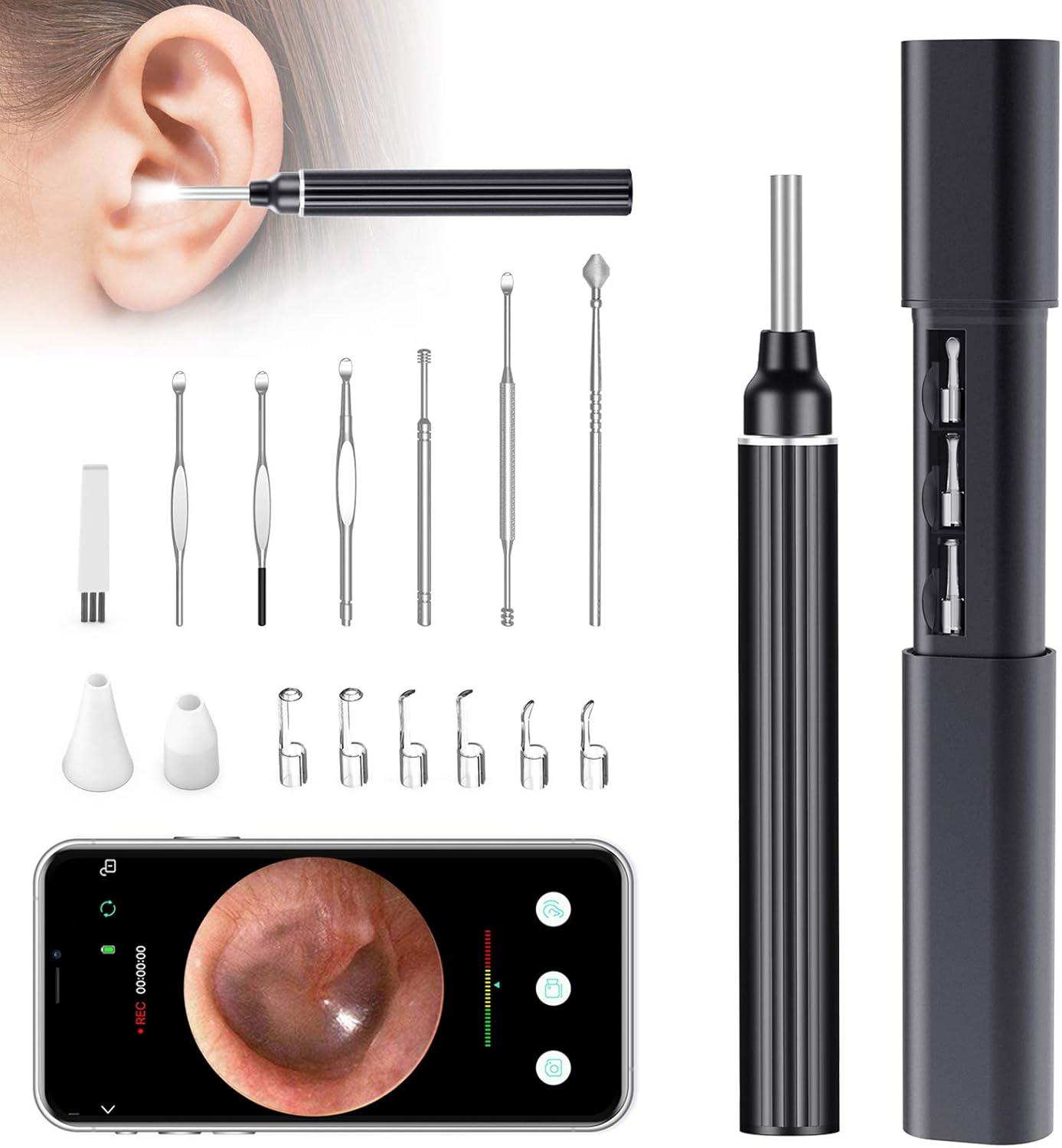
Figure 1.1: VITCOCO 1926P FHD Wireless Otoscope and included accessories.
2. What's in the Box
Please check the package contents upon receipt to ensure all items are present and undamaged:
- VITCOCO 1926P FHD Wireless Otoscope Device
- Portable Storage Case
- USB Charging Cable
- Variety of Ear Picks (e.g., spoon-shaped, spiral, spring)
- Silicone Ear Pick Covers
- User Manual (this document)
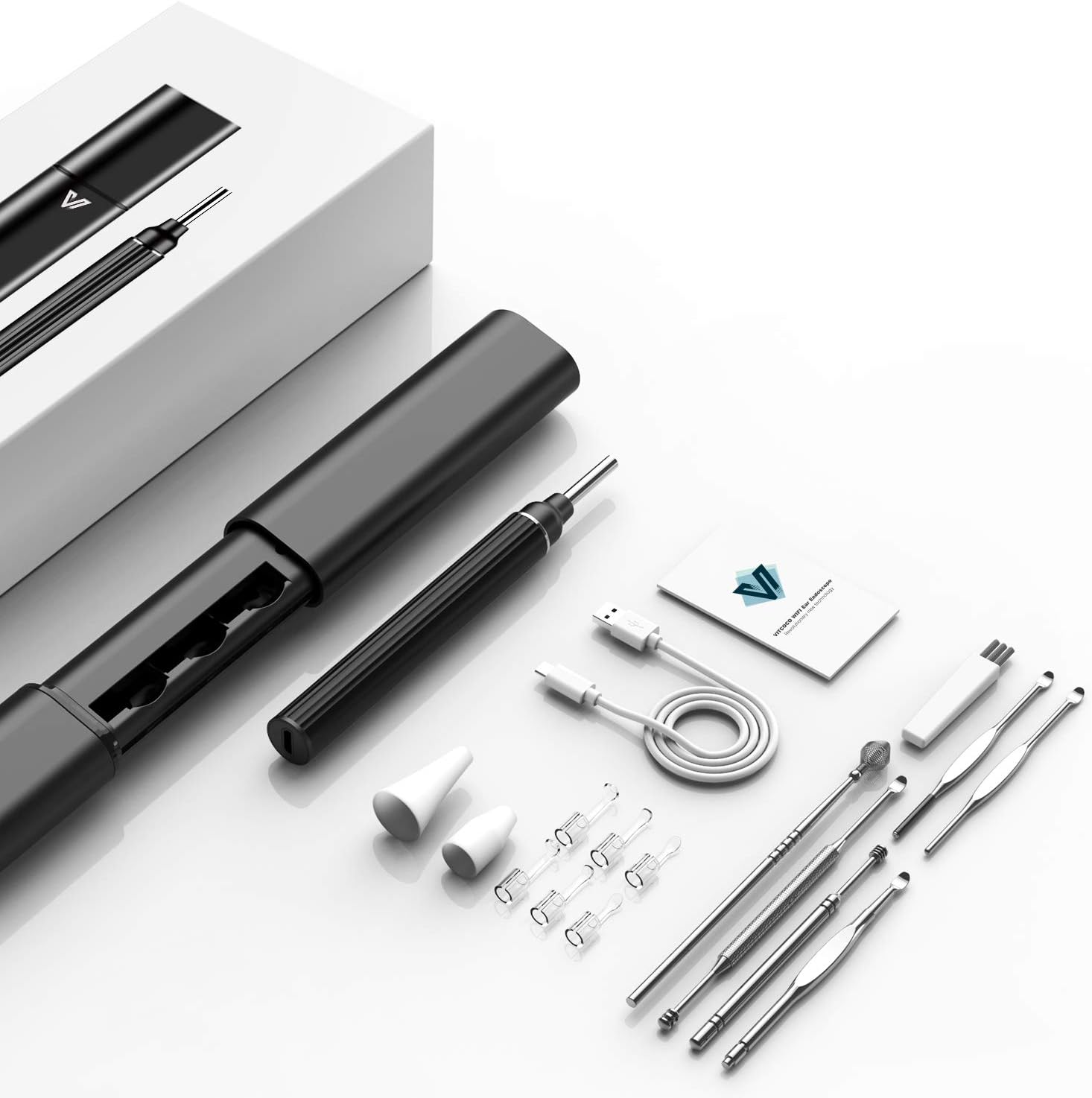
Figure 2.1: All components included in the product package.
3. Setup Guide
- Charge the Device: Before first use, fully charge the otoscope using the provided USB charging cable. Connect the cable to the charging port on the device and a standard USB power adapter (not included). The indicator light will show charging status.
- Download the App: Search for the official VITCOCO app on the Apple App Store (for iOS devices) or Google Play Store (for Android devices). Install the app on your smartphone or tablet.

Figure 3.1: The VITCOCO app is available on both App Store and Google Play.
- Power On the Otoscope: Press and hold the power button on the otoscope until the indicator light illuminates.
- Connect via Wi-Fi: Go to your device's Wi-Fi settings. Locate and connect to the Wi-Fi network broadcast by the otoscope (usually named something like "VITCOCO_XXXX"). No password is typically required.
- Open the App: Once connected to the otoscope's Wi-Fi, open the VITCOCO app. The live video feed from the otoscope camera should appear on your screen.
- Attach Accessories: Select the appropriate ear pick or silicone cover for your needs. Gently attach it to the tip of the otoscope. Ensure it is securely fastened before use.

Figure 3.2: Proper method for removing accessories and the otoscope from its case.
4. Operating Instructions
The VITCOCO otoscope is designed for ease of use, providing a clear view for various inspection and cleaning tasks.
4.1. General Operation
- Ensure the otoscope is charged and connected to your device via Wi-Fi.
- Open the VITCOCO app to view the live feed. The otoscope features a built-in 5-megapixel 1920P HD lens with 6 LED lights for clear images and video.
- Gently insert the otoscope into the area you wish to inspect. The 3.0mm small lens is designed for safe and comfortable use in various orifices.
- Use the controls within the app to capture photos or record videos of the inspection.

Figure 4.1: The 1920P HD lens with 6 LED lights provides superior clarity compared to 720P.

Figure 4.2: The 3.0mm small lens ensures comfortable and safe inspection.
4.2. Multi-Purpose Use
Beyond ear inspection, the VITCOCO otoscope can be used for:
- Ear Inspection: Visualize the ear canal and eardrum for wax buildup or other concerns.
- Mouth Inspection: Examine teeth, gums, and throat.
- Nose Inspection: Check nasal passages.
- Pet Inspection: Safely inspect the ears or other areas of pets.

Figure 4.3: The otoscope's versatility for inspecting ears, mouth, nose, and pets.
5. Maintenance
Proper maintenance ensures the longevity and hygiene of your VITCOCO otoscope.
- Cleaning the Lens: The otoscope lens is IP67 waterproof. After each use, gently clean the lens with an alcohol wipe or a soft, damp cloth. Ensure no debris remains. Note: Only the lens is waterproof; do not submerge the entire device.

Figure 5.1: The otoscope lens is IP67 waterproof for easy cleaning.
- Cleaning Ear Picks: Wash the reusable ear picks with soap and water, then sterilize them with rubbing alcohol before and after each use. Allow them to air dry completely.
- Storage: Store the otoscope and all accessories in the provided storage case in a cool, dry place away from direct sunlight and extreme temperatures.
6. Troubleshooting
If you encounter issues with your VITCOCO otoscope, please refer to the following common problems and solutions:
| Problem | Possible Cause | Solution |
|---|---|---|
| Cannot connect to Wi-Fi / No live feed in app |
|
|
| Image is blurry or unclear |
|
|
| Device feels warm during use |
|
|
| App crashes or freezes |
|
|
7. Specifications
| Feature | Detail |
|---|---|
| Model | 1926P FHD Wireless Otoscope |
| Camera Resolution | 1926P Full HD (5 Megapixels) |
| Lens Diameter | 3.0mm |
| Lighting | 6 LED Lights |
| Connectivity | Wi-Fi |
| Waterproof Rating | IP67 (Lens only) |
| Package Dimensions | 7.52 x 3.35 x 2.05 inches |
| Weight | 10.55 ounces |
| Manufacturer | VITCOCO |
| ASIN | B089LXGNHF |
8. Safety Information
Please read and adhere to the following safety guidelines to prevent injury or damage to the device:
- This device is intended for personal inspection and cleaning. It is not a medical device and should not be used for diagnosis or treatment of medical conditions. Consult a healthcare professional for any ear pain, discomfort, or suspected medical issues.
- Do not insert the otoscope too deeply into the ear canal. Always proceed with caution and stop immediately if you feel any pain or resistance.
- Supervise children and pets when using the device on them.
- Ensure the ear pick is securely attached before use.
- Avoid using the device if you have an ear infection, perforated eardrum, or any other ear injury.
- Keep the device and accessories out of reach of small children to prevent choking hazards.
- Do not attempt to modify or disassemble the device.
- Statements regarding dietary supplements mentioned in product descriptions are not evaluated by the FDA and are not intended to diagnose, treat, cure, or prevent any disease or health condition. This disclaimer applies to general product information and not the otoscope itself.
9. Warranty and Support
For warranty information, product support, or any inquiries not covered in this manual, please contact VITCOCO customer service through the retailer where you purchased the product or visit the official VITCOCO website. Please retain your proof of purchase for warranty claims.
Ask a question about this manual
Ask about setup, troubleshooting, compatibility, parts, safety, or missing instructions. Manuals+ will review the question and use this page’s manual context to help answer it.