
1. Introduction
The RIDGID 18V SUBCOMPACT BRUSHLESS Cordless 3-inch Multi-Material Saw (Model R87547B) is a versatile power tool designed for cutting various materials with precision and ease. Its compact and lightweight design makes it suitable for a range of applications, from DIY projects to professional tasks. This tool is powered by an 18V battery system (sold separately) and features a brushless motor for extended runtime and durability.
2. Safety Information
WARNING: Read all safety warnings, instructions, illustrations, and specifications provided with this power tool. Failure to follow all instructions listed below may result in electric shock, fire, and/or serious injury.
- Wear Eye Protection: Always wear appropriate eye protection, such as safety goggles or a face shield, when operating the saw.
- Hearing Protection: Use hearing protection during extended operation.
- Proper Attire: Do not wear loose clothing or jewelry. Keep hair and clothing away from moving parts.
- Maintain Work Area: Keep your work area clean and well-lit. Cluttered or dark areas invite accidents.
- Secure Workpiece: Always clamp or otherwise secure the workpiece to prevent movement during cutting.
- Avoid Kickback: Ensure the blade is clear of the workpiece before starting the saw. Maintain a firm grip and proper stance.
- Use Correct Blade: Only use blades designed for the material being cut and compatible with the saw's specifications.
- Disconnect Power: Always remove the battery pack before making any adjustments, changing accessories, or storing the tool.
- Keep Guards in Place: Never operate the saw without all guards properly installed and functioning.
3. What's in the Box
Your RIDGID 18V SUBCOMPACT BRUSHLESS Cordless 3-inch Multi-Material Saw package includes the following components:
- RIDGID 18V SUBCOMPACT BRUSHLESS Cordless 3-inch Multi-Material Saw (Tool Only)
- 3 Cutting Wheels (various types for multi-material use)
Note:

The image above clarifies that the battery and charger required to operate this tool are sold separately and are not included in this package.

The image above indicates that this product is supplied in bulk packaging and does not include retail packaging.
4. Setup
4.1. Battery Installation
- Ensure the saw is turned off and the trigger is locked.
- Align the battery pack with the battery port on the tool handle.
- Slide the battery pack into the port until it clicks securely into place.
- To remove, press the battery release button and slide the battery pack out.
4.2. Blade Installation and Removal
Always ensure the battery is removed before changing blades.
- Locate the spindle lock button on the saw. Press and hold it to prevent the spindle from rotating.
- Using the appropriate wrench (usually included with the saw or blades), loosen the arbor bolt by turning it counter-clockwise.
- Remove the outer flange and the old cutting wheel.
- Clean any debris from the arbor and flanges.
- Place the new cutting wheel onto the arbor, ensuring the rotation arrow on the blade matches the rotation arrow on the saw guard.
- Replace the outer flange and tighten the arbor bolt clockwise with the wrench while holding the spindle lock button. Do not overtighten.

The image above shows the RIDGID 18V SUBCOMPACT BRUSHLESS Cordless 3-inch Multi-Material Saw with a cutting blade installed, illustrating its compact design.
5. Operating Instructions
5.1. Powering On/Off
- To turn the saw ON, depress the safety lock-off button (if present) and then squeeze the trigger switch. The blade will begin to rotate.
- To turn the saw OFF, release the trigger switch. The blade will stop rotating.
5.2. Cutting Materials
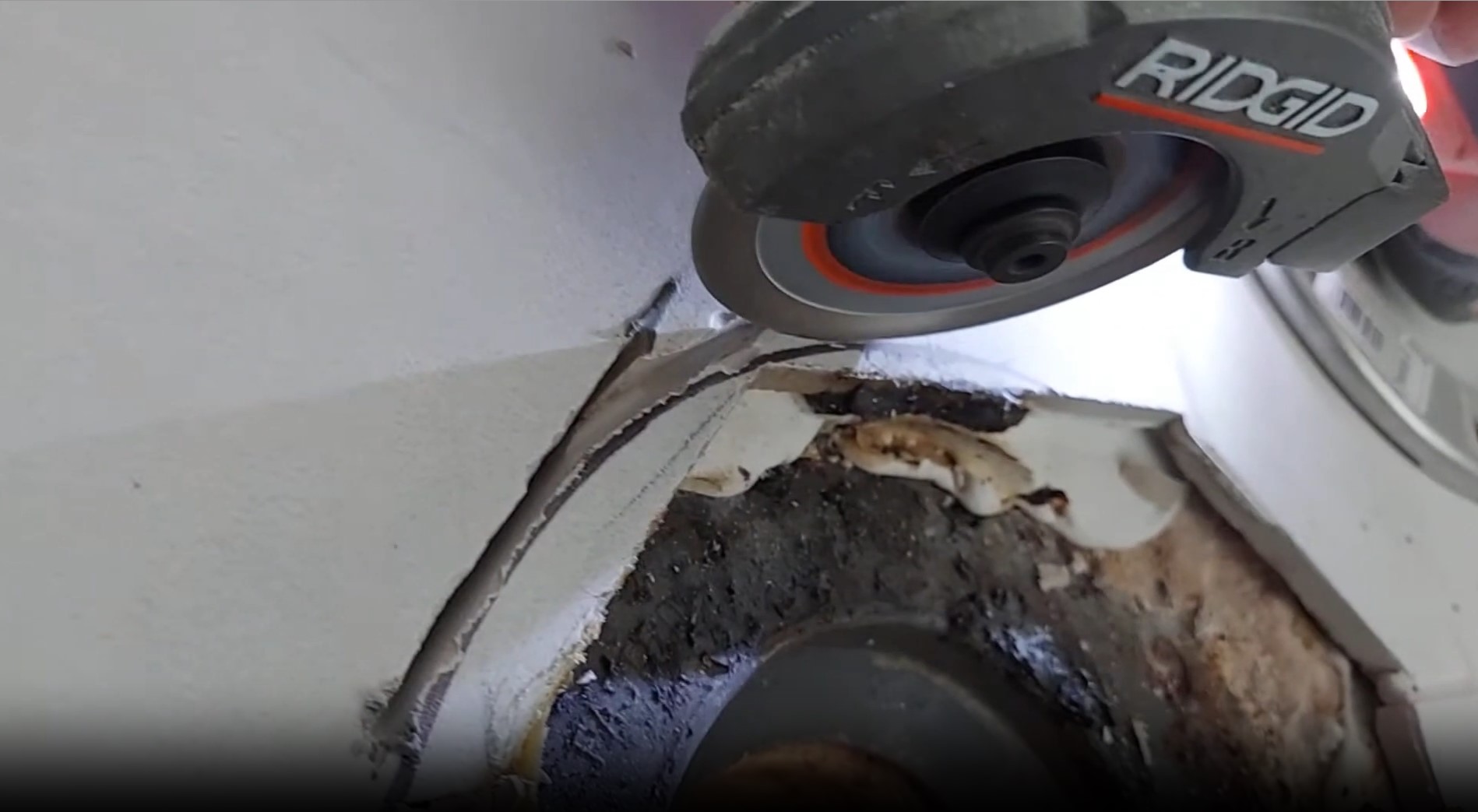
This multi-material saw is designed for cutting various materials including wood, plastic, metal, and tile, depending on the installed blade. Always select the appropriate blade for the material you intend to cut.
- Prepare Workpiece: Secure the material firmly to prevent movement during the cut. Mark your cut line clearly.
- Position Saw: Hold the saw firmly with both hands. Position the blade just above the workpiece, aligning it with your cut line.
- Start Cut: Start the saw and allow the blade to reach full speed before engaging the material.
- Guide Saw: Apply steady, even pressure to guide the saw through the material. Do not force the saw; let the blade do the work.
- Complete Cut: Continue through the material until the cut is complete. Release the trigger and allow the blade to stop completely before setting the saw down.
5.3. Depth Adjustment
The saw features a depth adjustment mechanism to control the cutting depth. This is crucial for preventing damage to surfaces beneath the workpiece and for making precise cuts.
- Ensure the saw is off and the battery is removed.
- Locate the depth adjustment lever or knob on the saw.
- Loosen the lever or turn the knob to allow the base plate to move.
- Adjust the base plate to the desired cutting depth. Ensure the blade extends only slightly below the material being cut.
- Tighten the depth adjustment lever or knob securely to lock the setting.
6. Maintenance
Regular maintenance ensures the longevity and optimal performance of your saw.
- Cleaning: After each use, clean the saw with a soft, damp cloth. Remove any dust, chips, or debris from the motor vents, blade guard, and base plate. Do not use harsh chemicals or abrasive cleaners.
- Blade Inspection: Regularly inspect the cutting wheels for wear, damage, or dullness. Replace worn or damaged blades immediately to ensure safe and efficient cutting.
- Battery Care: Store batteries in a cool, dry place. Do not store fully discharged batteries for extended periods.
- Storage: Store the saw in a dry, secure location out of reach of children. If storing for an extended period, remove the battery pack.
7. Troubleshooting
Refer to the table below for common issues and their solutions.
| Problem | Possible Cause | Solution |
|---|---|---|
| Saw does not start | Battery not charged or improperly installed; Faulty switch | Ensure battery is fully charged and correctly inserted. Check switch for damage. |
| Poor cutting performance | Dull or incorrect blade; Overloading the tool | Replace with a sharp, appropriate blade. Reduce cutting pressure. |
| Excessive vibration | Loose blade; Damaged blade; Worn components | Check blade for tightness and damage. Replace if necessary. If issue persists, contact support. |
| Motor stops during operation | Overload protection activated; Low battery charge | Reduce load on the saw. Recharge or replace battery. |
8. Specifications
| Feature | Detail |
|---|---|
| Brand | RIDGID |
| Model Number | R87547B |
| Power Source | Battery Powered (18V) |
| Blade Length | 3 inches |
| Speed | 19000 rpm |
| Wattage | 32.4 watts |
| Item Weight | 2.3 pounds |
| Item Dimensions (L x W x H) | 10"L x 8.25"W x 6.5"H |
| Blade Material | High Speed Steel (standard) |
| Handle Material | Acrylonitrile Butadiene Styrene |
| Surface Recommendation | Multiple |
9. Warranty and Support
9.1. Warranty Information
This RIDGID product comes with a 30 Day Limited Warranty. Please note the following important information regarding warranty eligibility:
The image above explicitly states that this product is not eligible for the RIDGID Lifetime Service Agreement (LSA).
All RIDGID products purchased through Amazon are not eligible for the Lifetime Service Agreement. The applicable warranty is a 30 Day Limited Warranty from the date of purchase. Please retain your proof of purchase for warranty claims.
9.2. Customer Support
For technical assistance, warranty claims, or to inquire about replacement parts, please contact RIDGID Customer Service. Refer to the official RIDGID website or your purchase documentation for the most current contact information.
RIDGID Official Website: www.ridgid.com


