Introduction
This manual provides instructions for the proper setup, operation, and maintenance of your Hampton Bay UC7078T remote control. This remote is designed as a replacement for existing UC7078T units and is not a universal remote. Please read these instructions carefully before use.
Product Overview
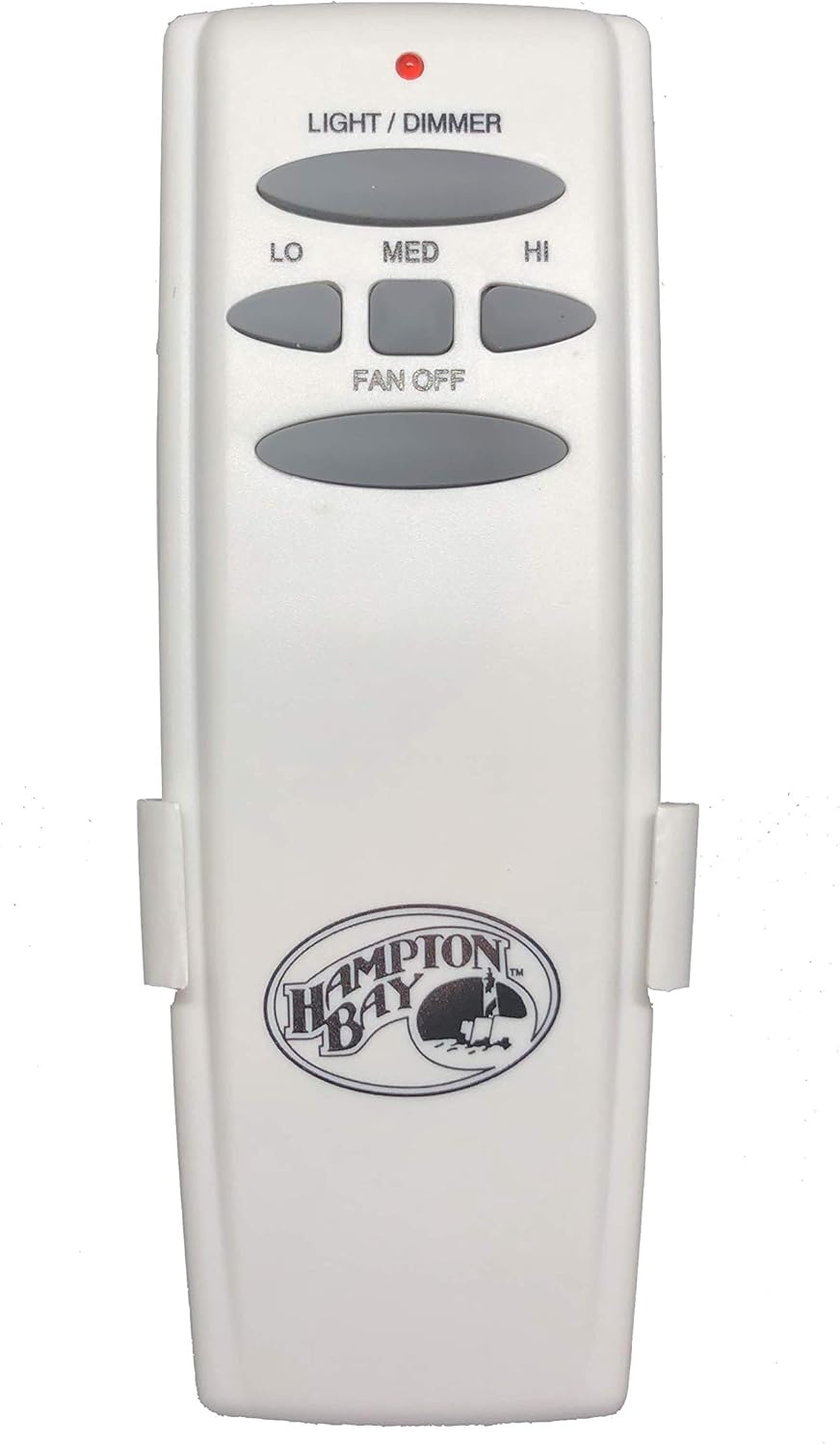
This image displays the Hampton Bay UC7078T remote control. It is white with gray oval-shaped buttons. At the top, there is a small red indicator light. Below it, the 'LIGHT / DIMMER' button is visible. The fan speed controls include 'LO', 'MED', and 'HI' buttons, arranged in an arc. A 'FAN OFF' button is located below the speed controls. The bottom part of the remote features the 'Hampton Bay' logo.
Setup
1. Battery Installation
- Locate the battery compartment cover on the back of the remote control.
- Slide the cover off.
- Insert one 9V battery (not included), ensuring correct polarity (+/-).
- Replace the battery compartment cover.
2. Dip Switch Matching
For the remote to communicate with your ceiling fan receiver, the dip switches on the remote must match those on your fan's receiver unit. This step is crucial for proper functionality.
- Access the dip switches on your ceiling fan's receiver unit. This typically requires removing the canopy cover of the fan. Consult your fan's original manual for specific instructions on locating these switches.
- Open the battery compartment of the UC7078T remote control to expose its dip switches.
- Carefully adjust the dip switches on the new remote control to exactly match the pattern (ON/OFF positions) of the dip switches on your fan's receiver unit.
- Once matched, replace the battery cover on the remote and reassemble your fan's canopy.
3. Wall Mount Installation
A wall mount is included for convenient storage of your remote control.
- Choose a suitable location on a wall, away from direct sunlight or heat sources.
- Use the provided screws to secure the wall mount bracket to the wall. Ensure it is level and firmly attached.
- Slide the remote control into the wall mount for storage.
Operating Instructions
The UC7078T remote control provides control over your ceiling fan's light and fan speed functions.
- LIGHT / DIMMER Button: Press this button to turn the light ON or OFF. Press and hold this button to dim or brighten the light. Release when the desired brightness is achieved.
- LO Button: Press to set the fan speed to Low.
- MED Button: Press to set the fan speed to Medium.
- HI Button: Press to set the fan speed to High.
- FAN OFF Button: Press to turn the fan OFF.
Maintenance
Battery Replacement
Replace the 9V battery when the remote's indicator light becomes dim or the remote fails to operate the fan/light consistently. Follow the battery installation steps outlined in the Setup section.
Cleaning
To clean the remote control, wipe it with a soft, dry cloth. Do not use abrasive cleaners, solvents, or harsh chemicals, as these may damage the surface or internal components.
Troubleshooting
- Remote not responding:
- Check the battery. Ensure it is installed correctly and has sufficient charge. Replace if necessary.
- Verify that the dip switches on the remote control precisely match those on the ceiling fan receiver.
- Ensure the remote is within range of the fan receiver.
- Light or fan functions intermittently:
- This may indicate a low battery. Replace the 9V battery.
- Check for any obstructions between the remote and the fan receiver.
- Fan operates but light does not, or vice versa:
- Confirm that the specific function button (LIGHT/DIMMER or fan speed buttons) is being pressed correctly.
- If only the light is not working, check the light bulb in the fan.
Specifications
| Model Number | UC7078T |
| Brand | My Fan Parts |
| Compatible Devices | Fan |
| Special Feature | Ergonomic |
| Color | White |
| Max Number of Supported Devices | 1 |
| Manufacturer | Rhine |
| Date First Available | June 1, 2020 |
Warranty and Support
Specific warranty information for this replacement part is not provided in the product details. For support or warranty inquiries, please refer to the retailer or manufacturer from whom the product was purchased.


