
OGAJO H6
Portable Stroller Fan User Manual
Model: H6 | Brand: OGAJO
Introduction
Thank you for choosing the OGAJO Portable Stroller Fan. This versatile fan is designed to provide a comfortable and cool environment for your baby and can be used in various settings such as strollers, car seats, cribs, and more. Its flexible tripod and rechargeable battery make it an ideal companion for hot summer days.
Safety Information
- Do not open the battery back cover.
- Keep fingers and foreign objects away from the fan blades during operation. The ultra-fine mesh design helps prevent accidental contact.
- Ensure the fan is securely attached when used on strollers, car seats, or cribs to prevent it from falling.
- Do not immerse the fan in water. The silicone surface is waterproof for easy cleaning, but the internal components are not.
- Keep out of reach of young children when not in use or when charging.
Product Overview
The OGAJO Portable Stroller Fan features a compact design with a flexible tripod for versatile positioning. It includes a powerful motor and a rechargeable battery for extended use.
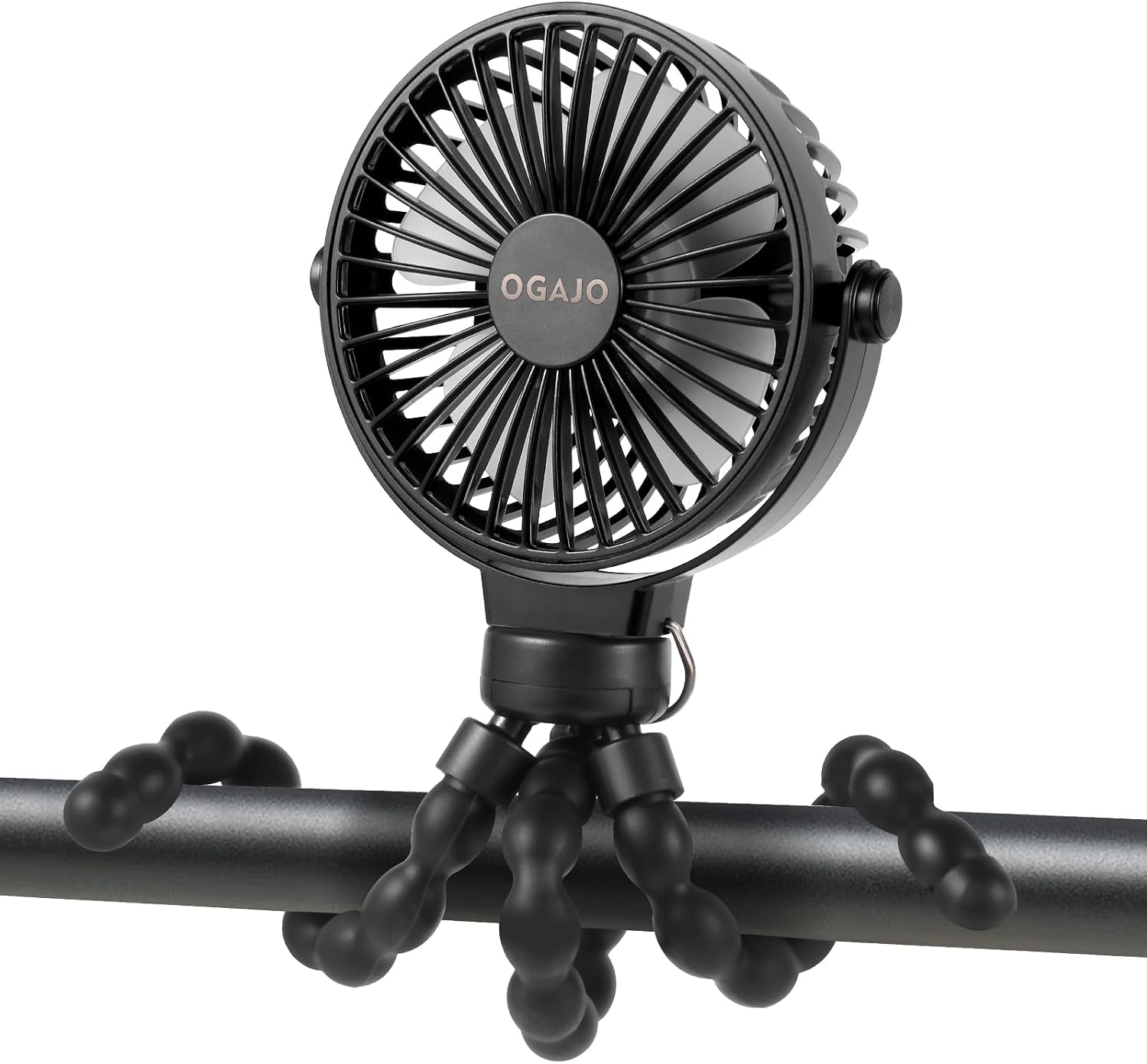
Figure 1: OGAJO Portable Stroller Fan with flexible tripod.
Components:

Figure 2: Key components of the fan.
- Fan Head: Contains the blades and motor.
- Flexible Tripod: Bendable legs for gripping, wrapping, or standing.
- Power Button: Controls power and fan speed.
- Charging Port (USB Type C): For recharging the internal battery.
- Rechargeable Light: Indicates charging status (Red: Charging, Blue: Fully Charged).
Setup
Charging the Fan:
Before first use, fully charge the fan. The fan comes with a USB Type C charging cord.
- Locate the USB Type C charging port on the back of the fan head (refer to Figure 2).
- Connect the provided USB Type C cable to the fan's charging port.
- Connect the other end of the USB cable to a compatible USB power source (e.g., power bank, laptop, car charger, power strip).
- The rechargeable light will glow red while charging and turn blue when fully charged.
A full charge typically provides 2 to 8 hours of working time, depending on the selected speed.
Operating Instructions
Power On/Off and Speed Adjustment:
The fan has three adjustable wind speeds.
- To Power On: Press the power button once for the lowest speed (Speed 1 - Gentle Breeze).
- To Increase Speed: Press the power button again for medium speed (Speed 2). Press a third time for high speed (Speed 3).
- To Power Off: Press the power button a fourth time.
Note: When the battery is low, the highest speed (Speed 3) may not be available. Charging is required.
Using the Flexible Tripod:
The fan's flexible tripod allows for versatile positioning:
- Stroller/Carseat Attachment: Bend the flexible legs to securely wrap around the handle of a stroller or car seat.
- Desk Fan: Position the legs to form a stable stand for use on a desk or flat surface.
- Hanging Fan: Utilize the flexible legs to hang the fan from hooks or branches in tents or other outdoor settings.
- Handheld Fan: The tripod legs can be straightened to act as a comfortable handle for handheld use.
Fan securely attached to a stroller handle.

Fan attached to a baby crib for gentle airflow.

Fan used as a desk fan.

Fan hanging inside a tent for cooling.

Fan used as a handheld device.
Maintenance
- Cleaning: The fan's bendable metal and silicone surface is easy to clean. Wipe with a damp cloth to remove dust and dirt. Avoid using harsh chemicals or abrasive materials.
- Storage: When not in use, store the fan in a cool, dry place away from direct sunlight and extreme temperatures.
- Battery Care: To prolong battery life, avoid fully discharging the battery frequently. Recharge the fan regularly, even if not in constant use.
Troubleshooting
| Problem | Possible Cause | Solution |
|---|---|---|
| Fan does not turn on. | Battery is depleted. | Charge the fan using the provided USB Type C cable. |
| Fan speed is weak or inconsistent. | Low battery level. | Recharge the fan. The highest speed may be restricted when the battery is low. |
| Fan makes unusual noise. | Obstruction in fan blades or internal issue. | Ensure no foreign objects are blocking the fan blades. If noise persists, contact customer support. |
| Fan does not hold a charge. | Battery degradation or faulty charging cable/adapter. | Try a different USB Type C cable and power adapter. If the issue continues, the battery may need replacement or contact customer support. |
Specifications
| Brand | OGAJO |
| Model Name | H6 |
| Color | Black |
| Product Dimensions | 2.76"D x 4.33"W x 11.42"H |
| Item Weight | 8 ounces (227 Grams) |
| Power Source | Battery Powered |
| Battery Type | 1 Lithium Polymer battery (included) |
| Number of Power Levels | 3 |
| Connector Type | USB Type C |
| Material | Plastic (Blades), Metal & Silicone (Tripod Surface) |
| Indoor/Outdoor Usage | Outdoor, Indoor |
Warranty and Support
For any questions, concerns, or support needs regarding your OGAJO Portable Stroller Fan, please contact OGAJO customer service. Refer to the product packaging or the official OGAJO website for contact information.
OGAJO is dedicated to providing quality products and customer satisfaction. We continuously optimize and upgrade our products based on customer feedback.
Related documentsH6


Ask a question about this manual
Ask about setup, troubleshooting, compatibility, parts, safety, or missing instructions. Manuals+ will review the question and use this page’s manual context to help answer it.