
Introduction
Thank you for choosing the Lepro 5m RGB LED Strip Light. This manual provides detailed instructions for the safe and efficient use of your new LED strip light. Please read this manual thoroughly before installation and operation, and retain it for future reference.
This LED strip light features music synchronization, remote control operation, and offers a wide range of colors for various indoor decorative lighting applications.
Package Contents
Ensure all components are present and in good condition:
- 1 x 5m RGB LED Strip Light
- 1 x Remote Control
- 1 x Control Box
- 1 x Power Adapter (GS Certified)
- 6 x Fixing Clips with Screws
- 1 x User Manual
Safety Instructions
To ensure safe operation, please observe the following:
- This product is designed for indoor use only. Do not expose to water or high humidity.
- Ensure the power supply voltage matches the product's requirements (12V DC).
- Do not connect the LED strip directly to 240V AC power without the provided adapter.
- Avoid bending the LED strip sharply or folding it, as this may damage the circuit.
- Do not cover the LED strip with materials that could impede heat dissipation.
- Keep out of reach of children.
- Disconnect power before cleaning or maintenance.
Key Features
The Lepro 5m LED Strip Light offers a range of features for an enhanced lighting experience:
- Vibrant RGB Lighting: Enjoy a spectrum of colors including Red, Green, Blue, and White, with dimmable options to set the perfect mood.
- Music Synchronization: A built-in high-sensitivity microphone allows the lights to flash and change color in sync with music beats or voice.
- Dual Control Methods: Conveniently control your lights using either the included infrared remote control or the inline control box.
- Easy Installation: Equipped with strong 3M adhesive and additional fixing clips for secure and straightforward setup on various surfaces.
- Enhanced Brightness: Features 30 LEDs per meter, providing 250% more brightness compared to standard LED strips with fewer LEDs.

Image: Brightness comparison of Lepro LED strip.

Image: Lepro 5m LED Strip Lights creating a vibrant atmosphere.
Setup and Installation
Follow these steps for proper installation:
1. Prepare the Surface
Clean the desired installation surface thoroughly. Ensure it is dry, smooth, and free from dust or oil. This will ensure optimal adhesion of the 3M adhesive tape.

Image: Step 1 - Wipe the surface clean.
2. Attach the LED Strip
Peel off the protective backing from the 3M adhesive tape on the back of the LED strip. Carefully press the strip onto the prepared surface, ensuring firm contact along its entire length. For corners, avoid sharp bends; use connectors (not included) or gently curve the strip.
Image: Step 2 - Stick the strip light.
3. Secure with Fixing Clips (Optional but Recommended)
For added security, especially on textured surfaces or in areas where the strip might be disturbed, use the provided fixing clips. Place clips at regular intervals and secure them with screws. This helps maintain the strip's position firmly.

Image: Fixing clips for enhanced stability.
4. Connect the Power Supply
Connect the LED strip to the control box, and then connect the control box to the power adapter. Finally, plug the power adapter into a standard electrical outlet. Ensure all connections are secure.

Image: Power supply connection diagram. Remember to pull out the plastic chip from the remote before use.
Operating Instructions
Your Lepro LED Strip Light can be controlled via the included remote control or the inline control box.
Remote Control Operation
Ensure the remote control's plastic battery tab is removed before first use. Point the remote directly at the infrared receiver on the control box.

Image: Remote control layout.
- ON/OFF: Press to turn the lights on or off.
- Brightness Control: Use the Brightness +/- buttons to adjust light intensity.
- Color Selection: Choose from 16 preset colors using the color buttons.
- Lighting Modes: Select from 7 dynamic lighting modes (e.g., Flash, Strobe, Fade, Smooth).
- Speed Control: Adjust the speed of dynamic modes using the Speed +/- buttons.
- Music Modes: Activate 4 music synchronization modes. The built-in microphone will detect sound and change colors/brightness accordingly.
Control Box Operation
The inline control box provides basic functionality:

Image: Dual control methods with remote and inline controller.
- Power Button: Press to turn the lights on or off.
- Mode Button: Cycle through various colors and dynamic modes.
- Music Sync: The control box also has a built-in microphone for music synchronization.
Music Synchronization Feature
The integrated high-sensitivity microphone allows the LED strip to react to sound. In music mode, the lights will flash and change color in sync with the rhythm, melody, or beat of your music or voice.
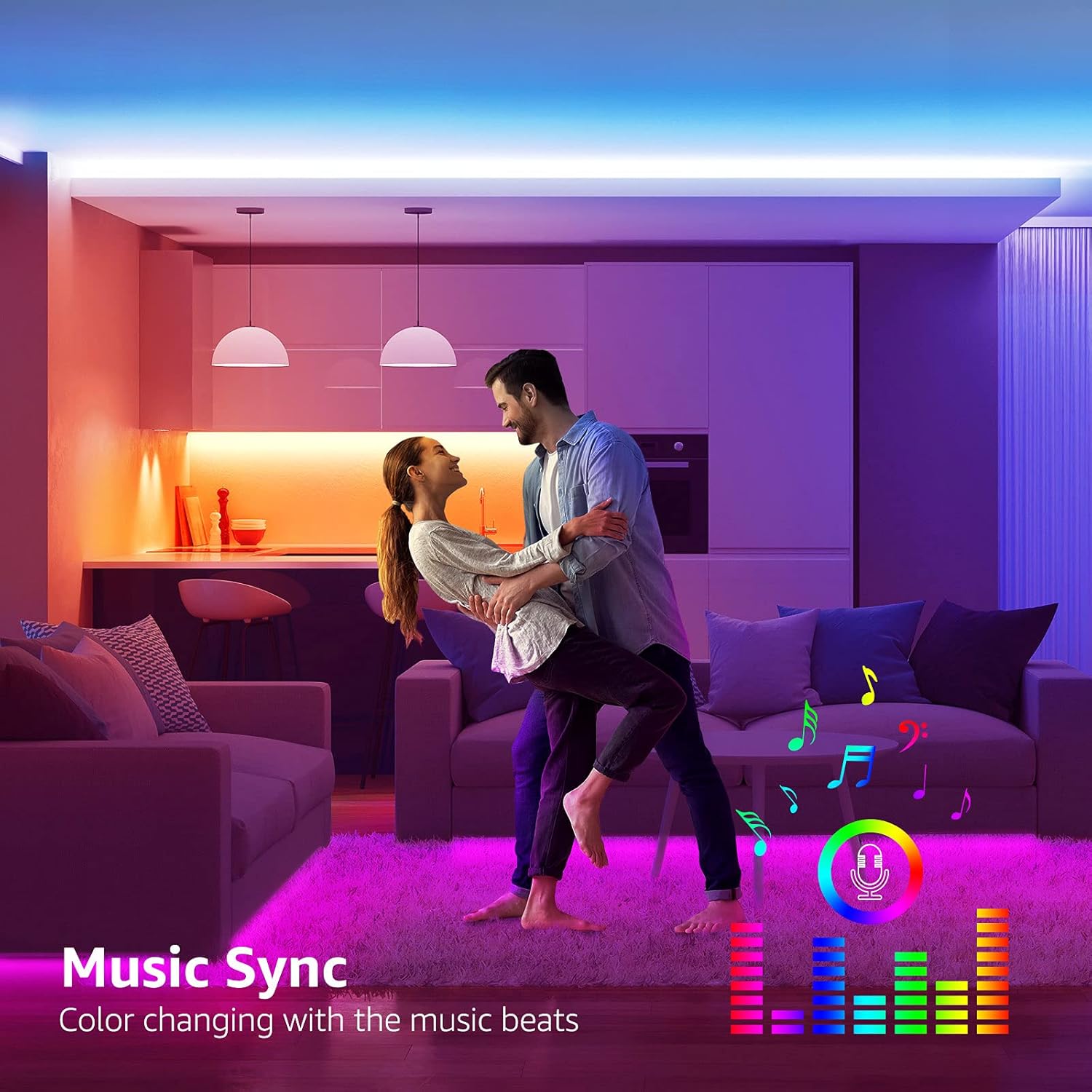
Image: LED strip lights synchronizing with music.
Maintenance
Regular maintenance ensures the longevity and optimal performance of your LED strip light.
- Cleaning: Disconnect the power before cleaning. Use a soft, dry cloth to gently wipe the LED strip and control box. Do not use abrasive cleaners or immerse any part in water.
- Adhesion Check: Periodically check the adhesion of the strip. If it starts to peel, re-secure it with additional adhesive tape or the provided fixing clips.
- Storage: If storing the LED strip for an extended period, ensure it is clean, dry, and rolled loosely to prevent damage to the circuit.
Troubleshooting
If you encounter issues, refer to the following common problems and solutions:
| Problem | Possible Cause | Solution |
|---|---|---|
| Lights do not turn on. |
|
|
| Remote control not working. |
|
|
| Lights are dim or flickering. |
|
|
| Music sync not working. |
|
|
Specifications
| Feature | Detail |
|---|---|
| Model Number | PR410089-RGB-EU |
| Brand | Lepro |
| Length | 5 meters |
| Color | RGB (Red, Green, Blue, White) |
| Light Source Type | LED |
| Number of LEDs | 300 |
| Wattage | 18 Watts |
| Voltage | 240 Volts (AC input), 12V DC (output) |
| Control Method | Remote Control, Control Box |
| Connectivity Technology | Infrared |
| Special Features | Dimmable, RGB, Music Synchronization |
| Indoor/Outdoor Use | Indoor |
| Water Resistance Level | Non-waterproof |
| Material | Plastic |
| Form Factor | Flexible Strip |
| Product Dimensions (L x W x H) | 10 x 7 x 10 cm (packaging/controller dimensions) |
| Item Weight | 220 Grams |
| Battery | 1 Lithium metal (included for remote) |
Warranty and Support
This product comes with a 1-year warranty for spare parts, as indicated by the manufacturer. For warranty claims, technical support, or any questions regarding your Lepro LED Strip Light, please contact Lepro customer service through your retailer or the official Lepro website.
Please have your model number (PR410089-RGB-EU) and proof of purchase ready when contacting support.


