
1. Introduction
Thank you for purchasing the WSTER WS-201BT Bluetooth Speaker. This manual provides important information regarding the setup, operation, and maintenance of your device. Please read it thoroughly before use and retain it for future reference.
Package Contents
- WSTER WS-201BT Bluetooth Speaker
- Charging Cable
- User Manual
2. Safety Information
- Do not expose the speaker to extreme temperatures, direct sunlight, or high humidity.
- Avoid dropping or subjecting the speaker to strong impacts.
- Do not disassemble or attempt to repair the speaker yourself. Contact qualified service personnel.
- Keep the speaker away from water and other liquids. This product is not water-resistant.
- Use only the provided charging cable or a certified equivalent.
3. Product Overview
The WSTER WS-201BT is a compact, square-shaped portable Bluetooth speaker designed for wireless audio playback. It features intuitive controls and multiple connectivity options.
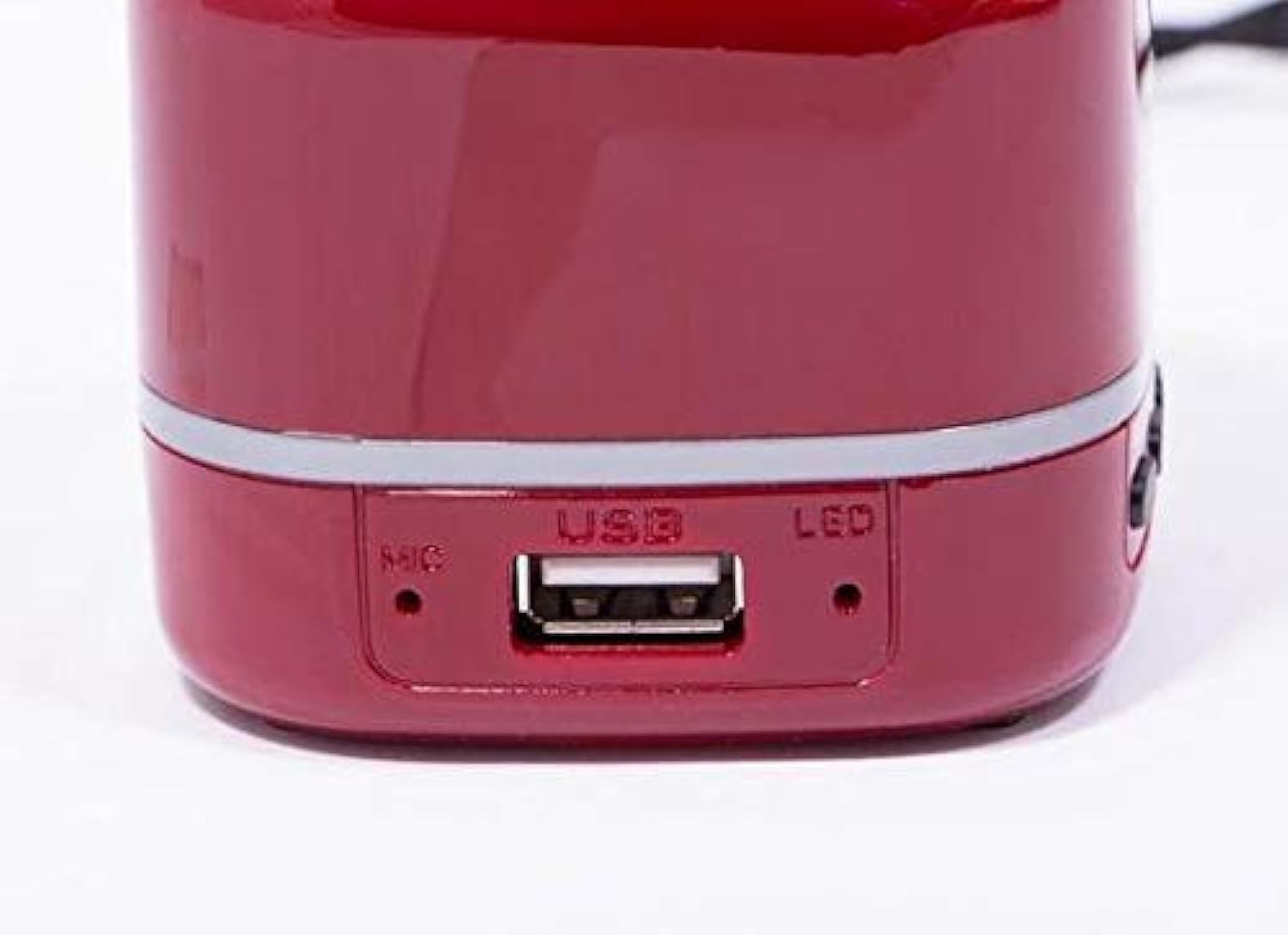
Figure 1: Front view of the WSTER WS-201BT Bluetooth Speaker, showing the speaker grille and control buttons (MODE, Volume Down, Volume Up, Play/Pause).
Control Buttons and Ports
- MODE Button: Switches between available input modes (e.g., Bluetooth, USB).
- VOL- / Previous Track: Short press to decrease volume, long press to go to the previous track.
- VOL+ / Next Track: Short press to increase volume, long press to go to the next track.
- Play/Pause Button: Plays or pauses audio playback. Also used for answering/ending calls in Bluetooth mode.
- USB Port: For connecting USB flash drives for audio playback or for charging the device.
- MIC: Built-in microphone for hands-free calls.
- LED Indicator: Shows charging status and Bluetooth connection status.

Figure 2: Side view of the WSTER WS-201BT Bluetooth Speaker, highlighting the USB port, microphone (MIC), and LED indicator.
4. Setup
4.1 Charging the Speaker
- Connect the charging cable to the USB port on the speaker.
- Connect the other end of the charging cable to a USB power adapter (not included) or a computer's USB port.
- The LED indicator will illuminate during charging and turn off or change color when fully charged.
4.2 Powering On/Off
- To power on, press and hold the Power button (often integrated with the Play/Pause button or a separate switch, refer to device for exact location) until the LED indicator lights up.
- To power off, press and hold the Power button again until the LED indicator turns off.
5. Operating Instructions
5.1 Bluetooth Pairing
- Ensure the speaker is powered on and in Bluetooth mode. The LED indicator will typically flash rapidly, indicating it is ready for pairing.
- On your mobile device (smartphone, tablet, laptop), enable Bluetooth and search for available devices.
- Select "WS-201BT" from the list of found devices.
- Once paired, the speaker will emit a confirmation sound, and the LED indicator will stop flashing and remain solid.
5.2 Mode Switching
Press the MODE button repeatedly to cycle through available input modes:
- Bluetooth Mode: For wireless audio streaming from paired devices.
- USB Mode: For playing audio files directly from a USB flash drive inserted into the USB port.
5.3 Playback Controls
- Play/Pause: Press the Play/Pause button to play or pause the current track.
- Volume Adjustment: Short press VOL+ to increase volume, short press VOL- to decrease volume.
- Track Navigation: Long press VOL+ to skip to the next track, long press VOL- to go to the previous track.
6. Maintenance
- Clean the speaker with a soft, dry cloth. Do not use abrasive cleaners or solvents.
- Store the speaker in a cool, dry place when not in use.
- Avoid blocking the speaker grille to ensure optimal sound quality.
7. Troubleshooting
| Problem | Possible Cause | Solution |
|---|---|---|
| Speaker does not power on. | Battery is depleted. | Charge the speaker fully. |
| No sound. | Volume is too low or muted. Device not paired. Incorrect mode selected. | Increase volume. Ensure device is paired. Switch to correct input mode. |
| Cannot pair via Bluetooth. | Speaker not in pairing mode. Device too far. Bluetooth disabled on source. | Ensure speaker is in pairing mode. Move device closer. Enable Bluetooth on source device. |
| Poor sound quality. | Low battery. Obstructions. Source audio quality. | Charge speaker. Remove obstructions. Try different audio source. |
8. Specifications
| Feature | Specification |
|---|---|
| Brand | WSTER |
| Model Name | WS-201BT |
| Color | Red |
| Speaker Type | Bluetooth Speakers |
| Number of Speakers | 1 |
| Connectivity Technology | Wireless (Bluetooth) / Wired (USB) |
| Wireless Communication Technology | Bluetooth |
| Audio Output Mode | Stereo |
| Surround Sound Channel Configuration | 1.0 |
| Special Feature | Bluetooth, Wireless |
| Control Method | Integrated Buttons (Remote control also listed in source data) |
| Power Source | Corded Electric (for charging) |
| Water Resistant | No |
| Mounting Type | Tabletop |
| Product Weight | Approximately 22.3 grams |
| Shipping Dimensions | 6.38 x 3.66 x 2.52 cm; 0.42 kg (approx.) |
| Compatible Devices | Tablet, Laptop, Smartphone |
| Recommended Uses | Portable audio playback, compatible with various devices |
9. Warranty and Support
For warranty information and customer support, please refer to the documentation included with your product packaging or contact the retailer where you purchased the WSTER WS-201BT speaker. Keep your proof of purchase for warranty claims.
