
1. Introduction and Overview
The Paradox PMD2P is a Magellan Wireless PIR Motion Detector designed for use with Magellan wireless receivers/transceivers. This device features built-in pet immunity, making it suitable for environments with animals weighing up to 18kg (40 pounds). It incorporates advanced features such as automatic temperature compensation and an innovative energy-saving mode to optimize battery life.
The PMD2P is also equipped with a dual tamper mechanism, providing enhanced security by triggering an alarm if the front cover is removed or if the detector is dismounted from its wall installation.
Key Features
- Single-Optic PIR Motion Detector with Built-In Pet Immunity (up to 18kg / 40lb)
- Battery-Powered with an innovative three-minute energy save mode after two detections within a five-minute period.
- ALIVE Software ensures the alarm LED continues to display in energy save mode without compromising battery life.
- Dual Tamper Protection: An alarm/tamper is generated if the front cover is removed or if the detector is removed from the wall.
- Dual Element Sensor, Patented Auto Pulse Signal Processing, and Automatic Temperature Compensation.
- Coverage: 11m x 11m (35ft x 35ft) with up to 15m (50ft) for center beams and an 88.5° viewing angle.
- Wireless Range: 35m (115ft) with MG6160, MG6130, & MG6250; 70m (230ft) with MG5000, MG5050, & RTX3 in typical residential environments.
- Slide switch to select high or low sensitivity.

Figure 1: Front view of the PMD2P Motion Detector.
2. Setup and Installation
2.1 Unpacking and Components
Before installation, ensure all components are present: PMD2P motion detector unit, mounting screws, and 3 AAA batteries (included).
2.2 Battery Installation
- Carefully open the front cover of the PMD2P unit.
- Locate the battery compartment.
- Insert 3 x AAA alkaline batteries, ensuring correct polarity (+/-).
- Close the front cover securely.
Note: The device requires 3 AAA batteries. Battery life expectancy will vary according to the amount of traffic (movement) detected. Higher traffic levels will lower battery life.
2.3 Mounting Guidelines
The PMD2P is designed for wall mounting. Choose a location that provides optimal coverage of the desired area, avoiding direct sunlight, heat sources, or areas with significant air drafts that could cause false alarms.
- Mount the detector at a height appropriate for its detection pattern and pet immunity feature.
- For the wall tamper removal feature to be functional, a screw needs to be inserted into the designated wall tamper hole during mounting.
- Ensure the mounting surface is stable and secure.

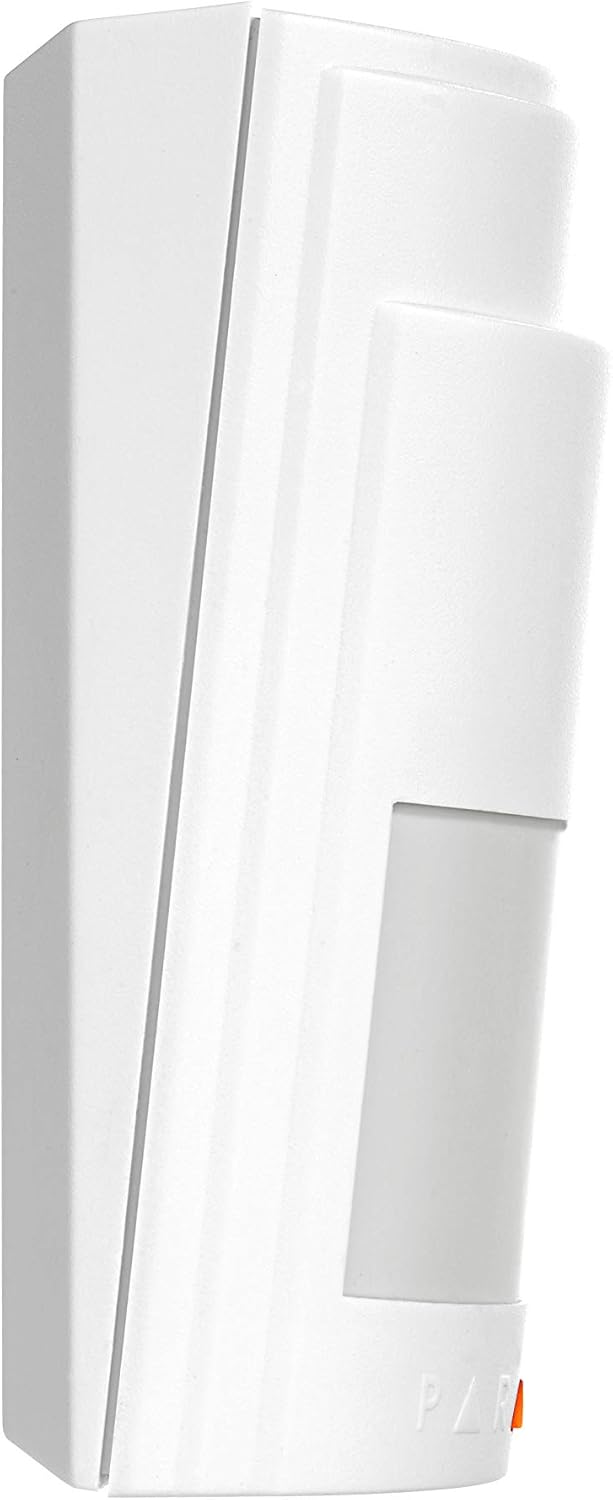
Figure 2: Side and Angled views for mounting reference.
3. Operating Instructions
3.1 Motion Detection
The PMD2P uses a Passive Infrared (PIR) sensor to detect changes in infrared radiation caused by movement within its detection zone. When motion is detected, the device transmits a signal to the connected Magellan wireless receiver/transceiver.
The detector has a coverage area of 11m x 11m (35ft x 35ft) with center beams extending up to 15m (50ft) and an 88.5° viewing angle. Its pet immunity feature prevents false alarms from animals weighing up to 18kg (40lb).
3.2 Energy Save Mode
To conserve battery life, the PMD2P enters an energy save mode after two detections within a five-minute period. During this mode, the ALIVE software ensures that the alarm LED continues to display without compromising battery life, providing visual confirmation of activity.
3.3 Sensitivity Adjustment
A slide switch inside the unit allows you to select between high or low sensitivity settings. Adjust this setting based on your environment and specific detection needs to optimize performance and minimize false alarms.
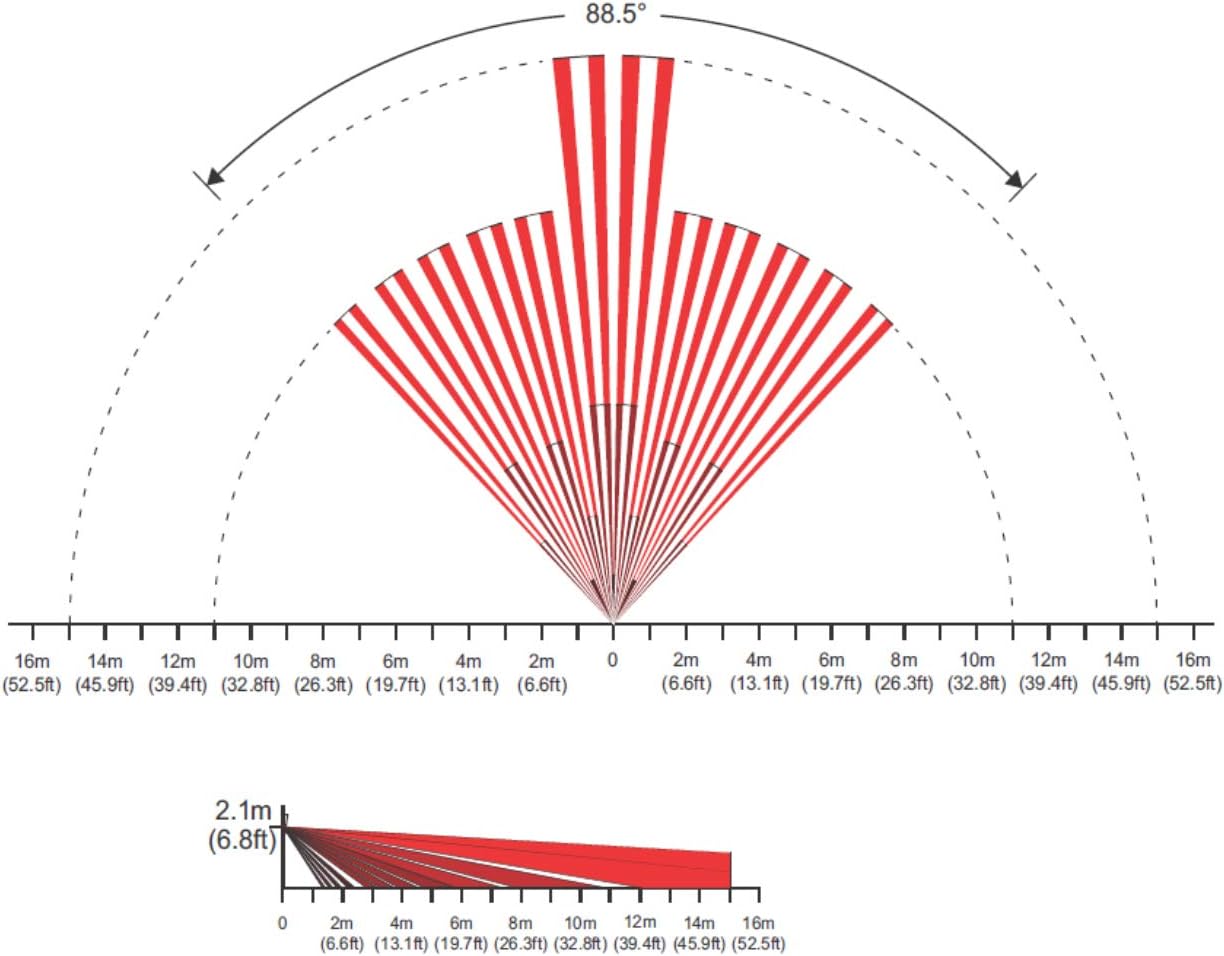
Figure 3: PMD2P Detection Pattern.
4. Maintenance
4.1 Battery Replacement
When the batteries are low, the system will typically indicate a low battery condition. To replace the batteries:
- Open the front cover of the detector.
- Remove the old 3 x AAA alkaline batteries.
- Insert new 3 x AAA alkaline batteries, observing correct polarity.
- Close the front cover securely.
Dispose of old batteries according to local regulations.
4.2 Cleaning
To ensure optimal performance, periodically clean the exterior of the PMD2P detector. Use a soft, dry cloth to wipe away dust and dirt. Do not use abrasive cleaners or solvents, as these can damage the unit.
Avoid touching the sensor lens directly, as fingerprints or smudges can affect detection accuracy.
5. Troubleshooting
5.1 False Alarms
- Environmental Factors: Ensure the detector is not mounted near heat sources (vents, radiators), direct sunlight, or areas with strong air currents (e.g., open windows, fans).
- Pet Immunity: Verify that pets are within the specified weight limit (up to 18kg / 40lb). If larger pets are present, consider adjusting the mounting height or sensitivity.
- Sensitivity Setting: Try adjusting the sensitivity switch to the 'Low' setting if false alarms persist.
5.2 No Detection
- Battery Level: Check if the batteries are depleted. Replace them if necessary.
- Obstructions: Ensure there are no physical obstructions blocking the detector's field of view.
- Mounting Height: Confirm the detector is mounted at an appropriate height for optimal coverage.
- Wireless Connection: Verify that the PMD2P is properly paired with its Magellan wireless receiver/transceiver and that the signal strength is adequate.
5.3 Tamper Alarm
- Cover Tamper: Ensure the front cover is securely closed.
- Wall Tamper: If the detector was removed from the wall, re-mount it securely, ensuring the screw is inserted into the wall tamper hole to engage the mechanism.
6. Technical Specifications
| Parameter | Detail |
|---|---|
| Sensor Type | Dual rectangular element |
| Coverage | 88.5° - 11m x 11m (36ft x 36ft); Center beams: 15m (49ft) |
| Pet Immunity | 18kg (40lbs) |
| RF Frequency | 433 MHz with Magellan only |
| Lens | 2nd generation Fresnel lens, LODIFF® segments |
| Walk Speed | 0.2m to 3.5m/s (0.6ft to 11.5ft/s) |
| Battery Type & Life | 3 x 1.5VDC "AAA" alkaline batteries; 2 years* |
| Current Rating | 31uA standby / 15mA alarm |
| Transmitter Range | 35m (115ft) with MG6130 / MG6160; 70m (230ft) with MG5000 / MG5050 / RTX3 |
| Operating Temp. & Humidity | 0°C to 50°C (32°F to 122°F) / 5 to 90% max. |
| Dimensions & Weight | 6.5 x 12.5 x 5.2cm (2.5 x 4.9 x 2.0 in) / 105 g (3.7 oz) with batteries |
| RF Immunity | EN 50130-4: 10V/m 80MHz to 2.7GHz |
| Compatibility | Magellan wireless receivers/transceivers (MG6160, MG6130, MG6250, MG5000, MG5050, RTX3) |
| Certification | EN 300-200 Certified, EN 50131 Certified (Grade 2 Class II) |
*Battery life expectancy will vary according to the amount of traffic (movement) detected. Higher traffic levels will lower battery life.

Figure 4: PMD2P Technical Specifications Table.
7. Warranty and Support
7.1 Warranty Information
For detailed warranty information regarding your Paradox PMD2P motion detector, please refer to the warranty card included with your product or visit the official Paradox Security Systems website. Warranty terms and conditions may vary by region.
7.2 Customer Support
If you encounter any issues or have questions not covered in this manual, please contact Paradox customer support or visit their official website for further assistance, FAQs, and updated documentation.
Official Website: www.paradox.com


